Viewing 30 results - 121 through 150 (of 142,937 total)
  • Author
    Search Results
  • #1496114

    Hi,
    We have seen a couple of claims from COPYTRACK on behalf of genious2000de, the author of the image that you linked to. Who is claiming the same images that we own extended licenses for, by the user francesco83 from 2014
    Perhaps these are the same person, we are not sure. Kriesi states that his extended license allows end users to use the images in the theme, but not outside the theme. Please see these threads.

    This seems shady, perhaps your best course of action would be to follow Ismael’s advice and use a royalty-free image or create one with AI which can not have a claim against them. Double check your local laws though, we can not offer legal advice.
    https://www.reuters.com/world/us/us-appeals-court-rejects-copyrights-ai-generated-art-lacking-human-creator-2025-03-18/
    Hope that this helps.

    Best regards,
    Mike

    #1496113

    In reply to: Making the logo bigger

    Hi,
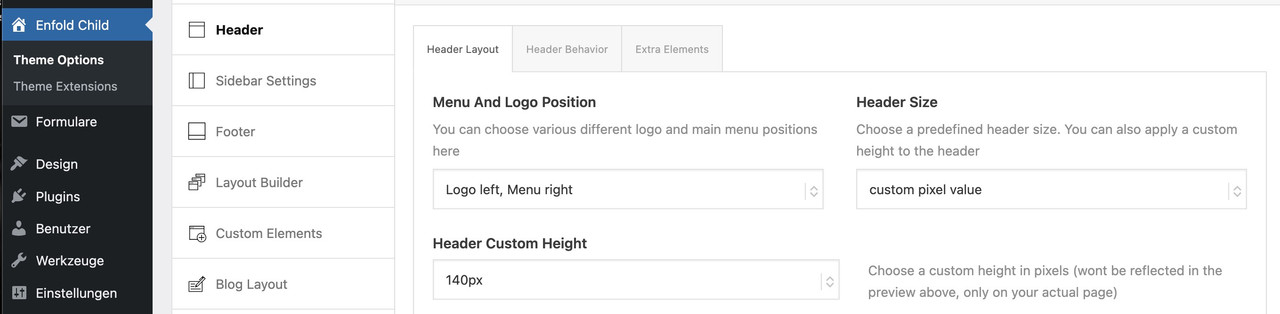
    Perhaps if you want the logo just a little bigger and don’t mind the header to be a little bigger, then this css may help.

    @media only screen and (min-width: 768px) {
        #top #menu-item-logo svg, #top #menu-item-logo img {
        max-height: 150px;
        }
        .html_header_top.html_header_sticky.html_large .av_minimal_header #header_main .container,.html_header_top.html_header_sticky.html_large.html_main_nav_header .av_minimal_header .main_menu ul:first-child > li a {
        height: 150px;
        line-height: 150px;
        }
    } 

    larger-header
    https://postimg.cc/0bp4h1jM

    Best regards,
    Mike

    #1496110

    In reply to: Making the logo bigger

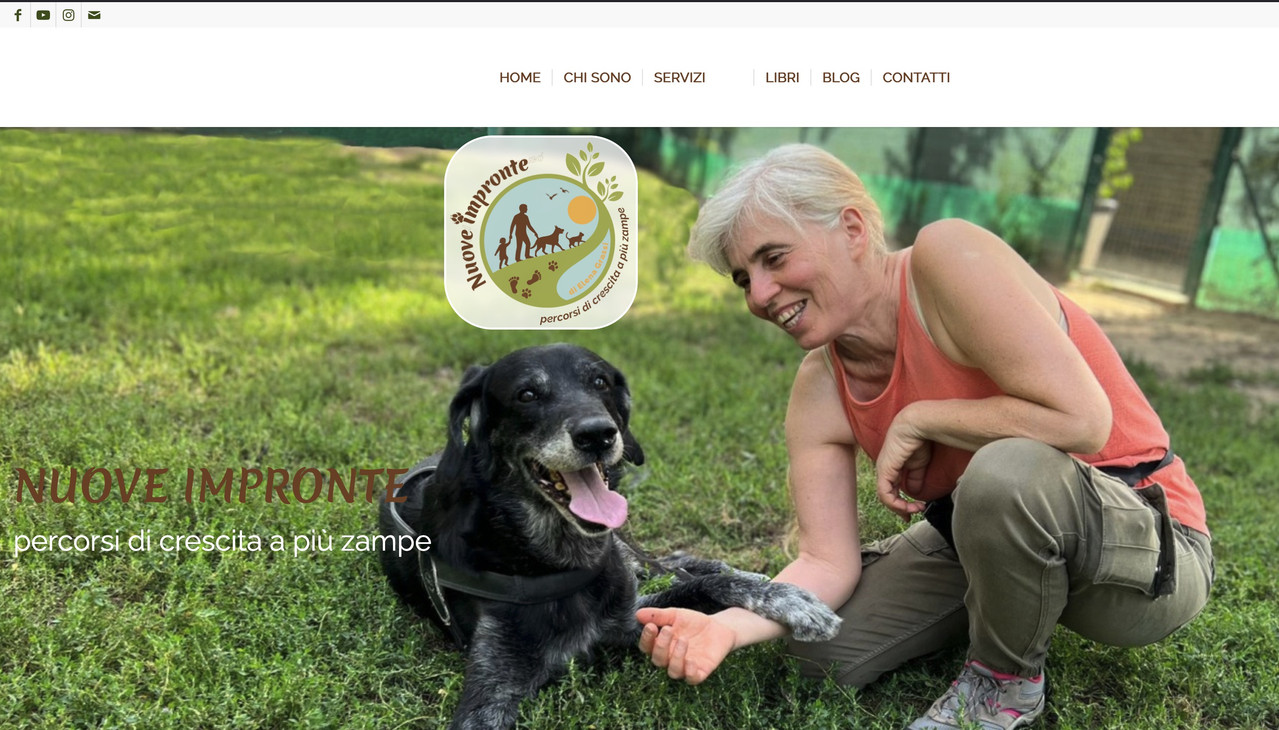
    Even with a vector-based SVG logo, this font (the smaller one in your logo) would no longer be legible.

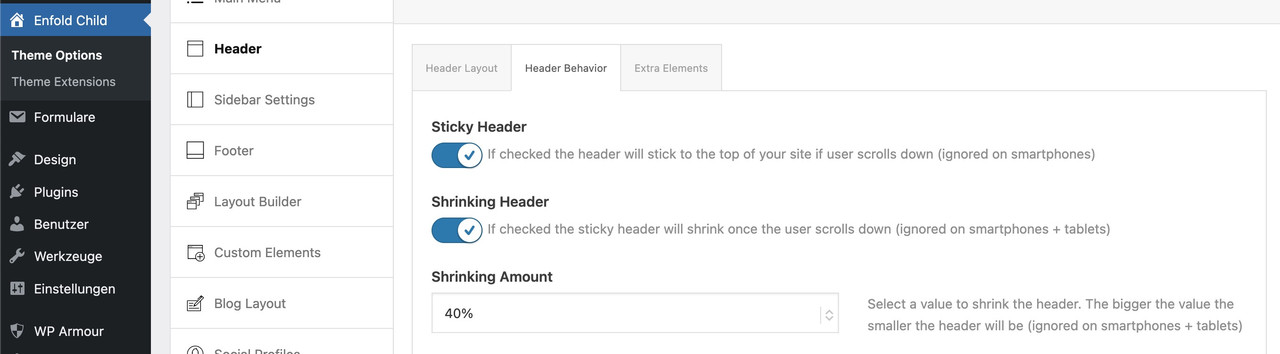
    You could make the header area larger overall, but then let it shrink so it doesn’t take up too much space.

    _________________
    Another option would be to display the logo larger at first and then have it move to the desired position inside navigation as the page is scrolled.
    this for child-theme functions.php:

    function logo_shrink_navigation(){
    ?>
    <script type="text/javascript">
    (function($) {
        function initLogoScrollAnimation() {
            // ===== CONFIGURATION =====
            var config = {
                maxScroll: 100,
                scaleStart: 2.3,
                scaleEnd: 1,
                translateYStart: 80,    // Starting point shifted in the Y direction (e.g. 80px for down shift)
                translateYEnd: 0,       // End point (must be 0 for the final position)
                translateXStart: -230,  // Starting point shifted in the X direction (e.g. -100px for the left)
                translateXEnd: 0        // End point (must be 0 for the final position)
            };
            // =========================
            
            var ticking = false;
            var $menuLogo = $('#menu-item-logo');
            var $menuLogoLink = $menuLogo.find('a');
            var $menuLogoImg = $menuLogo.find('img');
            var logoWidth;
            
            function updateLogo(scrollTop) {
                var progress = Math.min(scrollTop / config.maxScroll, 1);
                
                // Skalierung berechnen
                var scaleDiff = config.scaleStart - config.scaleEnd;
                var scale = config.scaleStart - (scaleDiff * progress);
                
                // Y-Verschiebung berechnen
                var translateYDiff = config.translateYStart - config.translateYEnd;
                var translateY = config.translateYStart - (translateYDiff * progress);
    
                // X-Verschiebung berechnen (NEU)
                var translateXDiff = config.translateXStart - config.translateXEnd;
                var translateX = config.translateXStart - (translateXDiff * progress);
                
                var extraSpace = (scale - 1) * logoWidth / 4;
                
                // Transform mit translateX ergänzt
                $menuLogoLink.css('transform', 'translateX(' + translateX + 'px) scale(' + scale + ') translateY(' + translateY + 'px)');
                
                $menuLogo.css({
                    'margin-left': -extraSpace + 'px',
                    'margin-right': -extraSpace + 'px',
                    'z-index' : '19'
                });
    
                $menuLogoImg.css({
                    'background-color': 'rgba(255,255,255,0.8)',
                    'backdrop-filter': 'blur(5px)',
                    'border-radius': '25px',
                    'border': '1px solid #FFF'
                });
            }
            
            $(window).on('scroll', function() {
                var scrollTop = $(window).scrollTop();
                
                if (!ticking) {
                    window.requestAnimationFrame(function() {
                        updateLogo(scrollTop);
                        ticking = false;
                    });
                    ticking = true;
                }
            });
            
            // Logo-Breite messen und initial setzen
            logoWidth = $menuLogoLink.outerWidth();
            updateLogo($(window).scrollTop()); // Initialen Scrollwert beim Laden berücksichtigen
        }
        
        $(document).ready(function() {      
            setTimeout(function() {
                initLogoScrollAnimation();
            }, 300);
        });  
    })(jQuery);
    
    </script>
    <?php
    }
    add_action('wp_footer', 'logo_shrink_navigation');

    the confic section is for the starting look of your logo (scale, shift x and y-axis etc)

    look at start this way:

    after scroll it is in the center of your nav.

    Holger-Germany
    Participant

    Subject: CRITICAL: Enfold 7.1.4 Redirect Failure & PHP Fatal Error (get_page_permastruct on null)

    “Dear Enfold Support Team,

    I am experiencing a critical issue with Enfold 7.1.4 on a site running the latest WordPress version and PHP 8.1 (also tested with 8.2 and 8.3).

    The Problem:
    A registration form (created with DigiMember) has stopped functioning correctly. While the user is successfully registered in the database, the AJAX redirect to the thank-you page fails completely. The button does not trigger the redirect, leaving the user stuck on the form page.

    Technical Analysis & Error Logs:
    The error logs show that the process is interrupted by a Fatal Error within the WordPress core, triggered during an AJAX call. Even with PHP 8.1, I get the following stack trace:

    PHP Fatal error: Uncaught Error: Call to a member function get_page_permastruct() on null in …/wp-includes/link-template.php:435

    Stack Trace highlights:

    #0 …/wp-includes/link-template.php(397): _get_page_link()

    #1 …/wp-includes/link-template.php(197): get_page_link()

    #2 …/plugins/digimember/…/payment_handler.php(878): get_permalink()

    Additionally, the log is flooded with hundreds of deprecated warnings regarding the Enfold core:
    PHP Deprecated: Class avia_style_generator was called with an argument that has been deprecated since version 5.3! Trying to set protected/private property: avia_style_generator::print_extra_output.

    Environment:
    Enfold Version: 7.1.4

    WordPress: Latest (6.9.1)

    PHP: 8.1.34

    Active Plugins: Cookiebot, DigiMember, GetResponse.

    It seems that the way Enfold handles the style generator or AJAX environment is causing WordPress to lose its permastruct context, leading to the null error during the redirect.

    Do you have a temporary fix, a filter for my child theme’s functions.php, or a patch to resolve this redirect failure? This is currently breaking my sales funnel.

    Best regards,”

    #1496091

    Hi,

    Thank you for the inquiry.

    Regarding the logo shrinking on smaller screens and the burger menu/search icon overlapping, you can add the following css to Enfold > General Styling > Quick CSS field:

    
    @media only screen and (max-width: 1290px) {
      .responsive #top .logo img {
        max-width: 62%;
      }
    
      #avia-menu {
        margin-right: 0;
        padding-right: 0;
      }
    }
    
    @media only screen and (max-width: 767px) {
      .responsive #top .logo img {
        max-width: 35%;
      }
    }
    

    Adjust the max-width value as needed to fit your logo within the header. Please make sure to purge the cache before testing.

    qVl8kmu.md.png

    Let us know if the issue persists.

    Best regards,
    Ismael

    #1496083

    Hey bemodesign,
    Try this css:

    @media only screen and (max-width: 767px) {
        #top #wrap_all .av-burger-overlay .av-burger-overlay-scroll #av-burger-menu-ul li a {
            font-size: 22px;
        }
        .html_av-overlay-full #top #wrap_all #av-burger-menu-ul li,.html_av-overlay-full #top #wrap_all #av-burger-menu-ul li li {
        line-height: 1em;
    		}
    		.responsive #top #wrap_all #av-burger-menu-ul li {
        font-size: 22px !important;
    		}
    } 

    Adjust to suit.
    As for your anchor link, the ID #book-call is in the second section column with the title “Free 15-Minute…” if you want the first section title “CONTACT BEMO DESIGN” to show, then move the ID to that section.

    Best regards,
    Mike

    #1496080

    Hey waveseven,
    Please see these threads:

    If neither of these work for you, please link to your site.

    Best regards,
    Mike

    #1496075

    In reply to: Logo cropped on mobile

    Hi,
    Ok, try adding this css:

    @media only screen and (max-width: 767px) {
    	.responsive #top.post-type-archive-tribe_events #main {
    		 padding-top: 30px !important;
    	}
    	#main > .container_wrap.container_wrap_first {
    		 border-top-width: 0;
    	}
    } 

    Then clear your cache and check.

    Best regards,
    Mike

    This bug is causes by a missing closing tag inside a av_textbox element. Imho, this should not break the template system as the shortode itself is closes properly and browsers also can handle this naturaly.

    How to reproduce:
    – create 2 textblocks
    – make the first one have invalid html by adding a opening
    element

    From my understanding, this bug is quite new, since our client has been using this template for quite some time.

    p.s.
    This topic notes bug reports should be posted to this group if there’s no valid support license:

    > In case you do not have a valid support but would like to report a bug or make a suggestion, you can use either Pre-sale question form or post a comment on Enfold’s ThemeForest page :)

    #1496058

    In reply to: Logo cropped on mobile

    Hi Mike,
    I just can’t seem to find it.
    On all the mobile pages, the spacing of the logo is correct except on the page linked below:
    The spacing isn’t correct there.
    padding-top: 30px !important; ? not find.
    Thanks, best regards, Franz

    #1496049

    Hey hegartpetersen,

    Thank you for the update.

    If you prefer wrapping the title container into multiple rows, please try to add this css code:

    
    #top .av-tabs-scrollable .av-tab-section-outer-container {
        overflow: visible;
    }
    
    #top .av-tabs-scrollable .av-tab-section-tab-title-container {
        display: flex !important;
        flex-wrap: wrap;
        justify-content: center;
        min-width: unset !important;
        left: 0 !important;
        white-space: normal;
    }
    
    #top .av-tabs-scrollable .av-section-tab-title {
        flex: 0 0 auto;
    }
    

    Note that this will hide the arrow indicator beneath the active tab since it depends on the container’s positioning logic. Please refer to the documentation on adding custom css classes to elements:

    https://kriesi.at/documentation/enfold/add-custom-css/

    Let us know the result.

    Best regards,
    Ismael

    #1496048

    Hey cherrmann,

    Thank you for the update.

    The negative margin-top values in your custom css are pulling the footer upward and overlapping the content above it, which is why the submit button and other elements near the footer get cut off.

    You have these rules defined in two places:

    
    #footer {
        padding: 0 0 190px 0;
        margin-top: -190px;
        background-image: url(//janisch-schulz.com/wp-content/uploads/2022/05/090-footer-wasser.jpg);
        background-size: cover;
    }
    
    @media only screen and (max-width: 768px) {
        #footer {
            background: url(//janisch-schulz.com/wp-content/uploads/2022/05/090-footer-wasser-mobil.jpg);
            background-size: cover !important;
            margin-top: -360px;
        }
    }
    

    The negative margin-top on both rules is what pulls the footer up over your content. Remove both margin-top values and your submit button should become visible again. The padding-bottom on the desktop rule was likely added to compensate for the overlap, so you may want to revisit that value as well once the margin is removed.

    Let us know if the issue persists.

    Best regards,
    Ismael

    #1496046
    bemodesign
    Participant

    Hello, can you get me CSS to increase mobile font size, sub menu font size & line spacing? I just need to the mobile menu to look better. Please let me know what will look good. thanks!

    I also have that very top of page link that says “Book a Free Strategy Call” That goes to an anchor link “https://bemodesign.com/contact-bemo-design/#book-call but it cuts off the top of headline when it does. how can I move this down when they click on this achor link?

    THanks!!

    #1496034

    In reply to: Logo cropped on mobile

    Hi,
    I think that you misunderstand, do not add the css above, you already added it before, you need to remove it or change the padding-top: 0 !important; to padding-top: 30px !important;

    Best regards,
    Mike

    Hi,
    I changed the script to this:

    function disable_horizontal_gallery_image_nav() { ?>
      <script>
    document.addEventListener('DOMContentLoaded', function() {
      document.querySelectorAll('.av-horizontal-gallery-wrap').forEach(function(wrap) {
        const link = wrap.querySelector('a[href^="#toggle-id-"]');
        if (!link) return;
    
        const href = link.getAttribute('href');
    
        wrap.style.cursor = 'pointer';
        wrap.addEventListener('click', function(e) {
          e.stopPropagation();
    
          const toggleId = href.replace('#', '');
          const toggleTrigger = document.querySelector('[data-fake-id="' + href + '"], [href="' + href + '"], #' + toggleId + ' .toggler, .toggle-title[href="' + href + '"]');
    
          if (toggleTrigger) {
            toggleTrigger.click();
    
            let scrollTimer = null;
            window.addEventListener('scroll', function onScroll() {
              clearTimeout(scrollTimer);
              scrollTimer = setTimeout(function() {
                window.removeEventListener('scroll', onScroll);
                window.scrollBy({ top: -250, behavior: 'smooth' });
              }, 300);
            });
    
          } else {
            window.location.hash = href;
          }
        });
    
        link.addEventListener('click', function(e) {
          e.preventDefault();
          e.stopPropagation();
        });
      });
    });
      </script>
      <?php
    }
    add_action( 'wp_footer', 'disable_horizontal_gallery_image_nav', 99 );

    Give it a try.

    Best regards,
    Mike

    #1496031
    nioperik2
    Participant

    Hello,
    In a page element, I select “Hide on very small screens (smaller than 479px for example mobile phones portrait)” – (translated from Dutch…).
    This works well: the element is not visible on my iPhone.
    However, when I would like the element to be visible on my Ipad only, landscape, I select (= hide):
    – Hide on larger than screens (bigger than 990px – for example Desktop)
    – Hide on small screens (between 484px and 768px, like tablet portrait)
    – Hide on very small screens (smaller than 484px, like mobile phone portrait)
    and so Ieave open (= visible):
    – Hide on average screens (between 768px and 989px, like tablet landscape)
    The problem is: this element is NOT visible on my iPad, landscape.
    Could you please help?

    #1496030

    warum hast du für #footer ein negatives margin-top definiert?

    Du hast es an zwei Stellen so gesetzt:

    #footer {
        padding: 0 0 190px 0;
        margin-top: -190px;
        background-image: url(//janisch-schulz.com/wp-content/uploads/2022/05/090-footer-wasser.jpg);
        background-size:cover
    }
    
    @media only screen and (max-width: 768px) {
        #footer {
            background: url(//janisch-schulz.com/wp-content/uploads/2022/05/090-footer-wasser-mobil.jpg);
            background-size: cover !important;
            margin-top:-360px
        }
    }

    lösche mal beide margin-top Werte – dann siehst du auch wieder deinen Submit Button.

    #1496027

    Hi Mike,
    Thank you very much for your reply.
    I’ve installed the same search function on five other pages.
    Everything was working fine until a few days ago.
    And I was able to open the galleries on mobile exactly the same way—
    just like on the desktop.
    I would “Auswählen” the dropdown, choose the desired gallery, press OK, and then click Search.
    No updates have been applied to the script.
    Only WordPress and Enfold.

    I installed the same search function on the page linked below:
    It works fine on desktop, but doesn’t open on mobile.

    Is there anywhere I can download an older version of Enfold Child?

    Thanks and best regards,
    Franz

    #1496020

    Hi,

    That’s helping. Next thing is, I would like the slideshow full width same as the header, so out of the box. Then the content beneath with a negative margin-top sliding up into the slideshow. How can I do that? Because the site is still under construction, I’ve added the login credentials in the Private content box.

    #1496017

    Hi,
    I don’t understand how your custom search field is applied to your page, but I see that it is not the same on mobile. On desktop, when opened it has the classes: SumoSelect sumo_gallery_ids open and has a div with the classes: optWrapper okCancelInMulti multiple that creates the drop down.
    On mobile it only has the class: SumoSelect and doesn’t have the div.
    I see no errors that might point to this, but I believe that this is an error with your script and not with the theme. Try asking wherever you got the script from for further advice.

    Yes img.savvyify.com is no longer working, try freeimage.host instead.

    Best regards,
    Mike

    #1496015
    pdxammo
    Participant
    #1496011

    Hey spitsdesign,
    You can request demos in our Feature Requests where the Dev Team will see it, click the green button at the top right “New Issue” to create a new request with the type of demo you would like to see.
    Please keep each request to one topic, but you can summit multiple topics.

    Best regards,
    Mike

    #1496006

    In reply to: Logo cropped on mobile

    Hey schweg33,
    Looks like you have added this custom css:

    @media only screen and (max-width: 767px) {
        .responsive #top #main {
            padding-top: 0 !important;
            margin: 0;
        }
    } 

    Remove it or adjust the zero to something like 30px

    Best regards,
    Mike

    #1496005

    In reply to: burger menu mobil

    Hey rixi,
    Looks like you have this css in your child theme:

    #header_main_alternate, #top #header .av-main-nav > li > a {
        background-color: #02507d !important;
    } 

    Change to this:

    #header_main_alternate,.responsive #top #header .av-main-nav > li:not(.av-burger-menu-main) > a {
        background-color: #02507d !important;
    } 

    Best regards,
    Mike

    #1496003
    orianos
    Participant

    By default, when Enfold Maintenance Mode is activated, only the Administrators, Editors and Authors can view the site.

    I would like subscribed users to be able to view the site as well.


    @Mike
    ,
    you had already replied to me in this ticket (but the screenshot is no longer visible).
    Could you please send me the instructions again to edit line 304 in /enfold/includes/classes/class-avia-custom-pages.php ?

    Best regards,
    Oriano

    #1495989

    Sorry about that.
    Since the main page (first link)
    is currently under heavy revision, I’ve created a new link.
    See below.
    Thanks, best regards, Franz

    There is a search function on this page:
    Link below:
    It works perfectly on the desktop.
    Until a few days ago, it was also working fine on mobile. I don’t know if there was a change due to the WordPress update or the Enfold theme update,
    but in any case, I can no longer click on the dropdown on mobile.

    https://img.savvyify.com/
    Is this page no longer working?

    Arjan Steenbergen
    Guest

    Hi,

    We’re encountering a bug in the template-import system: It’ll import everything visually correctly, but the underlying saved data stops after this first content section.

    reproduce:
    – copy the saved data to a page, add a textblock below it and save as template.
    – import that template in a new page, visually it’ll have the textbox, but the data wont have the textbox saved (reload page to verify the textbox is now gone).

    #1495986
    schweg33
    Participant

    There is a search function on this page:
    Link below:
    It works perfectly on the desktop.
    Until a few days ago, it was also working fine on mobile. I don’t know if there was a change due to the WordPress update or the Enfold theme update,
    but in any case, I can no longer click on the dropdown on mobile.

    Thanks for the info,
    Best regards,
    Franz

    https://img.savvyify.com/
    Is this page no longer working?

    #1495976

    [EDIT: I’m sorry I messed up, because I set the header image on button to not show on small devices, but still the following is valid:]

    Applying https://kriesi.at/support/topic/display-issues-on-iphone-13/#post-1495940 this Is what I got (section above footer not fully visible):

    The issue is only to see on a real iPhone unfortunately.


    @Guenni007
    – die svg-Trenner werde ich ausprobieren, danke für den Hinweis.

    #1495956

    Hey macuti,
    I have added it below for you. Please see this post: https://kriesi.at/support/topic/copytrack-wants-me-to-show-a-license-for-an-image-included-in-the-demo/#post-1495685
    If you read the whole thread you will see two links to the same image, the one for which we have a license for from 2014 by the user francesco83 and a newer one that copytrack is claiming for the user genious2000de or perhaps it is the same person, we don’t know. Either way our extended license is valid.
    Please note that we can not offer legal advice.

    Best regards,
    Mike

Viewing 30 results - 121 through 150 (of 142,937 total)