Hi,
I realised that it was not a page/link, but wondered how to stop webmaster tools from telling me I have an access denied and if it will affect my website in the seach results having errors on my website.
Does everyone with a website get this for their theme, or is this just enfold I wonder.
For some reason the easy slider on this page: http://imaretec.nl/ida/ does not work. There are 6 slide in the slideshow ( you can see the 6 dots) but it stops sliding after the second slide ( the second slide is not shown correctly though, you still see the first slide)
How can I fix this?
Regards,
Pieterjan
Hey!
Each page has an unique ID, you can see it in the URL when editing them:

Now that we know the IDs, to set styles to different pages simply do it like this:
.page-id-1336 .main_color.iconbox_top .iconbox_icon { background-color: #719430; color: #ffffff; border-color: #507210; }
.page-id-123 .main_color.iconbox_top .iconbox_icon { background-color: #719430; color: #ffffff; border-color: #507210; }
Cheers!
Josue
This reply has been marked as private.
wI really like the theme but i can’t understand why someone is closing my theme here in the forum about the bad performance.
i recorgnized the clsoing when i wanted to tell – how i get my page from 8 seconds to 2 seconds.
https://kriesi.at/support/topic/is-loading-much-to-long-badperformance/?login_error#post-164263
–> It was because of the the googlemaps script which i loaded in the future –> i solved it by using pictures of the maps which can be clicked
Hey midischool!
Please add following code to Quick CSS in Enfold theme options under Styling tab and adjust as desired
.main_color.iconbox_top .iconbox_icon { background-color: #719430; color: #ffffff; border-color: #507210; }
You can use different colors in each page using page ID’s :)
Best regards,
Yigit
Hi!
If you are talking about LayerSlider, please add following code to Quick CSS in Enfold theme options under Styling tab and adjust as desired
.ls-wp-fullwidth-container { margin-top: -10px; }
Cheers!
Yigit
hi Josue,
we have another question,
we would like to create a full screen slider only in one page where there will be no border on the top and also no alternate content area- the topics such as :home contact about will appear on the slider.
is it possible- and if yes- how?(we want it only on one page not on all the others)
please see attached reference:
http://www.lonelyplanet.com/
thank you in advance
indiatravelz
I have a very simple placeholder blog at the moment and a design issue I can’t figure out.
Using the Enfold Theme Options menus I created a simple style with a boxed layout and a custom uploaded background image. This produces a white text box with black text on a white background on top of the background image I uploaded.
Here’s my design issue.
I would like the text box to be partially transparent so that the background image shows through the text box.
Is there a setting for this?
Is there code that I could add the style sheet somewhere?
Here’s the web site as it is now: http://www.williamkannberg.com.
For those who want to solve this problem, this is the code:
.single-format-video .fullsize .template-blog .big-preview.multi-big { margin-bottom: -317px!important; }

#top #wrap_all .big-preview.multi-big + .big-preview.multi-big { margin: 0 0px -30px 0px!important; }

@media only screen and (min-width: 768px) and (max-width: 989px) {
#top #wrap_all .big-preview + .big-preview { top: 30px!important; }
}

@media only screen and (max-width: 767px) {
#top #wrap_all .big-preview.multi-big + .big-preview.multi-big { margin: 0 0px 110px 0px!important; }
#top #wrap_all .big-preview + .big-preview { top: 156px!important; }
}

@media only screen and (max-width: 479px) {
#top #wrap_all .big-preview + .big-preview { top: 170px!important; }
}
Hey Ismael,
you can consider this thread resolved :)
Ygit solved the problem: https://kriesi.at/support/topic/post-video-view-broken/
Thanks
Hey,
what do you like to achieve?
Have a look to the answer in my topic from Dude: https://kriesi.at/support/topic/portfolio-sorting-options/
Do you like to have a full portfolio grid sorted by categories first and within each category then alphabetically? Doesn’t make that much sense because of the filter option…
Otherwise you could manually create pages and put the portfolio with selected cats on it. You may take a look here: http://kunden.formateins.de/kvm/hardware/ > Take a look at the subpages. Maybe it gives you an idea…
Regards
Hi good people of Kriesi,
I would love to use Enfold for a new client website.
The only reason i’m still doubtfull is that i need a category hierarchy of portfolio items.
I already asked this question in https://kriesi.at/support/topic/porfolio-hierarchy/ but can’t get it to work properly.
It would be awesome if you could help me to get this working.
Kind regards,
Matthijs
When I go to the wordpress “Layerslider WP” tab and then the sub-tab “Transition builder”, I have the following error message at the top:
Warning: file_get_contents(/home/yusufhas/public_html/devicage.com/wp-content/themes/enfold/config-layerslider/LayerSlider/sampleslider/sample_transitions.js) [function.file-get-contents]: failed to open stream: No such file or directory in /home/yusufhas/public_html/devicage.com/wp-content/themes/enfold/config-layerslider/LayerSlider/builder.php on line 14
Screenshot here: http://screencast.com/t/FrXtlmOiUUQ
How does this affect me? Should I do something about it?
UPDATE: I can’t add new transitions on that tab. When I click the buttons to add new transition, nothing happens. Related to the error? Also, there are no sample transitions there.
-
This topic was modified 12 years, 6 months ago by
 yusufhgmail. Reason: Added update
Hi!
Here the code:
[av_section color='main_color' custom_bg='' src='' position='top left' repeat='no-repeat' attach='scroll' padding='default' shadow='no-shadow' id='']
[av_one_half first]
[av_hr class='invisible' height='50' shadow='no-shadow' position='center']
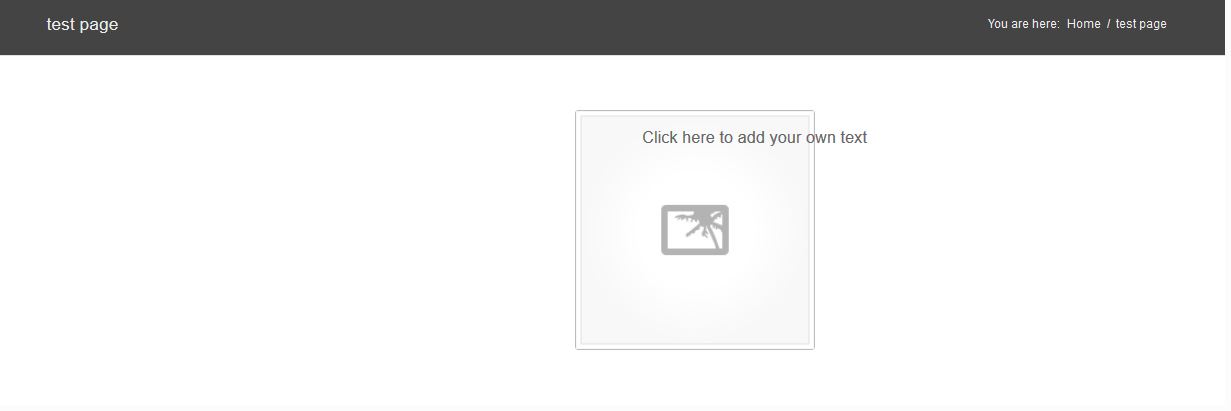
[av_image src='https://xxxxxxxxxxxx.com/themes/xxxxxxxxxxxxxxx/config-templatebuilder/avia-template-builder/images/placeholder.jpg' attachment='' align='center' animation='left-to-right' link='' target='no']
[/av_one_half][av_one_half]
[av_textblock]
Click here to add your own text
[/av_textblock]
[/av_one_half][/av_section]
When i remove the white space above the image it looks ok – with this code it looks like: http://www.pizzeriainnsbruck.at/wp-content/uploads/diverse-daten/problem-enfold.JPG
iT LOOKs like the image centers of the hole page instead of the 1/2 Element.
Whne i use a Image of the reght side it dont appear. It appears outside the website. because it goes tho the center of the website again – but this time the center is outside the website :) I dont understand this…. weird
ONE IMPORTANT POINT:
THE PROBLEM IS ONLY ON FIREFOX 24!!!!!!!!!!!!!!!
WITH IE AND CHROME IT LOOKS FINE…..
Hope you find the bug and i can move on. Thank you so much!
-
This reply was modified 12 years, 6 months ago by
 chooseone.
Hi!
Please add following code to Quick CSS in Enfold theme options under Styling tab
#top .product div.images img { width: auto; }
Cheers!
Yigit
Hey MuzSolutions!
Please add following code to Quick CSS in Enfold theme options under Styling tab and adjust as desired
#top .social_bookmarks li { font-size: 18px; }
Please update Enfold theme to version 2.3.2. Iconfont uploader was added in version 2.3. Please see Devin’s tutorial on Adding Fontello Icon Fonts http://vimeo.com/75743285
Regards,
Yigit
Hi!
Please add following code to Quick CSS in Enfold theme options under Styling tab
div .logo { top: -5px; }
.responsive .logo img { margin: -5px auto; }
Please refer to this post to change the width of switching to mobile menu https://kriesi.at/support/topic/collapsable-menu/#post-165144
Regards,
Yigit
Closing off the topic for now. Let us know if you have any other issues and we’ll do our best to help :)
This reply has been marked as private.
Hey!
I couldn’t reproduce the issue on my test server. If possible please create us an admin account and we’ll look into it. You can post the login credentials as private reply. If you can’t create an admin account post the layout builder code and I’ll try to reproduce the issue with your code. You can activate the debug mode (see: https://kriesi.at/support/topic/after-building-with-avia-no-content-visibleeditable-on-the-standard-editor/#post-171445 ) to get the layout builder code.
Cheers!
Peter
Please take a look at this page: http://nexuscontentlab.com/services/
In the first Color Section with Icon Boxes, the one on the left is a Side Icon Box that does not display correctly on the Page. (in Avia Page Builder it does display correctly). The Top Icon Box to the right does display correctly.
I checked my custom CSS and it appears there is nothing there that should be conflicting. I am using V2.3.2.
Thanks, Mike.
-
This topic was modified 12 years, 6 months ago by
 mhiller.
Hello!
You need to add the code at the very top of functions.php – otherwise it will not work. Afterwards Enfold will display a text field underneath the visual composer/editor field which allows you to manipulate and view the layout source code.
Cheers!
Peter
Hey n_z_r!
Yes, maybe you need to add the Cyrillic subset to the google font – see: https://kriesi.at/support/topic/google-fotns-with-extended-latin-subset/
– i.e. use “latin,cyrillic” instead of “latin,latin-ext”.
Regards,
Peter
Hi Ismael,
I apologize, I do not speak good English.
Please see these screenshots:
1) Blog with articles. Some items show “Featured Image”: http://i.imgur.com/vTqH0tg.jpg
2) I click on “Read More”, I view the full article. The “Featured Image” has disappeared: http://i.imgur.com/8RnVBaU.jpg
If it is possible I would like this, but only on Post Video format.
I ask because this change is perhaps the only way to fix this bug: http://egotheme.tv/2013/10/video-post-broken/
I opened a discussion on 5th October, but seems to be no solution that works: https://kriesi.at/support/topic/post-video-view-broken/
I’ve also updated the new version 2.3.2, I was hoping that the bug was fixed. But the bug is still there.
Thanks
-
This reply was modified 12 years, 6 months ago by
 macrunner.
Hey weball!
Yes, with a small trick you can use any slider as fullwidth slider as long as the slideshow script supports responsive layouts – see: https://kriesi.at/support/topic/revolution-slider-fullscreen-possible-in-enfold/
Cheers!
Peter
Hey!
If you want to move the content higher, you can add a negative top margin on the main div.
#main {
margin-top: -20px;
}
Best regards,
Ismael
This reply has been marked as private.
Thanks that’s great. Sorry but would still like to know if there is a way to remove the bullets that are appearing to the right the of the side nav menu items. You can view the page here to see what I mean.
Also, is it possible to reduce the padding to the right of the side navigation so the menu items stay on one line.
They also to align right when on 2 lines which I would prefer to avoid.
Thanks!
This reply has been marked as private.