
-
Search Results
-
Hello
Is it possible to center the header main in boxed site width like the other content?
And also center without the background full width the submenu in content width?look at topmenu here
developement pageIs it possible to remove the space between slides in content slider?
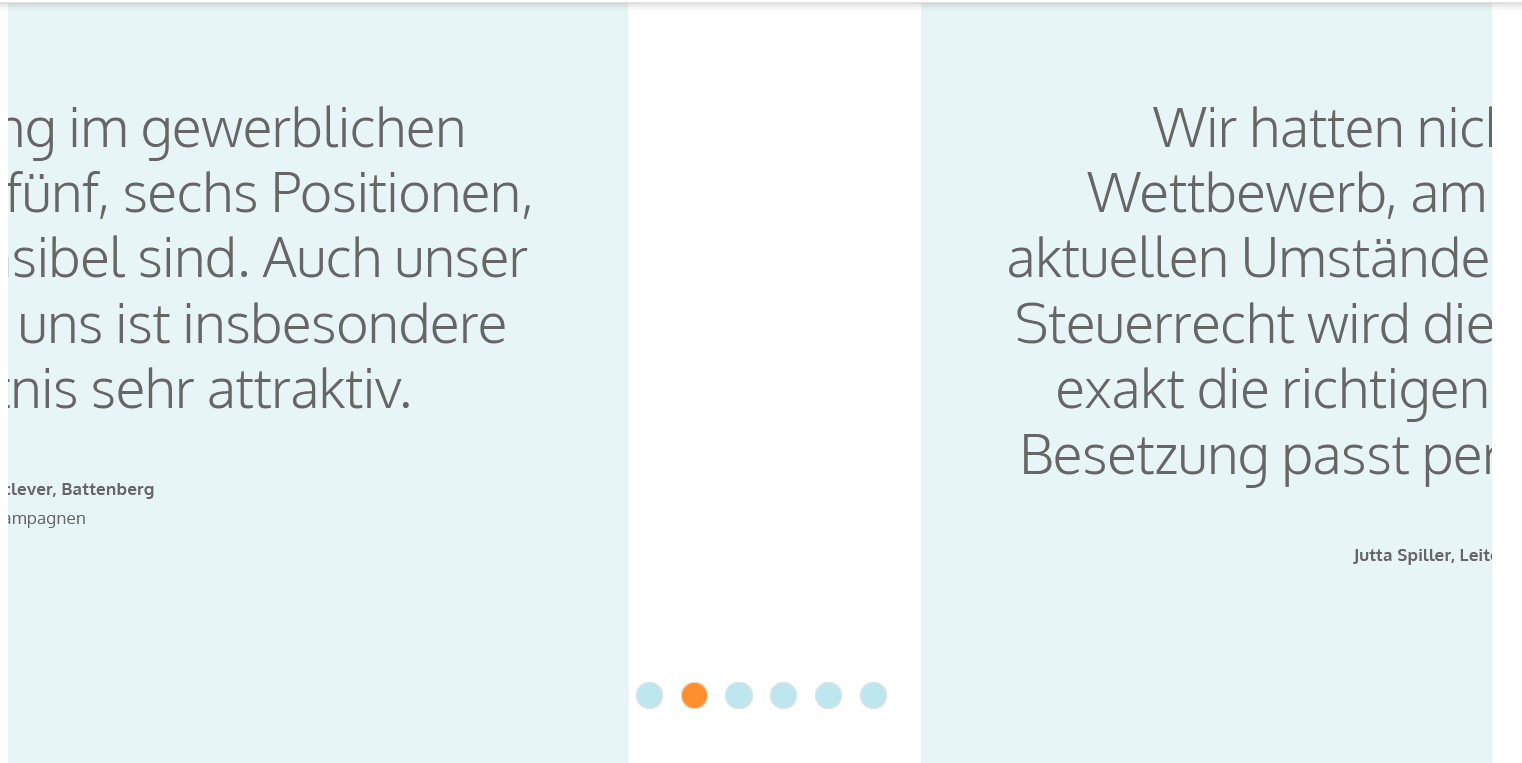
look at content slider middle of startpage here
developement pagethanks for your time
greetings P. GillesTopic: Custom Blog Post Template
I am sorry for the new post here as I know the questions and answer around the Blog Post template are extensive.
I am trying to appease a client who would like to have the ability to post ads on the actual post pages. So, essentially, I need modifications to the post template.
Under Theme Options > Blog Layout, I have chosen, “Use the advance layout editor to build your own blog.” In Quick CSS, I have the following:
/* CSS – Remove sidebar on blog category */
#top.archive.category .sidebar {
display: none!important;
border: none!important;
}#top.archive.category .content{
width: 100%;
border: none !important;
}/* CSS – increase heading size on featured blog post on home page. */
#top.home #wrap_all .main_color .post-entry.tag-featured-post h2.post-title {
font-size:30px;
}
#top.home #wrap_all .post-entry.bloglist-simple .blog-categories a {
font-size:12px;
}/* CSS – hide categories on home page blog element in list view – simple */
span.blog-categories.minor-meta {
display: none !important;
}span.blog-categories.minor-meta + span.text-sep {
display: none;
}I am wanting to keep the functionality of having a Blog Post page template. In other words, I want to keep blog post navigation, single post styles and blog archive functionality.
Is there any way to introduce a left and right column to the blog post template without breaking the blog functionality? In my case, we could have the right column stay “as-is” for widgets, currently Categories, Archives and Receivve Posts by Email. Per my client’s request the left column could be reserved for ads.
I should mention that “ads” as it relates to this client, are hand fabricated images, (jpg or png) that he is managing manually. The “graphic” ads, simply link out to the advertiser’s sites.
See an example of the ads on the current home page here: https://www.woodyboater.com
See a sample of a current blog post here: https://www.woodyboater.com/classic-boat-art/art-gets-paul-harvey-to-tell-the-rest-of-the-story/
Thank you.
Bill Basler
Hi,
i can’t use all the settings while editing a page because the right column is hidden behind the top layout editor.
I’m adding in the private section the details.
Also, inside a full width easy slider images, i have some text which is supposed to be centered, but when i view from phone it’s on the bottom instead.Thank you
Hi Yigit,
I think it’s time to solve this problem that affects the display of the Enfold color section on tablets.
If you go to MY SITE* and open any product, for example the first one here: LINK* inside the page there are two color sections that flow as a background.
On desktop and phones bg images is displayed correctly.
On tablets the background image is zoomed and not resized correctly, both in portrait and landscape mode.
The problem, is not clear why, it only appears on physical devices, on software simulators it seems to not exist, but I have personally tested the problem on more than one tablet and the problem exists.
Other thing:
On iphone the social icons block is not displayed correctly in portrait mode, icons are not resized correctly and not centered. Try to check on mobile (iphone) here: LINK2*
I think the problem in both cases is some error in the CSS
Thanks in advance
Lion
Is there CSS code to allow an MP4 or YouTube VIDEO to show on a mobile phone and NOT AN IMAGE in Full-Width Easy Slider? It used to work before but has now stopped working on all websites.
I tried to add just a video and hide it on all sizes but the smallest, but in the non-mobile view, there’s a huge white gap wherever the video is hidden on anything but the mobile view. It looks horrible.
Please help. Thanks.
Topic: webp images not being served
Hello,
I’ve converted all images into both jpg and webp formats. Most of the images on my site are being served as webp. However, I’ve notice that the full width blog images at the top of articles are not displayed as webp. I use a plugin to optimize and convert all the images and can see the formats available. Do you know why the top full width images (see below for the image link as an example) are not converting over within Enfold? Thank you,
Lisa
For the life of me I cannot figure out how to do this.
I have a 3 column grid, no space between. Each column has an image background, header text at the top in a row and then a green box (2nd row within each column) with text and button at the bottom.
I can’t get it to align the second row at the bottom and have it consistent so if the header text runs longer, the bottom 3 green boxes will stay the same size and aligned to the bottom.
Can you help?
Hi Yigit,
I think it’s time to solve this problem that affects the display of the Enfold color section on tablets.
If you go to MY SITE* and open any product, for example the first one here:
LINK* inside the page there are two color sections that flow as a background.
On desktop and phones bg images is displayed correctly.
On tablets the background image is zoomed and not resized correctly, both in portrait and landscape mode!
The problem, is not clear why, it only appears on physical devices, on software simulators it seems to not exist, but I have personally tested the problem on more than one tablet and the problem exists.
Other thing:
On Phone the social icons block is not displayed correctly in portrait mode
Try to check on mobile (phone) here: LINK2*
I think the problem in both cases is some error in the CSS
Thanks in advance
Lion
Viewing 30 results - 6,511 through 6,540 (of 142,918 total)


