And if I want for every page, I can just remove the “home” part, like this?:
#top #av_section_3 .av-special-heading {
padding-bottom: 0;
}
-
This reply was modified 1 year, 9 months ago by
 bemodesign.
Please help! The image changes “zoom” when I either refresh or do “mobile view” and then refresh. (see attached)
When I’m on “desktop view” and switch to see “mobile view”, then refresh, it shows the image correctly on Mobile. Then when I go back to Desktop it is correct, until I refresh, then it is back to a Zoomed image.
And all my background images are set to “Fixed”, so that’s not it. It must be a code or something messing with it.
Thanks for your help.
Hello mr. @Rikard,
Guenni007 has resolved my CSS-Problem.
You can close this topic.
Thank you.
Best regards
Markus from Vienna.
Ps.: Sry, my english is not so good ;-)
Hi,
Great, I’m glad that @guenni007 could help you out :-)
Please let us know if you should need any further help on the topic, or if we can close it.
Best regards,
Rikard
if you make the screen a bit more narrow – that one of the three images is on the second row : and then hove that image you can see three hover overlays ( move the mouse from top to bottom of the image)
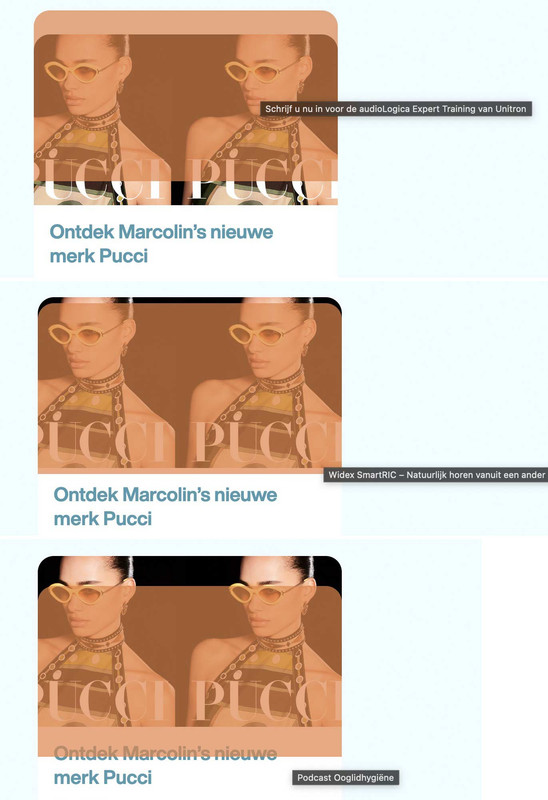
is it a third-party plugin for hover-styles?
Aha – I had first checked whether the navigation at the bottom worked and then compared the links at the top. So it is indeed the case that the wrong link exists when you first open it.
This is strange behaviour.
Hey Chris,
You will need a valid theme license in order to update the theme, if you can’t access the one used on your site then I would recommend that you purchase a new license. Otherwise you will have this problem every time you need to update or access the theme files.
Once you have access to the theme files then the update to 5.7.1 has to be done manually from the version you are running, please refer to my replies in this thread: https://kriesi.at/support/topic/enfold-4-5-theme-update-update-failed-download-failed-a-valid-url-was-not-pro/#post-1021541
You can either update manually via FTP: https://kriesi.at/documentation/enfold/how-to-install-enfold-theme/#theme-update, or upload the theme as if it was new under Appearance->Themes->Add New Theme.
If that doesn’t work then please try to delete the whole theme folder, then replace it with the new version. Make sure that you have backups of the site before starting updating.
Also please read this after you have updated: https://kriesi.at/documentation/enfold/
Best regards,
Rikard
Hi Rikard,
thanks for your message.
Problem 1 on iOS (iPhone 13, 14pro) with Safari and Chrome (on desktop it works fine with all browsers). Like stated on mobile the links jump to the end of the anchored block, instead of the beginning.
Problem 2 only appears to happen on MacOS with Safari, I just tested it with Chrome on MacOS and it worked fine.
hope that helps,
kind regards
Urs
It is on “Fixed”, not Parallax.
When I’m on “desktop view” and switch to see “mobile view”, then refresh, it shows the image correctly on Mobile. Then when I go back to Desktop it is correct, until I refresh, then it is back to a Zoomed image.
See my screenshots.
Thanks for your help on this. You guys are the best for tech support.
-
This reply was modified 1 year, 9 months ago by bemodesign.
-
This reply was modified 1 year, 9 months ago by bemodesign.
That worked like a charm, thanks.
I’ll need to do this in other places as well, how do you determine the string of characters in this line?
#top .flex_column.av-lxxntb3b-96793073ee8d9b43abc1bef7251d9ab3
Not sure where to look
Hi,
Thank you for the info.
We added the following css code to hide the recaptcha badge and temporarily disabled the Enfold > Performance > File Compression settings to make sure that the changes take effect. Please make sure to purge the cache on your end before checking the page.
#top .grecaptcha-badge {
  opacity: 0 !important;
}
Best regards,
Ismael
Hey tonyiatridis,
Thank you for the inquiry.
You can add this css code to adjust the margin above and below the column or section.
@media only screen and (max-width: 768px) {

  /* Add your Mobile Styles here */
  #top .flex_column.av-lxxntb3b-96793073ee8d9b43abc1bef7251d9ab3 {
    margin-top: -100px !important;
    margin-bottom: -100px !important;
  }
}
Best regards,
Ismael
Hi,
Thank you for the update.
To apply the modification only on mobile view, please replace the css with the following code:
@media only screen and (max-width: 768px) {

  /* Add your Mobile Styles here */
  #top #bc-custom-section div .flex_column {
    width: 50% !important;
    margin-left: 1%;
    border-radius: 30px;
  }
}
The css above will also apply rounded edges to the columns.
Best regards,
Ismael
That good for desktop but mobile needs help. See how theirs has the title then the other text is to the left and button on the right? This is more compact and saves space, compared to ours that is just stacked.
Hi,
Try this CSS in your Enfold Theme Options ▸ General Styling ▸ Quick CSS field for desktop:
#top.home #av_section_3 .av-special-heading {
	padding-bottom: 0;
}
Please ensure to copy the code from the forum and not an email notification so the symbols are not converted.
After applying the css, please clear your browser cache and check.

I’m not sure what you expect to see for the mobile view.
Best regards,
Mike
I did send you a screen shot of what I want my banner to look like. I put it in the private section again. See how theirs looks centered and nice on both Desktop and Mobile? Mine looks horrible on both, not centered and very strange on mobile view.
 Manel
Manel Guest
Here is the Post to reply: 1459651
Sorry but I can`t reply from form… “You cannot reply to this topic.” If exist any option to reply, let me know ;)
Hi Rikard, I tried with your comment (wrapping the h1 element inside of span) and not work.
I read this post and still the problem…
I just want to write inline ;) without jumps between tags H1…H4
Any idea?
On this mockup site:
I have separate layout items for mobile and desktop in two places on the home page .On the desktop they look fine, but on the mobile there is a large gap above and below these sections. Question being how do I change that space specifically only on those two instances for those specific layout items? You can see the top section that says ‘Resources to Help Entrepreneurs Succeed’ looks good on desktop, huge gap on mobile. Same thing to some extent on the div holding the layer slider with the three animated thumbnails in it.
Much appreciated.
Hey digitalt20,
The thread that you linked to is still open, please reply to that thread instead of opening this new thread, it will be easier to follow and assist.
Best regards,
Mike
Hey Urs,
I checked your site both on desktop and on an Android phone using Chrome, but I can’t see any problems on my end. Could you let us know which steps you are taking to reproduce the problem please?
Best regards,
Rikard
Hi,
Great, I’m glad that we could help you out. Please let us know if you should need any further help on the topic, or if we can close it.
Best regards,
Rikard
Hey nikimrak,
The update to 5.7.1 has to be done manually from the version you are running, please refer to my replies in this thread: https://kriesi.at/support/topic/enfold-4-5-theme-update-update-failed-download-failed-a-valid-url-was-not-pro/#post-1021541
You can either update manually via FTP: https://kriesi.at/documentation/enfold/how-to-install-enfold-theme/#theme-update, or upload the theme as if it was new under Appearance->Themes->Add New Theme.
If that doesn’t work then please try to delete the whole theme folder, then replace it with the new version. Make sure that you have backups of the site before starting updating.
Also please read this after you have updated: https://kriesi.at/documentation/enfold/theme-registration/
Best regards,
Rikard
Here is the Post to reply: 1459651
Hi Rikard, I tried with your comment (wrapping the h1 element inside of span) and not work.
I read this post and still the problem…
I just want to write inline ;) without jumps between tags H1…H4
Any idea?
Hi, I have 2 Problems regarding anchor links on a website.
1. In the desktop version of the Website, anchor links from the main menu work as expected and jump to the correct places (to the beginning of a color section where anchor links are set in developer options) However, in the mobile Menu, they don’t jump to the beginning, but the end of the corresponding sections that have the anchor links. So the user will only see the end of the information that is supposed to show.
2. In the Desktop Version, on one of the pages (see private content) the little blue menu bar marker that shows which page you are visiting at the moment will flip to another page and then back and I can’t figure out why.
I provide an admin login
kind regards
Ben
Hi,
Please try the following in Quick CSS under Enfold->General Styling:
#menu-item-1510 {
  position: absolute;
  right: -234px;
  top: 33px;
}
Best regards,
Rikard
1. The Color section background image, at the top of the page looks great at first (see screenshot), but once you refresh, it zooms in on the image for some reason (see screenshot). It is also doing this on Mobile view, where it looks good at first, but if you refresh, the zoom changes. Is there some CSS code that is making the image zoom?
2.How can I adjust the view on Mobile screens, to center the image better, or zoom out?
Thanks!
-
This topic was modified 1 year, 9 months ago by bemodesign.
Hi,
This is not working because there is markup in the default editor or default product template that is missing when the ALB is active. Unfortunately, adding this markup and these scripts requires significant modifications to the theme and is beyond the scope of support. You will need to switch back to the default editor for product variation switching to work as intended.
Thank you for your understanding.
Related thread: https://kriesi.at/support/topic/mix-woo-pages/#post-1371847
Best regards,
Ismael
I tried to make a banner myself on the home page, called “GET THE RIGHT SIZE”, but it looks horrible on Mobile view and not centered on desktop. see screenshots
Please help, thanks
i managed it now with :
function detect_ios_device(){
?>
<script type="text/javascript">
window.addEventListener("DOMContentLoaded", function () {
    if (navigator.maxTouchPoints > 1) {
      document.documentElement.className += ' ios-device ';
    }
});
</script>
<?php
}
add_action('wp_head', 'detect_ios_device');
so even if you set your iPhone / iPad to show websites as desktop websites – this is an additonal class on html then.
i can use then :
.responsive:not(.avia_mobile).avia-safari #top input[type=checkbox] {
    -webkit-transform: scale(2,2);
    transform-origin: left center;
}
.responsive.ios-device.avia-safari #top input[type=checkbox] {
    -webkit-transform: none;
}



