Viewing 30 results - 391 through 420 (of 142,578 total)
  • Author
    Search Results
  • #1490444

    Hi,

    Thank you for the inquiry.

    You can add this css code to hide the default logo and display the alternate one on mobile view:

    @media only screen and (max-width: 768px) {
    
      /* Add your Mobile Styles here */
      .responsive #top .av_header_transparency.av_alternate_logo_active .logo a>img,
      .responsive #top .av_header_transparency.av_alternate_logo_active .logo a>svg {
        opacity: 0;
        display: none;
      }
    
      .responsive #top .av_header_transparency .logo .subtext.avia-svg-logo-sub,
      .responsive #top .av_header_transparency .logo img.alternate {
        display: block;
      }
    }

    Result:

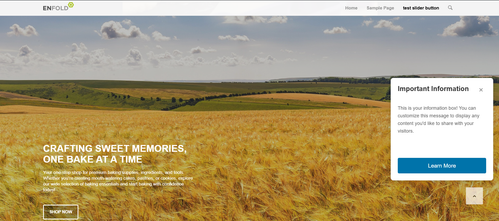
    Screenshot-2025-10-21-at-1-45-30-PM

    Best regards,
    Ismael

    #1490439

    Hi,

    Thank you for the screenshots.

    That is normal since the Styling > Appearance > Button Position of the buttons is set to Align Left. If you want the buttons to stack on top of each other, set it to the default Align Center.

    Best regards,
    Ismael

    #1490436

    Hey rixi,

    Thank you for the inquiry.

    You can try this code in the Quick CSS field to make the header fixed and move the first section below it.

    @media only screen and (max-width: 768px) {
    
      /* Add your Mobile Styles here */
      .responsive #top #wrap_all #header {
        position: fixed;
      }
    
      #top #wrap_all .header_color.av_header_transparency+#main>div.av-1a7rg49-0361ab150500a4dbf4236ca5f8b54140 {
        padding-top: 90px;
      }
    }

    Screenshot-2025-10-21-at-12-55-26-PM

    Best regards,
    Ismael

    Hi,

    Thank you for following up.

    For #3, please continue on this thread: https://kriesi.at/support/topic/alignment-issues-with-image-overlay-overlay-type-external-on-hover/

    Another solution for your category pages is to use redirection. You can create a custom page using the Advanced Layout Builder, then set up a 301 redirect from the category page to that custom page. Please check any of these plugins.

    https://wordpress.org/plugins/eps-301-redirects/
    https://wordpress.org/plugins/redirection/

    Let us know if you need more info.

    Best regards,
    Ismael

    #1490432

    the only thing that is strange is that on my real mobile device (an iPhone) the fallbackimage is shown – but the link will not open. But thats only on a real mobile device.
    Next if you let yout fingers on that button a few seconds (on iPhone) a context menu will open and on open in new tab will work. ???
    on all browsers i can test on my OSX ( Firefox, Chrome, Safari, Opera) Desktop all is ok.

    milkrow
    Participant

    On the category page generated automatically for the custom post type “Portfolio Items”, I’m seeing an alignment issue with the “image-overlay overlay-type-external” when I hover on any of the images.

    I’m seeing this issue at https://libbiemark.com/artworks/1960s/. I have provided these screenshots:

    In the first, you can see the hover state only appears over the top portion of the image:
    https://drive.google.com/file/d/16M-TseQhrTgN4r80EhDiQEB9XeSGWSp0/view?usp=sharing

    In the second, I”m showing how that image-overlay is “stuck” above the image.
    https://drive.google.com/file/d/1BYkm9Zx5jV1DN8lB9q22mbqYTeXb0aIS/view?usp=sharing
    The styles for “image-overlay overlay-type-extern” appear to be inline. I don’t believe I’ve introduced any css that is altering this.

    Lastly, if I re-enter the image area, THEN the image-overlay aligns correctly:
    https://drive.google.com/file/d/17eRA_cLr9kE9SeA9_GWZ1czNcBjmQRBD/view?usp=sharing

    Thank you for any assistance.

    Hi Ismael,
    Thank you for all the assistance with my questions.

    I understand the concern about long threads. However, I believe all of these topics are directly relevant to the subject, “How to edit the Portfolio Items Category/Archive Template and Sidebar Settings”. In fact, on the whole, most subjects and language in these support threads are less verbose. I often get “no results” when I search this forum. “How to…” articles that have more details would be helpful.

    It’s unfortunate that the theme provides facility for a custom post type, but no controls for the layout of the category page similar to the blog, particularly with regard to the category template.

    In #3 above, you asked for a screenshot of the issue seen at https://libbiemark.com/artworks/1960s/. I created a new thread per your request.

    Thank you again for your assistance.

    • This reply was modified 3 months ago by milkrow.
    #1490406
    rixi
    Participant

    Hi again,
    could you help me how i can get a photo/image, that is already in the background of the logo area, on top of the mobile version (Handy), so that it is right behind the logo? That would be perfect :) Looks a little bit grey now.

    Thanks for help,
    rixi

    #1490404

    Hey Rikard,
    Screenshot functions Enfold Child
    Done, always the same warning.
    I have again:
    – deleted cookies,
    – disabled all extensions,
    nothing changes.

    I have implemented this feature in other websites that work with Enfold :
    My tests website : https://web-13-tests.fr (Identifiers on https://kriesi.at/support/topic/avia-text-block-no-longer-works/)
    Mine : https://web-13.com (identifiers on https://kriesi.at/support/topic/comment-form-for-an-article-on-mobile-is-not-displaying-correctly/)
    and I don’t get the same error!?

    What more can I do on my side?

    Best regards
    Rolland

    #1490403
    kelsangkunden
    Participant

    A recent update to Enfold stopped all our custom CSS from loading. How do I override the override?

    #1490395

    @guenni: stimmt, danke :-)

    @team: topic can can be closed

    #1490390

    Hi,

    The complete css code should look like:

    .html_header_top.html_logo_center .logo {
        left: 50%;
        transform: translate(-50%, 0);
        width: 100%;
    }
    
    html_header_top.html_logo_center .logo img, html_header_top.html_logo_center .logo svg {
        margin: 0 auto;
    }
    
    .html_header_top.html_logo_center .logo img {
        left: 50%;
        transform: translate(-50%, 0);
    }

    Please review the modification.

    Screenshot-2025-10-20-at-2-23-28-PM

    Best regards,
    Ismael

    #1490389

    Hi MIke,
    this CSS is already in there – but it stay left:

    .html_header_top.html_logo_center .logo {
    left: 50%;
    transform: translate(-50%, 0);
    width: 100%;
    }

    html_header_top.html_logo_center .logo img, html_header_top.html_logo_center .logo svg {
    margin: 0 auto;
    }

    best regards Tilman

    Hi,

    Thank you for the update.

    1.) You can add this filter in the functions.php file to replace “Archive” in the main title:

    add_filter('avf_which_archive_output','avf_change_which_archive', 10, 3);
    function avf_change_which_archive($output)
    {
        if(is_tax('portfolio_entries')){
            $output = __('REPLACE THIS TEXT:','avia_framework'); 
        } 
    
        return $output;
    }

    2.) Unfortunately, it’s not possible to replace it with a custom layout without significant modifications to the theme.

    3.) We can’t reproduce the same issue on our installation — please provide a screenshot.

    4.) For the widgets, you can install plugins such as Widget Logic to control the visibility of the widgets.

    If you have any additional questions at this time we kindly ask that you open them up in a separate thread. The longer threads get in the forum, they become more difficult to support as they tend to drift off topic and they also make it troublesome for users trying to search for solutions. Keeping threads relevant to their original inquiry ensures that we can keep better track of what has been resolved and that users can more effectively find answers to similar issues they might be experiencing.

    Thanks!

    Best regards,
    Ismael

    #1490375

    Hey Munford,
    Your buttons are on top of each other due to position: absolute; in this custom css:

    .priser .avia-button-wrap {
        display: inline-block;
        position: absolute;
        bottom: 30px;
        left: 0;
        right: 0;
    }

    Try this instead:

    .priser .avia-button-wrap {
        display: block;
        position: relative;
    }

    Best regards,
    Mike

    #1490373

    Hi,
    Try adding this css:

    .html_header_top.html_logo_center .logo img {
        left: 50%;
        transform: translate(-50%, 0);
    }
    

    After applying it, clear your browser cache & check.

    Best regards,
    Mike

    #1490366

    HI Ismael, thank you for your response. I inserted the code into the functions, but it doesn’t seem to work.

    I updated a post and classified it for the blog page, but it is still showing up in chronological order. I updated it today, so it should be at the top if that page is sorting by modified date. When you have a chance, could you look and let me know if I did something wrong? Thank you!

    #1490359

    Hey gquezada1,
    To make the header transparent, choose the Transparent Header option for your page:
    KvjkRf4.png
    Then to make the header not sticky, go to Theme options > Header > Header Behavior > Sticky Header and unchoose:
    Kvj4RjI.md.png
    This is the solution for desktop, transparent headers are not supported for mobile by default, for mobile you will need to follow this thread:

    Best regards,
    Mike

    #1490356
    gquezada1
    Participant

    Hi, Is there a way to make the logo transparent and not sticky on the desktop and mobile?

    • This topic was modified 3 months ago by gquezada1.

    I believe I understand those instructions. However, I still have questions on how to edit the template in question.

    I believe the correct template is taxonomy-portfolio_entries.php. I made a few adjustments to it…but I’d like to further customize the template.

    1. I would like to remove “Archive: ” from the title (It’s NOT an “archive”. It’s a category. If I could append it somehow…like with a data attribute?
    2. I would like to have some control over the layout, can this template use a page with a custom layout (like the way the Blog page can be set to a custom page)?
    3. When this grid first loads, on hover, the image-overlay appears as a thin strip at the top. I could not determine how to eliminate this with css.

    With regard to the Sidebar, thank you for providing more clarity there!
    I went to Enfold > Sidebar Settings > Sidebar On Archive Pages and chose Right Sidebar. That works.

    I also set Separate Sidebars For Blog And Archive Pages to Show separate Archive Sidebar on Archive Pages. That works. It exposes the Sidebar Archives widget area.

    Then, I added the navigation menu widget to the Sidebar Archives widget area, but it does not display (that’s how I realized that this has to be a totally different template file: taxonomy-portfolio_entries.php). Rather, a default: Pages, Categories, Archive widget set is shown.

    I don’t think its the right solution to set that navigation menu widget to Display Everywhere because that would affect other pages where I may want to have a sidebar with different widgets in the sidebar…is that the ONLY way?

    Thank you for any advice (and for your patience), I really appreciate it.

    #1490349

    Yes, you solved the problem!
    Thank you so much for all your time and effort!

    This topic can be marked as resolved.

    #1490343

    In reply to: Transparacy header

    Hey limedrop,

    Please try the following in Quick CSS under Enfold->General Styling:

    #top .av_header_transparency #header_meta {
      border-bottom: none;
    }

    Best regards,
    Rikard

    #1490338

    In reply to: .scroll-down-link

    hm – didn’t i mention a solution before ? …

    but take this instead from https://kriesi.at/support/topic/scroll-down-link/#post-1489662 – because we have choosen before this slightly rounded version :

    function avia_replace_default_icons($icons){
     $icons['svg__scrolldown'] =  array( 'font' =>'svg_entypo-fontello', 'icon' => 'down-open');
     $icons['svg__prev'] =  array( 'font' =>'svg_entypo-fontello', 'icon' => 'left-open');
     $icons['svg__next'] =  array( 'font' =>'svg_entypo-fontello', 'icon' => 'right-open');
     return $icons;
    }
    add_filter('avf_default_icons','avia_replace_default_icons', 10, 1);

    and try :

    #top .avia-post-nav {
      padding: 20px;
    }
    
    #top .avia-post-nav .label {
      position:absolute;
      top:50% !important;
      transform: translateY(-50%);
      height:48px;
      margin-top:0;
    }
    
    .avia-post-nav .label.avia-svg-icon svg:first-child {
      fill: #FFF;
      height:48px;
      width: auto;
    }

    btw: you can have on opend slide-out a different fill color:

    #top .avia-post-nav:hover .label.avia-svg-icon svg:first-child {
      fill: #eee
    }
    #1490331

    I want to have same rules but for different devices (mobile, tablet and desktop) to get different custom margins on this elements of search results page. It’s more precise like that ?

    #1490330

    Topic: Transparacy header

    in forum Enfold
    limedrop
    Participant

    How to remove that thin line that is between the top menu and the menu?

    #1490324

    Hey!

    Thank you for the update.

    Try to remove the previous css code, then replace it with this css rule.

    .html_header_top.html_logo_center .logo {
        left: 50%;
        transform: translate(-50%, 0);
        width: 100%;
    }
    
    html_header_top.html_logo_center .logo img, html_header_top.html_logo_center .logo svg {
        margin: 0 auto;
    }

    Let us know the result.

    Regards,
    Ismael

    #1490323
    oestersund
    Participant

    Hi,

    Thank you for the inquiry.

    Dear TEam,
    you helped my just a minute ago to increase the header logo size

    Try to add this css code to increase the size of the logo image – see below. – thats fine

    But how to force the logo to be centered? I’ve chosen this option, but it keeps left-aligned

    Best regards
    Tilman
    ________________________________
    .html_header_top.html_logo_center .logo {
    left: 0;
    transform: none;
    }
    Result:

    Screenshot-2025-10-17-at-12-33-48-PM

    Best regards,
    Ismael

    #1490322

    Hi,

    Thank you for the inquiry.

    Are you trying to upload this in Enfold > Import/Export? The name of the top folder in the zip file should be “SVG”. Currently, it’s named “Medical_Icons_SVG”, so the theme can’t recognize it. Please rename the top folder, then archive or zip it again before uploading it to the icon manager.

    Please check this documentation for more info: https://kriesi.at/documentation/enfold/svg-icon-sets/

    Best regards,
    Ismael

    #1490319

    In reply to: Edit sub-sub menu

    Hi,

    Thank you for the update.

    Adjusting the line spacing of the text doesn’t seem to make a difference on our end, but we’re using a relatively small screen, which might be the reason. If you want to adjust the font size and also limit the height of the mega menu images, try this css code:

    #top #header .avia_mega_div > .sub-menu > li > ul > li a .avia-menu-text {
        line-height: 10px;
        font-size: 10px;
    }
    
    #top #wrap_all .avia_mega_div img {
        height: 64px;
        object-fit: cover;
        width: 100%;
    }

    Result:

    Screenshot-2025-10-17-at-12-41-17-PM

    Best regards,
    Ismael

Viewing 30 results - 391 through 420 (of 142,578 total)