-
AuthorSearch Results
-
October 13, 2022 at 4:40 pm #1368753
In reply to: Language switcher widget
Hi,
I’m a translator, so all the translation has already been done. And I don’t want to spend more money in thrid parties. I only need a language swticher within Enfold. I can I install that please ?
Thanks
NatachaOctober 13, 2022 at 1:46 pm #1368739David Singh
GuestFatal error: Uncaught TypeError: call_user_func_array(): Argument #1 ($callback) must be a valid callback, function “example_callback” not found or invalid function name in /chroot/home/a6dab50d/mokshayoga.com.au/html/wp-includes/class-wp-hook.php:307 Stack trace: #0 /chroot/home/a6dab50d/mokshayoga.com.au/html/wp-includes/plugin.php(191): WP_Hook->apply_filters(”, Array) #1 /chroot/home/a6dab50d/mokshayoga.com.au/html/wp-content/themes/enfold/config-templatebuilder/avia-shortcodes/events_upcoming/events_upcoming.php(424): apply_filters(‘avf_upcoming_ev…’, ”, Object(WP_Post)) #2 /chroot/home/a6dab50d/mokshayoga.com.au/html/wp-content/themes/enfold/config-templatebuilder/avia-template-builder/php/class-shortcode-template.php(1311): avia_sc_upcoming_events->shortcode_handler(Array, ”, ‘av_upcoming_eve…’, Array) #3 /chroot/home/a6dab50d/mokshayoga.com.au/html/wp-includes/shortcodes.php(356): aviaShortcodeTemplate->shortcode_handler_prepare(Array, ”, ‘av_upcoming_eve…’) #4 [internal function]: do_shortcode_tag(Array) #5 /chroot/home/a6dab50d/mokshayoga.com.au/html/wp-includes/shortcodes.php(228): preg_replace_callback(‘/\[(\[?)(av_upc…’, ‘do_shortcode_ta…’, ‘
n[av_head…’) #6October 13, 2022 at 12:59 pm #1368733In reply to: Image wrong in preview
Hello Rikard,
With these apparently random issues, it’s getting hard to see the wood for the trees, so I have written up some notes that (as far as I remember) document the of events in chronological order. I hope this will give you a pointer to where the problems lie. Thanks for your help in advance!12 Aug 2022: Bought Enfold licence to install update. (Website was originally developed by contractors in 2020, but we didn’t have licence key, so repurchased this in order to be able to install Enfold updates.)
8 Sep 2022: Installed Conditional Menus plugin. Subsequently, created new page cemetery-gardening, based on PlantRecorder home page. (Conditional Menus: original SiteNav for all pages except for cemetery-gardening, which uses GardeningNav menu.)
13 (?) Sep 2022: Noticed issue with editing cemetery-gardening page. Although the correct image was shown in the Advanced Layout Editor, preview had reverted to the original image from the PlantRecorder home page. (I am certain the issue didn’t arise when I started editing the page.)
5 Oct 2022: Recreated cemetery-gardening page from scratch (again, based on PlantRecorder home page). Page is now showing the correct image. However, later in the day, editing changes (colour changes in colour section, text changes,…) stopped showing in preview. (They did still appear on the live page (cultorum.com/cemetery-gardening instead of https://cultorum.com/?page_id=1305&preview=true). Switching from Block Editor to Classic Editor seems to fix the problem.
(No further changes other than to Yoast SEO until 12 Oct.)
12 Oct 2022: Issues with both the cemetery-gardening page and the PlantRecorder home page when coming back to making page changes.
Several pages started showing an error message in the editor: “Avia Layout Builder. Notice: Undefined variable: permalink in /home3/cultorum/public_html/wp-content/themes/enfold/config-gutenberg/class-avia-gutenberg.php on line 1431.
Notice: Undefined variable: permalink in /home3/cultorum/public_html/wp-content/themes/enfold/config-gutenberg/class-avia-gutenberg.php on line 1431”.
Cemetery-gardening<: Viewing the page (through Advanced Layout Editor; page in draft mode), the page only shows a green bar and a grey bar. No text or images, despite the fact that all content is clearly visible in the editor. Switching from the Classic Editor back to the (original) Block Editor seems to fix the problem and all elements of the page display in preview. However, towards the end of the day, changes (e.g. text changes) stop displaying in preview. After publishing the page, the changes can be seen on the live page, cultorum.com/cemetery-gardening. However, they do not show in preview. (This is the situation now. See text about half-way down, “What we offer…”. The first column says “Grave maintenance” in the editor, but in preview, the previous text “Maintaining existing planting” is shown.)
PlantRecorder home page: The page has lost its menu and no longer fills the screen width. (Other pages, e.g. Configuration, still display correctly.) Looking at the page in the editor, there is a message at the top saying that there was an autosave file which was more recent than the page being viewed. Also “A duplicate of this post was made”. Restoring the autosave file appears to resolve the problem. This is somewhat bizarre, as I had not made any changes to this page. (I only viewed it for reference when developing the cemetery-gardening page.) I also have no idea who or what made “a duplicate post” of the page.October 13, 2022 at 11:55 am #1368732In reply to: New product key
Hi,
Thanks for that. I’ve updated your site to Enfold 5.1.2, please review and check so that everything is working properly. I’ve left the old version on the server, in case you should need to switch back to it. If you should not, then please delete it under Appearance in the WordPress menu. Also please follow this in order to register your theme license: https://kriesi.at/documentation/enfold/theme-registration/
Best regards,
RikardOctober 13, 2022 at 11:02 am #1368722In reply to: Gültiger Envato Schlüssel wird nicht bestätigt?
1. Danke – der neue Token wird mit ok akzeptiert. Allerdings ist das Verschwinden von ganzen Textblöcken auf unserer Startseite gestern kam nicht vom neuen Token.
2. Ich glaubte das “Spezielle Überschrift” mit html Sonderzeichen wie etc. in rot angemahnt wurde und deshalb was mit dem Verschwinden zu tun hatte, oder? In Ihrem Enfold-Blog war zu lesen, dass ein Plugin das auch schon mal ausgelöst hatte – könnten Sie bitte mal bei uns reinschauen und das checken?
October 13, 2022 at 10:29 am #1368715In reply to: Search icon missing
Hi bopartkunsttransporte,
Thanks for using Enfold and have a great day!
Best regards,
NikkoOctober 13, 2022 at 10:08 am #1368711In reply to: Hauptmenü linksbündig
Wahrscheinlich wirst du zu dem Topic nicht mehr zurückkehren – aber zur Klärung: Zunächst sehe ich als Participant wie du keine Private Content Area; dann kann ich an deinem Nick leider nicht sehen, ob du ein versierter professioneller Webdesigner bist und ob du schon diverse Lösungsansätze ausgeführt hast. Daher muss man hier bei jeder Anfrage die lediglich das gewünschte Ziel wage beschreibt davon ausgehen, das jemand eine Lösung sucht, der nicht viel Ahnung von der Materie hat.
Es ist immer nützlich so genau wie möglich die Problematik zu beschreiben.
Das hierLogo oben links
Hauptmenü links darunter,hätte ausgereicht um hinreichend die Situation zu beschreiben – und für mich mit dieser Testseite das Problem einzukreisen.
https://kriesi.at/themes/enfold-construction/Das padding-left des ersten Menüpunktes auf Null zu setzen sollte theoretisch nicht ausreichen, um eine genaue Linksbündigkeit zu erzielen, da text-align der Menüpunkte auf zentriert steht.
Ich wäre einen anderen Weg gegangen, unter Wahrung der Menütext Zentrierung und der Äquidistanz der Menüpunkte._____________
You probably won’t return to this topic – but for clarification: First of all, as a participant like you, I don’t see a private content area; then, unfortunately, I can’t see from your nickname whether you are an experienced professional web designer and whether you have already carried out various approaches to a solution. Therefore, with every request here that merely describes the desired goal, one must assume that someone is looking for a solution who doesn’t know much about the subject.
It is always useful to describe the problem as precisely as possible.Logo top left –
main menu left belowThat would have been enough to describe the situation sufficiently – and for me to isolate the problem with this test page.
https://kriesi.at/themes/enfold-construction/Setting the padding-left of the first menu item to zero should theoretically not be enough to achieve exact left alignment, as text-align of the menu items is set to centred.
I would have gone a different way, preserving the menu text centring and the equidistance of the menu items.October 13, 2022 at 9:22 am #1368697In reply to: Font issue
Hi,
Glad to know that the css helped. You can further adjust the style of elements including the headings in the Enfold > Advanced Styling panel. Try to select 400 as the font weight.
Best regards,
IsmaelOctober 13, 2022 at 9:20 am #1368696In reply to: Debug file
Good morning Nikko,
yes, thank you! It worked.
I am sorry to bother you again, but the more I look into the file, the more errors I find.
Next ones:PHP Notice: Trying to get property 'ID' of non-object in /home/wp/disk/wordpress/wp-content/themes/enfold/config-templatebuilder/avia-shortcodes/events_upcoming/events_upcoming.php on line 376PHP Warning: Creating default object from empty value in /home/wp/disk/wordpress/wp-content/themes/enfold/config-templatebuilder/avia-shortcodes/events_upcoming/events_upcoming.php on line 393In case you want to look at the file, it is in Google drive.
Really sorry for keeping this thread open so long.
AsteriosHey Tina,
Thank you for the inquiry.
Looks like there is an issue with the shortcodes.js file.
shortcodes.js?ver=5.1.2:1136 Uncaught ReferenceError: avia_is_mobile is not defined
    at shortcodes.js?ver=5.1.2:1136:28
Please try to toggle or temporarily disable the Enfold > Performance > File Compression settings, then purge the cache.
Best regards,
IsmaelOctober 13, 2022 at 8:42 am #1368693Hi,
Thanks for following up.
The remote data requests just update the layer slider options such as templates, skins and update google fonts list. It should pose no problem once the data has been fetched and the entry in the database has been updated. We will take a look at the error.
UPDATE: FYI, we modified the enfold/config-layerslider/LayerSlider/assets/init.php line 49 and the enfold/config-layerslider/LayerSlider/assets/wp/compatibility.php file around line 223.
Best regards,
IsmaelOctober 13, 2022 at 8:29 am #1368687In reply to: list color
I have worded this incorrectly:
The font color for links in bullets / lists should not be the same as set in Enfold.
Main color – font color for links, text initials and other elements is pink in this case, but in lists it should be white.October 13, 2022 at 6:46 am #1368680In reply to: Font issue
Hi
Thank you for you help.
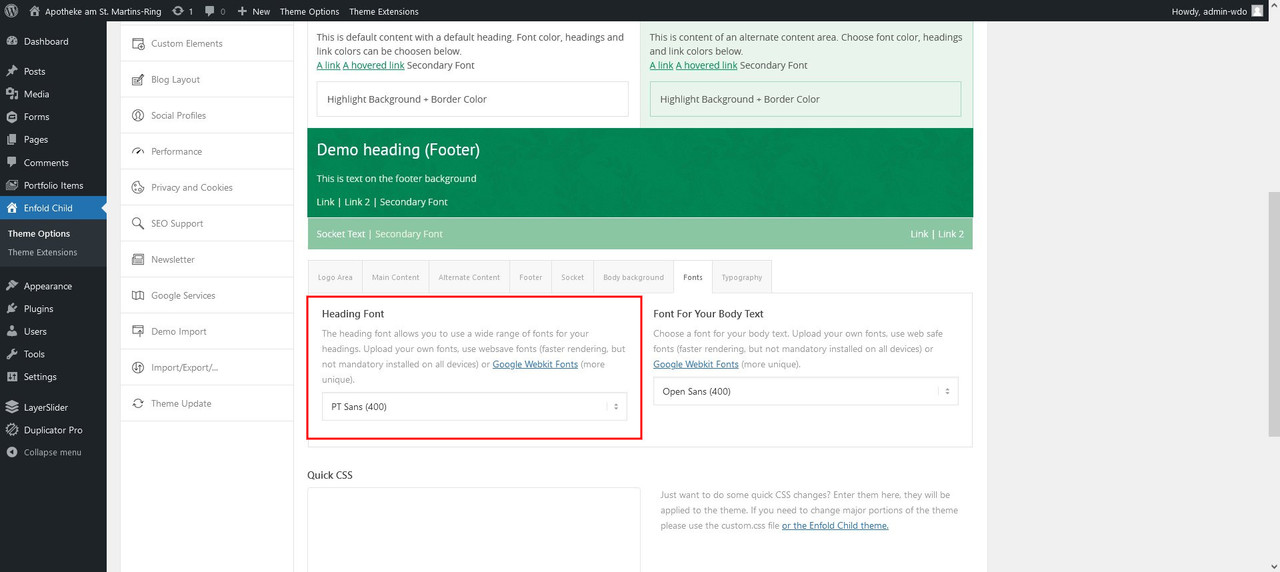
@Guenni007: You are right. On St. Martins Ring I have not uploaded to font. I just uploaded it on SonnenPlatz. But know, I uploaded the font. Can you see it? -> https://i.postimg.cc/Y9ynVQDs/screenshot-www-apotheke-am-stmartinsring-li-2022-10-13-06-41-00.jpg
@Ismael: Thank you for CSS Snipped. That changed the body weight. Is there a setting for this in Enfolds options? (Just for me to know). And do you have an idea about the font in the heading?Best regards,
PhilippOctober 13, 2022 at 5:40 am #1368675In reply to: Gap Between Columns on Mobile
Hi nV15OoBtg21iTn5z,
I’m glad that Ismael could help you :)
Thanks for using Enfold and have a great day!Best regards,
NikkoOctober 13, 2022 at 5:39 am #1368674In reply to: Footer columns width
Hi G4Design,
Please try to add this CSS code in Enfold > General Styling > Quick CSS:
#top #footer .av_one_fifth {
    width: 17.5%;
    margin-left: 0;
}

#top #footer > .container > .av_one_fifth:first-child {
    width: 30%;
}
Please copy the code here (not in email).
Hope this helps.Best regards,
NikkoOctober 13, 2022 at 5:22 am #1368667In reply to: Page locked, can't get in anymore
Hi HulaSlim,
Thanks for understanding :)
Thanks as well for using Enfold and have a great day!Best regards,
NikkoOctober 13, 2022 at 5:21 am #1368666In reply to: Menu custom link in a new page
Hi cuccarini,
For the menu items to open in new tab/window (I’m assuming that the secondary menu you are referring to is to footer menu), please check this article: https://www.zettahost.com/wordpress-tutorials/wordpress-menu-open-new-tab/
As for tiktok in Social Profiles, please check this thread: https://kriesi.at/support/topic/tiktok-in-social-media/#post-1189115For centering the footer menu, please add this CSS code in Enfold > General Styling > Quick CSS:
#socket .sub_menu_socket {
    float: none;
    text-align: center;
}

#socket .sub_menu_socket li {
    float: none;
    display: inline-block;
}
Best regards,
NikkoOctober 13, 2022 at 5:02 am #1368664Hi profumopuntoit,
Please add this CSS code in Enfold > General Styling > Quick CSS:
.html_visible_cart #top .cart_dropdown {
    border: none;
    margin-top: -30px;
}

.html_visible_cart #top .cart_dropdown .cart_dropdown_link {
    background-color: transparent !important;
}
Best regards,
NikkoOctober 13, 2022 at 4:55 am #1368663In reply to: Display a banner image
Hi profumopuntoit,
To move the banner, please add this code in functions.php of your child theme:
function move_banner_below_the_title(){
    ?>
    <script>
        var banner = document.querySelector('#av_product_description');
        var titlebar = document.querySelector('.title_container');
        titlebar.appendChild(banner);
    </script>
    <?php
}
add_action('wp_footer', 'move_banner_below_the_title');
As for the height, please add this CSS code in Enfold > General Styling > Quick CSS:
#av_product_description {
    height: 80px;
    min-height: 80px;
}
Just adjust the values as you see fit.
Best regards,
NikkoOctober 13, 2022 at 4:32 am #1368661In reply to: Need help adding padding around the logo
Hi Maggie,
Please go to Enfold > General Styling > Quick CSS and add this CSS code:
#top .logo .alternate.avia-standard-logo {
    padding: 10px 0 0 0 !important;
}
Best regards,
NikkoOctober 13, 2022 at 4:08 am #1368657In reply to: hide filter at store
Hi Franz,
I’m glad that Mike could help you :)
Thanks for using Enfold and have a great day!Best regards,
NikkoOctober 12, 2022 at 7:41 pm #1368647In reply to: Kritischer Fehler Enfold
Well the same problems as yesterday. I tried this way as well but the token always creates issues. And I used all these permissions https://kriesi.at/documentation/enfold/theme-registration/#toggle-id-5
Issue hint:
Additional Error Details:
Failed to query total number of items in API response.
Forbidden
{“request_url”:”https:\/\/api.envato.com\/v1\/market\/total-items.json”,”response_code”:403,”response_cf_ray”:”75919dc71b2191d5-FRA”,”response_server”:”cloudflare”}Regards,
AlexOctober 12, 2022 at 7:25 pm #1368644In reply to: Image wrong in preview
This reply has been marked as private.October 12, 2022 at 7:09 pm #1368636Hello Ismael,
I moved the Enfold’s About page to drafts, but it did not help. Now if you search for, for example, SITE, the last entry is Portfolio and there is no footer: link1. However, if you search for SYSPROG, the last entry is also Portfolio, but the footer is displayed: link2.
Best regards,
MarinaOctober 12, 2022 at 6:55 pm #1368634In reply to: Hauptmenü linksbündig
Hi,
Thank you for explaining and the link to your site, please try this css in your Enfold Theme Options ▸ General Styling ▸ Quick CSS field#top #avia-menu #menu-item-35 a { padding-left: 0; }After applying the css, please clear your browser cache and check.
Please see the screenshot in the Private Content area.Best regards,
MikeOctober 12, 2022 at 6:49 pm #1368631HulaSlim
ParticipantDear Team,
When opening the footer page, as well as when previewing it, an information is visible: Notice: Undefined index: id in /home/hulaslim/public_html/wp-content/themes/enfold/config-templatebuilder/avia-shortcodes/logoslider/logoslider.php on line 1523
Moreover, this sentence is present at the bottom of every page.
Thanks for helping in removing it.
Best regards,
NatachaOctober 12, 2022 at 6:43 pm #1368627In reply to: personal token 3
Hi,
Glad Yigit could help, if you have any further questions please create a new thread and we will gladly try to help you. Thank you for using Enfold.Best regards,
MikeOctober 12, 2022 at 6:40 pm #1368625In reply to: Spacing size and color of symbols
Hi,
Glad we were able to help, if you have any further questions please create a new thread and we will gladly try to help you. Thank you for using Enfold.Best regards,
MikeOctober 12, 2022 at 6:36 pm #1368623In reply to: hide filter at store
Hi,
If you don’t want a sidebar on your shop page go to Enfold Theme Options ▸ Sidebar Settings ▸ Sidebar On Archive Pages and choose No Sidebar
If you do want the sidebar, but not the filter go to WordPress ▸ Appearance ▸ Widgets ▸ Shop Overview Page and remove the filter widget.
As for your cart button, the only time that button shows is when the cart is empty, and when I click it goes to /shop/ not /mein-shop/
The main menu link goes to /mein-shop/Best regards,
MikeOctober 12, 2022 at 6:16 pm #1368619In reply to: API REGISTRATION CODE
Hey laura,
The theme is administered from Envato/Themeforest, so you would have to check there, or with their support, in order to reset your account. We cannot do that for you unfortunately.
If you need to register your theme license, then please refer to this: https://kriesi.at/documentation/enfold/theme-registration/
Best regards,
Rikard -
AuthorSearch Results
-
Search Results
-
Fatal error: Uncaught TypeError: call_user_func_array(): Argument #1 ($callback) must be a valid callback, function “example_callback” not found or invalid function name in /chroot/home/a6dab50d/mokshayoga.com.au/html/wp-includes/class-wp-hook.php:307 Stack trace: #0 /chroot/home/a6dab50d/mokshayoga.com.au/html/wp-includes/plugin.php(191): WP_Hook->apply_filters(”, Array) #1 /chroot/home/a6dab50d/mokshayoga.com.au/html/wp-content/themes/enfold/config-templatebuilder/avia-shortcodes/events_upcoming/events_upcoming.php(424): apply_filters(‘avf_upcoming_ev…’, ”, Object(WP_Post)) #2 /chroot/home/a6dab50d/mokshayoga.com.au/html/wp-content/themes/enfold/config-templatebuilder/avia-template-builder/php/class-shortcode-template.php(1311): avia_sc_upcoming_events->shortcode_handler(Array, ”, ‘av_upcoming_eve…’, Array) #3 /chroot/home/a6dab50d/mokshayoga.com.au/html/wp-includes/shortcodes.php(356): aviaShortcodeTemplate->shortcode_handler_prepare(Array, ”, ‘av_upcoming_eve…’) #4 [internal function]: do_shortcode_tag(Array) #5 /chroot/home/a6dab50d/mokshayoga.com.au/html/wp-includes/shortcodes.php(228): preg_replace_callback(‘/\[(\[?)(av_upc…’, ‘do_shortcode_ta…’, ‘
n[av_head…’) #6Dear Team,
When opening the footer page, as well as when previewing it, an information is visible: Notice: Undefined index: id in /home/hulaslim/public_html/wp-content/themes/enfold/config-templatebuilder/avia-shortcodes/logoslider/logoslider.php on line 1523
Moreover, this sentence is present at the bottom of every page.
Thanks for helping in removing it.
Best regards,
Natacha