Viewing 30 results - 2,131 through 2,160 (of 244,605 total)
  • Author
    Search Results
  • #1486752

    Hi,

    Thanks for the update. Please open a new thread if you should have any further questions or problems.

    Best regards,
    Rikard

    #1486751

    Hi,

    Great, I’m glad that Ismael could help you out. Please open a new thread if you should have any further questions or problems.

    Best regards,
    Rikard

    #1486747
    karina yevenes hernandez
    Guest

    I need help, is it possible for you to confirm if the version of the WordPress theme, Enfold Version: 4.8.3 is compatible with PHP 8.3? It turns out that I tried to leave the latest version of PHP with said theme but unfortunately the website crashes and I tried to see if it could be the plugins but it turns out that they are all updated at this time so I rule out that it could be any of these, please I just need to rule out whether or not the template is the problem to update PHP, please I await a prompt response, thank you

    #1486746
    Christoph Babilon
    Guest

    Hallo,

    wir überlegen mit unser WordPressseite http://www.frox-it.de, welche noch auf dem Flagship Theme basiert auf das ENFOLD Theme von euch umzusteigen. Habt Ihr Erfahrungen bzgl. der Kompatibilität wenn wir das neue Theme einspielen? Funktionieren die Shortcodes aus Flagship auch in ENFOLD?

    Wordpress und PHP sowie die Plugins sind aktuell hinter unserer Seite.

    Vielen Dank und beste Grüße
    Christoph Babilon

    #1486737
    tebitrongmbh
    Participant

    Hi,

    our client sends his clients follow up messages to get their feedback. Within that mail is a link that leads to one of his pages with an Enfold contact form. Is there a way to have a variable – such as the recipient’s email – pre-filled into the form as he clicks the link and loads the page?

    His previous page achieved that with “…/?tx_powermail_pi1[field][email]={AdrEmail1Address}” in the URL.

    Is this possible with the Enfold contact form?

    Kind regards.

    #1486734

    Hi,

    Thanks for that. Please try the following in Quick CSS under Enfold->General Styling:

    .phone-info a {
      font-size: 22px !important;
    }

    Best regards,
    Rikard

    #1486733

    In reply to: Featured image box

    Hi Ismael,

    I agree that you can’t reproduce the issue with the featured image on our installation, In fact, on another site with the same version of enfold, the problem doesn’t occur.
    As you suggested I tried removing all the plugins, but the problem persists. Also I reinstalled enfold, again without fixing the problem. Please, can you log in to the site and try to understand the underlying problem?

    Thanks again
    Andrea

    #1486722

    Hi,

    Thank you for the info.

    Yes, unfortunately, the Enfold Numeric Captcha can be easily bypassed nowadays. We recommend activating Google reCAPTCHA or use a more advanced contact form plugin with security-related extensions, such as Contact Form 7, Gravity Forms, or WPForms. Please check the links below.

    https://wordpress.org/plugins/contact-form-7-honeypot/
    https://wpforms.com/docs/how-to-set-up-and-use-recaptcha-in-wpforms/

    We’ll keep the thread open.

    Best regards,
    Ismael

    #1486720

    In reply to: Featured image box

    Hey cuccarini,

    Thank you for the inquiry.

    We can’t reproduce the issue with the featured image on our installation, so it’s possible that it’s caused by a plugin or a custom modification.

    Regarding the enfold-child notice or warning, you need to add the template declaration at the very top of the style.css file.

    /*
    Theme Name: Enfold
    Description: <strong>A superflexible and responsive Business Theme by Kriesi</strong> -
    Update notifications available on Facebook and via newsletter:
    - <a href='http://www.facebook.com/pages/Kriesi/333648177216'>Join the Facebook Group</a> - <a href='http://kriesi.at/newsletter'>Subscribe to our Newsletter</a>
    Version: 7.1.1
    Author: Kriesi
    Author URI: https://kriesi.at
    License: Themeforest Split Licence
    License URI: -
    Theme URI: kriesi.at/themes/enfold/
    Envato_ID: 4519990
    */
    
    /*
    * PLEASE DO NOT EDIT THIS FILE!
    *
    * This file is only in your themefolder for WordPress to recognize basic theme data like name and version
    * CSS Rules in this file will not be used by the theme.
    * Instead use the custom.css file that is located in your themes /css/ folder to add your styles.
    * You can copy a style rule from any of your css files and paste it in custom.css and
    * it will override the original style. If you just want to add small css snippets you might also
    * want to consider to add it to the designated CSS option field in your themes backend at: Theme Options->General Styling
    */


    Looks like you’ve made some css modifications and removed this part.

    Best regards,
    Ismael

    #1486717

    hi Ismael,

    i’ve been playing around with this a little as i can and have some followup thoughts/questions/info for you…

    in your message above, you said “adding html may not work as expected“.
    – would you elaborate on that please?
    – how would it not work?
    – is it really not worth trying to bold the element & colon, and add a space between each in the email?
    – if it’s not likely to work across the board, then i don’t want to mess with it. but if making those 2 modifications can work in all email apps & browsers, then i’m game to try figuring it out. i need it to be rock-solid (as solid as anything else the theme does).

    IF” your response to that is positive, then please continue.
    IF” your response to that is negative, then nevermind & thank you! (although, please do see the end about the bug i found).

    in your function code snippet above, i see your comment to “do something with the message here/“.
    – but i have no idea what to put there.
    – i found similar code @…
    kriesi.at/support/topic/using-the-universal-wp-lead-tracking-plugin-with-enfold-contact-form
    …but the only part that looks familiar is the “\n” part.
    – i found some other similar code @…
    kriesi.at/support/topic/contact-form-html-field
    …but again, not enough info/examples for me to craft something to fit my use-case.

    i then ran across some posts advising folks to edit the theme file…
    /enfold/framework/php/class-form-generator.php
    1) i do NOT want to mess with the theme files at all (for obvious reasons);
    2) i did look thru it (again, not really knowing php), and see on line 1559, there’s html code, adding some <br/> and <strong> tags to the “Your Message:” part of the email. i wondered if there’s a way to customize all email elements using that “avf_form_message” filter.
    – so no matter what “Form Element Type” is used, the “Form Element Label” with colon would be bolded, and an empty space (hard return, \n) would be between all Elements in the email.

    lastly, i discovered the “Other Element: Empty Line” Form Element Type!
    thinking this may at least solve the issue of getting some space between the form types in the emails, so i added it and set it for “Print in e-mail only”.
    – testing it does in fact add the spacing i was hoping for in the emails,
    …BUT, YOU SHOULD KNOW…
    there’s a bug in that even tho it’s set for “Print in email only” it still also adds it to the front-end webpage.

    …when testing, all my elements with 1/2 width styling gets broken into individual lines.
    – so unfortunately, i can’t use this cool discovery until that gets fixed in the theme.

    note: additionally, the “Message” element already has an extra space above it, so putting that empty element above it produces 2 blank lines in the email. would be nice to either have the spacing consistent for all element types or add a note about that in the form settings.

    thanks for the help.

    #1486713

    In reply to: Underlined text

    Hi,

    Thanks for the update. Please open a new thread if you should have any further questions or problems.

    Best regards,
    Rikard

    #1486712

    In reply to: Demos

    Hey Cheeks,

    Please register on the support forum for technical support, then open a new thread and include login details to your site in private. Also let us know which demo you are looking to import.

    Best regards,
    Rikard

    #1486706

    Topic: Demos

    Cheeks
    Guest

    I have purchased the Enfold and it will not let me import a demo – Please help – John 3:16 & John 14:6 – Thanks in advance

    #1486701

    In reply to: Secondary menu

    Hi,
    Glad to hear that you have this sorted out, if you have any further questions please create a new thread and we will gladly try to help you. Thank you for using Enfold.

    Best regards,
    Mike ,.l,

    #1486700

    Hi,
    Thanks for the login, your file structure was not correct, it took me a couple of tries and your site crashed a couple of times, but it looks OK now.
    Please clear your browser cache and check now.
    I note that your header menu is too long for your site, I don’t recall if this was the case before, you can fix this at:
    Enfold Theme Options ▸ General Layout ▸ Dimensions
    Screen Shot 2025 07 12 at 1.30.25 PM
    Try 1410px, or larger.

    Best regards,
    Mike

    #1486696

    Topic: Featured image box

    in forum Enfold
    cuccarini
    Participant

    Hello,

    in the editor the Featured image is not shown at the top right of posts and portfolio items so it is unmanageable. Furthermore, there are broken theme messages even though I reinstalled the theme and in the other installation the same version does not create problems.
    Error: Template is missing. Standalone themes need to have a templates/index.html or index.php template file. Child themes need to have a Template header in the style.css stylesheet. Broken Themes
    The following themes are installed but incomplete.
    Name Description
    enfold-child Template is missing. Standalone themes need to have a templates/index.html or index.php template file. Child themes need to have a Template header in the style.css stylesheet.

    As usual, thanks in advance for your help
    Andrea

    #1486693

    Hey Jonathan,
    Please note that Theme Forest is owned by Envato, we state the two as the same.
    Please note that your version, 4.7.6.3, is right about the time Envato (Theme Forest) changed from the API to the Token, which was rocky at first, but by v5 it was sorted out.
    Also note that we have an exclusive contract with Envato, we can not provide licenses nor access licenses held by Envato.
    Envato will not move licenses held by “developers” to a client, unfortunately many “developers” bought licenses under their login instead of their client, and then decided to “quit or move on”.
    Your best option now is to purchase a new license for your client which their email and login at Envato (Theme Forest) and update and then create a new Token.
    Please try these steps:
    To update your version of Enfold you will need to download the latest installable WP version from your Theme Forest account and upload it to your WordPress ▸ Appearance ▸ Themes ▸ Add Themes ▸ Add New
    WordPress_Appearance_Themes_Add-Themes_Add-New.jpg
    after you choose the zip file and click install, you will see a This theme is already installed message because you are updating, you can continue
    Installing_theme_from_uploaded_file_This_theme_is_already_installed.jpg
    then you will see the Theme updated successfully message.
    Theme_updated_successfully.jpg
    To create a Token see our documentation here.

    Best regards,
    Mike

    #1486687

    Hi Rikard,
    the page with the probs is stated below. I realized, that whatever I change/setup on the Enfold child doesn’t effect the page.
    For example I set “Boxed Layout” and it still shows full width. I deleted the cache used a different browser…. no changes.

    After I messed up the design I restored the Folder from a backup that I was offered from the Hosting provider (Strato) which was approx 24h old. It rebuilt the WP Install folder. (Which was probably a bad idea, but was holding all the new media files…)
    After that the probs began.

    Best regards,
    Stefan

    • This reply was modified 9 months, 2 weeks ago by beenee.
    #1486673

    I thought it would be a great idea to restore a duplicator backup and copy the Quick css from there.
    The backup runs fine and looks how it should.

    I may have made the mistake to restore the hosting providers backup from yesterday. I copied back the Quick css (which hasn’t been modified) but nothing happens with the screwed up page. All Enfold settings seem to be reset. I tried to set them back ((e.g. boxed layout) … No reaction on the pageI. ‘m pretty devastated at the moment and don’t get it. Anything with the database?
    1 day of work gone, so it seems.

    Maybe someone has an idea?!
    Thanks,
    Stefan

    • This reply was modified 9 months, 2 weeks ago by beenee.

    Hi,

    Thanks for the update. Please open a new thread if you should have any further questions or problems.

    Best regards,
    Rikard

    #1486669

    Hi,

    Thanks for the update.

    Slider – I see that you are not using an Enfold element, but a shortcode. What exactly is generating the slider in question?

    Widgets – I renamed footer.php and header.php in your child theme, and the widgets are working as expected now.

    I’ve noticed that the Advanced Layout Builder no longer appears in the menu the way it did in the older version, which suggests there have been significant changes between theme versions.

    I don’t understand what you mean by this, please try to explain a bit further. Also, if you could stick to one problem at a time and per thread in the future, then that would be appreciated.

    Best regards,
    Rikard

    #1486668

    In reply to: Underlined text

    Hi,

    If you intend to use the u tag, then you can set it to be underlined under Enfold->Advanced Styling. It’s currently set to have no styling at all.

    Best regards,
    Rikard

    #1486658

    The plugin is working fine – I can send test emails, plus I have Updraft Plus installed for backups and I receive emails without problem from that plugin when the backup completes.
    I’m almost certain it is related to the Contact Form element. As mentioned in the OP, I was unaware of this until recently, (a) because I was getting emails from the site and (b) because SMTP Mail removes the error flag after a further successful send so it was pot luck if I logged in to the site when an error has been flagged.
    Investigating a bit more, I’ve found we are getting a significant amount of messages from the Contact Form that are correctly being flagged as spam (and being routed into the Spam folder – there is some real garbage coming in…). The spammers seem to easily get around the Enfold Numeric Captcha. These emails don’t come to me (as webmaster) but to a member of the Henley Society who is, shall we say, less than tech-savvy and wasn’t aware of them. But they are being flagged as spam so they don’t bother him.
    Now I’m aware of this I will follow it more closely: specifically, I’m wondering if there is a link between receiving a spam message from the Form and SMTP Mail generating an error.
    Please keep this open and I’ll update when I hopefully have further info.

    #1486657
    beenee
    Participant

    Dear Enfold support,
    not sure what I’m doing wrong, as the topic suggests, I’d like to show a phone number on mobile view and found these 2 code snippets:

    /*mobile only phone*/
       @media only screen and (max-width: 767px) {
           #header_main {
               display: none;
           }
           #header_meta {
               display: block;
           }
       }

    and

    @media only screen and (min-width: 768px) {
    .phone-info { display: none !important; }}

    Both are not working for me :-(
    Can you help please?

    Best regards,
    Stefan

    #1486641

    Topic: Plugin Amelia

    in forum Enfold
    mary301187
    Participant

    Hello, I use the Amelia booking program with Enfold.
    Can you give me information on how to make the mobile view more beautiful and user-friendly?

    Thank you, you are the best!

    #1486640

    Topic: Plugin Amelia

    in forum Enfold
    mary301187
    Participant

    Hallo,

    ich nutze das Buchungsprogramm Amelia mit Enfold.
    Könnt ihr mir Infos geben, wie man die mobile Anichts schöner und nutzefreudnlch gestalten kann?

    Danke euch, ihr seid die besten!

    #1486639

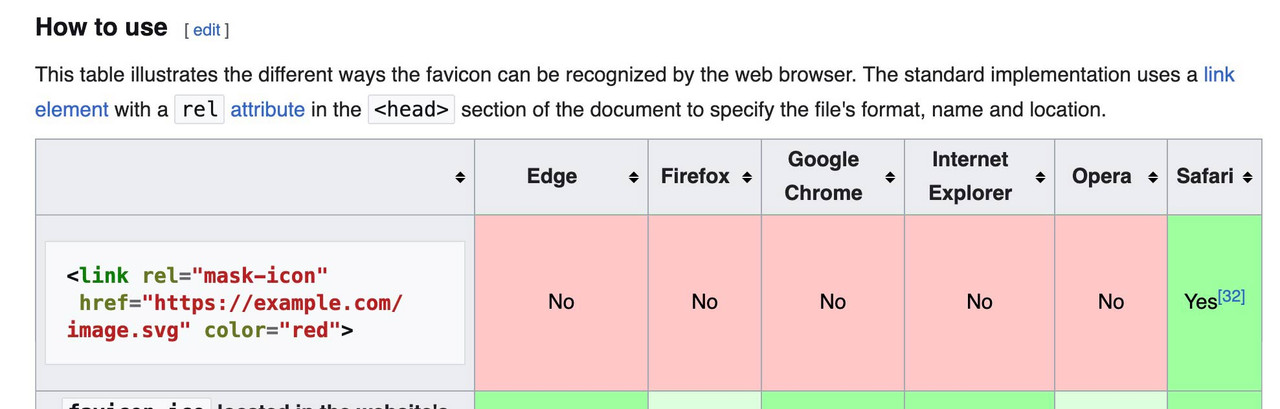
    In reply to: Favicon Not Appearing

    The place where you can insert the favicon to enfold options – there is a comment on the right side:

    Specify a favicon for your site.
    Accepted formats: .ico, .png, .gif

    if you follow that link ( that two cards icon) you will see the browsersupport.
    on the bottom :

    so: better do not use svg as favicon!
    if you like to use svg have a fallback solution: https://css-tricks.com/svg-favicons-and-all-the-fun-things-we-can-do-with-them/

    #1486625

    Hi,

    Great, I’m glad that Ismael could help you out. Please open a new thread if you should have any further questions or problems.

    Best regards,
    Rikard

    Hi,

    Great, I’m glad to hear that you got things working. We’ll close this thread for now then, please open a new thread if you should have any further questions or problems.

    Best regards,
    Rikard

    #1486622

    Hey Kevin,

    The update to 7.1.1 has to be done manually from the version you are running, please refer to my replies in this thread: https://kriesi.at/support/topic/enfold-4-5-theme-update-update-failed-download-failed-a-valid-url-was-not-pro/#post-1021541
    You can either update manually via FTP: https://kriesi.at/documentation/enfold/how-to-install-enfold-theme/#theme-update, or upload the theme as if it was new under Appearance->Themes->Add New Theme.
    If that doesn’t work then please try to delete the whole theme folder, then replace it with the new version. Make sure that you have backups of the site before starting updating.
    Also please read this after you have updated: https://kriesi.at/documentation/enfold/theme-registration/

    Best regards,
    Rikard

    • This reply was modified 9 months, 2 weeks ago by Rikard.
Viewing 30 results - 2,131 through 2,160 (of 244,605 total)