Hi!
Please add following code to Quick CSS in Enfold theme options under General Styling tab and adjust as needed
span.copyright { width: 100%; }
#socket div#avia_fb_likebox-5 { padding: 0; width: 30%; }
#socket .avia-builder-widget-area.clearfix { width: 60%; float: right; }
Regards,
Yigit
Hi!
Make sure you set the featured image for each portfolio item: http://kriesi.at/documentation/enfold/create-new-portfolio-item/
If you don’t like the size of the gallery then choose not to display a gallery/image on the ajax options and then insert your own content into the text area with shortcodes.
Regards,
Devin
Hi Josue,
Thanks, I tried the CSS you sent but it didn’t seem to work. Any other ideas? It seems no matter what size the image is or what settings I choose I still get a ridiculously large image. See this page. and click on the UI preview. The same thing happens when I put the same images in an easy slider too.
Figured out the short code, I knew how to insert short code but wasn’t getting all the options for some reason and no slider bar on the right. Now it’s working, must have needed a re-start.
The Portfolio tutorial is in the video section of your documentation, called Intro to Portfolios
Also, Is there a way to set up an easy slider that gives you a pretty box slideshow when you click on an image like the portfolio does?
Thanks in advance,
Rosemary
Hi!
You should see Custom CSS field now – http://kriesi.at/documentation/enfold/wp-content/uploads/sites/2/2013/12/blur.jpg
Please edit your buttons and add “transparent-button” into custom CSS field, update your page then add following custom CSS code in Quick CSS field ( inside Enfold theme options > General Styling tab ) or Custom.css file ( inside Enfold/CSS folder )
.transparent-button a.avia-button {
background: transparent !important;
border: 1px solid white !important;
box-shadow: inset 0 0 10px white;
}
Code will be applied only on buttons with custom CSS class “transparent-button”.
Cheers!
Yigit
FOUND THIS BELOW FROM MENTIONED THREAD… BUT THE CHANGE IS NOT WORKING :( PLEASE HELP…
Please go to wp-content\themes\enfold\framework\php folder and open function-set-avia-frontend.php file and find
$logo = “<$headline_type class=’logo bg-logo’>
You are going to see
“.$link.”
in the same line. You should change it to your url
Hey Tom!
Please add following code to Quick CSS in Enfold theme options under General Styling tab and adjust as needed
@media only screen and (max-width: 767px) {
.responsive #header_main .container, .responsive .logo { height: 120px !important; }
.responsive .logo a, .responsive .logo img { height: auto !important; max-height: 100% !important; }}
Regards,
Yigit
This reply has been marked as private.
Hi Devin,
i am using a normal (out of the box) Apple iPad Air with the normal Safari Browser.
Devin, are you really getting a fixed backgorund image with your ipad on your site:
http://kriesi.at/themes/enfold/homepage/home-v7-one-page-portfolio/
?
If yes i send you a bottle of champagne ..
How can I add button next to the social icons at the top of my enfold theme?
I want to add a schedule now button from a appointment scheduling company http://www.schedulicity.com
thanks
Riggs
Hey!
1) Can you check the link please – http://www.step-lab.com/en/portfolio-articoli/electromechanical-fatigue-test-machine/ returns a 404 page.
2) I’m not sure but maybe another plugin causes a conflict with WPML. You can also try to clear the cookie cache because sometimes WPML sets a wrong language cookie. I noticed this bug if i.e. the mailchimp plugin is activated (see https://kriesi.at/support/topic/enfold-wpml-problems/ ).
3) You can use this plugin: https://wordpress.org/plugins/display-widgets/ – insert the widget into the “Display Everywhere” widget area, select “Show on checked pages” from the dropdown and tick the “Portfolio entries” checkbox below the “Taxonomies +/-” headline. ( http://www.clipular.com/c/5539638403923968.png?k=ZXLOcWNzruOtskzVw09RIcCtroE )
Cheers!
Peter
Hi!
We aren’t aware of any bug like that at the moment no. Do you have any specific steps we can try and re-create it with?
If you don’t already have it turned on, you can turn on the debug field to see exactly what the builder currently has in place: http://kriesi.at/documentation/enfold/enable-advanced-layout-builder-debug/
Cheers!
Devin
Hey!
– Code is working fine on my end – http://i.imgur.com/ReOHdhz.png
please flush browser cache and refresh your page a few times.
– Great! But you should be able to arrange menu items when Enfold is activated as well. Please try re-updating the theme via FTP – http://vimeo.com/67209750
Cheers!
Yigit
Hey Jamie!
You can turn on debugging mode ( http://kriesi.at/documentation/enfold/enable-advanced-layout-builder-debug/ ) and see the shortcodes right below ALB or you can save templates you have created using Avia Layout Builder and load them on other pages http://i.imgur.com/pkv1y7C.jpg
Best regards,
Yigit
Hey Yigit,
I know this is a novice question but…will switching themes mess up any settings/styling changes I’ve made in Enfold? Will they still be intact when I switch back?
Thanks!
Hey tlauen!
Please add following code to Quick CSS in Enfold theme options under General Styling tab
.avatar { width: 81px; }
Regards,
Yigit
Hi!
I’m using the multi-author blog on Enfold, but the author avatars doesn’t display correctly. They’re too far to left and thus showing a lot of grey in the circle. You can see the problem yourself here: http://freistnad.bls.no/
Hey Rustybucket!
Please go to Enfold theme options > Footer Layout and choose to display only Socket
Regards,
Yigit
Hey PaintedMidget!
– Please try switching to one of the default themes and check if you can drag menu items or not.
– Please add following code to Quick CSS in Enfold theme options under General Styling tab
@media only screen and (max-width: 990px) and (min-width: 769px) {
.phone-info span { margin-left: 0; padding-left: 0; }
.sub_menu li { padding: 0 2px; }}
Best regards,
Yigit
Hey!
Please update the theme to the latest version (2.9.1) first.
Best regards,
Josue
Hi Lucas!
Please add following code to Quick CSS in Enfold theme options under General Styling tab
.mfp-zoom-in.mfp-ready.mfp-bg, .mfp-zoom-in.mfp-ready .mfp-preloader {
opacity: 1 !important;
}
Cheers!
Yigit
Hey Franck!
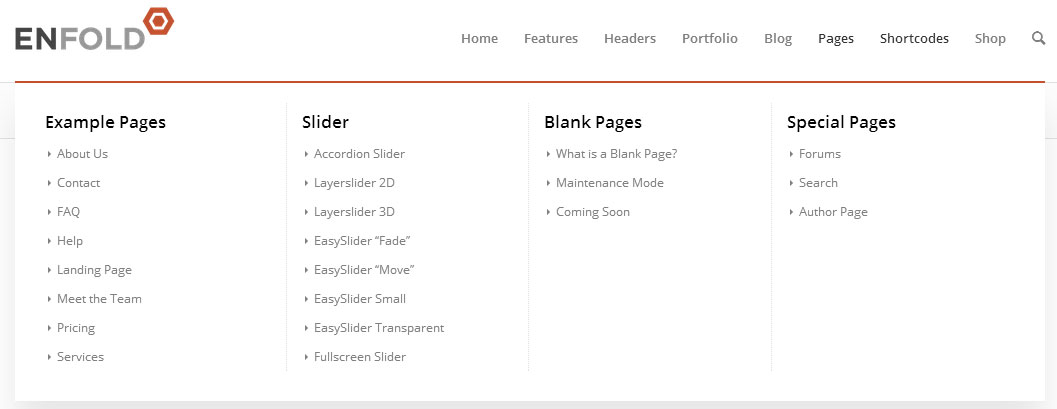
Please see “Creating a Mega Menu” video here – http://kriesi.at/documentation/enfold/videos/
Best regards,
Yigit
Hey czar!
Please add following code to Quick CSS in Enfold theme options under General Styling tab
#top .sub_menu li#menu-item-10188 ul { width: 430px; height: 50px; }
Regards,
Yigit
Hi,
If I inspect the source code the pp_content_container is limited to 1030px. Does this not mean that the images are scaled regardless of the fact that they are larger than 1030.
I have also noticed that on the Enfold Theme Options there is a setting Responsive Layout active? the options are Max width 1030 and 1210. I have chosen 1210 but it still displays the Portfolio at a max width of 1030. After changing it from 1030 to 1210, what should I do to get the change to reflect on the site?
Regards
Hi! I would like to know if I can make the kind of data-tables you use here to put the codes in in Enfold.
I mean this one:

Thanks!
-
This topic was modified 11 years, 7 months ago by
 Padlee.
Hey youyou78!
Please add following code to Quick CSS in Enfold theme options under General Styling tab and adjust as needed
span.avia_button_icon {
font-size: 20px;
}
Regards,
Yigit
Hey!
You are going to need to modify progressbar.php file inside Enfold/config-templatebuilder/avia-shortcodes folder and shortcodes.js file inside Enfold/JS folder.
But unfortunately that kind of customization is beyond the scope of support and needs to be done by a freelance developer
Cheers!
Yigit
Hi!
Please try adding following code to Quick CSS in Enfold theme options under General Styling tab
@media only screen and (max-width: 600px) {
ul.avia-slideshow-inner { height: 230px!important; }}
Best regards,
Yigit