Hey Denise Chapman,
Thanks for reaching out.
The site was not loading when we visited it. If the automatic update in the dashboard is not working, you may need to download the latest version of the theme from your Themeforest account and manually upload it to your server via FTP. Please refer to the documentation below for more info on how to update manually via FTP.
— https://kriesi.at/documentation/enfold/theme-update/#update-via-ftp
Let us know if you need more info.
Best regards,
Ismael
I understand that Gemini is likely to get me into trouble but as long as I’m on this ACF journey, triggered by Enfold :), I thought I’d run this by you. Your video tutorial link in the documentation is based on the free version of ACF. I understand that. I asked Gemini:
“I am now doing an ACF tutorial by the author of the Enfold theme. I am at this place in the tutorial. (If that link doesn’t take you to the relevant part of the video, it is at the 8 minute mark). The tutorial is for the free version of ACF. As I have the Pro version which gives me Gallery privileges I would like to know how I can use that at this point in the video where I need to select WP Custom Fields.”
This is the reply by Gemini. I don’t know if you prefer longer responses like this to be entered into the chat itself or via a link. In this case I have created a PDF.
What do you think?
Thank you
John
-
This reply was modified 8 months, 1 week ago by
 mediaapps.
-
This reply was modified 8 months, 1 week ago by mediaapps.
-
This reply was modified 8 months, 1 week ago by mediaapps.
 Denise Chapman
Guest
Hello, purchase code: c2e66504-f68b-4311-b075-6591721a6064
on https://johnstonesbenefits.com will not update. Please advise what the issue is. The admin will not allow any page updates now. Client needs to update site urgently.
Hello,
I would like to have a nice masonry gallery like in the “Enfold one page portfolio demo”. By this I mean a nice and beautiful masonry gallery with only the images and not titles or texts.
I don’t find in the masonry parameters a way to do it, can you help me ?
Thank you
Hi,
we have an Instagram feed on our website and clicking on those images also opens the Enfold lightbox (URL added in the private content section).
While we still need the lightbox for other pages, we’d like to disable it specifically for these elements.
We tried this code, as it was suggested on other threads here:
jQuery(document).ready(function() {
	jQuery('.sbi_link_area').addClass('noLightbox');
});
But even though the class is added properly, it does not remove the lightbox (maybe because it is initiated before we add the class).
What else could we try?
Hey Rikard,
Disabling file compression doesn’t help. The problem is a 15-year-old Vimeo script in the Enfold theme that is no longer supported and conflicts with the current Vimeo API. Here is a migration guide from the old Froogaloop player to Vimeo API: https://github.com/vimeo/player.js/blob/master/docs/migrate-from-froogaloop.md
Without the file compression the error is at Line 806 in wp-content/themes/enfold/config-templatebuilder/slideshow/slideshow-video.js (Froogaloop)
If there is no solution, is it possible to overwrite the slideshow-video.js in the child theme?
Hi Mike,
I added the login info to the private content. I tried upgrading to PHP 8.0 and got this error code which crashed the site again. I believe it’s the same code as before. (ended up reverting again back to 7.4). Thanks,
An error of type E_ERROR was caused in line 32 of the file /home/88346.cloudwaysapps.com/dapmsxrmxu/public_html/wp-content/themes/enfold-child/functions.php. Error message: Uncaught Error: Undefined constant “THEMENAME” in /home/88346.cloudwaysapps.com/dapmsxrmxu/public_html/wp-content/themes/enfold-child/functions.php:32
Stack trace:
#0 /home/88346.cloudwaysapps.com/dapmsxrmxu/public_html/wp-content/themes/enfold-child/functions.php(32): avia_nav_menus()
#1 /home/88346.cloudwaysapps.com/dapmsxrmxu/public_html/wp-settings.php(695): include(‘…’)
#2 /home/88346.cloudwaysapps.com/dapmsxrmxu/public_html/wp-config.php(103): require_once(‘…’)
#3 /home/88346.cloudwaysapps.com/dapmsxrmxu/public_html/wp-load.php(50): require_once(‘…’)
#4 /home/88346.cloudwaysapps.com/dapmsxrmxu/public_html/wp-admin/admin-ajax.php(22): require_once(‘…’)
#5 {main}
thrown
This reply has been marked as private.
Hi Mike,
As you suggested, I changed the block editor to the default one and replaced the duplicate featured images. Everything seemed to be fixed, but when I went back to edit the same portfolio items, I couldn’t save the changes because the same error occurred: Updating failed. Could not update the meta value of footnotes in database.
Interestingly, the same error appears in all the modified portfolio items, while everything works normally for the old portfolio items where I didn’t make the featured images replacement. Evidently, saving the featured images with the standard editor created a write to the DB that now interferes with the normal functioning of the block editor on those items or something like that.
I’ve never had problems like this on a website built with Enfold…. having to deal with problems one after another is not pleasant at all!
Best regards
Andrea
Hey xela,
First off, try turning off file compression under Enfold->Performance to see if that helps. If not, then post a link to where we can see the actual problem on your site.
Best regards,
Rikard
Hi,
Glad we were able to help, if you have any further questions please create a new thread and we will gladly try to help you. Thank you for using Enfold.
Best regards,
Mike
Hey fanlokbun,
Try this CSS in your Enfold Theme Options ▸ General Styling ▸ Quick CSS field:
.page-id-13 .mejs-overlay-button {
	display: none;
}
After applying the css, please clear your browser cache and check.
Best regards,
Mike
Hey DutchPeter,
Try this CSS in your Enfold Theme Options ▸ General Styling ▸ Quick CSS field:
.logo img {
    width: 300px;
}
.logo a {
	display: flex;
  align-items: center;
}
After applying the css, please clear your browser cache and check.
Best regards,
Mike
Hi,
Glad Rikard could help, if you have any further questions please create a new thread and we will gladly try to help you. Thank you for using Enfold.
Best regards,
Mike
We use our own Vimeo iframe solution in a plugin and also load the Vimeo JS API there. Unfortunately, Enfold can’t handle this and causes a JavaScript error that renders the Vimeo API unusable.
Is there any way to prevent Enfold from taking over the Vimeo player (API)?
Thanks, Alex
Hey John,
Thank you for the inquiry.
There is no dedicated video tutorial for the dynamic content and custom layout, but this documentation should help.
— https://kriesi.at/documentation/enfold/custom-layout-and-dynamic-content
Mike also created a few articles that should explain how to utilize ACF fields on custom layouts.
— https://savvyify.com/dynamic-content-custom-page-layouts-and-acf/
— https://savvyify.com/acf-custom-fields-in-woocommerce-products/
Let us know if you need more info.
Best regards,
Ismael
You have deprecated one of your functions that allowed us to insert another Page into a layout element on a different page. I was using it to add footer type content to the bottom of some Pages. You suggest using the ACF plugin for this purpose.
I have started trying to learn how to engage ACF with Enfold. It is a significantly steeper learning curve. Video tutorials tend to be my goto way to learn things these days but I can’t find anything that is specifically about ACF in an Enfold theme. There are plenty out there for Elementor and Divi and others but not Enfold.
As part of a current tutorial I am following at the moment I have created a “Jobs” custom post type. The part that I’m struggling with is how to present that on the front end of the site. I’m using a staging site for this purpose. I have included the relevant credentials in the Private Content field.
I realise that this is a different use case from what I was doing previously but decided that I needed ACF for other purposes as well. Can you point me to a good source of learning for using ACF with Enfold please – using that “Jobs” custom post type as an example as to how I should approach this?
Thank you
John
have you set the custom class on the element?
the element (Icon/Flipbox Grid) itself got that custom class: gridded-flipbox
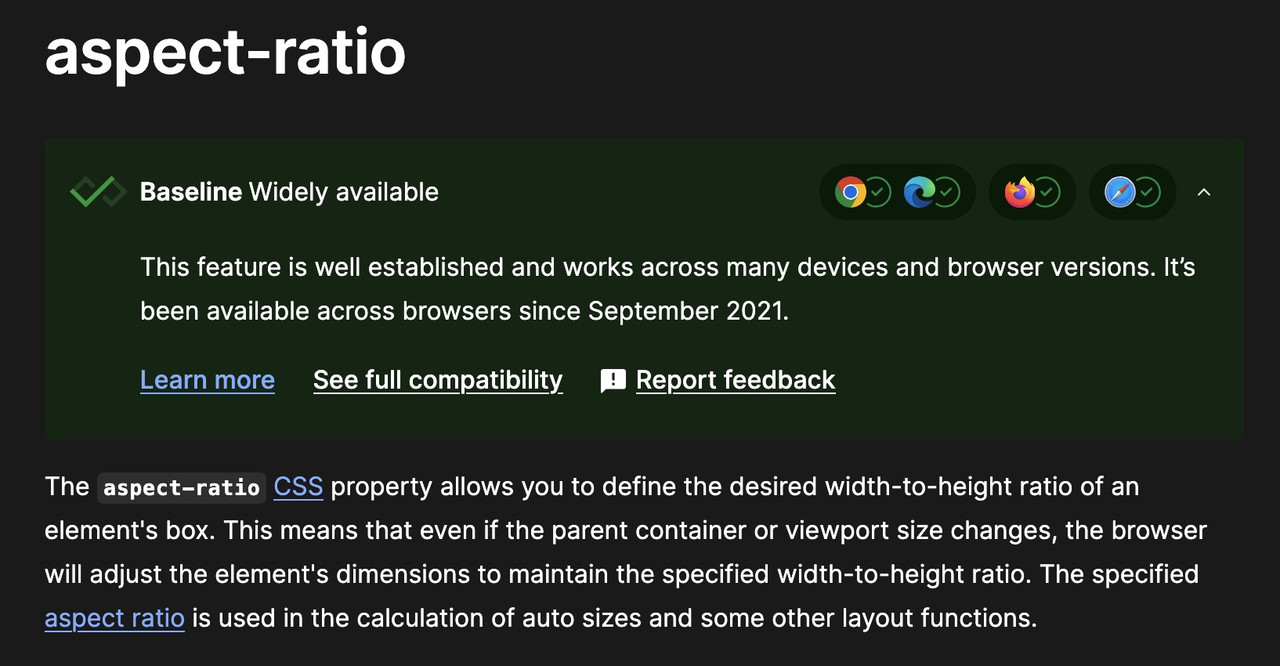
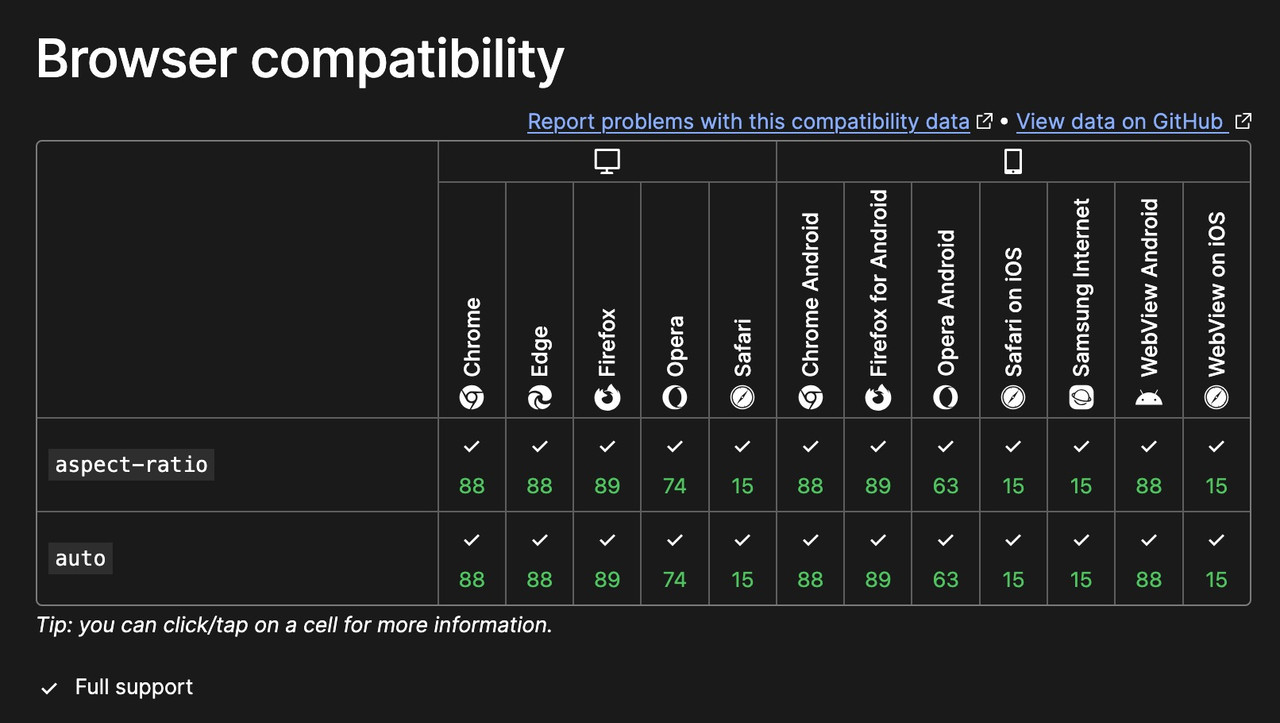
and if aspect-ratio does not exist, why does it work on my site? (Enfold 7.1.1)
there is a porperty : aspect-ratio – see:
https://developer.mozilla.org/en-US/docs/Web/CSS/aspect-ratio
btw: the declaration is :
aspect-ratio: width/height;
but there is a shortform – that if there is no height value – height is 1
so :
aspect-ratio: 1/1 can be written as aspect-ratio: 1
All is based on the square source images – grid layout and – background-size: contain.
Hi,
The error message says it is on: /enfold-child/functions.php on line 32
The theme editor shows line numbers, can you look for line 32 and remove that code block?
It might be in a snippet that starts above 32 and after, so remove the whole snippet.
If you are not sure, add a admin login to the Private Content area so we can look.
Best regards,
Mike
Hey kalla77,
Try this CSS in your Enfold Theme Options ▸ General Styling ▸ Quick CSS field:
@media only screen and (max-width: 767px) {
.page-id-12808 #av_section_3-fold-unfold {
	display: none;
}
}
Please ensure to copy the code from the forum and not an email notification so the symbols are not converted.
After applying the css, please clear your browser cache and check.
Best regards,
Mike
Hi,
Glad Rikard could help, if you have any further questions please create a new thread and we will gladly try to help you. Thank you for using Enfold.
Best regards,
Mike
Hi,
Very good, we will close this thread, you can follow the Github thread as the Dev Team reviews it.
Best regards,
Mike
Hi,
Glad we were able to help, if you have any further questions please create a new thread and we will gladly try to help you. Thank you for using Enfold.
Best regards,
Mike
Hello, I am trying to import the default (enfold-2017) demo files.
I get the following error:
Error accessing file for download:
cURL error 7: Failed to connect to kriesi.at port 443 after 36 ms: Could not connect to server
Do you know why that is?
Also, manually adding the demo (enfold-2017.txt & enfold-2017.xml from github) doesn’t work for me..
Short Version
If you place an URL to an existing page on the same WordPress in the autorespond text, it changes the contact form title and kills the autorespond feature.
Long Version
In Enfold, there is a contact form title:

which is shown in the frontend:

BUT there is the option to add an autoresponder text / email. You can add images and PDF files, but NOT an actual page URL:

(URL marked, on same WordPress).
As soon as you do that, in the fontend the “title” is not shown from the contact form, but from the page linked to:

Additionally, the “autoresponder” is never send. If you remove the page URL, the autoresponder gets send again.
I did remove all Plugins and deactivated the child theme. The issue was still there.
-
This topic was modified 8 months, 2 weeks ago by
 BlutVampir.
-
This topic was modified 8 months, 2 weeks ago by BlutVampir. Reason: tipo and bb to img tags
hmmm.. that’s odd.. had been working fine for me forever, until recently.
But just to clarify, we are talking about purchased product reviews, right?
WooCommerce recently moved those from Comments to Reviews Tab under Products.
(Currently have nothing under Comments, and don’t really have many plugins)
While I currently don’t have remote staging, I do have local staging setup.
On local staging site, I’ve switched to main theme, take child out of equation.
Had to add Enfold Combo Widget as gets renamed between child and main.
Then deactivated all plugins except for WooCommerce and still not displaying.
(pic of all plugins in deactivated state n private comments)

If deactivate WooCommerce, no plugins, displays unwanted internal woo msgs.

You’re not able to duplicate this? Please Advise…
Hi,
the button that opens / closes a section with fold / enfold does not follow mobile settings.
You can see it here:
Watch it on small or very small screens and the button is still there although the whole section is set to “Hide on small & very small screens”
Hi,
Glad we were able to help, if you have any further questions please create a new thread and we will gladly try to help you. Thank you for using Enfold.
Best regards,
Mike
Hi,
Try this CSS in your Enfold Theme Options ▸ General Styling ▸ Quick CSS field:
.av-masonry-animation-active {
  opacity: 1 !important;
  transform: none !important;
  transition: none !important;
}
.av-masonry-animation-active .av-masonry-entry {
    visibility: visible;
    opacity: 1;
    animation: none !important;
}
After applying the css, please clear your browser cache and check.
Best regards,
Mike



