Hi,
Glad we were able to help, if you have any further questions please create a new thread and we will gladly try to help you. Thank you for using Enfold.
Best regards,
Mike
Hi,
Yes basically, the translation.txt at the plugin GitHub page shows these:

but you real only need to use the “less than” = < and the "greater than" = > that makes your HTML code.
So for your headings use ###lt###u class=special-type###gt### ... ###lt###/u###gt### and change the “three dots” to the word you want orange.
I would not use any “search & replace” if that is what you mean.
I would only manually change the HTML that you have in elements when you see the red warning like in this screenshot

Best regards,
Mike
Hi Gunter,
Sorry crossed wires here.
I have updated my response to your original post.
The second fix enfold\config-relevanssi\class-avia-relevanssi.php seems to work
However both of your suggestions cause the ajax search to have different results to the search page.
BUT
The longer and more specific the search term – The less this is a problem.
I have changed the value to 25 in class-avia-relevanssi.php and also used the css below to control the size of the dropdown:
.ajax_search_response {
    max-height: 300px;
    overflow-y: scroll;
}
Hi,
Have a look into enfold\config-relevanssi\class-avia-relevanssi.php
Around line 170 you find:
			$tempquery->query_vars = $search_parameters;
			relevanssi_do_query( $tempquery );
Try the following:
			$tempquery->query_vars = $search_parameters;
			$tempquery->set( 'posts_per_page', 5 );
			relevanssi_do_query( $tempquery );
Best regards,
Günter
 Victor Pitanga
Guest
I can’t log in to your site so I can reply to the forum.
I tried in 3 different browsers, but it doesn’t enter the login (no error appears or anything).
My enfold theme is fully updated, wordpress too!
The videos on my site are having problems, if you click on one of them it opens and takes up the entire page.
I tried to modify page by page and changed it to open a window when I click on the video, but the videos do not open.
Click click and click and nothing to open the video.
Be yourself:
Sincerely Victor.
If possible, contact us via whatsapp +55 (22) 988060697
NOTE: I cannot access the kriesi FORUM with my login and password.
Hi guys,
I have raised this as a ticket with Relevanssi but wondered if there has been an update from Enfold’s end.
Previous posts have not provided a valid solution.
When Relevanssi is installed the Ajax search results that appear from the Enfold Search bar is set to all results meaning you get an extremely long load time for ajax results and a list as long as the entire page!
If you turn on Throttling in Relevanssi settings it limits this to 500 entries but also limits the full search results page to 500 entries.
If I add the following function it limits the Ajax search to 5 entries BUT also limits the full search results page to 5 entries. This is obviously not great for users and in solving the ajax issue it causes another problem!
add_filter( 'pre_option_relevanssi_throttle_limit', function( $limit ) { return 5; } );
Is there a way to limit just the Ajax search results to 5 rather than globally adjusting the Relevanssi search to 5.
I want to limit Ajax instant searches to between 5 – 50 results and let the actual search results page display all or use the standard 500 throttle limit.
Hi guys,
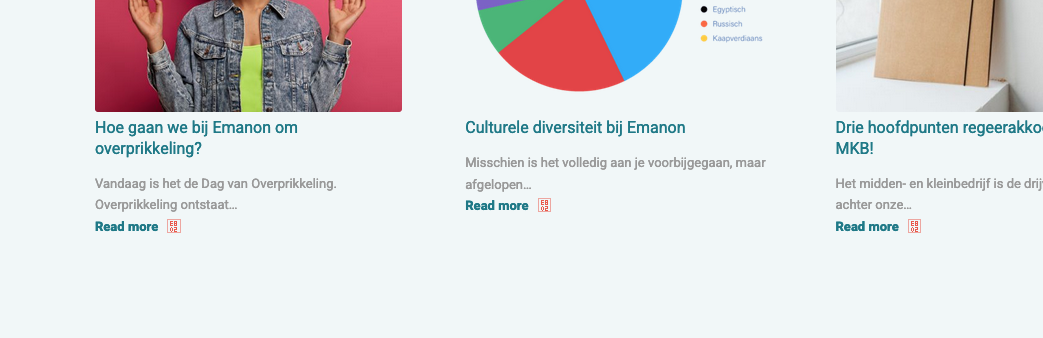
I used to have red arrows on my homepage and in the Socket (Enfold Footer Menu). Yigit helped me with that a long time ago. Somehow, someway, I managed to remove the arrows. I was trying to add some new icons when they suddenly disappeared. I guess I deleted the arrows. I tried to upload new once. No result. Can you guys help me out?
This is how it looks now:
https://emanon.nl/wp-content/uploads/2023/08/1.png
https://emanon.nl/wp-content/uploads/2023/08/2.png
https://emanon.nl/wp-content/uploads/2023/08/3.png
https://emanon.nl/wp-content/uploads/2023/08/4.png
This is how it look liked:
https://emanon.nl/wp-content/uploads/2023/08/Screenshot-2023-08-01-at-14.47.46.png
I used an arrow of Fontello. Not exactly the same, but it was almost like it.
The custom code of Yigit is in the custom css field.
.more-link-arrow::after {
content: “\E802”;
color: #EB5847;
font-size: 16px;
font-family: ‘friendly’;
}
#avia3-menu a::after {
content: “\E802”;
color: #EB5847;
font-size: 16px;
font-family: ‘friendly’;
position: absolute;
margin-left: 5px;
}
However, I don’t know if this is all of it.
Thanks in advance.
-
This topic was modified 2 years, 8 months ago by
 Emanon.
-
This topic was modified 2 years, 8 months ago by Emanon.
Hey,
You are currently using an older version of Enfold.
Please update Enfold to the latest version 5.6.5 (https://kriesi.at/documentation/enfold/theme-update/) and check if that fixes the issue.
If that doesn’t, please create temporary admin logins and share them with us in the private content field.
Best regards,
Yigit
Hey,
This issue was already addressed. Please update Enfold to the latest version 5.6.5: https://kriesi.at/documentation/enfold/theme-update/.
Let us know if updating the theme doesn’t resolve the error.
Best regards,
Yigit
Hi,
when i install other demos everything works OK, but when i try to import Agency – Enfold Parallax Demo it doesn´t work correctly, no pages are imported…there isn´t even an error. thanks!
Ok, i’ve installed WordPress again so you can login, I also uploaded the Enfold theme bur did not activatie (otherwise the same problem occurs).
?I have checked the credentials for the FTP and send them in private.
Hi,
Thanks for letting us know, we’ll close this thread for now then. Please open a new thread if you should have any further questions or problems.
Best regards,
Rikard
Hi,
Glad we were able to help, if you have any further questions please create a new thread and we will gladly try to help you. Thank you for using Enfold.
Best regards,
Mike
I use events calender pro and need to change some css. I noticed that enfold merges some css files and stores them under wp-content/uploads/dynamic_avia/avia_merged_styles with some cryptic name. I do not know when these file are being created and what files are being merged. Where can I add my own css? I need some padding in the content-area of single events.
Thx
Hi,
Thank you for the update.
This seems to be an issue with the file compression (Autoptimize). Please try to deactivate the plugin temporarily and disable the Enfold > Performance > File Compression settings. Let us know if this resolves the issue.
We tried to access the using the account info above, but it is not working. Please check the info carefully or provide another admin account.
Best regards,
Ismael
Hi,
Thank you for the inquiry.
We have noticed a script error when visiting the site as a guest, which could be linked to the file compression settings. To troubleshoot the issue, please try to temporarily disable the Enfold > Performance > File Compression settings and purge the cache. Please inform us if this resolves the issue.
Best regards,
Ismael
Hey Jenny,
Thank you for the inquiry.
Are you trying to update the theme from the dashboard? If so, you may need to download the theme files from your Themeforest account and update the theme manually via FTP.
// https://kriesi.at/documentation/enfold/theme-update/#update-via-ftp
Best regards,
Ismael
Just updated to 5.6.4 and got this error on home page
Warning: Invalid argument supplied for foreach() in /home/xx/public_html/wp-content/themes/enfold/includes/helper-social-media.php on line 124
Hey Rafael,
Thanks for your question, typically on a standard post not created with the Advanced Layout Builder the recent posts (You might also like) show under the Share this entry item automatically, such as in this demo post

Is this not occurring for you? The recent posts are linked by tags, please ensure you are using tags on your posts with each tag having multiple posts.
Best regards,
Mike
Hi,
To read about the plugin see our documentation for Using special characters
I installed this for you in your other thread and in this post.
Did you try to add the code to your other pages?
###lt###u class=special-type###gt### ... ###lt###/u###gt###
change the “three dots” to the word you want orange.
Best regards,
Mike
Hi,
Glad to hear that you have this sorted out, if you have any further questions please create a new thread and we will gladly try to help you. Thank you for using Enfold.
Best regards,
Mike
thank you for your response!
We have already deleted the conflicted plugin, it seems that the demo is not as it looks on the Kriesi website.
Should I uninstall enfold and install it again?
Hi stuart131,
There’s no such thing as default padding, you would have to specify which padding for which element and for which screen size. If you should need further help with that, then please open a new thread and include WordPress admin login details in private, so that we can have a closer look at your site.
Best regards,
Rikard
Enfold > Blog Layout > Blog Meta Elements > Blog Post Date — This is disabled.
Enfold > Blog Layout > Blog Meta Elements > Blog Post Comment Count — This is disabled.
The post dates and comments still show on pages with the Blog Posts element.
How do we hide the post dates and comments from the Blog Posts elements?
Hi. Does anyone know how to adjust the default padding in enfold themes? I.e. the default padding for mobile devices, tablets and larger screens
Hi,
Try this CSS in your Enfold Theme Options ▸ General Styling ▸ Quick CSS field:
@media only screen and (min-width: 767px) {
    #top #av-sc-portfolio-1 .sort_width_container {
        float: left;
        width: 20%;
    }

    #top #av-sc-portfolio-1 .grid-sort-container {
        width: 80%;
        float: left;
        clear: none;
    }

    #top #av-sc-portfolio-1 #js_sort_items a {
        display: block;
        text-align: left;
        width: 100%;
    }

    #top #av-sc-portfolio-1 #js_sort_items .text-sep {
        display: none;
    }
}
After applying the css, please clear your browser cache and check.
The expected results:

Best regards,
Mike
Hi,
Try this solution
or the example here from this thread.
They are not exactly like your example but very close with very good explanations that you should be able to follow.
If you have trouble with these and purchase the extended support we could help you, but it may not be exactly like your example and more like the links that I posted.
Best regards,
Mike
Hi,
Glad Guenni007 could help, thank you Guenni007, if you have any further questions please create a new thread and we will gladly try to help you. Thank you for using Enfold.
Best regards,
Mike