Hi,
Thank you for the update.
We adjusted the css code a bit. Please try it again and make sure to toggle or temporarily disable the Enfold > Performance > File Compression settings afterward.
@media only screen and (max-width: 767px) {
  #top .logo img,
  #top .logo svg {
    top: -1px !important;
  }

  .html_av-overlay-side-classic #top .av-burger-overlay li a {
    border-bottom-style: none;
  }
}
Best regards,
Ismael
Thank you, the code works but the first icon on the left is not aligned to the center, why so?
Another question: i want the icon boxex to be equal hights, i already tried what is shown in the documentation but it does’nt work (i set equal height from the column row settings but it shows 3 columns with different heights).
From the Enfold Documentation: “To create equal height Icon Box elements. First, add your Icon Box elements inside the columns and set the background color to the column element as required. Lastly, open the edit options of the first column element and select “Equal Height” from the column row settings.”
Thank you very much.
Hi,
Thank you for the link to your site, I tried to review your video but it is no longer available, I checked your site and the mobile menu seems to work correctly, by clicking a menu item with two submenus, and direct menu items. But since you write that the WP Rocket options seem to cause the issue, I believe that you need to add exceptions to the plugin, it has a field for this script blocking conflict.
Please see this WP Rocket documentation
And possibly the Wp Rocket REMOVE UNUSED CSS option, with this list of classes
If this doesn’t help, I see that there is an unsolved WP Rocket issue with Delay JS for mobile devices on IOS, if this is your issue you may need to disable this issue until WP Rocket corrects.
Best regards,
Mike
Hey Mariarita,
To adjust the logo and remove the mobile menu borders try this CSS in your Enfold Theme Options ▸ General Styling ▸ Quick CSS field:
@media only screen and (max-width: 767px) {
	.logo img, .logo svg {
    top: -1px;
}
.html_av-overlay-side-classic #top .av-burger-overlay li a {
    border-bottom-style: none;
}
}
Please ensure to copy the code from the forum and not an email notification so the symbols are not converted.
After applying the css, please clear your browser cache and check.
Unfortunately the mega menu will not show for mobile devices, as there is not enough room for it to show.
Best regards,
Mike
Hi,
Glad we were able to help, if you have any further questions please create a new thread and we will gladly try to help you. Thank you for using Enfold.
Best regards,
Mike
Hi,
Sorry my error, I see that the ALB elements bar was not showing, you had Lock Advanced Layout Builder For Admins As Well enabled at Enfold Theme Options ▸ Layout Builder, I disabled it for you, now it shows.
Best regards,
Mike
 Anna
AnnaGuest
Hi,
I am about to build a luxury lifestyle theme with focus for interior design.
Important things are:
We can add luxury brands logos on the down part of the page. We can videos that start buy they own on the first page. Colors: white, black, gold, may be dark green. Responsive, easy to build and navigate. May be one site page, but not sure about that cause we have a big portfolio of our prosjekts as well as quality videos. Its also important that this suit work on at least 4 languages and that is already prebuilt so we do not need extra widget for that. The last thing is a possibility for a member ship, but this is not 100% complusory ( I might use a widget for that).
So I would like to know if any Demo of your theme suits for the Luxurios Interior Design web proporse or may be I could modify a bit any specific theme for those porporses.
Thank you,
Anna
Hey Jak73,
Please try the following in Quick CSS under Enfold->General Styling:
.wpcf7-form p {
  margin: 0;
}

.wpcf7-form p span input {
  margin-bottom: 5px;
}
Best regards,
Rikard
Hi
I have updated to wordpress 6.6.2 and the Enfold theme released on September 3rd, 2024 – Version 6.0.4
Since then, the Advanced Layout Builder (Avia), no longer shows in posts (existing or new ones)
Hey Jak73,
It’s not possible to style the star only, since it’s added with the rest of the text. If you refer to the plugin documenations, then maybe there is a default way of adding a required character? Please note that we are here to support the Enfold theme, not Contact Form 7.
Best regards,
Rikard
Hi,
Thank you for the info.
Try to remove this line in the remove_enfold_image_sizes function above.
remove_image_size('portfolio');
The post slider or the blog grid layout uses the “portfolio” thumbnail by default.
Best regards,
Ismael
Hi
I have updated to wordpress 6.6.2 and the Enfold theme released on September 3rd, 2024 – Version 6.0.4
Since then my page layout is broken`
Correctly presented `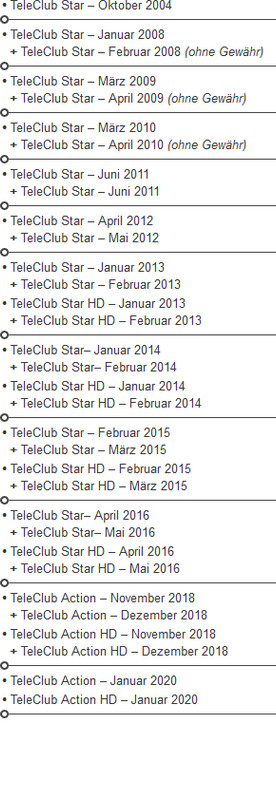 Misrepresented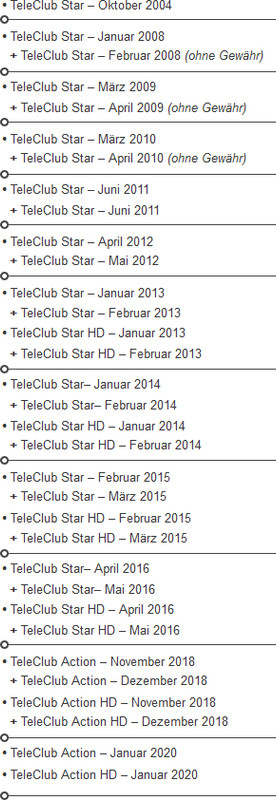
Is the problem WordPress or Enfold?
Are there any suggested solutions?
Greetings Olligator
Hey Qgrafica_7,
Please try the following in Quick CSS under Enfold->General Styling:
.iconlist_icon .iconlist-char:before {
  font-size: 60px;
}
Best regards,
Rikard
Hey Aeroviews,
That text gets its size from the paragraph element, you can set that size for each screen size under Enfold->General Styling->Typography. Change the default content font size option.
If you want to use custom CSS instead, then you can use this selector:
.iconbox_content_container p
Best regards,
Rikard
Hey Paddy O’dor,
If you are unable to login to the support forum because you don’t have a activate support contract, please try going to your Theme Forest account and renew your support and then log in to the support forum and open a new thread.
Please note that using the contact form is not appropriate for support questions.
If you don’t have a Theme Forest account and don’t have a theme license then you will need to purchase a license which will also give you 6 months of support on our forum to help with any issues.
Best regards,
Mike
Hi,
OK, unfortunately I’m not able to reproduce, so I’m not sure what to make of your experience, but since you’re not going to use this we will close this thread. If you change your mind in the future, please open a new thread and include a admin login in the Private Content area so we can examine.
Thank you for using Enfold.
Best regards,
Mike
 Paddy O’dor
Guest
I posted a message #1467675 and got a reply from you,
Now it will not let me reply to you as it says I have no license.
If I need one how do I get one?
I have posted connections details below.
Hi
I have been trying to edit some of the styling of the icon box near the top of the page, but some of the styles selected in the actual element as well as in the custom CSS for the MOBILE display is being overriden.
The content “Exceeding expectation” should be 12px but is being overriden to 17px
Also, is it possible to style the icon for smaller displays especially mobiles where they seem too large. I haven’t been able to effetely change the styling via CSS for that area.
Thank you
Hi,
Thanks for letting us know. Please open a new thread if you should have any further questions or problems.
Best regards,
Rikard
Hi
I have updated to wordpress 6.6.2 and the Enfold theme released on September 3rd, 2024 – Version 6.0.4
Since then, the Advanced Layout Builder (Avia), no longer shows in posts (existing or new ones)
Any suggestions?
Hello!
I would love to be able to add hyphenation to (Italian) texts on my website as there is a lot of spacing between words on mobile in justified text and I don’t like to use aligned text.
I have already searched through topics, found some threads about this but haven’t really understood what the best solution is. Some sounded pretty complicated. Some mention the plugin Hyphenator, which is not available anymore. I am pretty sure I had an hyphenation option on the Avia builder in a previous Enfold website I had, which had been created by a professional, and I do not know how he did that.
Any advice?
Thank you
Elena
No, I am trying to sort on their publication date (which is each case I have manually set to the title date).
There are lots of plugins that offer to do this, e.g.
But they don’t work for me so I can only guess that is because of way I am putting out the thumbnails for Enfold?
Thanks
Did you have any other thoughts on why only our Enfold sites have this behaviour?
Anne
Hi, i’m facing a large database size (250mb) and i would like to reduce this, because my provider does not support database uploads over 256mb.
I thought a deletion of revisions could help.
What would be a good method to reduce the database? (i’m not using other plugins only enfold theme).
kind regards
Jak
Hi,
Glad we were able to help, if you have any further questions please create a new thread and we will gladly try to help you. Thank you for using Enfold.
Best regards,
Mike
Hey ivolt360,
Please try the suggestions listed here: https://kriesi.at/documentation/enfold/contact-form/#my-contact-form-is-not-sending-emails-
If you want to use an SMTP service, then you would need to use a third party plugin.
Best regards,
Rikard
Hi,
Thanks for your patience, but the check-out on these two site are not the same, one shows a address field (sk), and the other doesn’t (cz), one only has only one a flux-checkout__content-wrapper (sk) and the other has two (cz), one has the “Doprava” at the top of the sidebar (sk), and the other at the bottom (cz)
These changes in the page source code probably making the css from before not work correctly and are probably due to different settings in the plugin, please try reviewing so both are the same. We are limited to the support that we can offer for third party plugins, but perhaps if you can use the plugin settings to adjust the placement of the “Doprava” and add the address field back it may then work correctly.
Please that Enfold may not support all woocommerce plugins, especially ones that are created for the “shop theme”.
I also see that you are using two different versions of the Flux Checkout plugin.
Best regards,
Mike
Hi,
Glad to hear that you have this sorted out with Ismael’s help, if you have any further questions please create a new thread and we will gladly try to help you. Thank you for using Enfold.
Best regards,
Mike
 Giorgia
Guest
I bought the Enfold theme for only one website.
I paid it 59$. Is this a one time fee or will I have to pay extra in future?
Many thanks.



