-
Search Results
-
Hi,
Depricated function error suddenly showing in front end header of https://www.hearapukeruabay.nz/:Deprecated: Function wp_targeted_link_rel is deprecated since version 6.7.0 with no alternative available. in /home/hearapu/public_html/wp-includes/functions.php on line 6114
Deprecated: Function wp_targeted_link_rel_callback is deprecated since version 6.7.0 with no alternative available. in /home/hearapu/public_html/wp-includes/functions.php on line 6114
I have never seen this in over 30 installs of Enfold over many years.
Everything is up to date and debugging is turned off in Enfold. At my host’s suggestion, I used a plug-in to see where the errors are – apparently Enfold. See screenshots.
So 2 questions – how do I get rid of these from the front end and what needs to be done – is there an issue to fix?
Thanks,
AnneTopic: Left side menu layout
How can I control the menu layout when used on the left side?
I have read all the documentation relating to the menus and searched the forum, but I have not found the information necessary to adjust:
– the sizes of the logo area
– the width of the menu
– the line spacing between menu items
– how to disable the separation lines between menu items (tried using Enfold options, but I don’t see any difference)Hello,
I have a couple questions, loving Enfold for wordpress. I am rebuilding a website that has industrial equipment which customers can submit inquiries about. No woocommerce.Is there any plugins that conflict with Enfold? I only have Enfold and Jetpack, is there any recommended plugins to run alongside Enfold to maximize traffic to website?
I know Enfold was built with SEO in mind, would YoastSEO for example cause issues if installed?
Thanks.
Hi there,
I have a couple of issues:
1. Iam having a problem with the button option not styling. Below is what was suggested and it’s not working.Have you tried temporarily disabling the Enfold > Performance > File Compression settings? Also, please make sure to clear the cache before checking for any changes.
2. My developer is no longer working as a developer and has left me without access to the purchase code. In my previous 2 emails I have sent you the proof of purchase and how he purchased enfold before designing my website. Please see below the response you sent which I do not have access to. I need to be able to receive support. Are you able to access the purchase by the developer to help me: This is the information I have from him:
valid Envato private token: FikXNC5k1UNFv30ctB5FCMZyhvGVnRpG
Your username: Dependablewp
Your E-Mail: (Email address hidden if logged out)To register on the forum, you’ll need the purchase code. Please ask the previous developer for this information so that you can register on the forum.
We have a multilingual multisite using Enfold child and SCF. In the blog archive of one of our sites a field group of SCF is displayed as a blog, see page: https://mc.2iq.nl/blog/
I switched to Enfold and this field group is still displayed in my archive. When I switch to Thentytwentyfour theme, it’s not displayed anymore.
Can you please let me now why this is happening when I use the Enfold theme?
Wir nutzen eine normale Seite als Footer und haben diese in den Enfold Footer-Einstellungen zugewiesen.
Nun wird dieser „Pseudo-Footer” im html als main ausgewiesen. Dies müsste zur Erzielung von Barrierefreiheit in <footer> geändert werden.
Wie ist das machbar?
Für einen Hinweis wäre ich dankbar.
—-We use a normal page as a footer and have assigned it in the Enfold footer settings.
Now this ‘pseudo-footer’ is identified as main in the html. To achieve accessibility, this would have to be changed to <footer>.
How can this be done?
I would be grateful for a hint.Topic: Header Inconsistancy
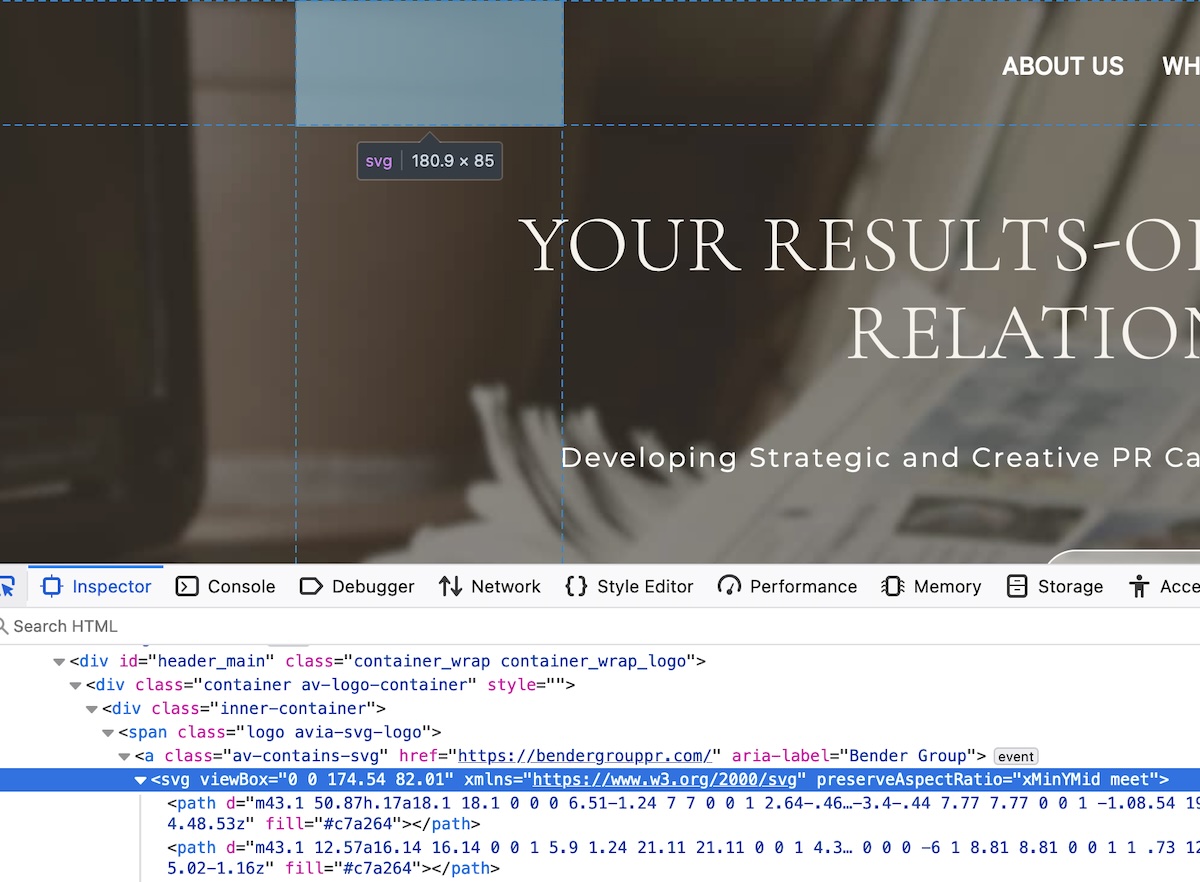
I recently took over hosting an Enfold-based site. After transferring the site from the previous host I noticed that the page headers weren’t working as they had previously.
When working correctly, the header’s background was initially transparent. The SVG logo was visible in white (against a dark image background) and the menu items were also visible in white. When a user began to scroll down the page, the header background would fill white, the logo would colorize, and the menu item lettering would switch from white to black.
What I’ve noticed now is that:
a. After the initial load the logo is fully transparent. It’s there, but you can’t see it.
b. Upon scrolling, the header stays fully transparent, the logo stays invisible, and the lettering stays white (there is no transition upon scrolling).Any help straightening this out would be greatly appreciated.
We have the problem that (only on the start page!) after adding a product, the page freezes after a few seconds. You can no longer scroll etc. Only menu links can be clicked.
We use the Side Cart plugin… However, it doesn’t seem to be that, as we have already deactivated it and the error still occurs.
Strangely enough, this does not happen on the store page.
Do you have any idea what the problem could be and how the error can be solved?
I’ll post the credentials in the private section.
Topic: Error on Contact Page
I buy the least version of Enfold Theme, in this link:
you will see that contact page has a error.
In the mobile phone is worst
Hello,
after installing ENFOLD theme into my WordPress it keeps displaying infobox that “Enfold Child template uses outdated copies of Woocommerce templates”. The list is quite huge (see below). Woocommerce suggest to contact the author of a theme for actual versions, which I am doing here.
Can you help, please? Thanks.===========================================
enfold-child/woocommerce/checkout/form-checkout.php,
enfold-child/woocommerce/emails/admin-cancelled-order.php verze 2.5.0 je neaktuální. Verze jádra je 4.1.0,
enfold-child/woocommerce/emails/admin-failed-order.php verze 2.5.0 je neaktuální. Verze jádra je 3.7.0,
enfold-child/woocommerce/emails/admin-new-order.php verze 2.5.0 je neaktuální. Verze jádra je 3.7.0,
enfold-child/woocommerce/emails/customer-completed-order.php verze 2.5.0 je neaktuální. Verze jádra je 3.7.0,
enfold-child/woocommerce/emails/customer-invoice.php verze 2.5.0 je neaktuální. Verze jádra je 3.7.0,
enfold-child/woocommerce/emails/customer-new-account.php verze 1.6.4 je neaktuální. Verze jádra je 6.0.0,
enfold-child/woocommerce/emails/customer-note.php verze 2.5.0 je neaktuální. Verze jádra je 3.7.0,
enfold-child/woocommerce/emails/customer-on-hold-order.php verze 2.5.0 je neaktuální. Verze jádra je 7.3.0,
enfold-child/woocommerce/emails/customer-processing-order.php verze 2.5.0 je neaktuální. Verze jádra je 3.7.0,
enfold-child/woocommerce/emails/customer-refunded-order.php verze 2.5.0 je neaktuální. Verze jádra je 3.7.0,
enfold-child/woocommerce/emails/customer-reset-password.php verze 2.0.0 je neaktuální. Verze jádra je 9.3.0,
enfold-child/woocommerce/emails/email-addresses.php verze 3.2.1 je neaktuální. Verze jádra je 8.6.0,
enfold-child/woocommerce/emails/email-customer-details.php,
enfold-child/woocommerce/emails/email-downloads.php verze 3.2.0 je neaktuální. Verze jádra je 3.4.0,
enfold-child/woocommerce/emails/email-footer.php verze 2.3.0 je neaktuální. Verze jádra je 7.4.0,
enfold-child/woocommerce/emails/email-header.php verze 2.4.0 je neaktuální. Verze jádra je 7.4.0,
enfold-child/woocommerce/emails/email-order-details.php verze 3.2.0 je neaktuální. Verze jádra je 3.7.0,
enfold-child/woocommerce/emails/email-order-items.php verze 3.2.0 je neaktuální. Verze jádra je 3.7.0,
enfold-child/woocommerce/emails/email-styles.php verze 2.3.0 je neaktuální. Verze jádra je 9.3.0,
enfold-child/woocommerce/emails/plain/admin-cancelled-order.php verze 2.5.0 je neaktuální. Verze jádra je 4.1.0,
enfold-child/woocommerce/emails/plain/admin-failed-order.php verze 2.5.0 je neaktuální. Verze jádra je 3.7.0,
enfold-child/woocommerce/emails/plain/admin-new-order.php verze 2.5.0 je neaktuální. Verze jádra je 3.7.0,
enfold-child/woocommerce/emails/plain/customer-completed-order.php verze 2.5.0 je neaktuální. Verze jádra je 3.7.0,
enfold-child/woocommerce/emails/plain/customer-invoice.php verze 2.5.0 je neaktuální. Verze jádra je 3.7.0,
enfold-child/woocommerce/emails/plain/customer-new-account.php verze 2.0.0 je neaktuální. Verze jádra je 6.0.0,
enfold-child/woocommerce/emails/plain/customer-note.php verze 2.5.0 je neaktuální. Verze jádra je 3.7.0,
enfold-child/woocommerce/emails/plain/customer-on-hold-order.php verze 2.5.0 je neaktuální. Verze jádra je 7.3.0,
enfold-child/woocommerce/emails/plain/customer-processing-order.php verze 2.5.0 je neaktuální. Verze jádra je 3.7.0,
enfold-child/woocommerce/emails/plain/customer-refunded-order.php verze 2.5.0 je neaktuální. Verze jádra je 3.7.0,
enfold-child/woocommerce/emails/plain/customer-reset-password.php verze 2.3.0 je neaktuální. Verze jádra je 9.3.0,
enfold-child/woocommerce/emails/plain/email-addresses.php verze 3.2.1 je neaktuální. Verze jádra je 8.6.0,
enfold-child/woocommerce/emails/plain/email-customer-details.php verze 2.5.0 je neaktuální. Verze jádra je 3.4.0,
enfold-child/woocommerce/emails/plain/email-downloads.php verze 3.2.0 je neaktuální. Verze jádra je 3.4.0,
enfold-child/woocommerce/emails/plain/email-order-details.php verze 3.2.0 je neaktuální. Verze jádra je 3.7.0,
enfold-child/woocommerce/emails/plain/email-order-items.php verze 3.2.0 je neaktuální. Verze jádra je 5.2.0
Viewing 30 results - 5,191 through 5,220 (of 244,510 total)