
-
AuthorSearch Results
-
July 9, 2020 at 2:05 pm #1229172
In reply to: Video icon play in layer slider
Hi,
Unfortunately, if you use the “video” layer in your slider the layerslider creates it’s own div to display the thumbnail that it grabs and placing a button over it, it is not using the YouTube iframe.

So your options are to use css to create a button you like, or use a custom image, or use the “HTML” layer to display the YouTube iframe code.The layerslider does have a “no skin” mode, go to the Slider Settings, choose the Appearance tab. The first parameter will be the Skin, choose “no skin”

but this will not change the video element for the reasons above, but it does remove other styles you may like to remove.While I was investigating I reverse-engineered some of the other skins css solutions for the video play button, you may find this helpful as a starting place for your custom css, if you choose that path.
.ls-playvideo {
	width: 50px;
	height: 50px;
	margin-left: -29px;
	margin-top: -29px;
	background: rgba(0, 0, 0, 0.7) none repeat scroll 0 0;
	border: 2px solid rgba(255, 255, 255, 0.7);
	-webkit-border-radius: 50%;
	-moz-border-radius: 50%;
	border-radius: 50%;
}

.ls-playvideo:before {
	position: absolute;
	top: 16px;
	left: 20px;
	display: block;
	width: 0;
	height: 0;
	border-style: solid;
	border-width: 9px 0 9px 14px;
	border-color: transparent transparent transparent rgba(255, 255, 255, 0.8);
	-webkit-border-radius: 2px;
	-moz-border-radius: 2px;
	border-radius: 2px;
	content: "";
}

.ls-playvideo:hover:before{
	border-color: transparent transparent transparent rgba(255, 255, 255, 1);
}

.ls-playvideo:hover {
	background: rgba(0,0,0,1);
	border: 2px solid rgba(255, 255, 255, 1);
}
Best regards,
MikeJuly 8, 2020 at 7:41 pm #1228975Topic: Can you add catalog information to Tabs?
in forum Enfolddjcopywriter
ParticipantI saw from an older response that it looks like this possible: https://kriesi.at/support/topic/catalogue-thumbnail-size/
I would like to make a lunch and dinner tab with the information I created in the catalog to appear in each tab, depending on lunch or dinner.
Is this possible?Is there some quick CSS code or is this a completely custom design that I’ll have to do? I looked up tutorials to no avail.
Thanks.July 8, 2020 at 1:26 pm #1228857Topic: Caching problem in Whatsapp and FaceBook
in forum Enfolddanpa2013
ParticipantI share URLs via Facebook and Whatsapp. These messaging apps tend to generate a “rich preview” in the form of a thumbnail for the link shared. Everything seems to work fine thus far, but if I change the content which my link points to then the next time I share the same link with a completely different person, the changes are not reflected.
Do you have any ideas why this is occurring?
Thank you in advance
DanielJuly 6, 2020 at 9:36 pm #1228366In reply to: issues with blogpage and posts
Hey Alexander,
Thank you for the inquiry.
1-3.) You can use the Simple Image Sizes plugin to adjust the maximum size of the featured image or thumbnail used in the posts. After activating the plugin, go to the Settings > Media panel and look for the “portfolio” thumbnail. Adjust the width and height, update or save the changes, then regenerate the thumbnails.
// https://wordpress.org/plugins/simple-image-sizes/
4.) You can adjust the style of the heading tags in the Enfold > Advanced Styling panel.
5.) You have to install a translation plugin like Loco Translate or Say What? in order to translate the text in the templates.
// https://wordpress.org/plugins/loco-translate/
// https://wordpress.org/plugins/say-what/And please note that we always encourage users to open separate threads for each inquiry instead of including them in a single post because it will be a lot easier for moderators to answer the question or request, and make it easier for users who might be searching for the same solution.
Thank you for your patience.
Best regards,
IsmaelJuly 6, 2020 at 3:38 am #1228136Hey Kshipra,
Sorry for the late reply, I recommend using the plugin Simple Image Sizes and using it’s options at WordPress > Dashboard > Settings > Media > Media Settings to choose which thumbnails are created. The WordPress page for this plugin says it is old, but it still works good because has a basic function that has not changed in WordPress.
After making your choices you will need to Regenerate Thumbnails and clear your browser cache.Best regards,
MikeJuly 6, 2020 at 1:24 am #1228125In reply to: Masonry grid as displaying portfolio entries
Yeah it’s weird – I can’t seem to get it to work even with the !important addition. I’ve included a link to the screenshot of the mouseover effect just to make sure we’re talking about the same thing! I don’t mind the actual mouseover effect, it’s that the thumbnail/featured image is slightly opaque before mousing over.
Thanks again!
July 5, 2020 at 6:14 pm #1228063I never found a way to change which predefined image resize Woocommerce uses.
I’m still surprised that [entry-without-sidebar] which, if I recall correctly, is a full-width image, is the image resize enfold uses for category images.
I see categories displayed with large, square thumbnail images much more frequently than sprawling full-width images.
At least defining the category images as a separate image class would let us define a smaller, faster size for our category images. I mean, why [entry-without-sidebar] and not, say, the default product image class? It just seemed like an unintuitive choice to me. Do people typically have enormous category images? Strange.
That said, I love Enfold.
July 5, 2020 at 5:22 pm #1228051Hey santanin,
Sorry for the late reply, I was not able to recreate your archive page layout for testing on my localhost, but your images are cropped, please see the direct link below.
Try adding this code to the end of your functions.php file in Appearance > Editor to create a new image with the size of 200px X 300px and to not crop.add_image_size( 'news-cover', 200, 300, false ); add_filter( 'image_size_names_choose', 'my_custom_sizes' ); function my_custom_sizes( $sizes ) { return array_merge( $sizes, array( 'news-cover' => __( 'News Cover' ), ) ); }Then copy the file
/enfold/includes/loop-index.phpand add to your child theme in a new directory/includes/then edit line 86, look for:$size = strpos( $blog_style, 'big' ) ? ( ( strpos($current_post['post_layout'], 'sidebar') !== false ) ? 'entry_with_sidebar' : 'entry_without_sidebar' ) : 'square';and change to:
$size = strpos( $blog_style, 'big' ) ? ( ( strpos($current_post['post_layout'], 'sidebar') !== false ) ? 'entry_with_sidebar' : 'entry_without_sidebar' ) : 'news-cover';and then add this code in the General Styling > Quick CSS field or in the WordPress > Customize > Additional CSS field:
.small-preview {
    width: 200px !important;
    height: 100% !important;
}
Then you will need to Regenerate Thumbnails and clear your browser cache and check.
If that doesn’t help, please include an admin login in the private content area so we can take a closer look.Best regards,
MikeJuly 4, 2020 at 7:27 pm #1227950mtmundarain
ParticipantHi.
Is it possible that the wocommerce category thumbnails are the same as the product thumbnails when you configure the “minimum overlay with thumbnail centered text”?An image with dark overlay and centered caption text?
Thank you very much!July 3, 2020 at 3:22 pm #1227774In reply to: Links to an attachment page from Image in a gallery
Hi Nikko,
Thank you for your assistance. I’m aware of how to add a custom link to the image such that the gallery thumbnail will link to the attachment page. Rather, I was trying to link the lightbox image to the attachment page. In other words, you click the thumbnail, the lightbox pops up, but intead of the click behavior (on the image) being an advance to the next image…it would go to the attachment page.The next issue is that the attachment page in the Enfold theme does not display the image. Shouldn’t it? I’m sure there must be an obvious reason for this, but I’m not able to determine why no image is show on the attachment page.
I have a child theme set up, so I could dupe a page template and alter it…though, I’m not extremely familiar with PHP, so I’d need a little help. I think a solution of this nature might be really useful for a bunch of Enfold users. So if you could provide a little guidance here, we can document the process for others.
Best, KCJuly 2, 2020 at 9:29 pm #1227580Topic: White border around blog thumbnails in footer
in forum EnfoldESWEENEY113
ParticipantHi-
There is a white outline around the featured image thumbnail for my blog posts in the footer of my site. Is there a way to remove this border? Thank you.
ErinJune 30, 2020 at 12:33 pm #1226715In reply to: Always show whole image in Photography theme
Thanks, but please see here https://project.jun-e-jay.com/onestopphoto/bedrijfsreportage/
The top image is square and below it you see the gallery items. The third picture (the two men in bluw/yellow). Thats a portrait mode image, but it shows square on top (when you hover it). We want the whole image to always show when it is the top iamge. The gallery can be thumbnail (so it is all aligned). Please see my post here in support from May 16, 2020 at 9:26 amJune 29, 2020 at 9:04 pm #1226592In reply to: Small artifacts around images in Safari
we only see the one image – not your screenshot examples!
Guess these are image galleries thumbnails under big image.
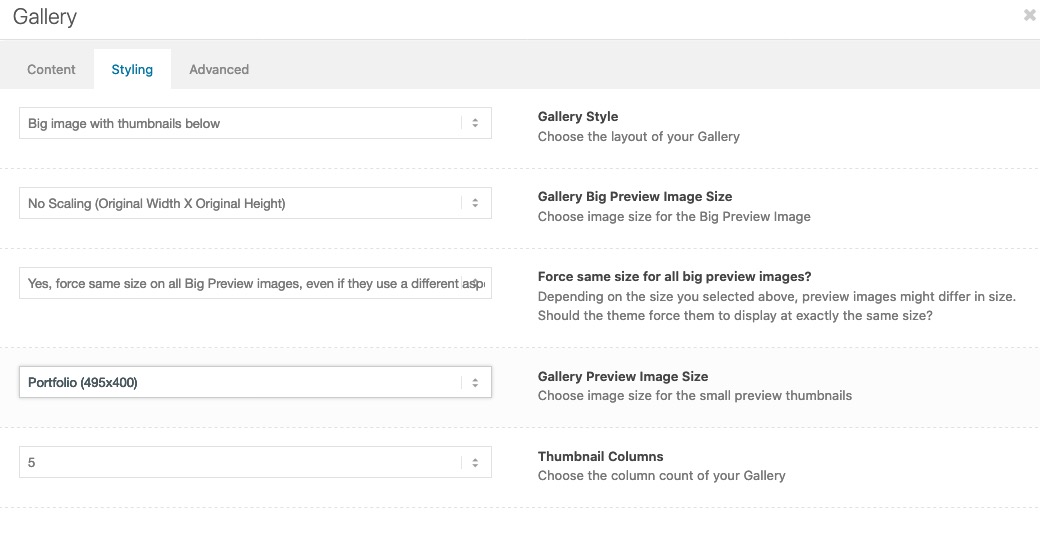
on that alb you can see the options to choose image quality of big image – and image quality for thumbnails.
( click to enlarge)
 June 29, 2020 at 10:59 am #1226360
In reply to: Retina ready or not ready?
Hi,
The plugin should work fine even if it’s not updated. All it does is update the value of the global variable $_wp_additional_image_sizes, which contains data about the thumbnails.
There is a different solution, but you have to modify the functions.php file directly and adjust the thumbnail size manually. You can find this code around line 183:
$avia_config['imgSize']['masonry'] = array('width'=>705, 'height'=>705 , 'crop' => false); // images for fullscreen masonryOr try to remove the default “masonry” thumbnail and register your own.
// https://developer.wordpress.org/reference/functions/remove_image_size/
// https://developer.wordpress.org/reference/functions/add_image_size/Best regards,
IsmaelJune 27, 2020 at 10:03 pm #1226140In reply to: image size proportions for the blog posts
Hi,
To create an image size try using this function instead in your functions.phpadd_image_size( 'small-square', 200, 200, true ); add_filter( 'image_size_names_choose', 'my_custom_sizes' ); function my_custom_sizes( $sizes ) { return array_merge( $sizes, array( 'small-square' => __( 'Small Square' ), ) ); }For this example it creates the size small_square, 200px square and cropped, and then adds it to your image choices, just adjust for your size(s) and then Regenerate your Thumbnails.

Best regards,
MikeJune 27, 2020 at 8:54 pm #1226137In reply to: Enfold Shop template
Hi,
Sorry for the late reply, and thanks for the login. I’m not sure why the thumbnails are all showing the same placeholder
/wp-content/plugins/product-variation-swatches-for-woocommerce/admin/assets/images/placeholder.png
but I don’t know the product variation swatches plugin very well, so perhaps there is another step needed to set it up. Try asking the plugin author what we might have missed when setting it up.Best regards,
MikeJune 26, 2020 at 5:46 pm #1225956In reply to: Shortcodes don't work in post header
Hier ist der komplette Code mit dem Shortcode drinnen
<div class="more-infos"><div class="ec-contact-dropdown"><span class="hotline">Hotline:</span> [av_content_slider heading='' columns='1' animation='slide' navigation='no' autoplay='true' interval='4' font_color='custom' color='#ffffff' av-medium-hide='aviaTBav-medium-hide' av-small-hide='aviaTBav-small-hide' av-mini-hide='aviaTBav-mini-hide' av_uid='' custom_class=''][av_content_slide title='0711 / 46 05 89 – 50' link='page,8027' linktarget=''][/av_content_slide][av_content_slide title='0 71 31 / 12 01 45 – 0' link='page,8032' linktarget=''][/av_content_slide][av_content_slide title='0 71 48 / 92 88 99 – 0' link='page,8036' linktarget=''][/av_content_slide][av_content_slide title='0 62 21 / 32 18 86 – 0' link='page,8039' linktarget=''][/av_content_slide][/av_content_slider] <div class="location-dropdown"> <div id="location-info" class="location-info"> <div class="location-intro"><div class="title">Sie haben Fragen an uns?</div><div class="subtitle">Rufen Sie uns jetzt an!</div> </div> <div class="numbers"><div class="s"> <span class="location-icon"> <a href="/kontakt/standorte/standort-stuttgart/"> <img class="avia_image " src="/wp-content/uploads/2017/10/pferd-stuttgart.svg" alt="econsor Standort Stuttgart Pferd" title="econsor Standort Stuttgart" itemprop="thumbnailUrl"> </a> <span class="location-name"> <a href="/kontakt/standorte/standort-stuttgart">Stuttgart </a> </span> </span> <a href="tel:071146058950" title="econsor in Stuttgart anrufen">0711 / 46 05 89 – 50</a> </div> <div class="lb"> <span class="location-icon"> <a href="/kontakt/standorte/standort-ludwigsburg/"> <img class="avia_image " src="/wp-content/uploads/2017/05/krone-ludwigsburg.svg" alt="econsor Standort Ludwigsburg Krone" title="econsor Standort Ludwigsburg" itemprop="thumbnailUrl"> </a> <span class="location-name"> <a href="/kontakt/standorte/standort-ludwigsburg">Ludwigsburg</a> </span> </span> <a href="tel:071489288990" title="econsor in Ludwigsburg anrufen">0 71 48 / 92 88 99 – 0</a> </div> <div class="hn"> <span class="location-icon"> <a href="/kontakt/standorte/standort-heilbronn/"> <img class="avia_image " src="/wp-content/uploads/2018/01/adler-heilbronn.svg" alt="econsor Standort Heilbronn Adler" title="econsor Standort Heilbronn" itemprop="thumbnailUrl"> </a> <span class="location-name"> <a href="/kontakt/standorte/standort-heilbronn">Heilbronn</a> </span> </span> <a href="tel:071311201450" title="econsor in Heilbronn anrufen">0 71 31 / 12 01 45 – 0</a> </div> <div class="hd"> <span class="location-icon"> <a href="/kontakt/standorte/standort-heidelberg/"> <img class="avia_image " src="/wp-content/uploads/2017/10/loewe-heidelberg.svg" alt="econsor Standort Heidelberg Löwe" title="econsor Standort Heidelberg" itemprop="thumbnailUrl"> </a> <span class="location-name"> <a href="/kontakt/standorte/standort-heidelberg">Heidelberg</a> </span> </span> <a href="tel:071311201450" title="econsor in Heidelberg anrufen">0 62 21 / 32 18 86 – 0</a> </div> </div> <div class="map"> <div class="map-icon"> <svg version="1.1" id="Ebene_1" xmlns="http://www.w3.org/2000/svg" xmlns:xlink="http://www.w3.org/1999/xlink" x="0px" y="0px" width="1000px" height="1000px" viewBox="0 0 1000 1000" enable-background="new 0 0 1000 1000" xml:space="preserve"> <path fill="#3E3D40" d="M652.35,920.931c-5.113-3.879-10.285-7.978-14.926-11.553c-14.95-11.94-29.875-15.905-45.385-14.968 c-15.508,0.979-19.59-15.026-27.525-22.023c-8.046-6.989-10.877-19.295-19.835-19.76c-8.95-0.541-15.398-5.578-21.112-9.914 c-9.676-7.437-15.152-9.922-17.857-4.148c-4.26,8.925,21.595,21.035,32.463,28.422c10.994,7.445,9.601,18.162,5.982,20.942 c-7.133,5.366-23.621-9.593-34.972-16.472c-12.964-7.97-26.056-14.427-28.278-6.711c-1.665,5.891,7.817,8.266,7.276,15.736 c-0.363,5.063-7.708,4.623-14.215,7.133l-9.551-18.567l-11.291-0.278l-5.122,15.349l-12.161,0.346l-11.857-20.063l-1.166-23.613 l-42.173,1.581l-6.693,16.167l-29.538,6.288l11.427,26.857l22.826-3.846l1.979,11.342l-20.85,11.367l5.907,10.277l-13.429,9.938 c0,0-10.201-3.634-24.788-4.072c-14.553-0.339-25.168-7.811-45.671-15.712c-20.452-7.867-38.184,13.853-57.147,17.757 c-18.89,3.88-27.543,0.371-37.364-5.941c-9.888-6.313-31.828,13.497-31.828,13.497l-7.699-5.527l20.993-30.839l-15.736-10.276 l-30.349,24.417c-4.741-8.705-18.509-27.958-14.959-48.437c1.876-10.886,0.541-19.92-3.136-34.287 c-3.566-13.844,11.029-34.235,19.286-51.588c8.249-17.291,5.13-27.222,0-38.58c-5.13-11.469,1.8-23.326,4.336-28.414 c4.731-9.396,28.337-52.491,33.036-60.96c5.94-10.683,6.566-13.894,3.55-22.895c-3.813-11.621,13.378-46.905,14.604-51.597 c1.184-4.801,13.473-18.255,13.378-37.854c-0.066-16.539,9.889-22.235,15.458-28.76c6.618-7.741,8.554-12.939,12.509-23.217 c3.888-10.26,16.928-12.212,25.971-18.119c9.094-5.907,15.745-14.977,16.142-23.622c0.39-8.688,8.257-18.552,12.981-24.434 c4.767-5.941,21.247-22.869,21.247-22.869c7.471-8.654,28.515-42.012,36.239-52.788c7.058-9.804,8.291-14.553,9.466-26.757 c1.176-12.204,7.091-20.892,18.906-33.881c11.815-12.981,7.479-20.884,7.074-27.585c-0.38-6.677,1.64-17.495,4.741-27.577 c3.558-11.426-3.093-13.767-8.249-19.667c-5.122-5.907-5.527-10.26-6.677-20.495c-0.896-7.395-3.229-38.606-5.197-59.481 l39.441,10.277l7.074,21.281l16.134-1.986l0.804-15.331l-7.479-17.714l15.349-7.125l11.408,25.633l33.493,11.418l-3.136,18.475 l-10.632-0.389l-10.624,29.926l9.449,9.068l12.609-17.714l11.807,0.38l8.291-18.931l-2.772-15.703l13.843-3.963l5.46,13.378 l15.349-2.73l-0.517-24.915l20.57,7.987l26.842-7.1l11.029-20.495l22.075-1.978l-2.78-29.943l-8.688-1.2l3.119-14.173l29.978,3.178 l7.91,10.192l12.931-0.777l10.683-18.534l8.563,0.389l-0.777,33.882l11.443,1.2v-9.001l16.167-3.178l4.353,11.427l11.808,1.563 l1.563-14.165l16.159-1.2l5.113,29.918l-8.681,22.886l5.478,5.527l14.24-9.466l5.52,3.947l1.226,23.622l10.623,5.544l13.811-7.099 l0.354-10.624l18.483-11.021l13.412,12.212l-1.132,31.87l9.812,25.625l-10.269,10.632l9.475,21.636l-5.113,14.215l2.341,29.926 l28.381,20.892l-3.938,14.156l14.224,37.009l36.578,21.678l3.229,43.735l-2.798,25.193l18.146,13.768l0.845,20.114l-15.033,12.212 l-6.246-14.182l-10.285,3.533l-1.979,9.846l-11.037-0.786l-3.084-8.68l-20.064-4.327l-7.116,9.06l16.938,47.244l-11.004,3.118 l3.912,10.276l-27.924,13.361l-6.313-7.453l-19.708,14.224l-3.524,14.968l-29.918,17.724l10.276,23.611l9.475,1.149l14.164,29.572 l-2.003,41.378l13.396,12.179l10.26,49.229l-12.592,20.486l0.803,19.643l10.269,5.94l0.432,11.814l-12.651,11.772l-1.148,11.469 l12.145,5.916l3.558,15.364l-19.285,25.979l-11.857-20.03l-16.488,0.786l-10.269,13.742l-25.193-10.633l-6.677,13.422 l-28.718,14.155l-12.669-4.275l-20.31,21.448L652.35,920.931L652.35,920.931z"/> <path id="hd" fill="#FFFFFF" d="M621.502,363.206c14.78,0,26.791-11.95,26.791-26.689c0-14.739-12.011-26.698-26.791-26.698 c-14.682,0-26.647,11.959-26.647,26.698C594.855,351.256,606.855,363.206,621.502,363.206z"/> <path id="hn" fill="#FFFFFF" d="M595.319,478.821c-14.765,0-26.724,11.95-26.724,26.681c0,14.714,11.959,26.689,26.724,26.689 c14.654,0,26.655-11.977,26.655-26.689C621.975,490.771,609.974,478.821,595.319,478.821z"/> <path id="lb" fill="#FFFFFF" d="M415.643,221.898c-14.756,0-26.724,11.95-26.724,26.681c0,14.722,11.959,26.689,26.724,26.689 c14.671,0,26.656-11.967,26.656-26.689C442.298,233.849,430.314,221.898,415.643,221.898z"/> <path id="s" fill="#FFFFFF" d="M548.7,396.606c-14.765,0-26.723,11.95-26.723,26.681c0,14.714,11.958,26.688,26.723,26.688 c14.672,0,26.656-11.976,26.656-26.688C575.357,408.556,563.372,396.606,548.7,396.606z"/> </svg> </div> <div class="map-info"> <div class="map-info-desc">Alle Informationen zu unseren Standorten finden Sie hier: </div> <a title="econsor Standorte in Stuttgart, Ludwigsburg, Heilbronn & Heidelberg" href="/kontakt/standorte/">Zu den Standorten</a> </div> </div> </div> </div> </div> </div>hier ist der Shortcode einzelnd nocheinmal:
[av_content_slider heading='' columns='1' animation='slide' navigation='no' autoplay='true' interval='4' font_color='custom' color='#ffffff' av-medium-hide='aviaTBav-medium-hide' av-small-hide='aviaTBav-small-hide' av-mini-hide='aviaTBav-mini-hide' av_uid='' custom_class=''][av_content_slide title='0711 / 46 05 89 – 50' link='page,8027' linktarget=''][/av_content_slide][av_content_slide title='0 71 31 / 12 01 45 – 0' link='page,8032' linktarget=''][/av_content_slide][av_content_slide title='0 71 48 / 92 88 99 – 0' link='page,8036' linktarget=''][/av_content_slide][av_content_slide title='0 62 21 / 32 18 86 – 0' link='page,8039' linktarget=''][/av_content_slide][/av_content_slider]Zum Vergleichen:
Page: https://www.econsor.de/internetagentur/ –> funktioniert.
Post: https://www.econsor.de/webdesign/webseiten-richtlinienbasis-fuer-ihr-design-oder-redesign-konzept/ –> funktioniert nicht.
Es ist der Slider neben “Hotline:” im header.Ich setze den Code nur in dieses Feld im Backend unter enfold->header->Zusätzliche Elemente->Telefonnummer oder kleiner Infotext.
Damit wird es automatisch in jeden <header> von jedem Beitrag und Seite gesetzt.
Auf einzelnen Seiten oder Beiträgen muss ich das nicht hinzufügen.June 26, 2020 at 12:10 pm #1225782In reply to: Retina ready or not ready?
Hi,
@rockdesignnet: The masonry element uses a specific thumbnail which is also named “masonry”. The maximum width and height of this thumbnail is set to 705px, but it can be adjusted manually by doing the same steps that we provided previously, but with a different plugin.You have to adjust the size of the Large size thumbnail in the Settings > Media panel. It is currently set to 1030x1030px. After the adjustment, try to upload the images again or use the following plugin to regenerate the thumbnails.
You have to install the Simple Image Sizes plugin, adjust the size of the “masonry” thumbnail in the Settings > Media panel, then regenerate the thumbnails or upload the images again.
// https://wordpress.org/plugins/simple-image-sizes/
Best regards,
IsmaelJune 26, 2020 at 10:10 am #1225755In reply to: Small artifacts around images in Safari
i do not have on the page what you have on your screenshots. i only the the machine itself without the small thumbnails under it.
On that image – that could be seen in the lightbox too ! i have no artefacts on my safari ( Version 13.1.1 (15609.2.9.1.2) )June 25, 2020 at 10:12 am #1225432In reply to: image size proportions for the blog posts
Hi Mike, it worked almost perfectly and I need your further advice. I copied everything from line 166-205 which then included this at the end:
Code >>>>
avia_backend_add_thumbnail_size($avia_config);
if ( ! isset( $content_width ) ) $content_width = $avia_config[‘imgSize’][‘featured’][‘width’];
<<<< Code
When I saved I got an error that function avia_backend_add_thumbnail_size was undefined (of course as I have not copied to my child theme)
So, I commented it out just to test. The result is that the new image sizes I need is created perfectly, but I can’t choose them from the GUI. It must of course be because that function above is not run. I think maybe the most nice way to do this is to call the origignal function in the parent, but I am not quite sure how to do that. Then I am not sure exactely what the if condition does directly under the call of that function and what I should do with it.Feels like I am almost there, just need some more help…….
June 25, 2020 at 7:46 am #1225419In reply to: Retina ready or not ready?
This reply has been marked as private.June 24, 2020 at 3:21 pm #1225249In reply to: Retina ready or not ready?
Hi,
@mistercuppix: The camp2400 image is now displaying or opening the original version of the image. Please check the private field.
@rockdesignnet: You have to adjust the size of the Large size thumbnail in the Settings > Media panel. It is currently set to 1030x1030px. After the adjustment, try to upload the images again or use the following plugin to regenerate the thumbnails.// https://wordpress.org/plugins/regenerate-thumbnails/
Best regards,
IsmaelJune 22, 2020 at 2:36 pm #1224605In reply to: Advice on accessibility for masonry grid images
Hi Mike,
I tried out the script you gave me instead of the one I had, and it does not make a difference. I had already tried to remove that entire code from the functions.php (like I mentioned earlier above) to find out if that was the culprit, but it did not resolve the issue. Like you said, with the “hide filename on hover” scripts removed the image titles are nicely visible in the code (without the script), as below:
<a href="http://site.com/wp-content/uploads/impressions-01-2133x1600-q10.jpg" id="av-masonry-1-item-7105" data-av-masonry-item="7105" class="av-masonry-entry isotope-item post-7105 attachment type-attachment status-inherit hentry av-masonry-item-with-image lightbox-added av-masonry-item-loaded" title="impressions-01-2133×1600-q10" itemprop="thumbnailUrl" style="position: absolute; left: 0%; top: 0px;"><div class="av-inner-masonry-sizer"><figure class="av-inner-masonry main_color"><div class="av-masonry-outerimage-container"><div class="av-masonry-image-container" style="background-image: url(https://site.com/wp-content/uploads/impressions-01-2133x1600-q10.jpg);" title="impressions-01-2133×1600-q10"></div></figure></a>
<!-- end av-masonry entry-->
With my script or with your script to remove the tooltips on hover present the image title does not show in the code.
But it looks like we are talking about two different things here. The image Title is not the problem, it is the link itself which has no text, so the part just before the closing :
<a href="blablabla" ... </div></figure>---<THERE IS NO LINK TEXT HERE>---</a>So how can we solve that?
As for the second issue of duplicate links (on the Galleries overview page which links to all individual masonry galleries, where both the featured image and the title of the gallery point to the same URL):
Is there a way to either unite both links (featured-image and title) inside a div or something and put the link on that, or if that cannot be done to effectively hide the title links programmatically? Thanks for your help.
Regards,
Rob-
This reply was modified 5 years, 9 months ago by
rob2701. Reason: corrected typos
June 22, 2020 at 10:22 am #1224541In reply to: some questions
Hi Sebastian,
Thanks for contacting us!
1- Out of the box, no, however you can go to Enfold theme options and disable “Lightbox Modal Window” and install a lightbox plugin that supports thumbnails below lightbox :)
2- No, there is not.
3- Yes, you can use Advanced Layout Builder when creating your portfolio items and use any element you like on single portfolio pages :)
4- Sure, you can create different categories and choose to display portfolio items from certain category on a certain page and display other categories in corresponding pages :)I hope that helps! Let us know if you have any other questions
Best regards,
YigitJune 22, 2020 at 7:01 am #1224482In reply to: Advice on accessibility for masonry grid images
Hi Mike,
Thanks for looking into this. Yes, that is the exact error from the WAVE tool: “Empty Link: A link contains no text” on the masonry gallery image links (the thumbnails with links to the lightbox).
What you suggest is actually what I already have: each image automatically has the filaneme as title.
Yet in my setup the accessibility compliance test still shows empty link. So there must be something else different in my setup than in your testing environment.What’s different in my setup is that I have in my functions.php code to hide the tooltip on the images on hover:
// Hide image filename (alt text) displaying on hover
// NOTE: this ALSO removes the ability to use TITLES (="captions") in the lightbox galleries!
// Added query to also remove title on hover in portfolio galleries
function remove_title_attr(){
?>
 <script>
jQuery(window).load(function(){
jQuery('#wrap_all a').removeAttr('title');
jQuery('#wrap_all img').removeAttr('title');
jQuery('.av-masonry-image-container').removeAttr('title');
});
 </script>
<?php
}
add_action('wp_footer', 'remove_title_attr');
I thought that may have been interfering, but removing it makes no difference.
The empty link error only disappears when I set the masonry gallery images to “Display Title”, but that is not how I want it: I like the clean image only look. Plus, I use the image filename as the title (and there is no way I am going to manually enter different titles in the media library manually for all since I don’t use them anyway), resulting in a “Redundant title text” error. So that’s two reasons why I cannot use that.Can you take a look? Details in private field.
Related issue is (on the Galleries overview page which links to all individual masonry galleries) both the featured image and the title of the gallery are a link, resulting in the accessibility alert “redundant links: adjacent links go to the same URL”.
You can see this on the “Impressions” Portfolio grid.Is there a way to either unite both links (featured image and title) or if that cannot be done to effectively hide the title links programmatically?
Thanks for your help and time,
RobJune 21, 2020 at 9:35 am #1224391In reply to: all the images are blur + logo issues
This reply has been marked as private.June 21, 2020 at 2:35 am #1224328In reply to: Portfolio grid last picture falls out of the grid
Hey Tobias,
Sorry for the late reply and thanks for the login and link to page. So for some reason, the last image is the wrong thumbnail, please see the two links in the Private Content area. We can correct with this script, Try adding this code to the end of your functions.php file in Appearance > Editor:function custom_script(){ ?> <script> (function($){ $(document).ready(function(){ $("#top.page-id-54732 .grid-entry.post-entry-last img").attr("src","https://engelswimpern.de/wp-content/uploads/trainers_evelyn_k-1-300x300.png"); }); })(jQuery); </script> <?php } add_action('wp_footer', 'custom_script');Then clear your browser cache and check.
Best regards,
MikeJune 19, 2020 at 12:01 pm #1224032Topic: WooCommerce: No gab between border an Tax Info/ Shipping Cost
in forum Enfoldfischer90
ParticipantHallo zusammen
Ich benutze WooCommerce und kämpfe seit Beginn mit der Miniaturansicht der Produkte. Dort fehlt immer der Abstand zwischen dem Rand und der Angabe zu Steuer und Versand. Ich habe Ein Beispielbild hochgeladen, auf dem man das Problem gut erkennt: Link
Liebe Grüße
_________________________________________________________________________
Hello everybodyI use WooCommerce and have struggled with the thumbnail of the products since the beginning. There is always a gap between the margin and the tax and shipping information. I have uploaded a sample image that shows the problem well: Link
best regards
June 19, 2020 at 7:24 am #1223964In reply to: Blurry preview pictures
Hi Mike
Thank you!
I regenerated thumbnails. Can you please check now if there is some blurrieness still or is it clear now.With best,
RasmusJune 19, 2020 at 12:43 am #1223921Topic: some questions
in forum Pre Sale QuestionsSebastian
GuestHi, i have some pre sale questions:
– in the gallery element, is it possible to have thumbnails also under a photo when i open it in the lightbox?
– is there a limit number for thumbnails in gallery preview?
– is it possible insert a gallery whit thumbnails in a portfolio single page instead of a slider?
– is it possible to have separated portfolios? i need to show different portfolio grids, linked to different menu items. -
This reply was modified 5 years, 9 months ago by
-
AuthorSearch Results
-
Search Results
-
I saw from an older response that it looks like this possible: https://kriesi.at/support/topic/catalogue-thumbnail-size/
I would like to make a lunch and dinner tab with the information I created in the catalog to appear in each tab, depending on lunch or dinner.
Is this possible?Is there some quick CSS code or is this a completely custom design that I’ll have to do? I looked up tutorials to no avail.
Thanks.I share URLs via Facebook and Whatsapp. These messaging apps tend to generate a “rich preview” in the form of a thumbnail for the link shared. Everything seems to work fine thus far, but if I change the content which my link points to then the next time I share the same link with a completely different person, the changes are not reflected.
Do you have any ideas why this is occurring?
Thank you in advance
DanielHi.
Is it possible that the wocommerce category thumbnails are the same as the product thumbnails when you configure the “minimum overlay with thumbnail centered text”?An image with dark overlay and centered caption text?
Thank you very much!Hi-
There is a white outline around the featured image thumbnail for my blog posts in the footer of my site. Is there a way to remove this border? Thank you.
ErinHallo zusammen
Ich benutze WooCommerce und kämpfe seit Beginn mit der Miniaturansicht der Produkte. Dort fehlt immer der Abstand zwischen dem Rand und der Angabe zu Steuer und Versand. Ich habe Ein Beispielbild hochgeladen, auf dem man das Problem gut erkennt: Link
Liebe Grüße
_________________________________________________________________________
Hello everybodyI use WooCommerce and have struggled with the thumbnail of the products since the beginning. There is always a gap between the margin and the tax and shipping information. I have uploaded a sample image that shows the problem well: Link
best regards
Topic: some questions
Hi, i have some pre sale questions:
– in the gallery element, is it possible to have thumbnails also under a photo when i open it in the lightbox?
– is there a limit number for thumbnails in gallery preview?
– is it possible insert a gallery whit thumbnails in a portfolio single page instead of a slider?
– is it possible to have separated portfolios? i need to show different portfolio grids, linked to different menu items.


