-
Search Results
-
Hi , how can I change different font Size footer in widgets to one size?
I`ve got four wigets and want to change the size in 17px. It Inly works within two columns. the Tag Cloud and the news have different sizes.I tried
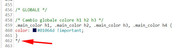
.widget {
font-size: 17px !important;
}
and
#footer .wp-caption-text {
font-size: 18px !important;
}
but it didn’t work.
Thanks for a request – thank you!
best regardsTopic: Button Styling
Hello,
So an odd thing. Our buttons are not appearing consistently in how they display fonts. Note the different font treatments on the home page provided here.
Our preference is the larger font size and san serif font on the “Submit” button, over the smaller serif font that appears in buttons on the same page.
Thank you!
I cannot change the font size of the body of my website. The normal way to change it is not working. The typestyle will change but the size will not.. I imported the demo, Enfold Knowledgebase. I searched the world over for a setting in a hidden location and cannot find a thing. The normal setting does not work. I changed it to 20 and the type size does not change at all. Something somewhere is stopping it. I disabled all of the plugins and checked every setting. I just cant figure it out.
I am a layperson so I cannot look at files. Can you please help? its set to 13 which is barely readable and I need to set it to 18 or 19.
I don’t know how to create new login credentials if you need them without sending an email.
Also, I just now noticed in the special heading box it will not let me set the subheading size of the type either.
thank you in advance for a speedy response!!
Topic: Font size on header
Hello
I have searched the topics, and tried some solutions from other topics, but without any luck.
I need to change my headersize for my posts. On the computer there is nothing wrong with the header size on each post. But at the mobil the blogpost element is set to a grid with 2 colums.
The problem is that the header is to wide on the mobil, and cross over the header next to it.Can you pleas help?
My client just messaged me and said he can’t get bullet points in text blocks to indent. This just started happening since the last update. If you hit the tab button on a bullet point, it shifts focus to the font size dropdown box instead of indenting the bullet. The manual indent buttons don’t work either. They do the same thing as hitting the tab key.
If I create a new text block at the bottom of the page and paste the bulleted text into it, the tab key works correctly and the bullet is indented. But if I drag that text block into ANY column block, I’m unable to indent a bullet point.
Additionally, if I make a copy of the text block with the bullets and move it out of the column block, it still doesn’t work. I’m unable to indent bullet points.
As a work around, I told my client to copy and paste a bullet that’s at the correct indentation and change the text. That appears to work.Here’s a link to one of the pages, but none of them are working now:
I also checked the source and there doesn’t appear to be any funky html in it. I removed the text-decoration tag, but that didn’t have an affect:
<h3><span style=”text-decoration: underline;”>2019-2020 RMBL Bowling League Details</span></h3>
- League Start Dates
- Monday: 7:00 pm – Starts October 14th
- Wednesday: 6:00 pm – Starts September 4th
- Wednesday: 8:30 pm – Starts September 4th
- Thursday: 6:00 pm – Starts September 5th
- Thursday: 8:30 pm – Starts September 5th
- 6-week leagues
- 2 games per night
- Shoe rental included
- NEW: RMBL Bowling Invitational on September 14th
- TWO “Poker Night” Contests each league
- Player Perk: Exclusive Drink Specials Menu
- Player Perk: 10% Off Food
- 6 Players per team
- $480 per Team (Early Bird: $450 per Team until 8/15)
- Location: Moe’s BBQ & Bowling – 3295 S. Broadway
Anyone else seeing this problem since the last theme update?
Thanks!
JPTopic: Font Size
- League Start Dates