So I have this code in:
.html_modern-blog .avia-content-slider .slide-entry-title {
    font-size: 1em !important;
    font-weight:600;
}
Hi Darren,
Please try replacing the last CSS I sent you with this:
.html_modern-blog .avia-content-slider .slide-entry-title {
font-size: 1em !important;
font-weight:600;
}
Best regards,
Rikard
Greetings,
I found this code in the thread to make the icon larger for the icon box. It works but it also changed the icon size for all the icons on webiste when I only wanted it changed for the Icon Box element Icon Size .
/* Icon Size */
[data-av_icon]:before {
    font-size: 40px!important;
}
.iconbox_icon {
    margin-right:10px!important;
}
How would I have this apply to just my Icon Box element?
I have included my website in the private content section.
Thank you for the reply.
This is the page in production https://blgenvironmental.com/home-2019/
This is the wire frame that the designer provided to rebuild our home page from:
https://xd.adobe.com/spec/e1478013-3c5e-474e-509c-2cf9ef6ec46a-9776/
Main Q: For the icon boxes: How do I add numbers instead of image icons.
Note: I opened up multiple tickets. Can I ask them all on one ticket or is your protocol to open a new ticket for each issue?
Questions to ask:
For buttons is there a ray to make them look less rounded? Notice my wireframe document has more square, less rounded buttons?
Q: are there add-on plugins one can download or purchase to add more functionality to the Avia Layout Builder such as a undo/redo option or more button options?
Q: Can I tweak the Special heading font family on a case by case circumstance?
Q: Can I tweak the button font size and face?
Q: for icons can I adjust the position of icons and verbiage so that the text is aligned to the top of the icons on the horizontal pane? (adding margin-top: -number; did not do the trick for the text)
https://www.screencast.com/t/vEleLn31o63v
Q: Does your theme allow for the type of overlay between banner and the next row that the designer is requesting?
https://www.screencast.com/t/wRVuXGtQzv
Please advise on the above questions.
Hi,
Sorry for the late reply, I have adjusted the blog script and added it to your theme it seems to be correct now, please clear your browser cache and check. Also please see the screenshot in Private Content area.
This is the updated function:
function blog_custom_script(){
  ?>
  <script>
(function($){
  $(document).ready(function(){
$( 'article.post-entry' ).each(function() {
$( this ).find( '.blog-categories.minor-meta' ).css({'color':'#969696','font-size': '17px','font-weight': 'bold','margin-top':'20px','letter-spacing': '2px'}).insertBefore( $(this).find('h2.post-title.entry-title ') );
$( this ).find( '.post-meta-infos' ).css({'border-top':'2px solid #b41528','color':'#969696','font-size': '17px','font-weight': 'bold','margin-top':'0px','letter-spacing': '2px'}).insertBefore( $(this).find('h2.post-title.entry-title ') );
});
});
})(jQuery);
</script>
<?php
}
add_action('wp_footer', 'blog_custom_script');
You will note that I added 2px letter-spacing, please let us know if you want more spacing.
Once this part is set we can start working on your other requests.
Best regards,
Mike
Hi,
Thank you for the update.
You can use the following css code to adjust the font size of the overlay menu.
#top #wrap_all #av-burger-menu-ul li {
    font-size: 12px !important;
}
Don’t forget to toggle the Enfold > Performance > File Compression settings after adding the code.
Best regards,
Ismael
Relevant Performance settings:
Disabling of template builder elements: Load only used elements (recommended)
Scan Widgets for Theme Shortcodes: Do not scan widgets
Self hosted videos and audio features (WP-Mediaelement scripts): Default – only load when needed (recommended)
Every* page is loading: mediaelementplayer-legacy.min.css, wp-mediaelement.min.css, mediaelement-and-player.min.js, mediaelement-migrate.min.js
(*Every page with an ‘Easy Slider’)
The shortcodes are being created like this by the editor even though the slide types are all ‘Image Slide’:
[av_slide id='4546' av_uid='av-17l8gax' slide_type='' video='https://' mobile_image='' fallback_link='http://' video_ratio='16:9' video_controls='' video_mute='' video_loop='' video_autoplay='' title='' link_apply='' link='' link_target='' av-medium-font-size-title='' av-small-font-size-title='' av-mini-font-size-title='' av-medium-font-size='' av-small-font-size='' av-mini-font-size=''][/av_slide]
Notice the video=’https://’ part even though its an image slide.
This is being detected by av_video_assets_required and thus mediaelement is being load when not needed.
Do you have a fix/work around for this?
Hey Veronika,
There are no theme settings for that unfortunately, but you can achieve it using CSS:
@media only screen and (max-width: 767px) {
  h2 {
    font-size:20px !important;
  }
}
Best regards,
Rikard
Hi jack000486,
Do you need something like this:
h3.slide-entry-title {
  line-height:16px !important;
  font-size: 16px;
  color: red;
}
Best regards,
Victoria
where do you think is the icon info in your code?
To add icons you have to have rules with icons. Best would be to see your site.
But you can see how i did place f.e. via the phone-info input field some extra elements on my playground here: https://webers-testseite.de on top
this is what i have in my phone-info input field on Enfold:
<a href="https://link-to-googlemap-page"><span class="map">Location</span></a><a href="https://link-to-contact-page"><span class="contact">Contact</span></a><a href="tel:+492289768293"><span class="tel">Phone</span> </a>
this is for phone-info class: (left and transform only to center those extra-elements)
.phone-info {
	float: left !important;
	position: relative;
	font-weight: bold;
	line-height: 20px;
	font-size: 11px;
	padding: 5px 0;
	left: 50%;
	transform: translateX(-47%);
}
now you see that in the inserted code there are classes for the extra-elements:
for all of them here is the common rule:
.phone-info span:before {
    font-family: entypo-fontello;
    font-size: 24px;
    padding-right: 5px;
    position: relative;
    top: 2px;
}
now the individual icons (it is easier to use the icons from fontello icon set) :
( you can find here the numbers of the entypo-fontello icons : https://webers-testseite.de/enfold-entypo/index.html )
.map:before {
    content: "\e842";
    color:  #900;
}

.contact:before {
    content: "\e805";
    color:  #090;
}

.tel:before {
    content: "\e854";
    color: #009;
}
Hi Darren,
Please try this CSS to change the font size of the headers:
.html_modern-blog .avia-content-slider .slide-entry-title {
    font-size: 1em !important;
}
Remember to clear the cache from your caching plugin before you check the results.
Best regards,
Rikard
Hi,
is it possible to have different font sizes e. g. for the h2 headline for desktop and mobile versions? And where could I change it?
Thanks,
Veronika
I have it inserted at the top of the CSS and still not working. Below is the entire CSS field.
.single .sub-menu a .avia-menu-text{
color:#fff!important;
}

#footer .widget {font-size: 13px;}
#top .av_header_transparency #header_meta {border: none !important;}
.av_header_transparency .menu-item-top-level .avia-menu-text {color: white !important;}
#about-events .desc_trig_outter .desc_trig {border: none !important; padding-top: 20px !important;height: auto !important;}
#about-events .featured {display: none !important;}

.av-subnav-menu a {font-weight: bold;text-transform: uppercase;color: white !important;font-size: 15px !important;}

#top .av-subnav-menu a {
font-size: 14px; }

#mobile-advanced {
    background: rgba(0, 0, 0, 0.9);
}
#mobile-advanced a{
    color: white;
}
#mobile-advanced a:hover, #mobile-advanced a:hover .avia-menu-text{
    background: inherit !important;
}
#mobile-advanced a:hover .avia-menu-text{
    color: skyBlue;
}

.header-scrolled .sub-menu a .avia-menu-text {
    color: #ccc;
}
Hi there,
I really like a lot the possibilty to enter a different font sizes for wide screen, tablet in mobile in the enfold theme.
Is there a possibility to change font size via CSS for wide screen, tablet in mobile too?
Here an example: With the following CSS I could adjust the heading of the search result page. On wide screen its fine, but on mobile is to big.
.template-search .entry-content-wrapper .post-title {
font-size: 24px !important;
margin-top: 6px;
color: #491550 !important;
}
I`m really excited, if there is a solution for responsive design via CSS!
Best wishes and thanx for your support!
Alex
Hi sorry for the delay Victoria,
This is the link below to the page I set up with the screenshot showing the massive title font size.
Screenshot example
I’d be happy to leave out the category tags as well, just have the title and the excerpt.
Warmest regards,
Darren
Hi,
I saw several questions and answers about changing font size in tables, but I couldn’t get it to work.
I have inserted a table into a page (as a schedule for a yoga school).
How can I
– change the font size
– change the font color
– make part of the font bold
– change the color of the table background
– change the opacity of the table background
?
Thank you for your help.
Kind regards,
Veronika
Have an unusual sitation where some of css is not working in chrome or ie.
firefox seems fine but chrome is not showing drop shadow or rounded corners on images
ie is showing rounded corners on some images but not all but shows all drop shadows!
below is the full css edits I have added
/* menu size */
#header_main .avia-menu-text {
font-size: 22px;
}
/*header phone number size and colour*/
.phone-info {
font-size: 18px;
}
.av_header_transparency .phone-info a { color: white; }
.phone-info a { color: #808080; }
/*change icon size*/
.av-seperator-icon {
display: inline-block;
vertical-align: middle;
font-size: 35px;
}
/*footer padding*/
#footer { padding: 0; }
#footer .widget { padding: 0; margin: 10px 0 10px 0; }
#socket .container {
padding: 2px 0;
}
/*image drop shadow*/
.dropshadow
{
-webkit-box-shadow: 4px 4px 5px 0px rgba(50, 50, 50, 0.75);
-moz-box-shadow: 4px 4px 5px 0px rgba(50, 50, 50, 0.75);
box-shadow: 4px 4px 5px 0px rgba(50, 50, 50, 0.75);
}
/*curved image corners*/
.avia-image-container
{
-webkit-border-radius: 20px !important;
-moz-border-radius: 20px !important;
border-radius: 20px !important;
}
.avia_image
{
-webkit-border-radius: 20px !important;
-moz-border-radius: 20px !important;
-border-radius: 20px !important;
}
/*dronesafe image in footer to right*/
.wp-image-571
{
float: right;
}
.wp-image-572
{
float: right;
}
Hi Victoria,
It’s fixed now. I changed the font size in here. Please go ahead to close the issue =)
https://www.dropbox.com/s/4ku4rshckz53bov/2-9-2019%209-57-44%20AM.jpg?dl=0
Hi,
Thank you, in your screenshot the umlaut seems to be there for Safari, although it looks bolder, I see in your elementor text widget you are using the “geo-sans-light” font:
<p style="font-family: font-family:geo-sans-light; font-size: 30px;">ÜBER MICH</p>
I couldn’t find this on Google Fonts, but on dafont.com it doesn’t work well:

Perhaps try a different font.
Best regards,
Mike
Hi,
Thanks for the update. It looks like you have some unnecessary markup in your content which might be breaking the layout builder:
<div class="fusion-layout-column fusion_builder_column fusion_builder_column_1_2 fusion-one-half fusion-column-first fusion-spacing-no 1_2">
<div class="fusion-column-wrapper" data-bg-url="">
<div class="fusion-text">
<div class="fusion-title title fusion-sep-none fusion-title-size-one fusion-border-below-title">
<h2 data-fontsize="34" data-lineheight="47">Det magiske ved massage</h2>
</div>
<div class="fusion-text">

Hvad enten det drejer sig om behandling af professionelle sportsfolk eller personer med »almindelige problemer« (hovedpine, nakke-, skulder-, rygproblemer, m.m.), spiller massage stadig en større rolle. Korrekt massage stimulerer kredsløbet, fjerner affaldsstoffer, skaber bedre balance i muskulaturen og giver generelt bedre velvære. Muskulære problemer som man ser i idrættens verden, adskiller sig ikke væsentlig fra skader opstået i andre sammenhænge. Det er for så vidt ligegyldigt, om de muskulære problemer er opstået som følge af idræt eller arbejde. På ét enkelt punkt adskiller idrætten og erhvervslivet sig dog klart fra hinanden i forhold til skader. Idrætsudøveren stiller langt større krav til terapeuten om en hurtig og effektiv behandling, mens man måske og desværre er lidt for tilbøjelig til at nedvurdere fritids- eller arbejdsskader. Det betyder dog ikke, at hverken massør eller klient bør acceptere en længerevarig behandling.

Du vil blive uddannet til hurtigt og præcist, at kunne behandle langt de fleste problemer, hvormed klienterne opsøger dig. Uddannelsen som Lægeeksamineret Massør tager specielt sigte på en hurtig, effektiv og ansvarlig behandling af de muskulære problemer. Herved er det muligt at afhjælpe de såkaldte fritids- og arbejdsproblemer, som ofte er belastende for både den enkelte og arbejdspladsen. Ord som sundhed, velvære og kropsbevidsthed er i dag i bevidstheden hos de fleste. På jobbet kræves der et ordentligt arbejdsmiljø, og i idrætsforeningerne stiller udøverne krav om, at kunne blive behandlet hurtigt, korrekt og professionelt. Her spiller massage en stadig større rolle i behandlingssystemet på grund af dens effektive virkning på muskler og kredsløb.

</div>
</div>
<div class="fusion-clearfix"></div>
</div>
</div>
<div class="fusion-layout-column fusion_builder_column fusion_builder_column_1_2 fusion-one-half fusion-column-last fusion-spacing-no 1_2">
<div class="fusion-column-wrapper" data-bg-url=""></div>
</div>
Could you try to remove all the markup which is not your actual text? Or is that what is not working?
If it’s not possible to remove it from the text block element then please try to activate debug mode, and remove it from the actual shortcode to see if that helps: https://kriesi.at/documentation/enfold/intro-to-advanced-layout-builder/#debug-mode
Best regards,
Rikard
Hi,
Sorry for the late reply, I believe I have it sorted out now, please try adding this code to the end of your functions.php file in Appearance > Editor:
function new_custom_script(){
  ?>
  <script>
(function($){
  $(document).ready(function(){
$( '.post-entry' ).each(function() {
$( this ).find( '.blog-categories.minor-meta:first' ).css({'color':'#969696','font-size': '17px','font-weight': 'bold','margin-top':'20px'}).insertBefore( $(this).find('h2.post-title.entry-title ') );
$( this ).find( '.post-meta-infos:first' ).css({'border-top':'2px solid #b41528','color':'#969696','font-size': '17px','font-weight': 'bold','margin-top':'0px'}).insertBefore( $(this).find('h2.post-title.entry-title ') );
});
});
})(jQuery);
</script>
<?php
}
add_action('wp_footer', 'new_custom_script');
Best regards,
Mike
Hello, I’ve just updated our production site (https://iptor.com) with Enfold V 4.6 and noticed a rendering problem where we use the Magazine element on our homepage to pull in recent posts (Latest News) and upcoming events. All the font sizes and colors have changed. Our dev site is still running 4.5.5 and in comparing the Element’s editor in both versions, there appears to be some changes – like the ability to give the element a custom CSS class.
Why was this removed?
-
This topic was modified 6 years, 7 months ago by
 Iptor.
Hey guttogjente,
Add this to quick css:
#av-burger-menu-ul li .avia-menu-text{
font-size:30px!important;
}
Best regards,
Jordan Shannon
Hi,
Sorry for the late reply, to change the font size of the shortcode output please use this css:
.container .post-meta-infos .minor-meta {
    font-size: 1.1em !important;
}
The default size is “.9em” so adjust to suit.
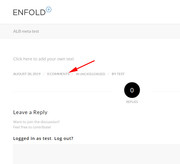
For the comments in the meta shortcode, it should show once you add the comments element, since you are building your post with the Advanced Layout Builder you will need to manually create it. I have tested on my localhost and the comments show in the meta field.
Best regards,
Mike
Hey Jak73,
Here is the code you can put in Enfold > General Styling > Quick Css, if it does not work, put into themes/enfold/css/custom.css
#text-7.widget h3,
#text-6.widget h3,
#text-3.widget h3,
#text-2.widget h3   {
    font-size: 16px;
    font-weight: normal;
}
If you need further assistance please let us know.
Best regards,
Victoria
Hi,
Thank you for the update.
You can set the mobile menu to display when the screen width is less than 989px. The option is located in Enfold > Main Menu > General panel. Look for the “Menu Items for mobile” settings. You can also use this css to adjust the font size of the menu items and the space between them.
@media only screen and (max-width: 1024px) {
  #top #header .av-main-nav > li > a {
    font-size: 13px;
    padding: 0 7px;
  }
}
Best regards,
Ismael
Hi,
i’m trying to add H2 tags to the footer:
h2.custom2-h2 {
font-size:16px !important ;
}
Unfortunetly it does not look same like the other footer entries.
I tried to change the line-height, but i could not find a way to make it look same with footer column 1,2 or 3.
Specially the last line of the footer (4th column):
“Hypnotische Sprachmuster im Verkauf”
Any idea?
kind regards Jak
-
This topic was modified 6 years, 7 months ago by
 Jak73.
Hi,
Is there a way to reduce space between the menu titles in the menu bar? At the moment in iPad view, the Membership button runs onto the next line and would like to keep everything on one line. I also don’t want to reduce the size of the font.
can you please try ( because entypo-fontello got a paper plane too) on this we avoid different font-sizes ):
function avia_add_custom_icon($icons) {
$icons['telegram'] = array( 'font' =>'entypo-fontello', 'icon' => 'ue8b7');
return $icons;
}
add_filter('avf_default_icons','avia_add_custom_icon', 10, 1);

function avia_add_custom_social_icon($icons) {
$icons['Telegram'] = 'telegram';
return $icons;
}
add_filter('avf_social_icons_options','avia_add_custom_social_icon', 10, 1);
and on quick css:
#top #wrap_all .av-social-link-telegram:hover a {
color: #fff;
background-color: #9c1a73 !important;
}
and maybe you rise a bit the font-size in the socket to 20px
#top #socket .social_bookmarks li a {
	font-size: 20px
}



