Hey novaagencia,
Add this to quick css:
@media only screen and (max-width: 767px){
h3.slide-entry-title.entry-title{
font-size:20px!important;
}}
Best regards,
Jordan Shannon
Is it possible to reduce font size in Content Slider titles?
In mobile version as there are two titles side by side can overlap each other.
Best Regards
Nuno
Hey!
Sorry for the late reply, I have changed the structure of the widget text a bit so we can target it using CSS and add the below CSS to your child theme style sheet which can be accessed from Appearance > Editor > Child theme > Styles.css
There is not enough space on the tablet device to add the address and it will overlap the logo. Please take a look at the site and let us know if you have any questions.
/* Logo and widget */

	#top #header .widget .wp-img {
		margin: 0 10px 0 0;
	}
	#top #header .widget .widget-title {
		font-size: 3em;
		font-weight: bolder;
	}
	#top #header .widget h2 {
		margin-top: -10px;
		line-height: 1.5em;
	}
	#top #header .widget {
		position: absolute;
		max-width: 300px;
		right: 0;
		text-align: right;
		transform: scale(.75);
	}
	#top #header .logo {
		display: flex;
		width: 65%;
		padding-right: 20px;
	}
	#top .logo a,
	#top .logo a img {
		align-items: center;
        justify-content: start;
	}
Best regards,
Vinay
Hi,
No you need explicitly target the footer to not have the decoration.
For #2 add this to quick css. Adjust text to whatever you want:
.related-format-icon-inner::before{
content:"Learn More"!important;
font-size:12px!important;
}
Best regards,
Jordan Shannon
Hi,
I see,
Add this to quick css and adjust the size you need it to be:
Cart Page
.woocommerce-cart-form table th,
.woocommerce-cart-form table td,
.cart_totals table th,
.cart_totals table td{
font-size:20px!important;
}
Checkout Page
form.checkout.woocommerce-checkout font{
font-size:20px!important;
}
Best regards,
Jordan Shannon
Hi Victoria, thank you, you were really useful.
But, the name surname part is still bold, how to unbold that too?
As for the paragraph text color, i see it fixed. Not sure if it was you but in case, awesome.
The last issue didnt get a fix or an answer, so i post it again.
4) Articles fix:
Again, some sort of font problem. I would like to customize the default font size e color of image description (text added below image)
I like it like it shows in editing preview, but when i visit the published page, the image text is the same as the content text. Also is NO LONGER centered, i would like to keep it centered
See an article: https://www.calcioshow.tv/mourinho-e-conte-guerra/
See this image on how i would like (like the editing preview basically): https://ibb.co/xf6s8LM
Thank you!
I am building my webpage using enfold and woocommerce, i would like to change the font-size in the cart and checkout pages, as well as the check box text color
Hope you can help me, thank you
Hi Carsten,
Here is the code you can put in Enfold > General Styling > Quick Css, if it does not work, put into themes/enfold/css/custom.css
#top .av-logo-container .social_bookmarks li a {
    font-size: 25px;
}

#top #wrap_all .social_bookmarks li.social_bookmarks_icon_instagram a:hover {
   background-color: pink;
   border-radius: 100px;
}
If you need further assistance please let us know.
Best regards,
Victoria
Hi micom6150,
Here is the code you can put in Enfold > General Styling > Quick Css, if it does not work, put into themes/enfold/css/custom.css
html #top .all_colors #nav_menu-2 .widgettitle {
    margin-bottom: 0;
    background-color: orange;
    margin-top: 0;
    border: none;
    color: #fff;
    font-weight: bold;
    padding-left: 20px;
}
html #top .all_colors #nav_menu-2 li {
    margin-top: 2px;
    background-color: #ebe9e9;
    border: none;
}
html #top .all_colors #nav_menu-2 li a {
        color: #666;
        text-transform: uppercase;
        font-size: 16px;
        font-weight: bold;
        padding-left: 20px;
}
If you need further assistance please let us know.
Best regards,
Victoria
Hey acelam714,
Please try the following in Quick CSS under Enfold->General Styling:
.search-results h2.entry-title a {
    font-size: 22px;
}

.search-results .entry-content p {
    font-size: 16px;
}
Best regards,
Rikard
Hello Enfold Support,
I was wondering if you could provide some custom CSS to change the font size of the Title and Excerpt on just the Search Results Page. At the moment, the title size is too big while the excerpt size is too small. Again, this is just for the search results page.
I tried searching if this was previously resolved, but I was unable to find anything.
Thank you.
Hey Kjersti,
It might be since you have set it in Advanced Styling yes, if you need to override your settings there then you could add inline styles like so:
<h1 style="font-size: 30px;">Text</h1>
If that is not what you are looking for then please post a link to where we can see the problem in question.
Best regards,
Rikard
hi there,
I have a site that requires the ability to adjust font size on the front end, so I was wanting some feedback from you on what to use for headings & paragraphs etc (instead of 15px for example).
Would you recommend I use REM or EM?
I have it working fine using EM, but just wanted to check in with you as I have no idea whether I should use REM or EM, I’m guessing EM is all good?
Thanks,
Jason
Hello, I opened my new website and there’s some issues / things i can’t do that i need help.
Please provide solutions as fast as possible.
1) There seem to be general problems when styling font, color mostly.
Here you can see the font on the blu navy background as grey. I changed it to white but it won’t change and no, it’s not a cache problem.
Why the colors won’t change and how to make it happen?
2) This color problem seems to be general. I tried to change the general font color through general styling but change won’t apply. Again, it’s not cache
3) Forms:
I would like to style the forms. I added the forms with WPForms which inherhite the styling from the template.
I would like to change the styling a lot, but it’s enough to remove the bold from some of the content. (see link and image below)
I would like to remove bold from “name” and “surname” and also from the label description (see image).
Page: https://www.calcioshow.tv/video-e-dmca/#rimozione
Explaining image: https://ibb.co/xmJDzjL
4) Articles fix:
Again, some sort of font problem. I would like to customize the default font size e color of image description.
I like it like it shows in editing preview, but when i visit the published page, the image text is the same as the content text. Also is NO LONGER centered, i would like to keep it centered
See an article: https://www.calcioshow.tv/mourinho-e-conte-guerra/
See this image on how i would like (like the editing preview basically): https://ibb.co/xf6s8LM
Sorry if i put couple things here, i think they are not big issues anyways.
A couple more things will come later on another post, as for now thanks a lot for your support and i hope you can tell me how to fix these.
J
Hey bauchope,
Please try the following in Quick CSS under Enfold->General Styling:
.avia-testimonial-content p {
  font-size: 15px;
}
Best regards,
Rikard
Hi,
i am using avia layout builder and “Text block” – you have det possibility to set different font size for different screens under “Screen options”. When i do this to my H1-tag – it does not work/change size. Is this because i have changed the default font size for H1 in Enfold – Advanced Styling? Or can i be something else causing this problem?
Regards,
Kj
Hello,
Is there the way to change size for this element?
<input type=”submit” value=”” id=”searchsubmit” class=”button avia-font-entypo-fontello”>
Thanks so mutch
Hello
How can I change the font family in the testimonial element? My default font for the site is set at Verdana size 15.
I would like the testimonial to match that.
Many thanks in advance
Kim
Hi,
you css is working for me
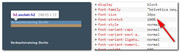
please clear your browser cache and check.
another way to write your css is:
#top #main h2.socket-h2 a span {
font-size:10px !important;
line-height:1.2em !important;
}
Best regards,
Mike
Hey Jak73,
Thanks for the link, when I compare the H3 widget titles in your footer to the H2 heading on your homepage, they both use the same font, and the same font-weight, so we can reduce the font size to 10px, but that is the only difference I see, is this correct?
Best regards,
Mike
Hi,
1: try disabling the featured image from showing on the single post and add your image to the top of your post, it will then show under the title.
2 & 4: is there more than one author and is the social icons for the author or the site? You may need to edit the single.php file to achieve this, as it’s not quite as easy as it sounds.
3: to make the H1 bolder, try this css:
#top #wrap_all h1.post-title.entry-title  a {
    font-weight: 900 !important;
    font-size: 40px !important;
}
900 is the boldest, but not all fonts have this, increasing the font size may also help it to stand out, just remove if you wish.
Best regards,
Mike
Hi,
i would like to use H2 font in the socket area (on the end of my site), but i would like to change the size of the font to 10px.
I tried to add a class to it: socket-h2
Then i added this to quick css:
h2.socket-h2 {
font-size:10px !important ;
line-height:1.2em !important ;
}
Unfortunetly its not working.
Any idea?
I will add the link to my site in private content area.
kind regards
Jak
Hey berniedidit,
Here is the code you can put in Enfold > General Styling > Quick Css, if it does not work, put into themes/enfold/css/custom.css
#top #wrap_all .main_color h3.avia-form-success {
    font-size: 16px;
}
If you need further assistance please let us know.
Best regards,
Victoria
Hi,
i want to use Animated Numbers from ALB but with dinamic generated Content witch came from Pods Plugin.
To geht the Shortcode I added an Animated Numbers Field in the Advanced Layout Builder, than switch back to the Standard Editor copied the Shortcode and insert it into an other Page, than i changed the Shortcode with the Pods variable to fill in the Number.
The Problem ist the Shortcode is shown as Text on the Page (the Number was placed correctly into the shortcode)
Isnt it possible to copy a Shortcode and use it with other data in an other page?
I put this into the PODS Template:
[av_animated_numbers number='{@touren_kategorie.count}' number_format='' timer='' icon_select='no' icon='ue800' font='entypo-fontello' link='' linktarget='no' font_size='' font_size_description='' circle='' circle_custom='' circle_border_color='' circle_bg_color='' circle_border_width='' circle_size='' color='' custom_color='#444444' av_uid='av-k2t296dd' id='' custom_class='' admin_preview_bg='']
Click here to add your own text
[/av_animated_numbers]
And it shows me that on the Page:
[av_animated_numbers number='4' number_format='' timer='' icon_select='no' icon='ue800' font='entypo-fontello' link='' linktarget='no' font_size='' font_size_description='' circle='' circle_custom='' circle_border_color='' circle_bg_color='' circle_border_width='' circle_size='' color='' custom_color='#444444' av_uid='av-k2t296dd' id='' custom_class='' admin_preview_bg=''] Click here to add your own text [/av_animated_numbers]
Hope you can help me?
thx
Hey claudioaddobbatim2r2,
I’m currently seeing the correct font size. Please see the following:
https://snipboard.io/pe5lRC.jpg
Best regards,
Jordan Shannon
This reply has been marked as private.
Hello,
I am wondering, why I cant create Blog Posts, as in the Demo (Dark Photografie)
In my Post (https://dev.pg-solution.de/unser-blog/) the heading is H2, not H1, the category font-size is very small.
The Date Is not in a row with the post itself.

It simply doesnt look as good as your Demo
I checked the main settings, all the same.
Hope you can help me
Regards,
Phil
Hello Rikard,
what about editing the font size and style of seperate items in the dot list? ideally having it like:
Konflikt:
etc…
but with Konflikt being a bigger font size than the other and maybe even in bold
-
This reply was modified 6 years, 4 months ago by
 AEffekt.
Hi Nikko,
thanks for your support. I’ve changed to margin-top topic yesterday afternoon, maybe you’d a cached site. I’ve also changed the size of the font to 0.9em and now I think it’s looking as good as possible ;-)
Have a gread day
Hi,
Please try this instead:
.home .post-entry-243 h3 a {
  font-size: 22px;
}
Best regards,
Rikard



