

Forum Replies Created
-
AuthorPosts
-
Hi,
Glad we were able to help, we will close this now. Thank you for using Enfold.For your information, you can take a look at Enfold documentation here
and the video tutorials here
And if there are features that you wish Enfold had, you can request them and vote the requested ones here
For any other questions or issues, feel free to start new threads under Enfold sub forum and we will gladly try to help you :)Best regards,
MikeHey intimadecom,
I recommend adding a custom class to your masonry element, by going to Enfold Theme Options > Layour Builder > Show element options for developers, in this example I used the class “fade-masonry”
Then try this code in the General Styling > Quick CSS field:.fade-masonry .av-inner-masonry { opacity: 1; animation-name: fadeInOpacity!important; animation-iteration-count: 1!important; animation-timing-function: ease-in !important; animation-duration: 2s!important; } @keyframes fadeInOpacity { 0% { opacity: 0; } 100% { opacity: 1; } }Best regards,
MikeHey nickespositostrengthclub,
To adjust the menu font color please try going to Enfold Theme Options > Advanced Styling > Main Menu Links and set your color, note the check boxes for “Apply only to mouse hover state” & “Apply only to active state” this means you may wish to choose this element twice, one for each state.
If you find you would like some advanced changes that are not working well with this option, please let us know how we can assist with custom css.
I’m not sure what help you need with the mobile logo, it seems to show for me, Please see screenshot in Private Content area and explain how we can help.
Also I’m not sure about the header on scroll, perhaps you have adjusted already, Please see screenshot in Private Content area.Best regards,
MikeHey Susanne,
It looks like your server’s time to first byte is a little slow today, and you could improve a bit with Compressing Transfer & Compressing Images. Please read more here.
For Compressing Images see the Image Optimization options at Enfold Theme Options > Performance
For Compressing Transfer (gzip) check your cache plugin options or try a plugin such as Check and Enable GZIP compression or follow the instructions in the article to add this code to your .htaccss file:# compress text, html, javascript, css, xml: AddOutputFilterByType DEFLATE text/plain AddOutputFilterByType DEFLATE text/html AddOutputFilterByType DEFLATE text/xml AddOutputFilterByType DEFLATE text/css AddOutputFilterByType DEFLATE application/xml AddOutputFilterByType DEFLATE application/xhtml+xml AddOutputFilterByType DEFLATE application/rss+xml AddOutputFilterByType DEFLATE application/javascript AddOutputFilterByType DEFLATE application/x-javascript AddOutputFilterByType DEFLATE image/x-icon AddOutputFilterByType DEFLATE image/png AddOutputFilterByType DEFLATE image/gif AddOutputFilterByType DEFLATE image/jpg AddOutputFilterByType DEFLATE image/jpegBest regards,
MikeHey kriswilliam,
You can download your updates from your Theme Forest account. I believe you can also use the Envato Market WordPress Plugin to update your theme.Best regards,
MikeHi,
Glad we were able to help, we will close this now. Thank you for using Enfold.For your information, you can take a look at Enfold documentation here
and the video tutorials here
And if there are features that you wish Enfold had, you can request them and vote the requested ones here
For any other questions or issues, feel free to start new threads under Enfold sub forum and we will gladly try to help you :)Best regards,
MikeHi,
Sorry about disabling the wordfence plugin, it was making it hard to remove the css from your child theme stylesheet, I forgot to turn it back on.
As for the Quick CSS, it looks like there was a couple of errors in the code that slipped by me, I checked again and it should be fine now.
Perhaps instead of using the Quick CSS box, you could move the css to WordPress > Customize > Additional CSS:
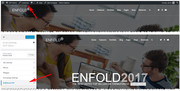
as it has a nice automatic error checking feature and you can see your css changes in real time.
I adjusted the font size for the socket, I saw you tried for 25px, but at smaller screens it would be a issue, so I used a media query to only target medium to large screens.Best regards,
MikeHi,
Wir empfehlen, ein Child-Theme zu verwenden, damit Ihre Änderungen bei zukünftigen Theme-Updates nicht verloren gehen. Lesen Sie darüber & Holen Sie es hier Bitte zögern Sie nicht anzufragen – oder abstimmen, wenn bereits angefordert – diese Funktion auf Enfold-Funktion Anfrageformular .—————
We recommend using a child theme, so your changes will not be lost with future theme updates Read about it & Get it here Please feel free to request – or vote if already requested – such feature on Enfold feature request form.Best regards,
MikeApril 30, 2018 at 10:26 am in reply to: All of my colors changed when I adjusted 1 in the theme settings… #948959Hey otsukadev,
We can assist with some css to do this for you, Please include the url to the page in question so we can take a closer look.Best regards,
MikeHi,
Ich bin mir nicht sicher, ob ich Ihre Frage verstehe, um Ihr eigenes Icon zum Social Icon Set hinzuzufügen, bitte folgen Sie diesen Anweisungen Wenn Sie Probleme damit haben, fügen Sie bitte einen Admin-Login in den privaten Inhaltsbereich ein, damit wir genauer hinsehen und erklären können, welches Symbol Sie zeigen möchten.———–
I’m not sure I understand your question, to add your own icon to the social icon set, please follow these instructions
If you are having trouble with this please include a admin login in the private content area so we can take a closer look, and explain which icon you would like to show.Best regards,
MikeApril 29, 2018 at 10:19 pm in reply to: How to move title bar and menue up to top of the page. #948729Hey marcelimo,
I believe what you are experiencing is due to being logged in as admin. Please try logging out, clearing your cache and checking.
I didn’t see this issue on your site, but I have seen it before, it is due to the WP admin bar css.Best regards,
MikeApril 29, 2018 at 10:12 pm in reply to: Hi there, I would like to hide the date and the comments in posts, #948727Hi,
Try this code in the General Styling > Quick CSS field:.post-meta-infos {display: none !important;}Best regards,
MikeHi,
We will close this now. Thank you for using Enfold.For your information, you can take a look at Enfold documentation here
and the video tutorials here
And if there are features that you wish Enfold had, you can request them and vote the requested ones here
For any other questions or issues, feel free to start new threads under Enfold sub forum and we will gladly try to help you :)Best regards,
MikeHey Track180,
Is your staging site on Godaddy and on the same sever? I ask to make sure the PHP version is the same and that the production site doesn’t use host level caching like varnish. Odd that it is working on your staging site and not your live site. I would recommend disabling caching and JetPack and try pushing to production again.Best regards,
MikeHi,
I recommend adding a custom class to each button, and then set a min-height and min-width for them.
For example this works for your mobile devices when they are lined up:@media only screen and (max-width: 767px) { a.avia-button { min-height: 60px !important; min-width: 283px !important; } }but without the custom class it will affect all of your buttons. Add your custom class before a.avia-button with a space.
Try the same technique for your desktop view.Best regards,
MikeHey carlamurray,
Do you mean the “get in touch” button? I’m not sure why this would be called a “ghost” button, perhaps I’m looking at the wrong thing. Can you include a screenshot of what you see?Best regards,
MikeHi,
Try this code in the General Styling > Quick CSS field:#main .container_wrap_first { min-height: 70vh; }adjust to suit.
Best regards,
MikeHey Leon,
I couldn’t see your page because it is in maintenance mode, but it sounds like you are using a color section to add your picture above the footer, which will displace your sidebar. Sidebars will always show below full-width elements.
But there maybe another solution, try creating a widget area above the footer and placing your image in it with a conditional widget controlTo create the footer widget, Please go to Appearance > Widgets > Enfold Custom Widget Area and create a new widget area with the name “abovefooter” and then go to Appearance > Editor and edit functions.php file and add following code:
add_action('ava_before_footer','avia_above_footer');
function avia_above_footer(){
dynamic_sidebar( 'abovefooter' );
}
Then add your widget to the new area.
Best regards,
MikeApril 29, 2018 at 8:44 pm in reply to: Hi there, I would like to hide the date and the comments in posts, #948712Hey Turgay,
We can assist with this, but can I ask, do you want to hide the date and the comments in posts and on the blog page, or just in the posts pages.
Please include the url to the page in question so we can take a closer look at your setup.Best regards,
MikeHey sunworx,
For the login you gave us, the site was giving a language error in the console. I went to WordPress > Settings > Site Language and re-choose the English language and saved. Then the editor worked. Try to do this in your login.Best regards,
MikeApril 29, 2018 at 8:14 pm in reply to: All of my colors changed when I adjusted 1 in the theme settings… #948705Hi,
Try this code in the General Styling > Quick CSS field:.container_wrap { border-top-style: none !important; } .slide-entry a { color: #000 !important; }Please adjust the color to suit.
Best regards,
MikeHi,
@SAdesignsUnltd
I put your site back to v4.2.6 and turned the plugins back on. Please check.
I’m going to have to research this some more, but sometimes it helps to take a little brake from it too. :)But perhaps you know if the plugin has a setting based on users logged in or out? I notice it keeps poping up a signup page in my tests, but I didn’t see a setting for it. Is this a lead capture feature? Can it be turned off anywhere, for testing, perhaps it would stop checking for logged in or out? (sorry, just trying to think this though)
Best regards,
MikeHi,
@SAdesignsUnltd
Your right logged out the issues is still there, I will look some more.Best regards,
MikeHi,
That is a nice menu, and while they are using Enfold, it is a custom menu that would take some time to reverse engineer, perhaps if you contacted them they would be kind enough to share, it would be cool to see how they did it.Best regards,
MikeHi,
@SAdesignsUnltd I disabled JetPack and your listing is now showing, I left v4.3 on for you to check.
I used the first v4.3 in your themes, as you have two there, I don’t know if it makes a difference.
So with this test and the report I found earlier about a different theme, I would say that it’s a JetPack bug with the “WrappedWebSocket” API.
@goldengate415 so you are also using “Optima Express IDX Plugin” but the error doesn’t occur on your staging site, logged in or out? If I recall correctly, caching is disabled on WP Engine staging sites, Object Caching might be key to your issue.
Have you tried disabling it?Object Caching can be enabled or disabled as needed, from your User Portal under the Utilities page from the Overview for each environment.
Are you using JetPack too?
Best regards,
MikeHi,
Thank you for sharing your solution, we will close this now. Thank you for using Enfold.For your information, you can take a look at Enfold documentation here
and the video tutorials here
And if there are features that you wish Enfold had, you can request them and vote the requested ones here
For any other questions or issues, feel free to start new threads under Enfold sub forum and we will gladly try to help you :)Best regards,
MikeApril 29, 2018 at 5:46 pm in reply to: All of my colors changed when I adjusted 1 in the theme settings… #948673Hi,
Try this code in the General Styling > Quick CSS field:.title_container,.title_container a { color: #fff!important; background-color: #7eb5ad!important; }One possibility to the “ghost” is, do you use the scroll wheel on your mouse while in the theme options? Some mouse settings are set to “hover takes focus” and the mouse wheel can make changes. Maybe it’s not what happened, but it’s something to keep an eye on.
Best regards,
MikeHi,
In your css you were missing a ‘ & had extra }
that was throwing off the rest of the codes, so I fixed that and I adjusted your socket code so it would stay center for all devices.
I also removed the duplicate css in your child theme stylesheet, because it would not be needed, and you would need to remember to make the same changes there in the future.
Please clear your browser cache and check.Best regards,
Mike -
AuthorPosts
