

Forum Replies Created
-
AuthorPosts
-
Hi,
If you have redesigned the page and don’t need the css then you could remove it.
Unless there is anything else we can assist with on this issue, shall we close this then?Best regards,
MikeHi,
I see that you are using v4.4.1, once you update you will see an option to set the default editor to the “Classic Editor” or the “Block Editor” (Gutenberg) and then you should see the Coblock plugin options, but I don’t know if this will work well in Enfold.
You will need to update via FTP because this version was when Envato changed from the “API” to the “Token” method.The easiest and safest way to update is to download the newest version from Theme Forest and rename your current theme folder to “enfold-old” via ftp then upload the new “enfold” folder and check that your site is working correctly.
Should for some reason you wish to roll-back to the old version, it’s easy to do, simply rename the new “enfold” folder to “enfold-new” via ftp and then rename “enfold-old” to “enfold” then refresh your page.
Once you are happy you can delete the “enfold-old” folder via ftp, (not the WP theme page)
Please don’t try to overwrite the theme folder, as this will leave old files behind and cause errors.Best regards,
MikeHi,
Glad we were able to help, we will close this now. Thank you for using Enfold.For your information, you can take a look at Enfold documentation here
For any other questions or issues, feel free to start new threads in the Enfold forum and we will gladly try to help you :)Best regards,
MikeHi,
Oh, I understand now, but I don’t know how this would be possible. When this occurs does it show in the revisions?Best regards,
MikeHi,
Thank you are sharing, I will submit to the dev team to be added to the theme.
Unless there is anything else we can assist with on this issue, shall we close this then?Best regards,
MikeHi,
Sorry, I tried a few ways to add another offset to this but it didn’t work as expected. So if the online version is working correctly and your localhost version is not, perhaps there is a conflict or an error in the script. Try disabling your plugins and ensure that your Enfold Theme Options > Performance > Load jQuery in your footer is disabled.
Try reading about the browser “console panel” and see if your localhost gives any errors when you click the buttons.Best regards,
MikeHi,
Thank you, this css would correct the margins:@media only screen and (min-width: 768px) { .responsive #main .container { max-width: 100% !important; width: 100% !important; padding: 0 50px !important; text-align: center !important; } }but with that page being two centered columns, I added the
text-align: centerbut I’m not sure if every page should be centered, or only one? Please check your pages and advise.Best regards,
MikeHi,
Thanks for the login and links, but I’m not sure what the issue is, is “contactform-EN” a class?
You say that the forms are correct right now, but sometimes they change, perhaps the form labels change language when your browser detects a different language? I use Chrome and Google Translate sometimes does this to me.
Is this what you mean, or is it something else that changes?Best regards,
MikeHi,
Thank you for the FTP details, I was able to use it, but can you please include an admin login.Best regards,
MikeHi,
Sorry, I don’t see “contactform-EN” in the shortcode, please link to some pages that showing this and the other languages.Best regards,
MikeHi,
Glad we were able to help, we will close this now. Thank you for using Enfold.For your information, you can take a look at Enfold documentation here
For any other questions or issues, feel free to start new threads in the Enfold forum and we will gladly try to help you :)Best regards,
MikeHi,
Please link to an example page without a sidebar that has the large margins.Best regards,
MikeHi,
Thanks for the video, apparently firefox has a known printing issue, the Mozilla support suggests using a plugin to correct. This doesn’t occur with Chrome.
I believe the gray line is added by the browser print function and can’t be overridden. This article explains the limitations of the print.css, here is a more in-depth article about print.css, unfortunately, I didn’t find anything that can hide this line.Best regards,
MikeMay 6, 2020 at 12:31 pm in reply to: Resizing space between columns + centering them on the page #1210307Hi,
Thanks for the screenshot. This css will give you the 1% column margin for the 1/4 columns on that one page:#top.page-id-10687 #av_section_1 .entry-content-wrapper .av_one_fourth { width: 22%; margin-left: 1%; margin-right: 1%; }but to center the 1/4 columns we will need to wrap them in a div because the first few columns brake if they are also centered with flex, so to wrap the columns, try adding this code to the end of your functions.php file in Appearance > Editor:
function custom_script(){
  ?>
  <script>
(function($){
  $(document).ready(function(){
   $('#top.page-id-10687 #av_section_1 .entry-content-wrapper .av_one_fourth').wrapAll('<div id="coaching">');
});
})(jQuery);
</script>
<?php
}
add_action('wp_footer', 'custom_script');
also ensure that the option Enfold Theme Options > Performance > Load jQuery in your footer is disabled and no other plugin is moving the jQuery to the footer.
Then add this css:#top.page-id-10687 #coaching { justify-content: center; display: flex; }Then clear your browser cache and check, please see the screenshot in Private Content area of the expected results.
Best regards,
MikeHi,
I’m not sure what you are trying to do, your arrow is pointing to a toggle which is indented and not affected by the margin.
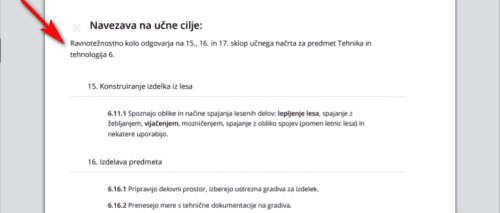
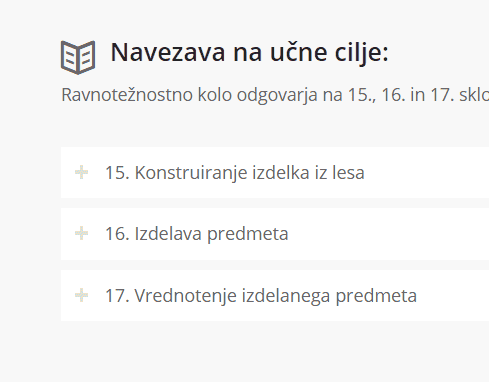
You will also notice that the preview is different in different browsers and the preview is only a rough view of the print page, the actual print is a little different.Best regards,
MikeMay 5, 2020 at 12:52 pm in reply to: Uppercase in H3 within the Footer, transparency Header / changing font colors #1209925Hi,
I adjusted your layerslider slide for mobile, first I copied your layers:

then I set the slide preview window to show the mobile view:

Then I set the new layers to only show for mobile:

and the old layers to not show on mobile:

then for the new mobile layers I adjusted the font size, I set to 80px as a guess, but you can adjust to suit:

Now on mobile it looks much better:

Please clear your browser cache and check.Best regards,
MikeHi,
I was using Chrome, when I check with Firefox the icon is not correct, it looks like the Autoptimize plugin is active, please disable and disable the Enfold Theme Options > Performance > JS & CSS file merging and compression and any other caching, then let us know so we can check again.Best regards,
MikeHi,
Thank you for pointing this out, I looked in the/enfold/lang/fr_FR.pofile and found many lines not translated,

I could use Google Translate for these lines, but I find that it is not always correct, if you could install Poedit and check those lines by using the search function and then save the correct translation and then upload the two filesfr_FR.po & fr_FR.mowe can add it to the theme update. That would be great. Please let us know if you need further instruction on using Poedit.Best regards,
MikeHi,
Very good, glad it is sorted out, I wouldn’t say it’s something with the theme, I’d say it was the functions above that you removed.
We will close this now. Thank you for using Enfold.For your information, you can take a look at Enfold documentation here
For any other questions or issues, feel free to start new threads in the Enfold forum and we will gladly try to help you :)Best regards,
MikeHi,
I did see that before, but not now

Now I see a “+” when closed and a “-” when open, please clear your browser cache and check.Best regards,
MikeHi,
Glad we were able to help, we will close this now. Thank you for using Enfold.For your information, you can take a look at Enfold documentation here
For any other questions or issues, feel free to start new threads in the Enfold forum and we will gladly try to help you :)Best regards,
MikeHi,
The button icons are also removed, unless there is anything else we can help with on this issue, shall we close this then?Best regards,
MikeHi,
Very good, I see it is working now, unless there is anything else we can help with on this issue, shall we close this then?Best regards,
MikeHi
Glad we were able to help, we will close this now. Thank you for using Enfold.For your information, you can take a look at Enfold documentation here
For any other questions or issues, feel free to start new threads in the Enfold forum and we will gladly try to help you :)Best regards,
MikeHi,
Glad to hear you found the error unless there is anything else we can help with on this issue, shall we close this then?Best regards,
MikeHi,
I added[nolink]to your copyright field to remove the link.
I also added this css to remove the button icons:#top .avia_cart_buttons .button > span { display: none; }Please clear your browser cache and check.
Best regards,
MikeHi,
Glad we were able to help, we will close this now. Thank you for using Enfold.For your information, you can take a look at Enfold documentation here
For any other questions or issues, feel free to start new threads in the Enfold forum and we will gladly try to help you :)Best regards,
MikeHi,
If you include an admin login and a FTP login I will check that you followed the instructions.Best regards,
Mike -
AuthorPosts
