Forum Replies Created
-
AuthorPosts
-
Hey Dan!
Open header.php and remove from line 34 to line 37:
<!-- add feeds, pingback and stuff-->
<link rel="profile" href="http://gmpg.org/xfn/11" />
<link rel="alternate" type="application/rss+xml" title="<?php echo get_bloginfo('name'); ?> RSS2 Feed" href="<?php avia_option('feedburner',get_bloginfo('rss2_url')); ?>" />
<link rel="pingback" href="<?php bloginfo( 'pingback_url' ); ?>" />
Cheers!
JosueHey Mark!
No, unfortunately that feature is not available right now. Feel free to request it here, Kriesi might consider if it gets popular.
Best regards,
JosueHey E.Jay!
Have you tried using a different, weightless image for the background?
Best regards,
JosueAugust 21, 2014 at 6:58 am in reply to: One Page Site with Sticky Header – overlay of content #307184You are welcome Matthias, always glad to help :)
Regards,
JosueHi,
Open /enfold/config-templatebuilder/avia-template-builder/php/html-helper.class.php and look for line 943:
$title = $entry->name;Replace it by:
$title = $entry->slug;Regards,
JosueAugust 21, 2014 at 6:21 am in reply to: Yoast WordPress SEO problem with Page with POST.SLIDER content. #307180Hi!
That’s very weird, does it occur if you go to a normal page instead of the WC shop? have you checked your nginx/php-fm logs? also, try to check the JavaScript console when this happens.
Cheers!
JosueHey Amir!
Refer to this article: http://wpml.org/documentation/translating-your-contents/displaying-untranslated-content-using-content-duplication/
Cheers!
JosueAugust 21, 2014 at 6:06 am in reply to: One Page Site with Sticky Header – overlay of content #307177Hello and congrats Matthias!
Try using IDs like this -instead of numbers- for the Color Sections (you’d need to change the menu). Also, the account you set-up for us is not an Administrator.
Regards,
JosueAugust 21, 2014 at 5:59 am in reply to: Toolbar not showing on tabs and add image button not working #307176Hey!
Try increasing the memory allocated to PHP – http://codex.wordpress.org/Editing_wp-config.php#Increasing_memory_allocated_to_PHP
Best regards,
JosueHi Erdrol!
That’s currently a non-theme related problem with Safari Mobile and HTML5 videos (w/ covers) set to 100% width.
A solution would be to set fixed width to the video in Safari mobile, something like this will do it (i’m assuming you set an ID to the video):
.avia-webkit-7 #homevideo{
  max-width: 320px; /* change this */
  margin: 0 auto;
  display: block;
}
Cheers!
JosueHi Kyle!
Doing the change on functions.php and regenerating the thumbnails will suffice. Also, you may want to take a look at this plugin – https://wordpress.org/plugins/simple-image-sizes/
Cheers!
JosueHello,
Have you tried disabling all third-party plugins (except WordPress SEO) to see if it gets fixed?
Regards,
JosueHey!
Try adding this code to the Quick CSS:
@media only screen and (min-width: 767px) {
div#ubermenu-section {
    position: fixed;
    -webkit-backface-visibility: hidden;
    -moz-backface-visibility: hidden;
    -webkit-transform: translate3d(0, 0, 0);
    -moz-transform: translate3d(0, 0, 0)
}
.header-scrolled + #main div#ubermenu-section{
    top: 61px;
}
}
Cheers!
JosueHey!
Try adding this code to the Quick CSS:
.grid-content {
    min-height: 470px;
}
Cheers!
JosueHi!
Putting raw images (png, jpg) there is not possible without deeply modifying the theme files. Instead, i’d suggest converting your custom graphics to icon fonts, you can use Fontello to do that (compound-path SVG file). Once you done that follow this guide on how to implement them on Enfold.
Best regards,
JosueHey!
Try adding this code to the Quick CSS:
.archive img.attachment-small.wp-post-image {
  float: right !important;
  margin-left: 15px !important;
  width: 100%;
  height: 100%;
  max-width: 150px;
}
Cheers!
JosueHi!
Have you tried selecting the Transparent Header setting under Layout Options while editing the page?
Best regards,
JosueHi Claire!
If you are using ALB to build the blogpage you need to deselect this option – http://screencast.com/t/be7wlZxbbk
Cheers!
JosueHi,
Try adding this at the very end of your theme functions.php file:
function add_custom_script(){
?>
<script>
(function($){
    $(window).load(function() {
    	$(window).trigger('resize');
    });
})(jQuery);
</script>
<?php
}
add_action('wp_footer', 'add_custom_script');
Regards,
JosueHi Chris,
Can you please create us an administrator account? post it here as a private reply.
Regards,
JosueYes, select “no background” there.
August 20, 2014 at 10:02 pm in reply to: Enfold – Accordion slider hangs if only two entries #307076Hi!
We’d need to see the website live in order to debug this kind of problem.
Regards,
JosueHey Raymond!
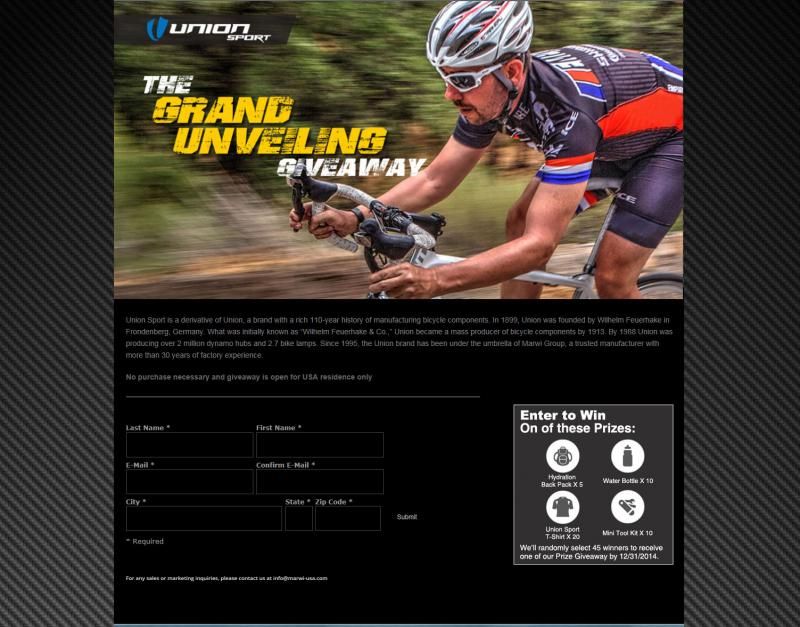
Disable the background option from the theme options and add this to the Quick CSS instead:
.page-id-3178 .main_color {
background: #000000 url(https://www.union-sport.com/new/wp-content/themes/enfold/images/background-images/wallpaper-cf2-1680x1050V3.png) center center repeat fixed;
}
So it only gets applied to that page.
Best regards,
JosueLooks good, glad you figured it out :)
Regards,
JosueHola,
Lamentablemente no hay una forma de detectar el tamaño de la pantalla y de acuerdo a eso aplicar una altura a algún elemento especifico en Enfold. Trata de reducir el tamaño de las imágenes en las opciones del Easy Slider – http://screencast.com/t/pHEwOIwQ
Saludos,
JosueHey Michael!
I could also note that sometimes the pages load really slow, but i believe that the size of the page or the amount of requests are not the real source of the problem, according to this test i made there was at least 8s of wait time (unresponsiveness by the server). To discard, i’d suggest you to activate the default WordPress theme and check if this “slowness” persists.
Cheers!
JosueYou are welcome, always glad to help :)
Regards,
Josue -
AuthorPosts