

-
AuthorPosts
-
December 29, 2025 at 7:56 pm #1493570
Hello,
I really need your help here …
We’re cleaning our store and deleting a bunch of old code made by a hired developer.
So, we decided to clone our store and use the default features and functionalities (Enfold + Woo).We need to add a sidebar to our homepage and product pages that shows filters (categories, subcategories, tags), as we do today using shortcodes (see the homepage, please). I’ve tried everything, but I can’t get a sidebar to work with any of these pages.
Example from Elfond theme:
product page: https://kriesi.at/themes/enfold-shop/product-category/men/Please, help me.
Thanks, LeoDecember 30, 2025 at 2:28 am #1493577Hey Akhurst,
Thank you for the inquiry.
To display a sidebar on the product category pages, make sure the Enfold > Sidebar Settings > Sidebar on Archive Pages is enabled. You can then place the widgets in the Displayed Everywhere widget area. If you need to further control the visibility of these widgets, try to use any of these plugins.
— https://wordpress.org/plugins/widget-options/
— https://wordpress.com/plugins/if-widgetLet us know if you need more info.
Best regards,
IsmaelDecember 30, 2025 at 7:21 pm #1493592Hi Ismael,
Thanks for your answer.Actually, we need the sidebar on all our pages, especially the homepage, like every other modern store, for quick search and navigation.
Will these plugins handle this need?Using the core plugins, I could manage to create the sidebar in some main pages, but not all of them :(
– PRODUCT TYPE PAGES: https://shop-ca.akhurst.com/shop/parts/ – YES
– MACHINE TYPE PAGES: https://shop-ca.akhurst.com/shop/parts/edge-banders/ – YES
– PRODUCT PAGE: https://shop-ca.akhurst.com/product/canmx722413/ – NO 9the sidebar is not on the left side, but below the product content)
– HOMEPAGE: https://shop-ca.akhurst.com/ – NO (I can’t manage to show the sidebar! And here’s the most essential part of this whole change, where we’re deleting the old codes)Also, please let me know how to add the WooCommerce core filters to our store. I can’t find them using the ALB layout
I’ve already enabled the sidebars inside Enfold settings, but nothing happens.
https://snipboard.io/O2cu1q.jpg
https://snipboard.io/jfrYOE.jpgThanks, Leo
-
This reply was modified 3 months ago by
akhurst_machinery.
January 2, 2026 at 4:32 am #1493623Hi,
Thank you for the update.
For the product page, try to add the solution provided in this thread: https://kriesi.at/support/topic/enfold-sidebar-on-single-product-pages/#post-1162484
And for the home page, make sure to adjust Layout > Sidebar Settings.
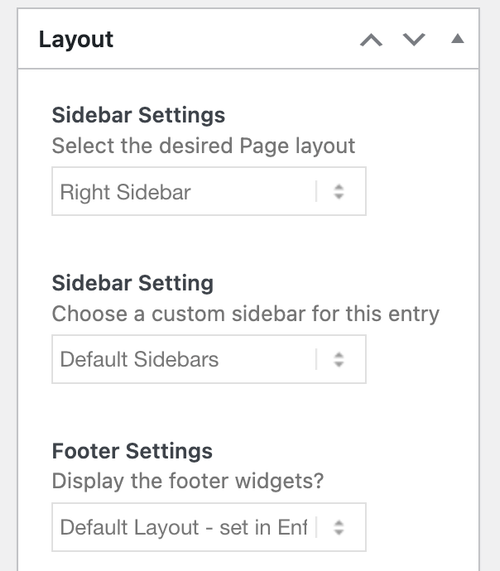
Let us know the result.
Best regards,
IsmaelJanuary 2, 2026 at 7:57 pm #1493632Hi Ismael,
I’ve tried the page layout settings, but it never worked. Whatever I change there, it doesn’t affect the page layout.
And it’s not only for the homepage. It doesn’t change for any website page (https://shop-ca.akhurst.com/ https://shop-ca.akhurst.com/service/)
https://snipboard.io/y6ukRP.jpg
https://snipboard.io/74zdDu.jpg
https://snipboard.io/HWvRu9.jpgEven when I try to use one of the Enfold core features (widget area), it doesn’t work. Why?
Actually, this should be the ideal solution for single pages.
https://snipboard.io/e8yq7g.jpgRegarding the code provided, it’s not working either.
https://snipboard.io/0MhWcG.jpgPlease help me ….
Thanks, LeoJanuary 5, 2026 at 1:59 am #1493648Hi,
Thank you for the update.
Did you add any modifications to the theme, specifically in the functions.php file? If you can provide the login details in the private field, we’ll take a closer look.
Best regards,
IsmaelJanuary 6, 2026 at 12:44 am #1493665Hi,
Today, we’re using a child theme for the shop because we have lots of plugins just for it (shipping, payment, etc.).
So I expect that all the PHP snippets that matter are in this environment, correct?https://snipboard.io/LQON5o.jpg
To grant access, please provide your public IP or the range of your Public IPs.
With this, I can send it to my IT department and then approve your credentials in Cloudflare.I really need to make this happen ASAP!
Thank you!
LeoJanuary 6, 2026 at 12:58 am #1493666Hi,
To grant access, please provide your public IP or the range of your Public IPs.
Unfortunately, we don’t provide that information here. Please temporarily disable the IP restriction or follow the steps below:
- Install and activate the “Temporary Login Without Password” plugin. You can find it here.
- Once activated, navigate to “Users > Temporary Logins” in the left-side menu.
- Click on “Create New” to generate a temporary login.
- Enter the email address for the account (you can use (Email address hidden if logged out) ) and select the highest possible role. Set the expiry date to around four days to ensure enough time for debugging.
- Click “Submit” to create the temporary account.
- In the private section, provide us with the URL that allows us to access the temporary login and assist you.
Please note that once your issue is resolved, you can remove the plugin. Alternatively, if you prefer not to use the plugin, you can manually create an admin user and share the login credentials in the “private data” field.
If you have any further questions or concerns, please let us know.
Best regards,
IsmaelJanuary 14, 2026 at 12:32 am #1493882Hello,
I’m so sorry for the late reply. I was away for a few days ….The user has been created using the Temporary Login Plugin.
Please let me know if it works.https://snipboard.io/e2vdx9.jpg
So ….
Despite all those limitations, I managed to use the AWS plugin, and it’s working fine on all pages except the homepage (it’s not even showing) and the single product pages (it’s showing after the product, not in the left sidebar).I really need to make it work properly for all product pages.
Also, understand how to use the ALB feature (add sidebar) inside an Enfold block.Please keep in mind that this website is live but not yet announced.
So I can’t lose everything inside or proceed with major changes, as we have a multisite environment for all the company websites.
Let me know what changes or tests you’re thinking about. I dont know if any of the quick CSSs inside this Child Theme are affecting what we’re discussing.Thanks for your help.
Leo-
This reply was modified 2 months, 2 weeks ago by
January 14, 2026 at 4:53 am #1493886Hi,
We tried to access the dashboard using the login token, but cloudflare blocked us. Please temporarily disable the access restrictions so we can login to the site.

If the widgets are not displaying on certain pages, such as the home page, it’s possible that their visibility is limited by specific conditions — for example, only when viewing a product archive, category page or the base shop page. You may need to use a third-party plugin to work around this limitation. Hope this helps.
Best regards,
IsmaelJanuary 14, 2026 at 8:11 pm #1493917Hi Ismael,
I’ve just spoken to my IT dept, and the access is ok now.
Please try and let me know.I really need to adjust the sidebar filter on all product pages.
https://shop-ca.akhurst.com/product/lmcwr0106ha11405/Also, I need to bring the WooCommerce filter to our home page.
It can be the same one I’m using everywhere, or the one the template provides, but it’s not working when I use it.If I resolve these issues, I can start improving the design with you later. A few things that I’m trying to do with the enfolf temlate but I dont know how to do :(
Thank you!
LeoJanuary 15, 2026 at 5:29 am #1493938Hi,
WooCommerce filter to our home page.
Please note that the default Woocommerce filters or widgets will only display on standard product pages or templates, such as product category pages or the base shop page. They will not display on custom pages, such as your homepage. This behavior is determined by the widget function, which we don’t have control over. You may need to look for a custom solution if you want to display filters on the homepage.
For the single product page, please try to follow these steps: https://kriesi.at/support/topic/enfold-sidebar-on-single-product-pages/#post-1162484
Best regards,
IsmaelJanuary 19, 2026 at 7:29 pm #1494075Hi Ismael,
It didn’t work ….
https://snipboard.io/5GLF8o.jpgThe PHP CSS is conflicting with another code. It seems to me …
What should I do?
You still have access to our website …
Please, help me ;(Leo
January 20, 2026 at 5:23 am #1494080Hi,
The site is still not accessible on our endas mentioned in our previous reply: https://kriesi.at/support/topic/woocommerce-features-not-working/#post-1493886
We recommend hiring a freelance developer if you’re having trouble implementing the changes we suggested above. Thank you for your patience.
Best regards,
IsmaelJanuary 20, 2026 at 6:14 pm #1494107This reply has been marked as private.January 21, 2026 at 10:12 pm #1494141Hi,
I’m in the USA but I was also blocked by Cloudflare. I added my IP below, but unfortunately I believe that it changes sometimes. Using the “Temporary Login Without Password” plugin would be best, I’m not sure why Cloudflare would block using it. But white list my IP and lets hope that it works.
As far as the sidebar being below the product, this is where Woocommerce places it.Best regards,
MikeJanuary 22, 2026 at 2:39 am #1494149Hi Mike!
How are you?Thanks a lot for your help …
Please let me know if you can access now. Our IT department added your IPs to our firewall whitelist.https://snipboard.io/QN8VUg.jpg
For the single-product-page sidebar, Ismael sent me instructions on how to do it with PHP and CSS.
https://snipboard.io/jAxRLg.jpgThank you soooo much!
LeoJanuary 22, 2026 at 10:27 pm #1494197Hi,
Thanks, but I don’t see the “Temporary Login Without Password” link today, perhaps you removed it? I also don’t see a admin login. Please add one of these so I can login and check.Best regards,
MikeJanuary 22, 2026 at 10:36 pm #1494200Here’s the link from the Temporary Login plugin.
Please let me know if you can access now, Mike ;)January 23, 2026 at 3:58 pm #1494230Hi,
Unfortunately I was blocked again. My IPv4 has not changed but my IPv6 changes with each reboot, try whitelisting my IPv4.Best regards,
MikeJanuary 23, 2026 at 8:06 pm #1494239Hi Mike,
Both IPv4 and IPv6 are whitelisted.
Please take a look and let me know.If you are able to access, the most urgent thing to resolve is that the product page sidebar moved to the left like all other pages.
Ismael sent me those 2 steps (PHP and quick CSS), but the PHP is not running properly.https://snipboard.io/iBH6VE.jpg
Also, after you told me that the sidebars/Woo filters won’t work on our home page, I’ve downloaded a Mega Menu plugin to bring all the categories and search filters to the home page. But … I can’t bring them up as a menu within the same design/location we have, using the Enfold theme default menu placement. It always shows underneath the header. It would be awesome if we could have the same look and feel.
Online Shop: https://snipboard.io/Yw6hGR.jpg
Akhurst global site: https://snipboard.io/KlMEuG.jpgYou’ll notice that we use a code snippets plugin to store all the specific code for each site, as we run our sites on a multisite platform.
The website is 99% done, and I think you can help me get it done once and for all ;)https://snipboard.io/kaFzCy.jpg
Thank you so much!
LeoJanuary 24, 2026 at 11:20 am #1494263January 25, 2026 at 7:56 pm #1494294Hi Mike,
Could you please try again and send me a screenshot of the error?
Also, provide the exact time you’re trying to access.It’s very strange that it’s not working …
Thank you!
LeoJanuary 25, 2026 at 8:19 pm #1494297January 28, 2026 at 1:14 am #1494400Hi Mike!
I think we made it!
We whitelisted the URL link with the temporary login.
We tested, and it’s working 100%Please try it and let me know, ok?
Thank you!
LeoJanuary 28, 2026 at 11:17 pm #1494460Hi,
Thanks for your patience, I had a power outage here due to a winter storm, yes I was able to login, but it is late so I will start investigating tomorrow.Best regards,
MikeJanuary 29, 2026 at 12:45 am #1494463Great news, Mike!
Please, help me with this …
I’d truly appreciate it.Cheers, Leo
January 29, 2026 at 10:43 pm #1494506Hi,
I’m seeing this error: Sorry, you only have read-only access to this page. Ask your administrator for assistance editing.
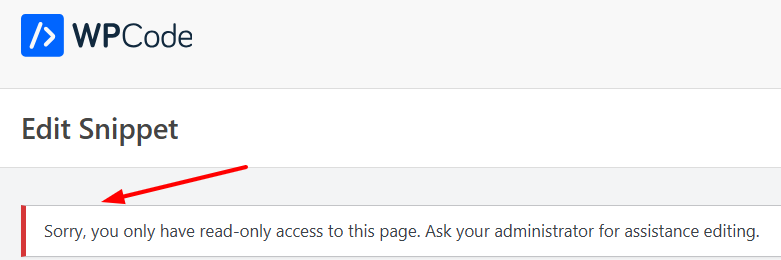
I have not seen this before?Best regards,
MikeJanuary 30, 2026 at 1:29 am #1494508Hi Mike,
So …
Are you able to access the dashboard but nothing else?
You have a full admin profile under the link sent.
https://snipboard.io/Mc8fEm.jpgHere are a few screens using your profile. I can manage every feature of the website.
https://snipboard.io/lwB0eb.jpg
https://snipboard.io/WGoDSd.jpg
https://snipboard.io/HqB7GE.jpgAbout editing codes …
I can access all the code snippets (WP Code) with your user profile, but I see the same message.
But now I know what’s happening …
https://snipboard.io/06D15V.jpgBut you can definitely create new codes under your user.
https://snipboard.io/DbmoIB.jpgI asked my IT department to set up my connection the same way you are. No VPN, no Cloudflare rules, Enfold temporary login link.
So, I am “you” now.Thanks, Leo
-
This reply was modified 2 months ago by
-
This reply was modified 2 months ago by
-
This reply was modified 2 months ago by
January 31, 2026 at 4:13 pm #1494543Hi,
I had to do some testing on my site because the Theme File Editor is disabled on your site, I also note that the Plugin option is also disabled on your site. Nonetheless the code snippet will work without error if you add it to the child theme functions.php, you are currently adding it you your WPcode plugin that loads it after the theme, thus the error.
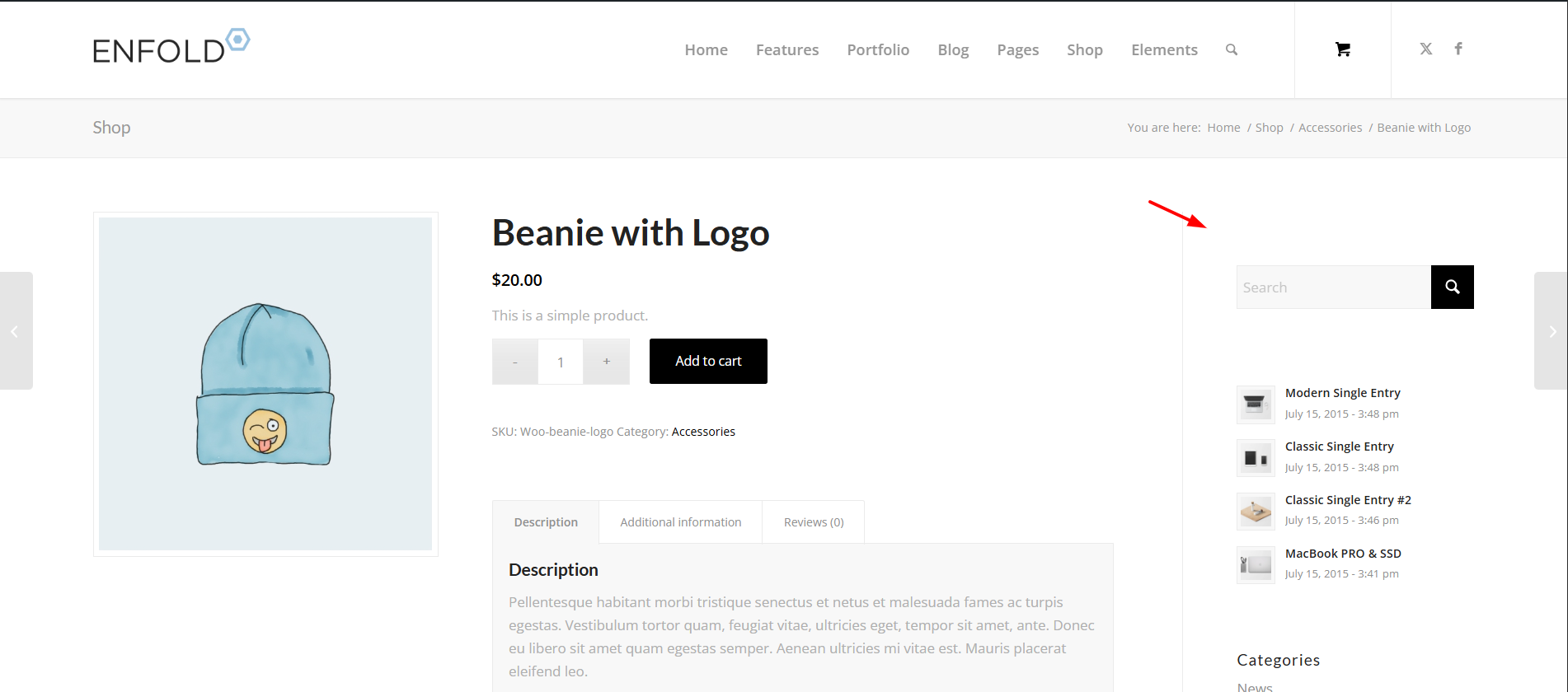
Best regards,
Mike -
This reply was modified 3 months ago by
-
AuthorPosts




- The topic ‘WooCommerce Features not working’ is closed to new replies.