

Tagged: Justified, Justify, text. text align
-
AuthorPosts
-
January 9, 2026 at 2:12 am #1493740
Hi.
The Text on my blog posts are set to Text Align=”justified” only I cannot see as to WHERE it it set. It makes for a terrible looking presentation, especially on a mobile device.
Screenshot: https://tinyurl.com/25l4v7uy
I find the enormity of settings to be quite confusing.
Screenshot: https://tinyurl.com/235egot8
Side remark: I do not see how to edit from the front end…(editing without going into the dashboard)
please advise.
January 9, 2026 at 6:13 am #1493754Hey kurson,
Thank you for the inquiry.
Looks like the text alignment is not set and is defaulting to justify. Try to add the following css code to align the headings to the left.
@media only screen and (max-width: 767px) {

  /* Add your Mobile Styles here */
  #top #wrap_all .all_colors h1,
  #top #wrap_all .all_colors h2,
  #top #wrap_all .all_colors h3,
  #top #wrap_all .all_colors h4,
  #top #wrap_all .all_colors h5,
  #top #wrap_all .all_colors h6 {
    text-align: left;
  }
}
Let us know the result.
Best regards,
IsmaelJanuary 11, 2026 at 10:41 pm #1493820because your css is merged – i can not say where you set this rule – but this might be the reason for it:
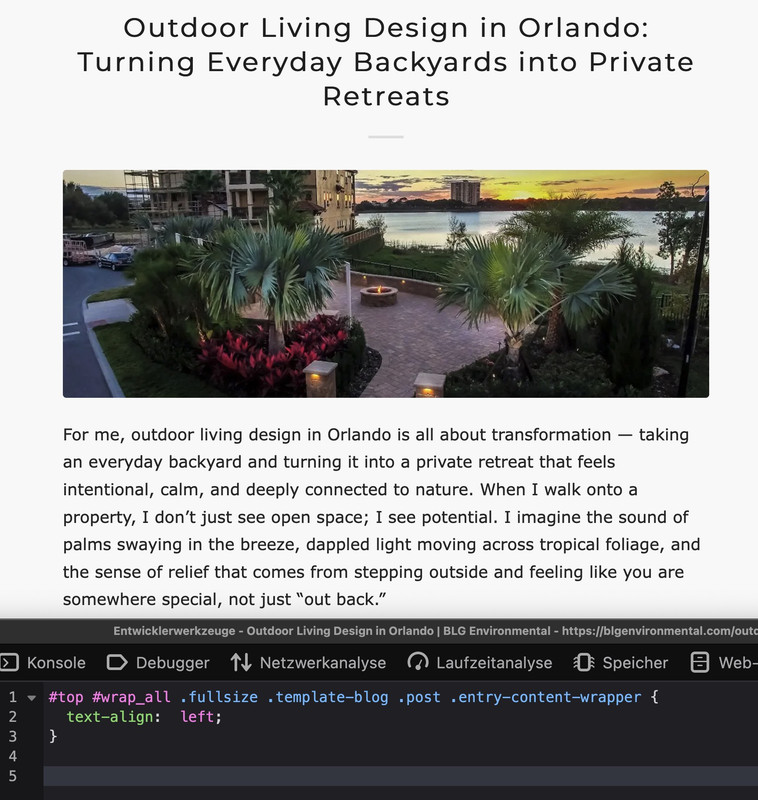
it is in this css block – with comment:/**handles:avia-module-blog**/ /* ====================================================================================================================================================== #Blog Styles ====================================================================================================================================================== */#top .fullsize .template-blog .post .entry-content-wrapper { text-align: justify; font-size: 1.15em; line-height: 1.7em; max-width: 800px; margin: 0 auto; overflow: visible; }if you do not find it – you can overwrite that rule by higher selectivity:
#top #wrap_all .fullsize .template-blog .post .entry-content-wrapper {
  text-align:  left;
}
-
AuthorPosts


- You must be logged in to reply to this topic.