

-
AuthorPosts
-
January 22, 2026 at 11:30 pm #1494201
Is there a way to put a “SOLD” image or bold text over some of my masonry gallery images? I did try playing around with the caption settings. The closest I came to what I want was to Display Excerpt/Display as centered overlay/Always display. Is there a way to make that then display larger, bolder, and in red color? I also did not want the overlay itself to have any color (tint) on all the images in the gallery which happens when you use those caption settings in masonry gallery. It made all the images darker and I couldn’t find a way to control that.
January 23, 2026 at 6:25 am #1494205Hey ricedean,
Thank you for the inquiry.
You can try this filter in the functions.php file:
add_filter( 'avf_masonry_loop_entry_content', 'avf_masonry_loop_entry_content_mod', 10, 4 );

function avf_masonry_loop_entry_content_mod( $content, $entry, $entries, $key ) {
    $is_sold = get_post_meta( $entry->ID, 'sold', true );

    if ( $is_sold ) {
        $content .= '<span class="av-masonry-sold-overlay">SOLD</span>';
    }

    return $content;
}
Then add this css code:
.av-masonry-entry {
    position: relative;
}

.av-masonry-sold-overlay {
    position: absolute;
    top: 50%;
    left: 50%;
    transform: translate(-50%, -50%);
    font-size: 48px;
    font-weight: 900;
    letter-spacing: 2px;
    text-transform: uppercase;
    color: #ff0000;
    background: none;
    z-index: 10;
    pointer-events: none;
}
You’ll need to add a custom field named “sold” to each entry.
Best regards,
IsmaelJanuary 23, 2026 at 11:43 pm #1494245Thank you. I know where to add the filter and css but I don’t understand custom fields at all. I don’t know where to begin. I tried to read some of your documentation but don’t understand it.
January 24, 2026 at 3:23 pm #1494267Hi,
I believe Ismael’s solution is for the masonry items (posts) were a custom field can be added, but you want to use masonry gallery images where the custom field is not an option.
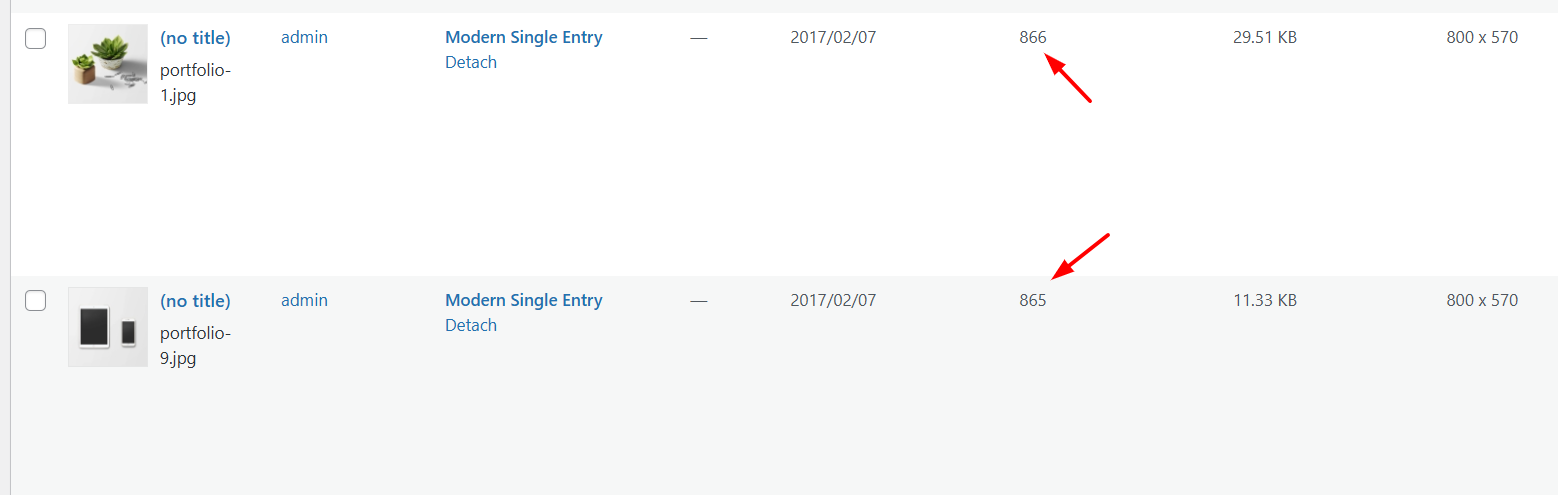
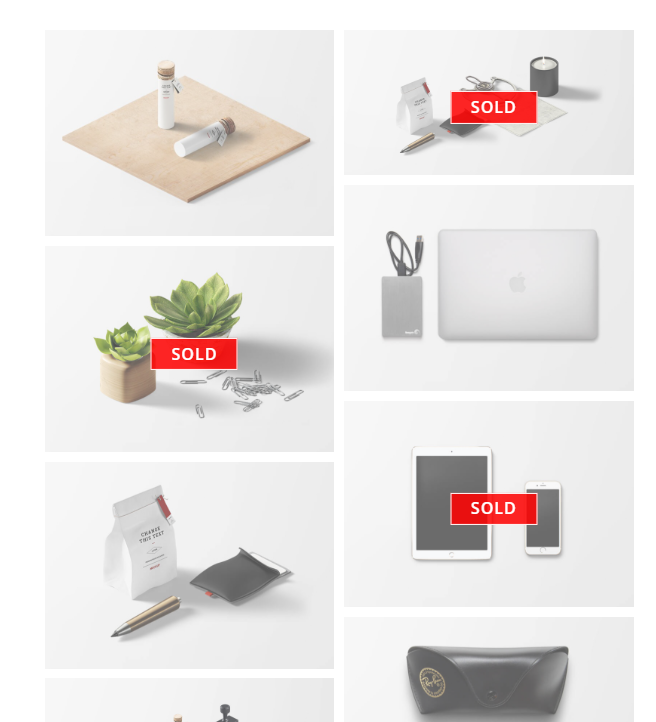
Instead try this function in your child theme functions.php:/** * Add SOLD overlay to specific masonry gallery items based on the data-av-masonry-item attribute */ function add_sold_overlay_to_masonry_gallery() { // Define which masonry items should show as SOLD $sold_items = array(973, 866, 865); // Convert to JavaScript array $sold_items_js = json_encode($sold_items); ?> <script> jQuery(document).ready(function($) { // Items to mark as sold var soldItems = <?php echo $sold_items_js; ?>; // Add sold-item class to each specified masonry item soldItems.forEach(function(itemId) { $('.av-masonry-gallery .av-masonry-entry[data-av-masonry-item="' + itemId + '"]').addClass('sold-item'); }); }); </script> <style> /* SOLD overlay styles */ .av-masonry-entry.sold-item { position: relative; } .av-masonry-entry.sold-item::before { content: "SOLD"; position: absolute; top: 50%; left: 50%; transform: translate(-50%, -50%); background: rgba(255, 0, 0, 0.85); color: white; font-size: 24px; font-weight: bold; padding: 10px 30px; z-index: 10; letter-spacing: 2px; border: 3px solid white; } .av-masonry-entry.sold-item::after { content: ""; position: absolute; top: 0; left: 0; width: 100%; height: 100%; background: rgba(0, 0, 0, 0); z-index: 9; } </style> <?php } add_action('wp_footer', 'add_sold_overlay_to_masonry_gallery');At the top of the function define which masonry items should show as SOLD in this line:
$sold_items = array(973, 866, 865);these are the media library attachment IDs
this is the result:
Best regards,
MikeJanuary 27, 2026 at 9:12 pm #1494393This reply has been marked as private.January 28, 2026 at 5:29 am #1494407Hi,
Thank you for the update.
To assist you further, please follow these steps to generate a login token without the need for an email address:
- Install and activate the “Temporary Login Without Password” plugin. You can find it here.
- Once activated, navigate to “Users > Temporary Logins” in the left-side menu.
- Click on “Create New” to generate a temporary login.
- Enter the email address for the account (you can use (Email address hidden if logged out) ) and select the highest possible role. Set the expiry date to around four days to ensure enough time for debugging.
- Click “Submit” to create the temporary account.
- In the private section, provide us with the URL that allows us to access the temporary login and assist you.
Please note that once your issue is resolved, you can remove the plugin. Alternatively, if you prefer not to use the plugin, you can manually create an admin user and share the login credentials in the “private data” field.
If you have any further questions or concerns, please let us know.
Best regards,
IsmaelJanuary 28, 2026 at 7:26 pm #1494452This reply has been marked as private.January 29, 2026 at 5:27 am #1494474Hi,
Thank you for the update.
The style tag was incorrectly included in the style.css file, so we removed it. We couldn’t find the page with the Masonry Gallery, so we created a test page. (see the private field)
We updated the $sold_items array in the functions.php file:
$sold_items = array(1233,1232,1231);Best regards,
IsmaelJanuary 29, 2026 at 2:37 pm #1494496Thank you so much! It works perfectly!
January 29, 2026 at 8:58 pm #1494501Hi,
Glad that Ismael could help, if you have further questions please open a new thread and we will try to help. Thanks for using Enfold.Best regards,
Mike -
AuthorPosts


- The topic ‘“SOLD” image or text over some gallery images’ is closed to new replies.