

-
AuthorPosts
-
February 11, 2026 at 5:48 pm #1494996
Hello,
I have a problem with the “Blog Posts” content module, which displays the three, four, or five most recent posts on the home page in a grid. While the display works with one, two, and three columns, it does not work with a four- or five-column display. Although the grid creates the appropriate space for a fourth or fifth column (the other columns become smaller), the content is missing. In column 4 or columns 4 and 5, no post
(headline, image, text excerpt, and “read more” link) is displayed; the area is completely empty.I have also checked the posts and their categories. Everything is fine here.
I also increased the page width to be sure, that there is enough space for 4 or five columns.
But only the first three columns were filled with content, column four and five were empty.Why is the four- and five-column display not working in the blog module?
Thanks & best regards,
MartinFebruary 12, 2026 at 10:26 am #1495020Hey Semagis,
Could you post a link to where we can see the actual problem please?
Best regards,
RikardFebruary 13, 2026 at 11:51 am #1495055Hi Rikard,
yes, here’s the URL: https://www.im-con.de/As you see in the section “IM-CON AKTUELL” there are 4 columns, but only the first three columns are filled with content. The last (fourth) column is empy.
February 13, 2026 at 6:48 pm #1495065Hi,
Thanks for that. Please send us a temporary WordPress admin login and login URL so that we can have a closer look. You can post the details in the Private Content section of your reply.
Best regards,
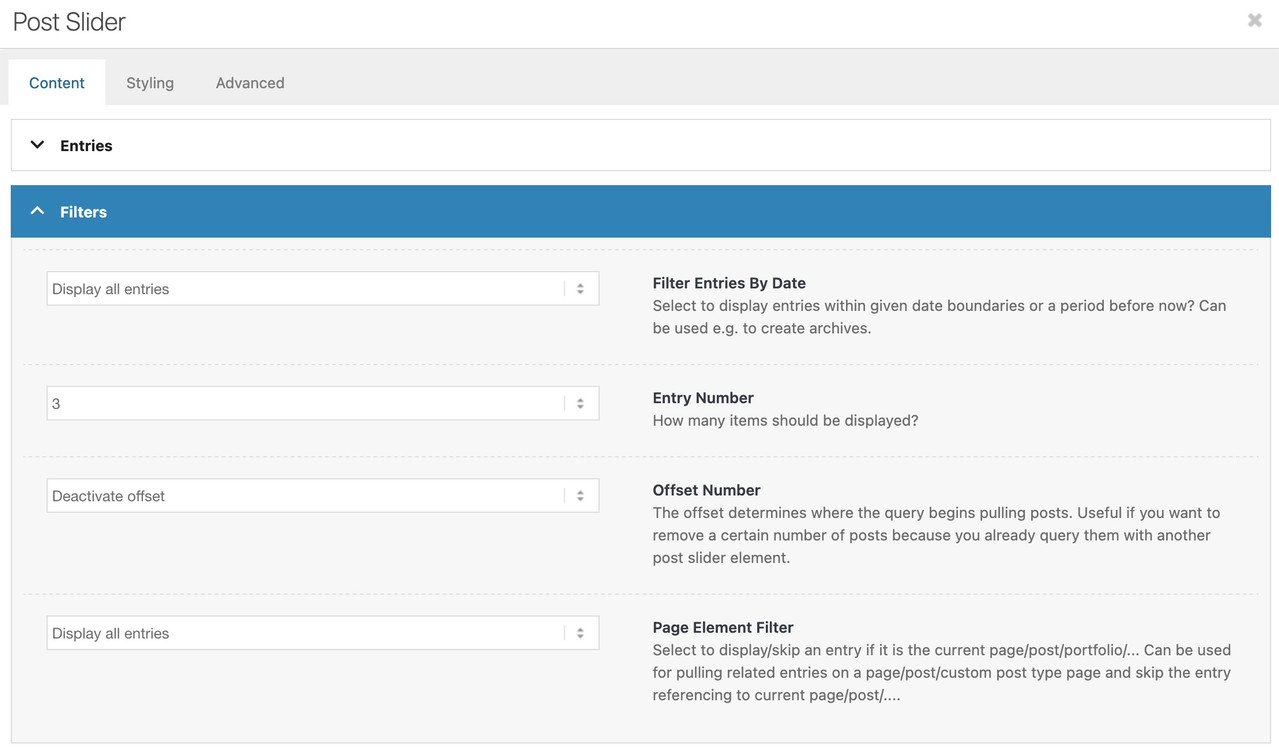
RikardFebruary 17, 2026 at 11:21 pm #1495175this is the post-slider Element? what is your setting on content – filters?
maybe there is a 3 filled out on the Entry Number Field:
 February 19, 2026 at 8:41 am #1495203
Hi,
thank you for reply. No, it’s not the post slider element.
I checked all settings, seems that all are correct.February 19, 2026 at 8:44 am #1495204This reply has been marked as private.February 19, 2026 at 9:06 am #1495205so tell me what element did you use
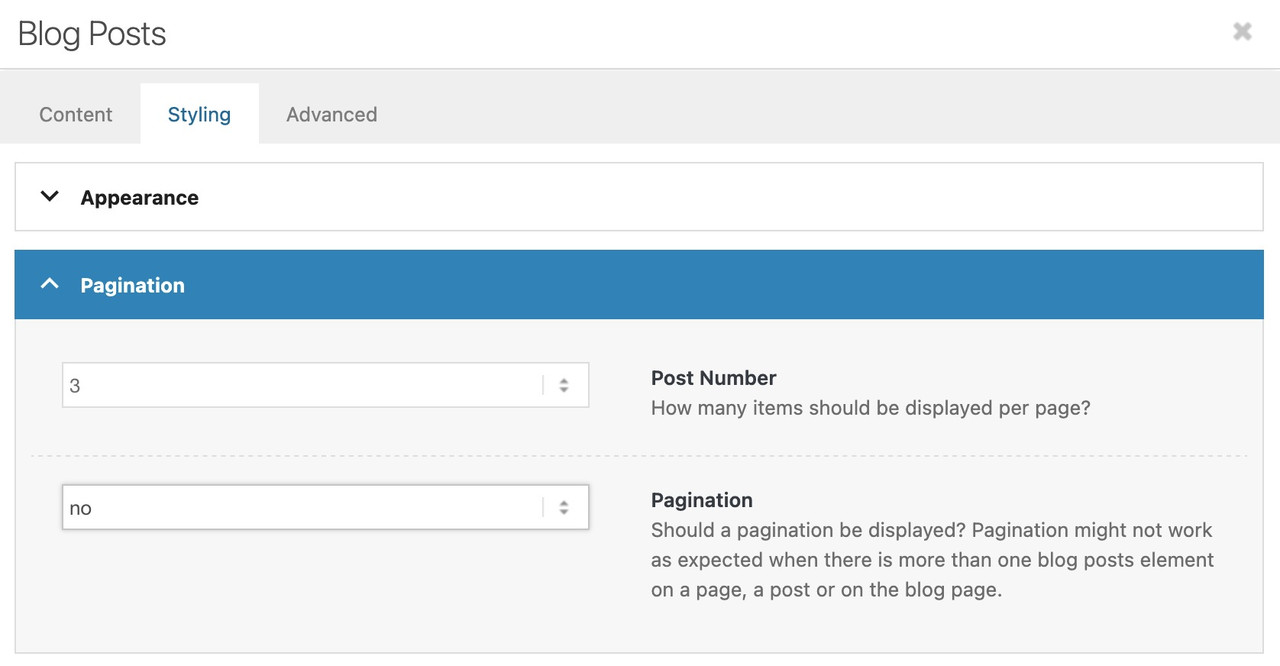
it is the same with blog-posts: see:
 February 19, 2026 at 10:17 am #1495207
Yes, that’s it. The post number is set to “4”, but only three blog posts are visible.
February 19, 2026 at 11:31 am #1495217ich mach das jetzt mal auf deutsch: und du zeigst nur eine Kategorie (news) ? oder mehrere in diesem Blog Post?
Falls ja schau bitte nach ob du bei der Logic (Content – select Entries) nicht und (and) gewählt hast. Sollten dann nämlich nur 3 Beiträge sowohl in die eine als auch die andere Kategorie gehören wäre es klar.February 19, 2026 at 1:14 pm #1495220Alle Blogbeiträge gehören zu der selben Kategorie “News”. Bei der Logic steht der Eintrag auf “OR”. Merkwürdig ist, dass die vierte Spalte Platz auf der Seite bekommen hat, aber diese leer ist. Ich habe alle Einstellungen probiert, ohne Erfolg.
February 19, 2026 at 1:24 pm #1495221Hi, did you see the private message with login credentials?
February 19, 2026 at 2:34 pm #1495224No – i’m participant as you are.
Das sind in solchen Fällen häufig die Stolpersteine. Da musst du auf einen Mod warten, eventuell hast du eine Anweisung in deiner child-theme functions.php die es auf 3 Einträge beschränkt; dafür muss sich aber jemand mit Sachkenntnis denke ich bei dir einloggen und nachschauen.
Schau doch mal ob WP-Rocket der Verursacher ist und nur 3 Beiträge im Cache hat.
Mal den Cache im Plugin löschen und eventuell mal kurz deaktivieren. Dann Enfold veranlassen die css und scripte neu anzulegen.February 22, 2026 at 6:28 pm #1495341February 25, 2026 at 1:12 pm #1495488Hi Rikard,
no, my question isn’t answered so far. The problem still exists.
I’ve seen, you created a blog post for a test.
Did you find out, what’s going wrong there?Kind regards
SemagisFebruary 26, 2026 at 9:01 am #1495525Hi,
Thanks for the update. I was able to reproduce this problem on a test installation, so it’s likely a problem in the theme. I have notified our developers about this, and we’ll hopefully include a fix in the next release of the theme.
Best regards,
RikardMarch 9, 2026 at 9:46 pm #1495902by the way – do all of your portfolios have a german translation ? If there are only 3 tranlated Portfolios – that could be one reason for it.
-
AuthorPosts


- You must be logged in to reply to this topic.