

-
AuthorPosts
-
February 25, 2026 at 5:36 pm #1495495
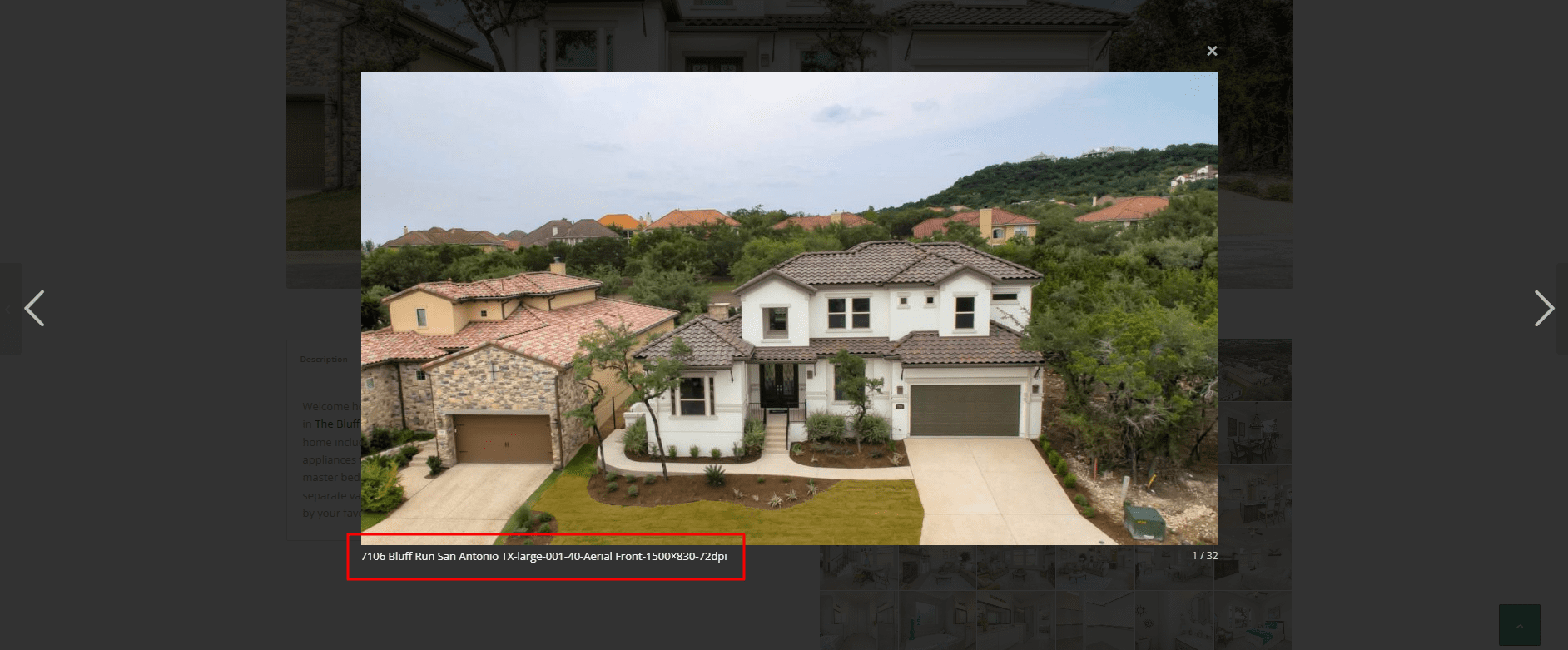
When i open a gallery image, the lightbox shows the image and below it displays the filename of the image as a caption. I’ve searched but can’t seem to find anywhere to turn this off. I’d even be ok if it showed the images ALT or Title, but the file name is ugly.
You can see what I mean here:
http://themcnairexperience.com/wp-content/uploads/2026/02/Screenshot-2.pngAny help would be appreciated. Thanks!
February 25, 2026 at 10:30 pm #1495503Hey theamplifiedagent,
Typically it is the title of the image that is shown, check your image in the media library and check the title field, it is possible that if you didn’t add a title it will fallback to the file name.
If you find that there is no title and you don’t want to edit dozens of images adding titles, you can hide this field with this css:.mfp-content .mfp-title { display: none; }Best regards,
MikeFebruary 27, 2026 at 12:21 pm #1495566there is one problem with your links on that masonry – the titles are often the same as the file-names
your alt attribute is always the same for that gallery: 7106 Bluff RunNext : on the element itself – where you set the option to show lightbox images. – there is underneath a dropdown with an option what to show as bottom-bar text:
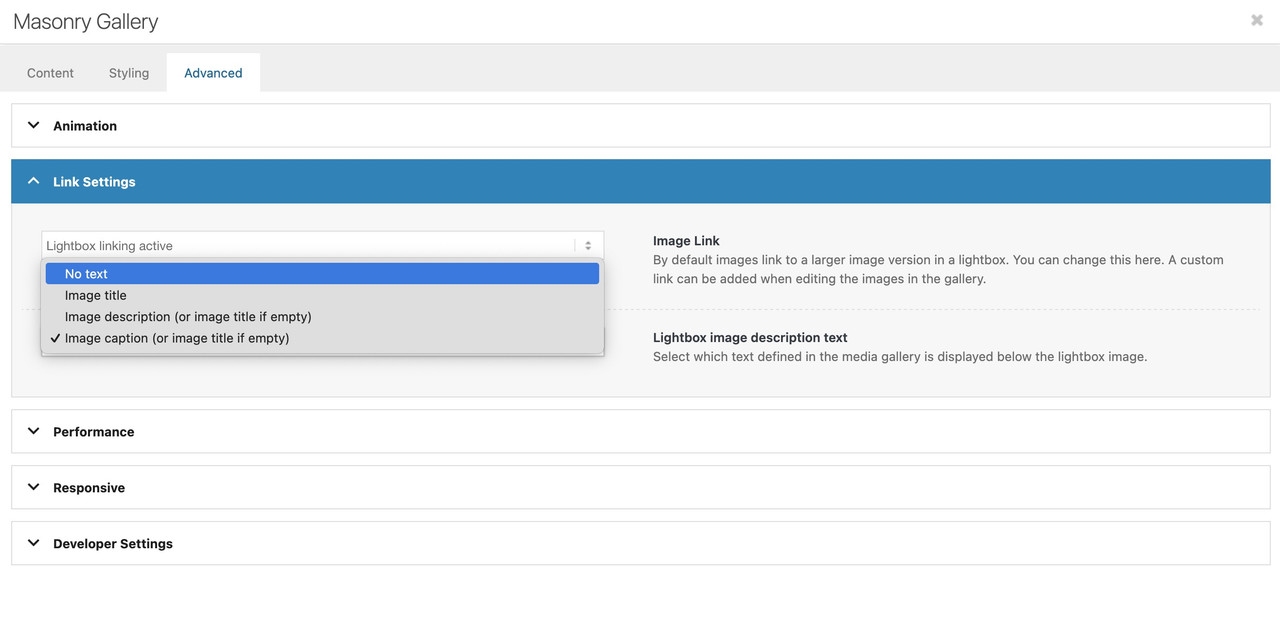
But if you have forgotton to show this on multiple masonry galleries – then you can place a little snippet instead in your child-theme functions.php:
function masonry_title_fix(){
?>
<script>
(function($){
    $(window).load(function() {
        $('.av-masonry .lightbox-added').each(function(){
            var lin = $(this).attr('alt');  /* === or choose title here === */
            $(this).attr('title',lin);
        });
    });
})(jQuery);
</script>
<?php
}
add_action('wp_footer', 'masonry_title_fix');
because you have the masonry perfect grid – you have no imgs inside but you can change it for the anchor tag.
February 27, 2026 at 12:48 pm #1495567please change the snippet – i replaced the selector to a masonry specific one:
$('.av-masonry .lightbox-added').each(function(){
so there is no influence on other img links
and if you use the flexible masonry – it has to be:
$('.av-masonry .lightbox-added img').each(function(){ -
AuthorPosts


- You must be logged in to reply to this topic.