

Tagged: LayerSlider
-
AuthorPosts
-
February 13, 2026 at 2:15 pm #1495059
Hello. I’ve been trying to figure this out for the past 4 hours and i think im going insane.
i bought the premium addon in layerslider for the popups and i’ve been trying to link it to a button on my homepage, but nothing seems to work.
LayerSlider itself works fine, im using a slider on the homepage and I haven’t had any issues with that.I’ve tried all the answers online and everything all the ai’s have to say but i keep getting the same results. Could i please have a step by step to make this work? i have no idea what im doing wrong.
February 14, 2026 at 7:51 pm #1495083Hey grimkraneveld,
We could take a look and your page if you post a link to it with a admin login. There could be the possibility that the popup script is conflicting with the built-in popup script, which you can disable in the theme sttings and check again. Or some layerslider premium addon require the full paid version of the layerslider and not the free version that comes with the Enfold theme.Best regards,
MikeFebruary 15, 2026 at 1:04 am #1495087but you have seen on top left – the project settings ?
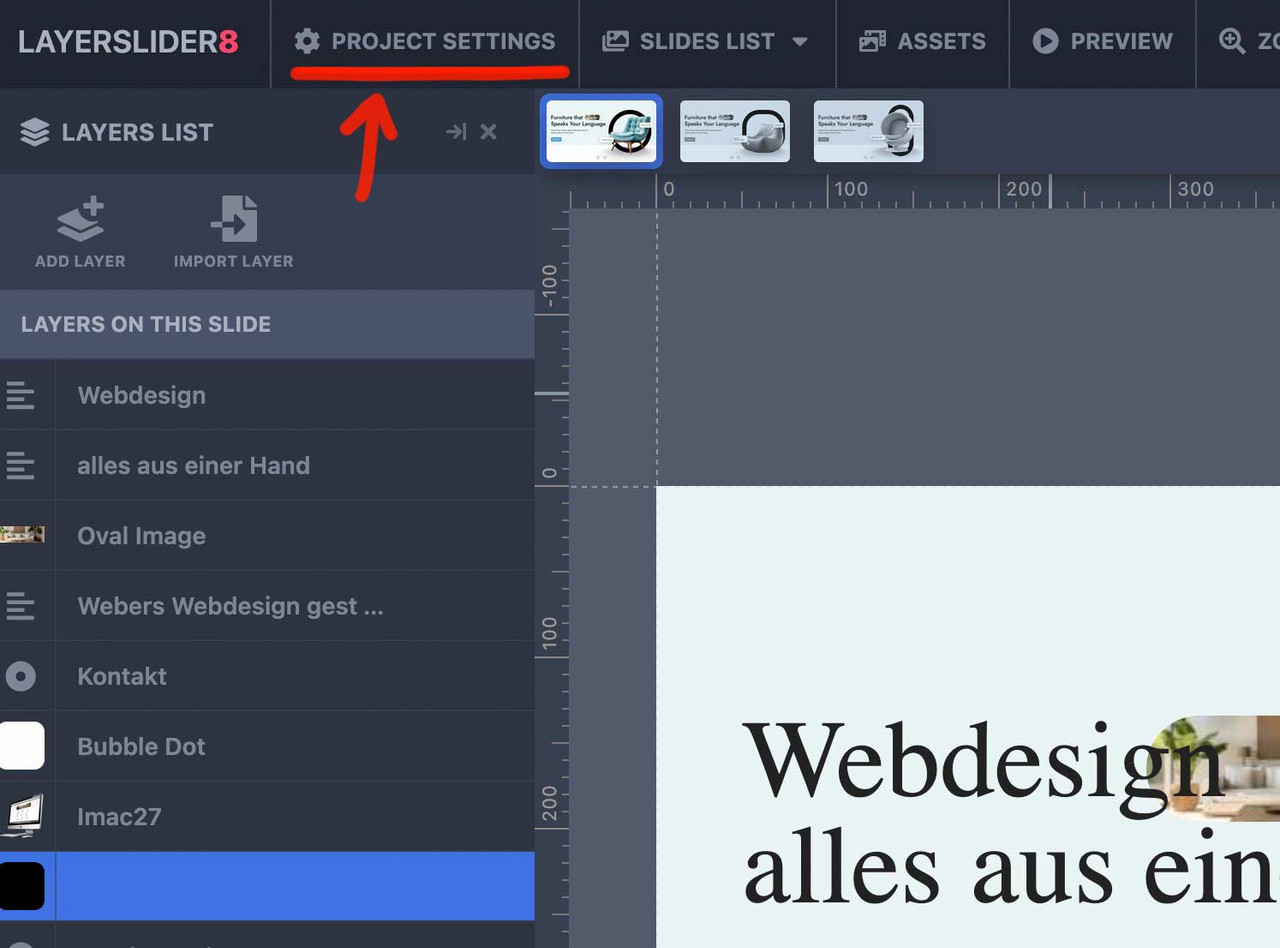
That page offers you the option for the advanced Layerslider Project.
On layout there is the option to have a popup slider.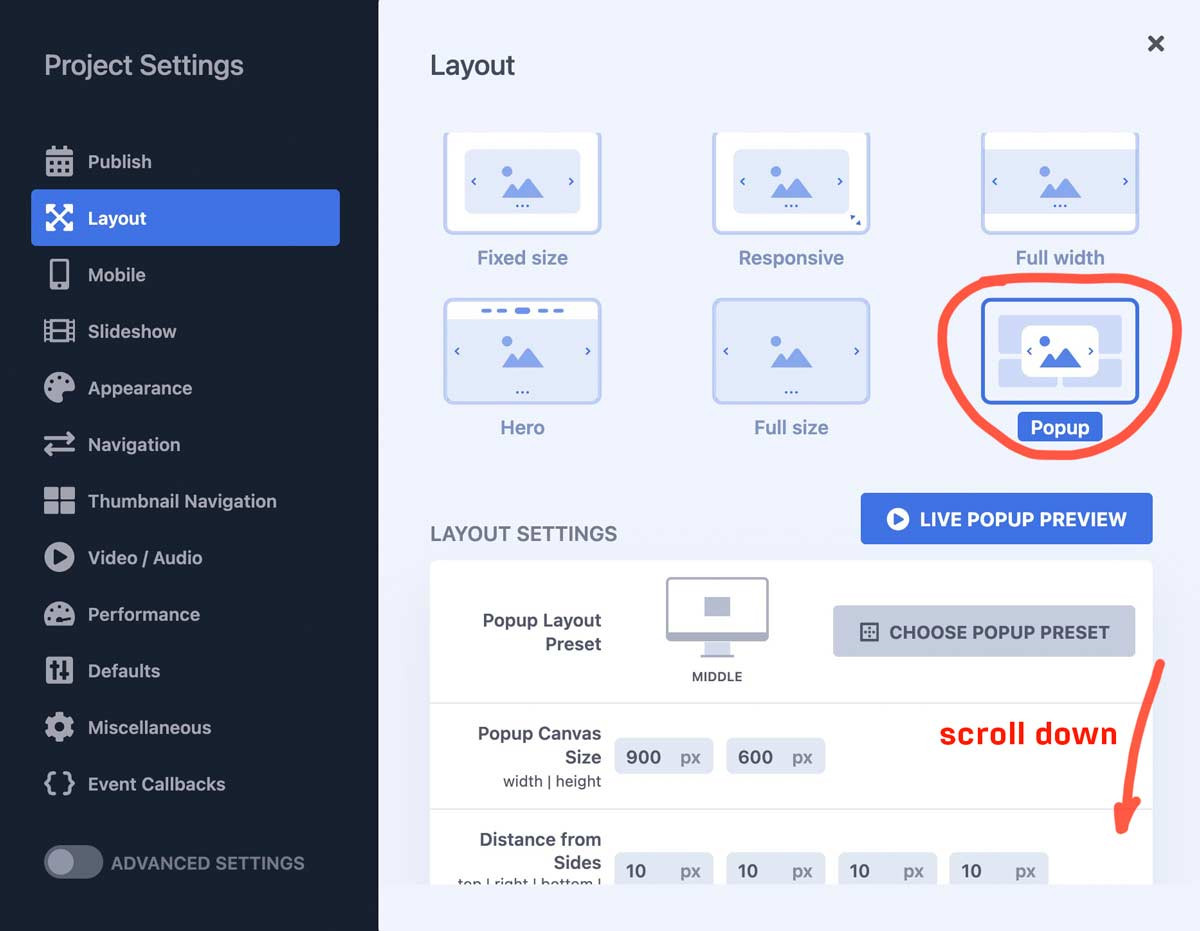
You can choose the position and the dimension; you can have that popup open automatically – etc.
or in your case : open by click
enter a trigger ID or trigger class :Enter a CSS selector to trigger the Popup when clicking a target element. Use a dot for class (e.g., .popup-trigger) or a hashtag for ID (e.g., #popup-button). The Popup will toggle open/close with repeated clicks. Leave blank if no trigger is needed.
next hint: if you like to have the chance to reopen the popup on another click to that button – scroll down again to Repeat Control:
and uncheck “prevent from reopening”.Depending on your settings, the same Popup can be displayed in multiple times without reloading the page. Such example would be when you use a scroll trigger and the user scrolls to that location a number of times. Enabling this option will prevent opening this Popup consequently.
PS: do not forget before you leave the layerslider dashboard – to save and publish with these popup settings.
now link on your page a button to only # but give the custom-id (or custom class) to that button element: popup-button !!!

Do not link to the trigger ID (or class) just fill in the trigger ID or class on advanced tab – developer settings.
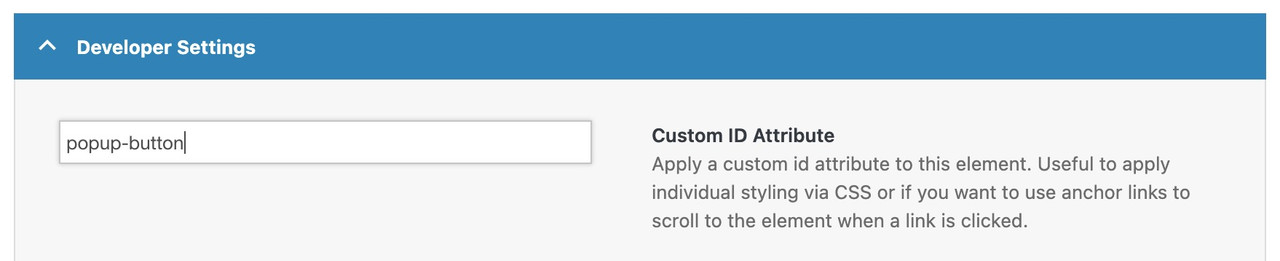
PPS: do not forget to place the layerslider to that page ;)
see: https://webers-testseite.de/advanced-layerslider/
-
This reply was modified 1 month, 2 weeks ago by
Guenni007.
-
This reply was modified 1 month, 2 weeks ago by
-
AuthorPosts


- You must be logged in to reply to this topic.