Viewing 4 posts - 1 through 4 (of 4 total)
  • Author
    Posts
  • #1494136

    Hello, how can i set the slider height to a certain height i.e. 50vh or 480px.
    All css snippets i found aren´t working.
    It is just a Fullwidth slider at the top of a portfolio item…
    Thanks

    #1494153

    Hey Sonno,

    Thank you for the inquiry.

    You can use this css code to control the height of the slider.

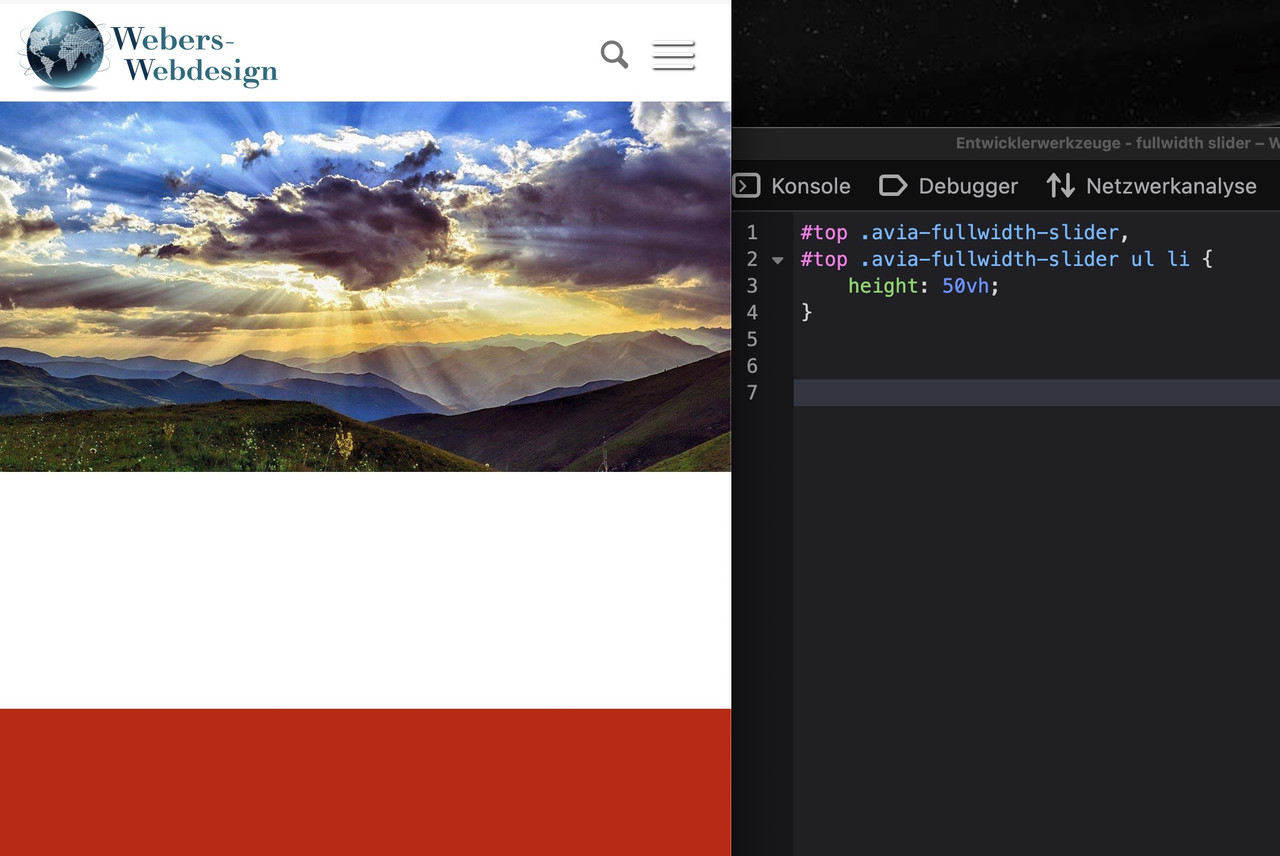
    #top .avia-fullwidth-slider, #top .avia-fullwidth-slider ul li {
        height: 50vh;
    }

    We recommend adding a Custom CSS Class name to the slider element and adjust the css rule accordingly so it applies only to this specific slider.

    https://kriesi.at/documentation/enfold/add-custom-css/

    Make sure the size of the selected thumbnail is appropriate to the size and aspect ratio of the modified slider.

    Best regards,
    Ismael

    #1494174

    the fullwidth slider is a responsive slider. That means – the images are set to 100% width and height depends on aspekt ratio of your image.
    so if you like to get a fullwidth slider to be 50% height of the image – then your images must have an aspekt ratio of 2:1

    if you force the slider to have 50vh height …. then you will have on smaller screens a space between the slider and the next section:

    or to force that behaviour – you will then have a distortion of the images – see:
    https://webers-testseite.de/fullwidth-slider/
    and pull the browser-window bigger and smaller

    ________

    this is a fullscreen slider forced to be that way – but then images are cropped.
    https://webers-testseite.de/full-screen-slider/

    #1494176

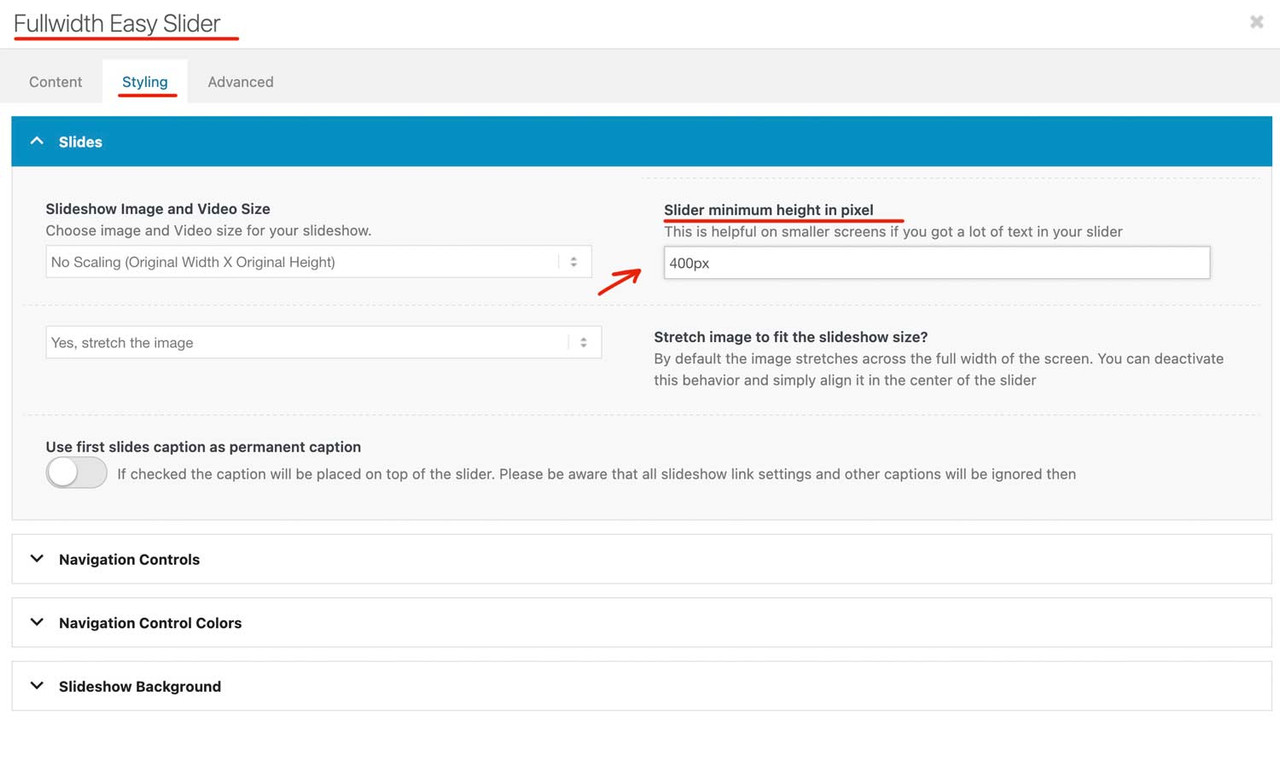
    PS – if you only want to avoid that on small screens the slider images will be less height then the inner content. there will be an option to have a min-height for it:

Viewing 4 posts - 1 through 4 (of 4 total)
  • You must be logged in to reply to this topic.