

-
AuthorPosts
-
September 4, 2016 at 8:32 pm #681845
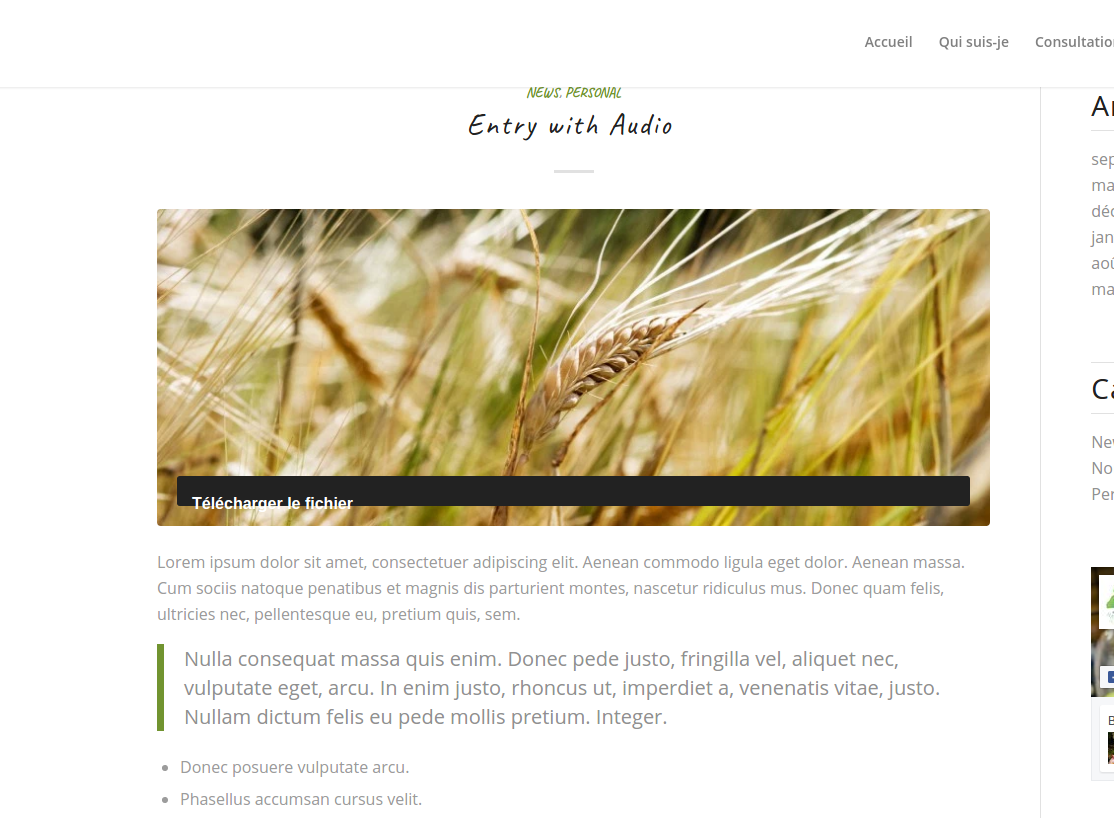
While featured images (post) remain visible on “blog” masonry, when we click on a blog post, the featured image is visible on top of the post only if the post was modified with de basic wordpress editor.
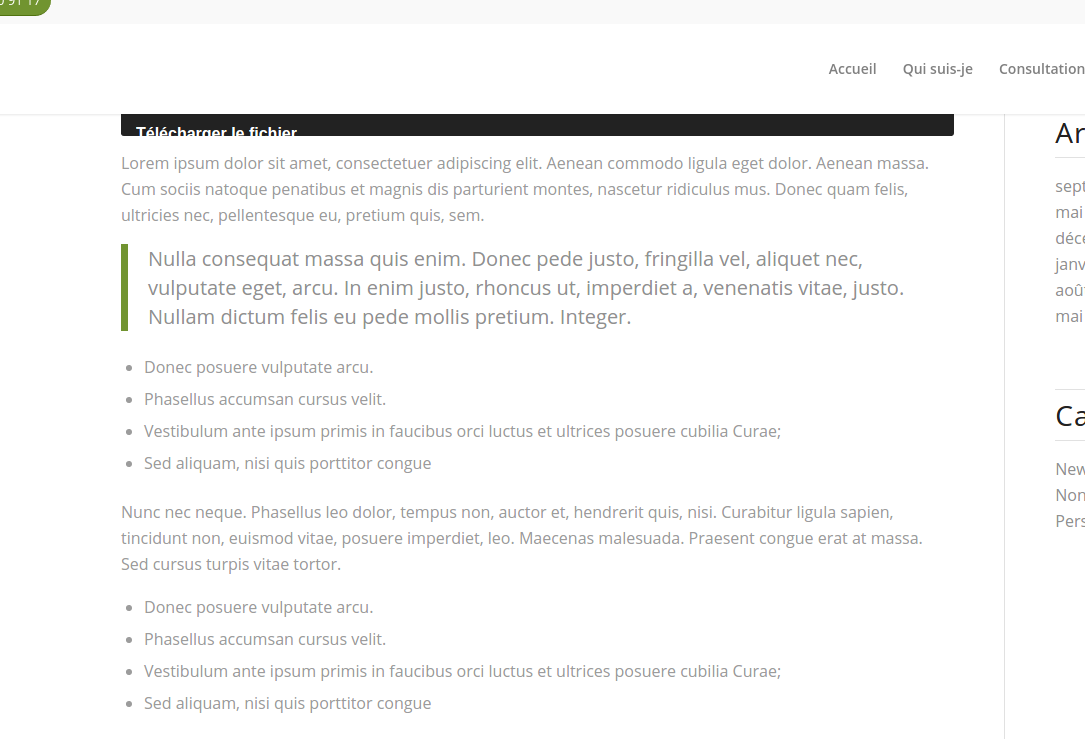
If the blog post is modified with advanced layout editor enabled, then the featured image of the post doesn’t remain visible inside the article.
Do you know this bug ?
I’m able to reproduce it on my blog multiple time.Featured image non show when article was edited with Advanced layout.
Article edited with basic layout editor
Article edited with Advanced layout editorBy the way, I’ve just noticed that Title and Category disappears too !
-
This topic was modified 9 years, 6 months ago by
Dantin.
September 5, 2016 at 6:43 am #681950Hey Dantin,
That is as expected, when using the builder for posts it will act like a page and you will have to add any element to the post manually. You can switch to the default builder once you are ready to save as well if you want to show the “default” elements.
Regards,
RikardSeptember 10, 2016 at 8:06 pm #684557Ok, weird choice, because “featured image” are used within the blog masonry presentation, so it forbid to use “advanced layout editor” for blog posts… :(
September 13, 2016 at 5:59 am #685500Hi,
Sorry for the late reply, I’m not sure exactly what you mean by that, could you try to explain a bit further or post a link to an example please?
Thanks,
RikardSeptember 14, 2016 at 1:47 pm #686341Hi,
By editing or creating a post with “advanced layout editor” breaks the “Feature image” property which is to appear on blog masonry and on top of the post itself.
Look theses two screenshots for better understanding:
Article edited with basic layout editor
Article edited with Advanced layout editorDid you try successfully to reproduce this bug ?
Thxs
-
This reply was modified 9 years, 6 months ago by
September 16, 2016 at 5:55 am #687231Hi,
It’s not a bug, that’s the way it’s supposed to work. Using the builder for posts you will have to add everything you would like in a post manually. If you don’t want this behaviour you can get around it by simply switching to the default editor once you are ready to save.
Best regards,
Rikard -
This topic was modified 9 years, 6 months ago by
-
AuthorPosts


- You must be logged in to reply to this topic.