

-
AuthorPosts
-
August 24, 2019 at 2:45 pm #1130603
Bill Ladd
GuestGreetings. I’m stepping into an existing project with no ability to contact the original developer. The project I’ve inherited is running on php 5.5.40 using the Enfold 3.1.5 theme. In my quest to improve performance, I’m planning to update php to 7.3 and update the Enfold theme to the latest version available.(4.5.6?). I have three questions:
1.) – I tried updating php to version 7.3 and found it broke the Enfold 3.1.5 theme. Does the latest Enfold theme support php 7.3?
2.) – I do not have any license info for the theme and no ability to contact the original developer. Do I need to purchase the latest Enfold theme or do I have other options?
3.) – I do not work with WordPress much, so this may sound like a dumb question, but can I install the latest Enfold theme as a new theme (call it Enfold-2019), soas not to replace the existing Enfold Theme(3.1.5)? Then bounce back and forth between themes until I’ve worked out any customizations that were made to the old theme?Many thanks.
BillAugust 25, 2019 at 12:10 am #1130662Hey Bill Ladd,
Thank you for contacting us, so you have php v5.5.40 using the Enfold v3.1.5, you are in a tricky spot, because php 5.5.40 will have to be updated for the current version, 4.5.7, but Enfold v3.1.5 will not work with v7.
So please update to v5.6.x, which will work with both, then you can update to the latest Enfold via ftp.The easiest and safest way to do this is to download the newest version from Theme Forest and rename your current theme at /wp-content/themes/enfold/ to “enfold-old” via ftp then upload the new “enfold” and check that your site is working correctly.
Once you are happy you can delete the “enfold-old” via ftp, (not the WP theme page)
Should for some reason you wish to roll-back to the old version, it’s easy to do, simply rename the new “enfold” to “enfold-new” via ftp and then rename “enfold-old” to “enfold” then refresh your page.
Please don’t try to overwrite the theme folder, as this will leave old files behind and cause errors.After you update the theme you can then update the PHP version to v7.x and everything should work well.
As for installing the new them next to the old one and switch back and forth, it seems that you could do that, I have not thought of that before, but I don’t foresee an issue with that.
I assume you will make a full backup first, then go to the theme panel and Export the Theme Settings File
Here is a screenshot of the current version theme panel, the setting should look similar, but I don’t have v3.1.5 to show you:
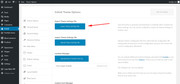
Then when you install the new theme you may need to import the theme settings file, I pretty sure the new theme will not get the settings automatically. But afterward, each time you switch back and forth the themes will use their own settings.If this doesn’t work out you can always install the new one on your localhost, or on a new server.
That is about all I can think of, please let us know if this works or if you have any other questions.Oh, yes you will need to purchase a new license Thank you.
Best regards,
MikeAugust 26, 2019 at 3:44 pm #1131010Thanks for the info. I purchased the theme and had no problems implementing it via ftp. Your prompt response and detailed information made it a piece of cake.
Thanks again.
BillAugust 26, 2019 at 5:18 pm #1131034Hi,
Glad Mike could help! :)
For your information, you can take a look at Enfold documentation here – https://kriesi.at/documentation/enfold/
If you have any other questions or issues, feel free to start a new thread under Enfold sub forum and we will gladly try to help you :)Best regards,
Yigit -
AuthorPosts


- The topic ‘Enfold Theme update’ is closed to new replies.