

-
AuthorPosts
-
February 19, 2026 at 9:06 pm #1495242
Hi, how would i get my columns to all line up uniform – picture at the top and button at the bottom.
February 20, 2026 at 6:37 am #1495254Hey dreyerjm,
Thank you for the inquiry.
Try adding this code in the Quick CSS field.
#top .av-equal-height-column .avia-button-wrap {
    position: absolute;
    bottom: 0;
    width: 100%;
}

#top .av-equal-height-column {
    padding-bottom: 50px;
}
You can also replace av-equal-height-column with a custom css class name if you want this applied only to specific columns.
— https://kriesi.at/documentation/enfold/add-custom-css/#enable-custom-css-class-name-support
Result:

Best regards,
IsmaelFebruary 20, 2026 at 8:37 pm #1495301Thank I tried this from another thread but it did not work.
I added the class to the color section programcolumn
and added this quick css #top .programcolumn .av-special-heading {
min-height: 100px;
}February 22, 2026 at 7:29 pm #1495346Hi,
When I check your page I see that your are using equal height columns, so all three columns will adjust to be the same height.
The problem is that in each of the three columns you have an HR element between the text element and the button, and all three are set to different heights.
30px 58px 2px
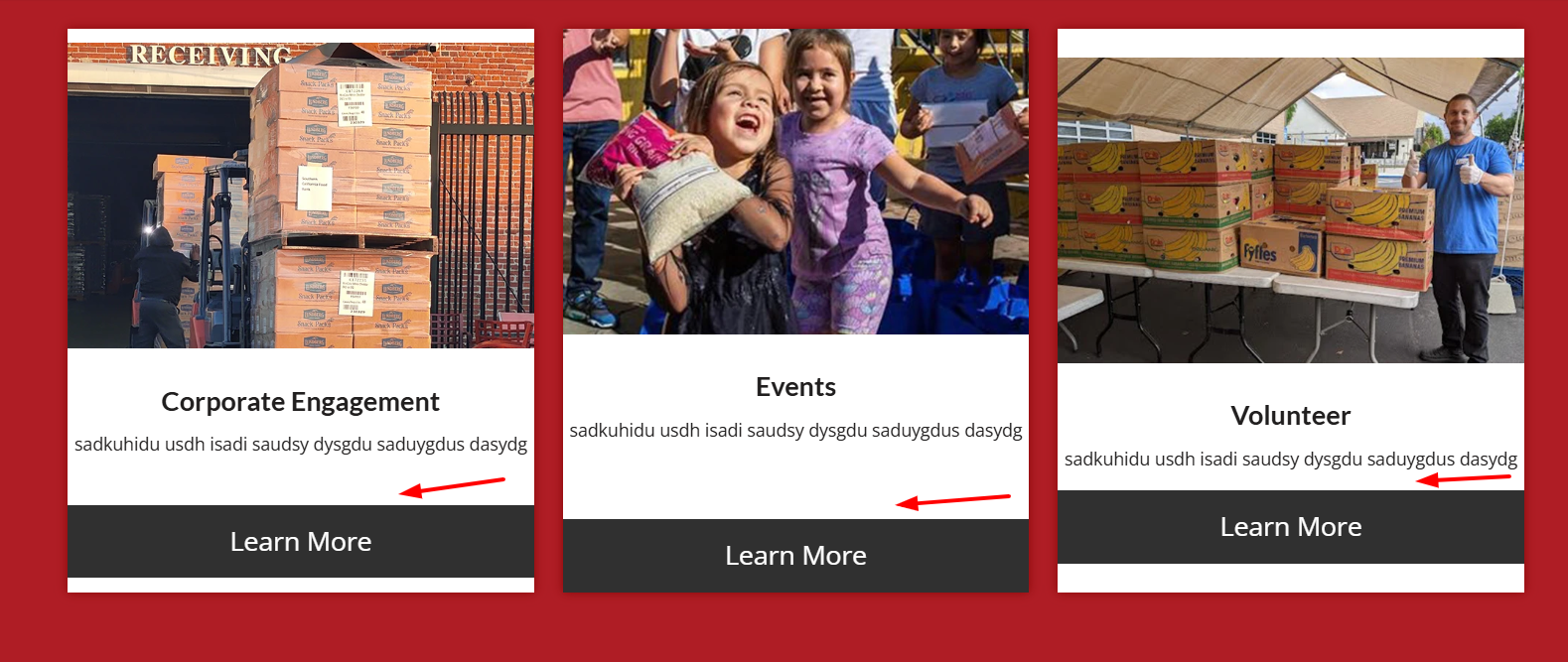
Please check an adjust so all are the same height, then the buttons and images will be correct.
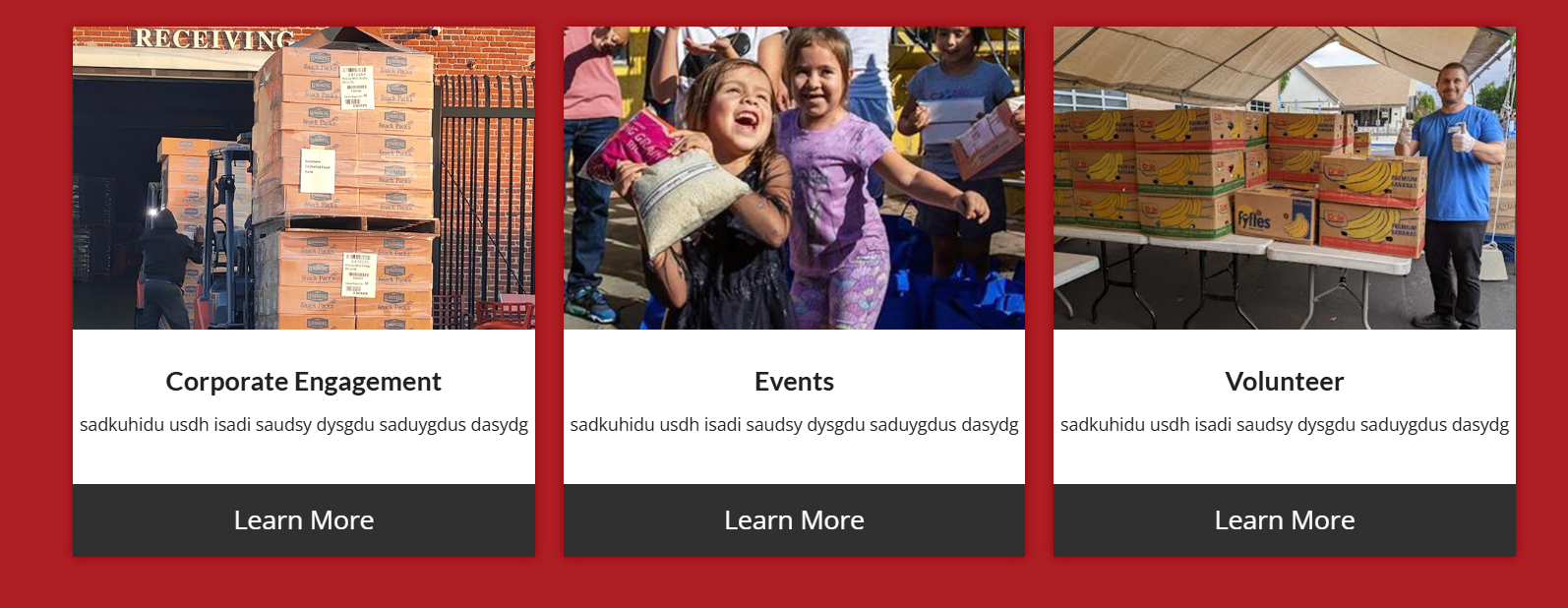
Best regards,
MikeFebruary 23, 2026 at 10:51 pm #1495389Hi, The issue im having is on the programs page.
Thank I tried this from another thread but it did not work.
I added the class to the color section programcolumn
and added this quick css #top .programcolumn .av-special-heading {
min-height: 100px;
}February 24, 2026 at 5:07 am #1495395Hi,
We couldn’t find a “programcolumn” column anywhere in the elements, so we used the default element ID instead. Please remove the previous css code and use the following code instead.
#top .flex_column_table.av-1bilfvb-acaaf518a56045ca4bfe6b9c9a40283f.sc-av_one_fourth.av-equal-height-column-flextable .avia-button-wrap {
    position: absolute;
    bottom: 0;
    width: 100%;
}

#top .flex_column_table.av-1bilfvb-acaaf518a56045ca4bfe6b9c9a40283f.sc-av_one_fourth.av-equal-height-column-flextable .flex_column {
    padding-bottom: 50px;
}
Best regards,
IsmaelFebruary 24, 2026 at 5:55 pm #1495444Thanks for the code. Unfortunately that code did not work. I have columns on several pages which I need adjust including the following. ( See Private) I have also proivded a temp login. Perhaps you can see what is going on?
February 25, 2026 at 5:49 am #1495461Hi,
Kindly edit the Color Section that contains the columns and assign it the class name “av-program-columns”. We have updated one of the pages (see private field) with the new class name and applied the following css in the Quick CSS field.
#top .av-program-columns .flex_column_table.av-equal-height-column-flextable .avia-button-wrap {
    position: absolute;
    bottom: 0;
    width: 100%;
}

#top .av-program-columns .flex_column_table.av-equal-height-column-flextable .flex_column {
    padding-bottom: 50px;
}
You can do the same for the remaining pages.
Best regards,
IsmaelFebruary 25, 2026 at 8:05 pm #1495499Hi, I checked all the pages that I need this and they don’t look any different. I also cleared that cache and tried incognito.
February 25, 2026 at 9:46 pm #1495501Hi,
On your /find-food/ page your column Vertical Alignment was set to middle, I changed it to top
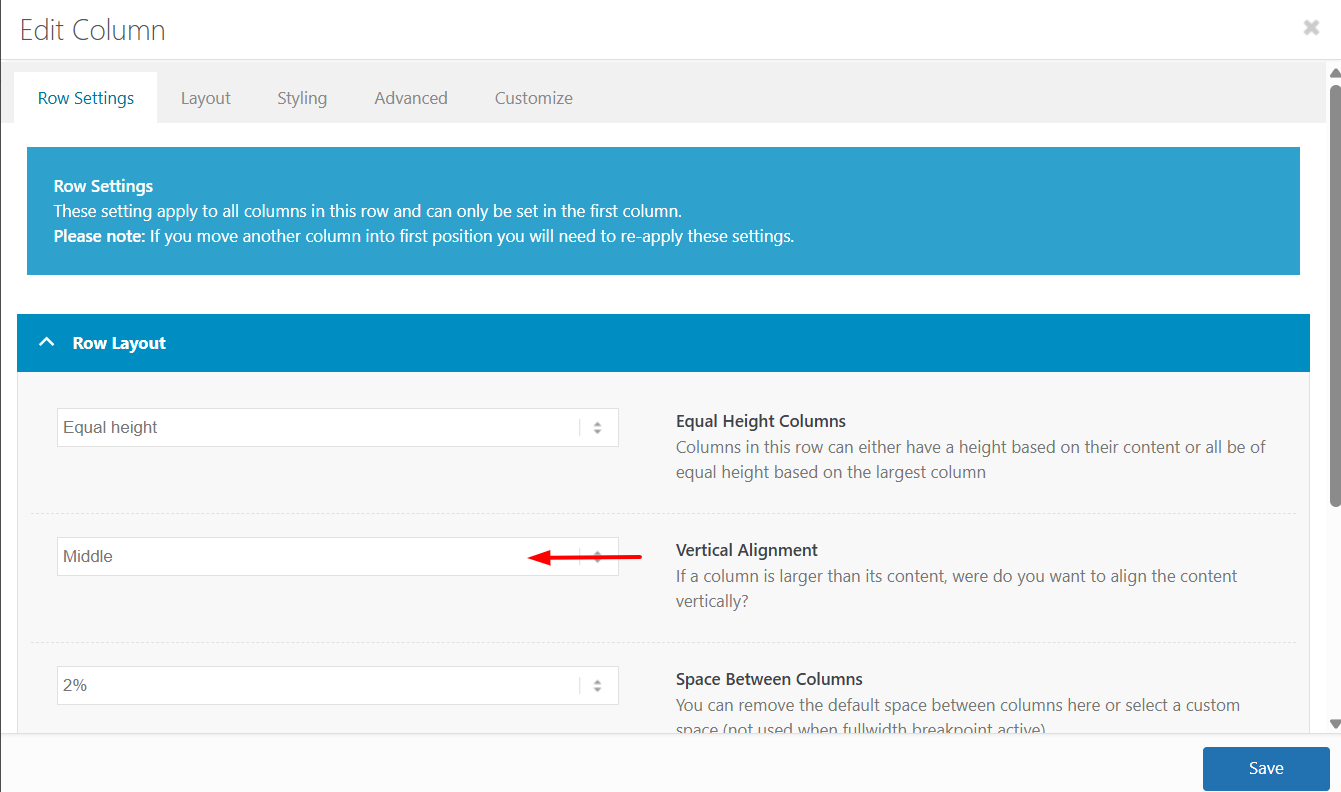
The reason is that the first column has more text which sets the height for the other two columns, but with the Vertical Alignment set to middle the other two columns center the content. In the screenshot notice how the special heading titles and images do not line up:
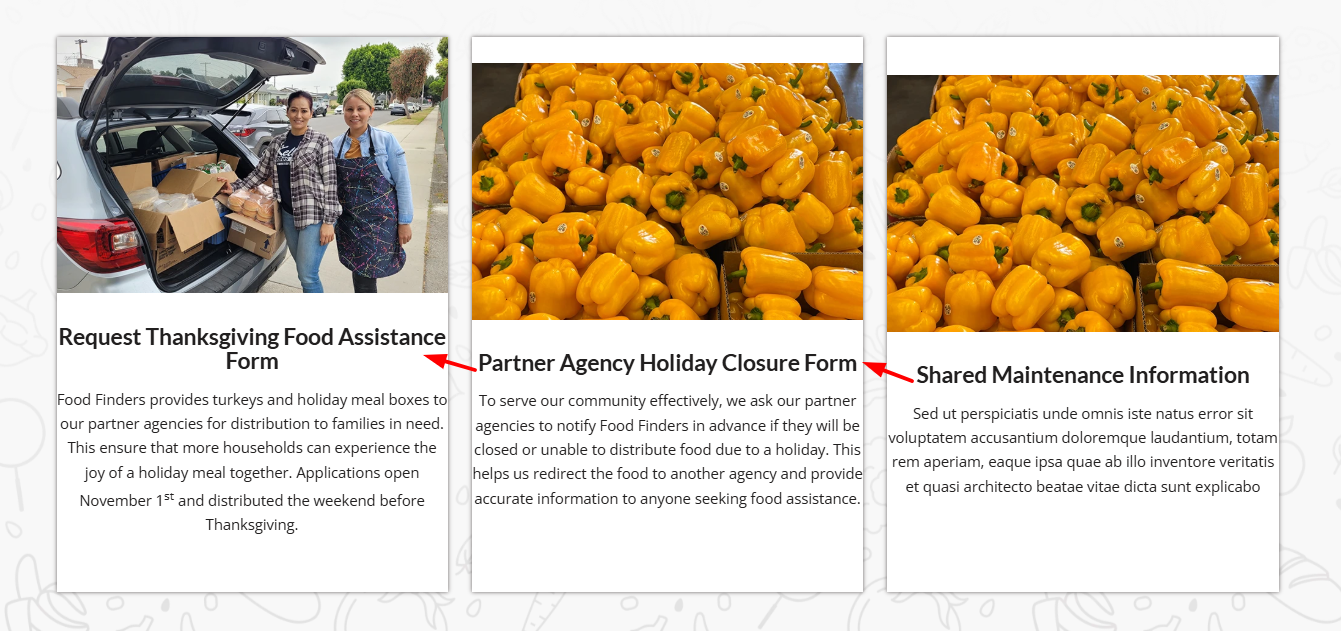
After making the change everything lines up:
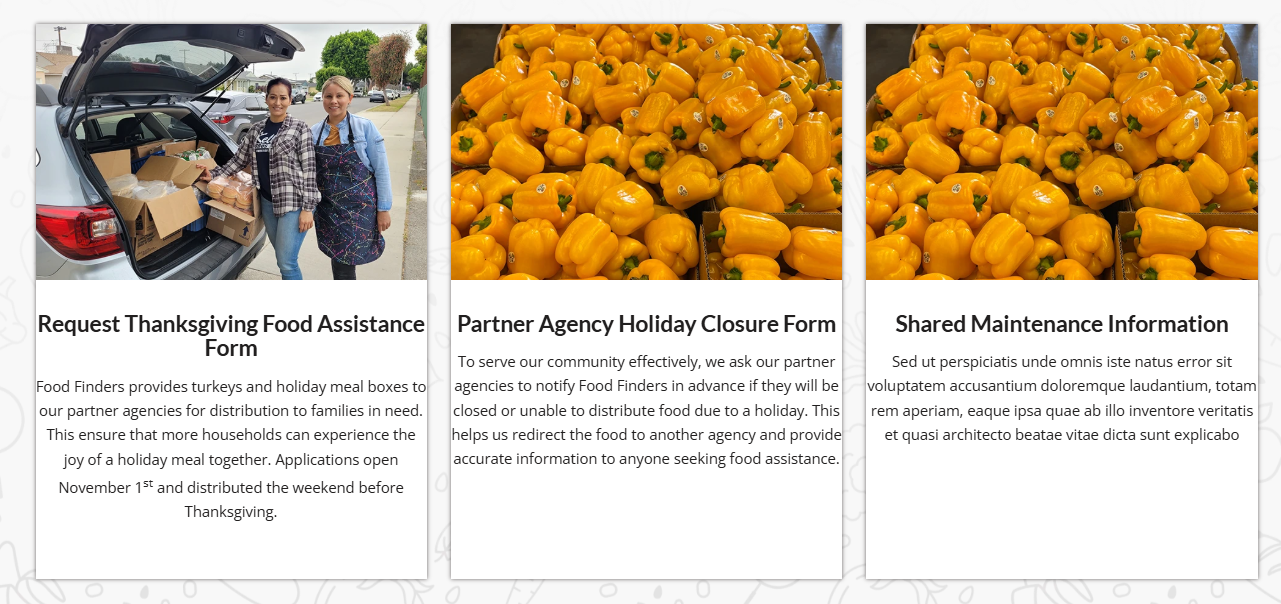
I made this change to the other pages that you listed above and the all work now.
Keep Ismael’s CSS above as it forces the buttons to the bottom of the columns without using extra HR elements.Best regards,
Mike -
AuthorPosts


- You must be logged in to reply to this topic.