Viewing 4 posts - 1 through 4 (of 4 total)
  • Author
    Posts
  • #1494620

    Hi,

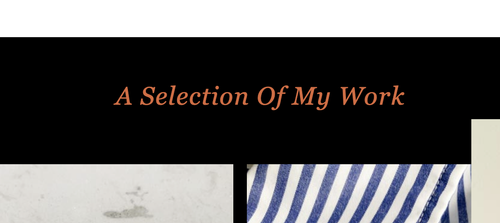
    I used special headliner above and below a gallery.
    The titel has only capital letters. I would like only the first letter to be a capital letter, just like all the other headliners on the website.

    How do I do that?

    Second question: I do not like the extra line below a linked title. How can I change that?

    #1494652

    Hey studioinktvis,

    Thank you for the inquiry.

    Adding this css code should help capitalize the heading element.

    .template-page .entry-content-wrapper h1, .template-page .entry-content-wrapper h2 {
        text-transform: capitalize;
        letter-spacing: 1px;
    }

    ftXBbHu.md.png

    Best regards,
    Ismael

    #1494676

    It worked half …. now every word start with a Capital.
    I only need the first word in the sentence/title to start with a capital

    And what about the line beneath the title? It appeared because it is linked to another page. But I do not want the line

    #1494697

    Hi,

    Please try this CSS instead:

    .template-page .entry-content-wrapper h1, .template-page .entry-content-wrapper h2 {
        text-transform: none;
        letter-spacing: 1px;
    }
    
    #top .custom-color-heading a {
      text-decoration: none;
    }

    Best regards,
    Rikard

Viewing 4 posts - 1 through 4 (of 4 total)
  • You must be logged in to reply to this topic.