

-
AuthorPosts
-
January 27, 2026 at 1:00 pm #1494370
Hello,
Is it possible to change the color of the small arrows in the burger menu to a different color than the menu items?
Best regards,
MartinJanuary 27, 2026 at 1:41 pm #1494371You must be referring to the arrows that open submenus. Unfortunately, none of the Enfold demos have this type of hamburger navigation. Otherwise, I could tell you the selectors based on that.
January 27, 2026 at 2:19 pm #1494372Yes, those are exactly the ones I mean. So you can’t dye them separately?
January 27, 2026 at 3:47 pm #1494378Why don’t you post the page in question? It’s much easier to give advice that way.
As mentioned above, unfortunately there is no demo page where this hamburger variant is set.find the menu-item ID and :
.menu-item-556 .av-submenu-indicator {
  color: green;
  font-size: 40px;
  opacity: 1;
}

.menu-item-556 .av-submenu-indicator:before {
  content: "\E875";
  font-family: 'entypo-fontello';
}
the last rule is for heaving a little bolder icon
January 29, 2026 at 1:01 pm #1494494Oh, I should name the page. Sorry, I didn’t understand that. The page is still under construction: http://00520.htz-cs06.clickstorm.de
Where can I find this ID? I’ve entered it now and haven’t noticed any change. I’m sure it’s because the ID is missing.
January 29, 2026 at 7:11 pm #1494499get familar with dev tools of your browser. point to the menu-item and choose on context menu : inspect or similar .
or you can just count the li’s without knowing the ID’s:
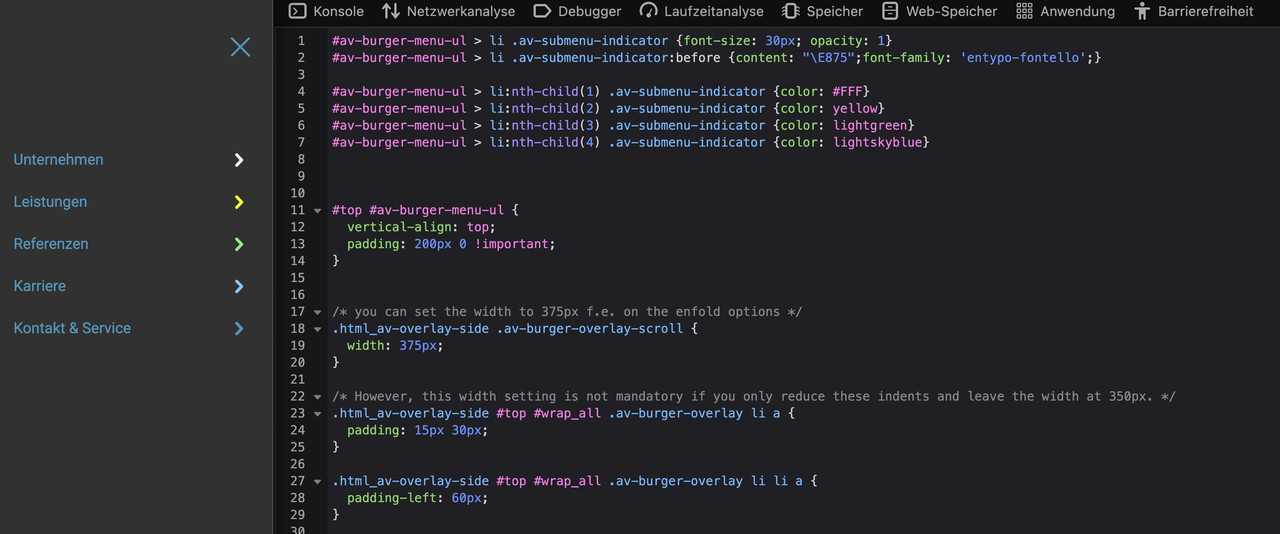
#av-burger-menu-ul > li .av-submenu-indicator {font-size: 30px; opacity: 1}
#av-burger-menu-ul > li .av-submenu-indicator:before {content: "\E875";font-family: 'entypo-fontello';}

#av-burger-menu-ul > li:nth-child(1) .av-submenu-indicator {color: #FFF}
#av-burger-menu-ul > li:nth-child(2) .av-submenu-indicator {color: yellow}
#av-burger-menu-ul > li:nth-child(3) .av-submenu-indicator {color: lightgreen}
#av-burger-menu-ul > li:nth-child(4) .av-submenu-indicator {color: lightskyblue}
maybe it is better to set this burger menu to be placed at a top position – try and look what is better:
#top #av-burger-menu-ul {
  vertical-align: top;
  padding: 200px 0 !important;
}
January 29, 2026 at 7:15 pm #1494500by the way – if you like to have only one toggle open at a time – put this to your child-theme functions.php:
function only_one_submenu_open_on_burger(){
?>
<script>
window.addEventListener("DOMContentLoaded", function () {
  (function($) {
    $('body').on( 'click touch', '.av-active-burger-items > a', function () {
      $(this).parent('li').siblings().removeClass('av-show-submenu');
      $(this).parent('li').siblings().find('ul').slideUp( "fast");
    });
    $('body').on( 'click touch', '.av-active-burger-items .av-width-submenu > a', function () {
      $(this).closest('.sub-menu').siblings().find('li').removeClass('av-show-submenu');
      $(this).closest('.sub-menu').siblings().find('ul').slideUp( "fast");
    });
  })(jQuery);
});
</script>
<?php
}
add_action('wp_footer', 'only_one_submenu_open_on_burger');
January 31, 2026 at 8:34 am #1494535With these larger and bolder icons, you will now see a shift when opening the submenus (“Services”), which you can prevent by widening the whole thing (e.g., 375px instead of 350px). You could also reduce the indentation of the menu items (paddings).
/* you can set the width to 375px f.e. on the enfold options */
.html_av-overlay-side .av-burger-overlay-scroll {
  width: 375px;
}
/* However, this width setting is not mandatory if you only reduce these indents and leave the width at 350px. */ .html_av-overlay-side #top #wrap_all .av-burger-overlay li a { padding: 15px 30px; } .html_av-overlay-side #top #wrap_all .av-burger-overlay li li a { padding-left: 60px; }January 31, 2026 at 9:42 pm #1494549Hi,
Try this css:#top #wrap_all .av-burger-overlay .av-burger-overlay-scroll #av-burger-menu-ul li a .av-submenu-indicator { color: #fff; opacity: 1; }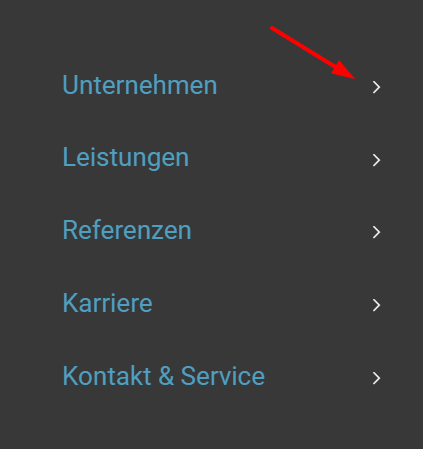
Best regards,
MikeJanuary 31, 2026 at 9:54 pm #1494551January 31, 2026 at 10:00 pm #1494553Hi,
Perhaps I’m reading the request wrong, but I think that @Martin is looking for all of the arrows to be the same color, only different than the text. But if he wants each arrow to be a different color, then your solution works great.
Thanks for helping @Guenni007Best regards,
MikeFebruary 2, 2026 at 6:53 am #1494581Thanks guys, you’ve been a great help. Yes, Mike is right, all the arrows should look the same. It works very well.
February 2, 2026 at 11:15 am #1494587Hi,
Glad that we could help, thanks also for helping Guenni007, if you have further questions please open a new thread and we will try to help. Thanks for using Enfold.Best regards,
Mike -
AuthorPosts


- The topic ‘Burger menu arrows in a different color’ is closed to new replies.