Viewing 4 posts - 1 through 4 (of 4 total)
  • Author
    Posts
  • #1494624

    I am working on a charity cycling site see https://www.peter-test1.co.uk/ I am using a content slider that is responsive slider. In each route I am adding 3 icons. What I cant do is to get them to line up to the left. Can you help/advise.

    Many thanks

    Pete

    • This topic was modified 3 weeks, 1 day ago by condonp.
    #1494651

    Hey condonp,

    Thank you for the inuquiry.

    Looks like you have added the icons manually using html. Make sure to add a unique class name to the icon container, for example “av-custom-icon”, and then add this css code to adjust their minimum height.

    #top .slide-entry-excerpt.entry-content .av-custom-icon {
        min-height: 40px;
    }

    Result:
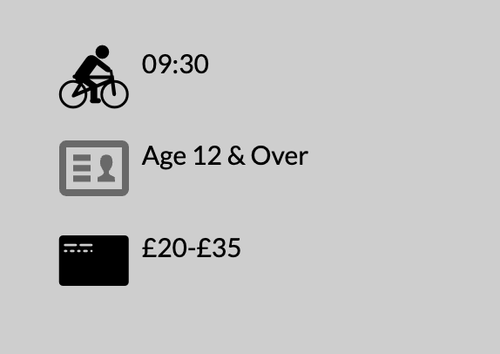
    ftWmjgp.md.png

    Best regards,
    Ismael

    #1494684

    Many thanks for this

    #1494703

    Hi,

    Thanks for the update, we’ll close this thread for now then. Please open a new thread if you should have any further questions or problems.

    Best regards,
    Rikard

Viewing 4 posts - 1 through 4 (of 4 total)
  • The topic ‘Alignment of Icons on Sliders’ is closed to new replies.

