-
AuthorSearch Results
-
February 12, 2014 at 7:34 am #222581
In reply to: Change Header Text Color
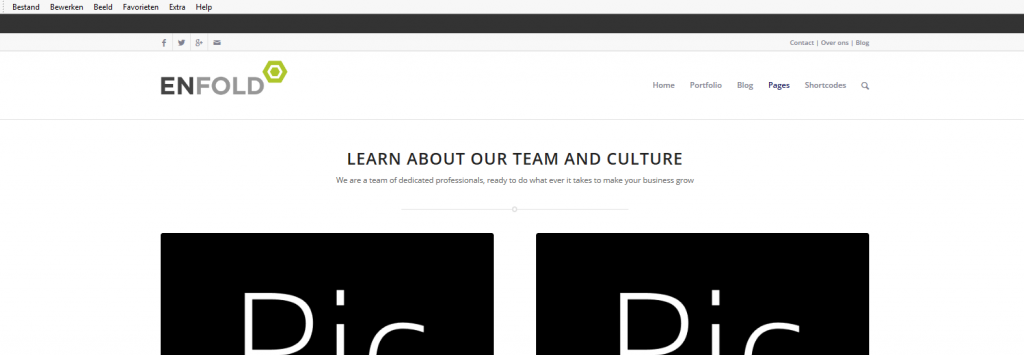
Thanks, Now I need to change the top menu text color. It’s not part of the sub-menu, but is the phone number section. here is a link
February 12, 2014 at 6:44 am #222578In reply to: Enfold Update to 2.5
This reply has been marked as private.February 12, 2014 at 5:04 am #222569In reply to: Header Changes with Full-Screen Slider
Of course :) This is what’s in my Quick CSS now:
div .logo { left: 42%; }
.main_menu { left: 30%; top; }.header_bg {
background: rgba(204,204,204,0.5) !important;
}
#header_meta{
background: transparent !important;
}
.avia-menu a{
color: white !important;
}
.main_menu, .main_menu * {
background: transparent !important;
}
#header *{
border: 0 !important;
}
.home #main {
margin-top: -156px !important;
}February 12, 2014 at 5:02 am #222568In reply to: Header Changes with Full-Screen Slider
Hi!
Did you apply this code to the Quick CSS?
.header_bg { background: rgba(255,255,255,0.5) !important; } #header_meta{ background: transparent !important; } .avia-menu a{ color: white !important; } .main_menu, .main_menu * { background: transparent !important; } #header *{ border: 0 !important; } .home #main { margin-top: -156px !important; }I don’t see it here:
http://www.schellstudios.com/malmstromwhite.com/wp-content/uploads/dynamic_avia/enfold.css?ver=1Cheers!
JosueFebruary 12, 2014 at 4:44 am #222550In reply to: How to make the header narrower?
Hey Jason!
Try adding this code to the Quick CSS:
#header_main .container, .main_menu ul:first-child > li > a { height: 90px !important; line-height: 90px !important; } html.fixed_header #main { padding-top: 90px; }Cheers!
JosueFebruary 12, 2014 at 4:39 am #222548In reply to: LayerSlider Bug – Bad Transitions and Cannot Disable
Sorry to paste it all here, but here goes. It looks like the property repeats several times and I’m guessing that’s the issue:
{"properties":{"title":"home","width":"100%","height":"300","responsive":"on","forceresponsive":"on","responsiveunder":"1140","sublayercontainer":"1140","autostart":"on","pauseonhover":"on","firstlayer":"1","animatefirstlayer":"on","twowayslideshow":"on","loops":"0","forceloopnum":"on","autoplayvideos":"on","autopauseslideshow":"auto","youtubepreview":"maxresdefault.jpg","keybnav":"on","touchnav":"on","skin":"fullwidth","backgroundcolor":"","backgroundimage":"","sliderstyle":"","navbuttons":"on","thumb_nav":"disabled","thumb_width":"80","thumb_height":"60","thumb_container_width":"60%","thumb_active_opacity":"35","thumb_inactive_opacity":"100","imgpreload":"on","relativeurls":"on","yourlogo":"","yourlogostyle":"","yourlogolink":"","yourlogotarget":"_self","cbinit":"function(element) { }","cbstart":"function(data) { }","cbstop":"function(data) { }","cbpause":"function(data) { }","cbanimstart":"function(data) { }","cbanimstop":"function(data) { }","cbprev":"function(data) { }","cbnext":"function(data) { }"},"layers":[{"properties":{"3d_transitions":"88","2d_transitions":"","custom_3d_transitions":"","custom_2d_transitions":"","background":"\/wp-content\/uploads\/2014\/02\/F-e1390425535265-Custom.jpg","thumbnail":"","slidedelay":"7000","new_transitions":"on","slidedirection":"top","timeshift":"0","durationin":"1500","easingin":"easeInOutQuint","delayin":"0","durationout":"1500","easingout":"easeInOutQuint","delayout":"500","layer_link":"","layer_link_target":"_self","id":"","deeplink":""},"sublayers":[{"subtitle":"Logo","type":"img","image":"\/alpha\/wp-content\/uploads\/2014\/01\/nogalis156.png","html":"","slidedirection":"right","durationin":"900","easingin":"easeOutQuint","delayin":"1400","rotatein":"0","scalein":"1.0","slideoutdirection":"top","durationout":"900","easingout":"easeInOutQuint","delayout":"200","rotateout":"0","scaleout":"1.0","level":"-1","showuntil":"0","url":"","target":"_self","styles":"{\\\"background\\\":\\\"rgba(255, 255, 255, 0)\\\"}","top":"81px","left":"112px","style":"","id":"","class":"","title":"","alt":"","rel":""},{"subtitle":"Alliance","type":"img","image":"\/alpha\/wp-content\/uploads\/2014\/01\/Infor_Alliance_Partner_Logo_RGB_300px_72dpi_010813.jpg","html":"","slidedirection":"left","durationin":"900","easingin":"easeInOutQuint","delayin":"1400","rotatein":"0","scalein":"1.0","slideoutdirection":"bottom","durationout":"900","easingout":"easeInOutQuint","delayout":"200","rotateout":"0","scaleout":"1.0","level":"-1","showuntil":"0","url":"","target":"_self","styles":"{\\\"color\\\":\\\"#dbdbdb\\\",\\\"background\\\":\\\"#ffffff\\\"}","top":"86px","left":"638px","style":"","id":"","class":"","title":"","alt":"","rel":""},{"subtitle":"Layer #3","type":"h1","image":"","html":"Infor \/ Lawson Consulting","slidedirection":"bottom","durationin":"1000","easingin":"easeInOutQuint","delayin":"0","rotatein":"0","scalein":"1.0","slideoutdirection":"auto","durationout":"1000","easingout":"easeInOutQuint","delayout":"0","rotateout":"0","scaleout":"1.0","level":"-1","showuntil":"0","url":"","target":"_self","styles":"{\\\"font-size\\\":\\\"46\\\",\\\"color\\\":\\\"#212166\\\",\\\"background\\\":\\\"transparent\\\"}","top":"20px","left":"37px","style":"","id":"","class":"","title":"","alt":"","rel":""}]},{"properties":{"3d_transitions":"all","2d_transitions":"11,13,23","custom_3d_transitions":"","custom_2d_transitions":"","background":"\/wp-content\/uploads\/2014\/02\/Infiniti_QB-04171-e1390354882464-Custom.jpg","thumbnail":"","slidedelay":"7000","new_transitions":"on","slidedirection":"top","timeshift":"0","durationin":"1500","easingin":"easeInOutQuint","delayin":"0","durationout":"1500","easingout":"easeInOutQuint","delayout":"500","layer_link":"","layer_link_target":"_self","id":"","deeplink":""},"sublayers":[{"subtitle":"Logo","type":"img","image":"\/alpha\/wp-content\/uploads\/2014\/01\/nogalis156.png","html":"","slidedirection":"top","durationin":"900","easingin":"easeOutQuint","delayin":"1400","rotatein":"0","scalein":"1.0","slideoutdirection":"top","durationout":"900","easingout":"easeInOutQuint","delayout":"200","rotateout":"0","scaleout":"1.0","level":"-1","showuntil":"0","url":"","target":"_self","styles":"{}","top":"61px","left":"471px","style":"","id":"","class":"","title":"","alt":"","rel":""},{"subtitle":"Logo copy","type":"img","image":"\/alpha\/wp-content\/uploads\/2013\/04\/microsoft_small.png","html":"","slidedirection":"top","durationin":"900","easingin":"easeOutQuint","delayin":"1400","rotatein":"0","scalein":"1.0","slideoutdirection":"top","durationout":"900","easingout":"easeInOutQuint","delayout":"200","rotateout":"0","scaleout":"1.0","level":"-1","showuntil":"0","url":"","target":"_self","styles":"{\\\"background\\\":\\\"rgba(255, 255, 255, 0.52)\\\"}","top":"70px","left":"209px","style":"","id":"","class":"","title":"","alt":"","rel":""},{"subtitle":"Text","type":"h2","image":"http:\/\/www.nogalis.com\/alpha\/wp-content\/themes\/enfold\/config-layerslider\/LayerSlider\/avia-samples\/slide1_Our_Most_Beautiful_Theme_Ever.png","html":" Microsoft Dynamics Suite","slidedirection":"bottom","durationin":"900","easingin":"easeInOutQuint","delayin":"1400","rotatein":"0","scalein":"1.0","slideoutdirection":"bottom","durationout":"900","easingout":"easeInOutQuint","delayout":"200","rotateout":"0","scaleout":"1.0","level":"-1","showuntil":"0","url":"","target":"_self","styles":"{\\\"color\\\":\\\"#19226b\\\",\\\"background\\\":\\\"rgba(255, 255, 255, 0.69)\\\"}","top":"346px","left":"423px","style":"","id":"","class":"","title":"","alt":"","rel":""}]},{"properties":{"3d_transitions":"1,3,5,6,7,8,9,10,11,12,13,14,15,16,17,18,19,20,21,22,23,24,25,26,27,28,29,30,31,32,33,34,35,36,37,38,39,40,41,42,43,44,45,46,47,48,49,51,52,53,54,55,56,57,58,59,60,61,62,63,65,68,69,70,71,72,73,74,75,76,77,78,79,80,81,82,83,84,85,86,87,88,89,90,91,92,93,94,95,96,97,98,99,100","2d_transitions":"","custom_3d_transitions":"","custom_2d_transitions":"","background":"\/wp-content\/uploads\/2014\/02\/G-1030x360-Custom.jpg","thumbnail":"","slidedelay":"4000","new_transitions":"on","slidedirection":"right","timeshift":"0","durationin":"1500","easingin":"easeInOutQuint","delayin":"0","durationout":"1500","easingout":"easeInOutQuint","delayout":"0","layer_link":"","layer_link_target":"_self","id":"","deeplink":""},"sublayers":[{"subtitle":"Tagline","type":"h1","image":"","html":"Gain a unique perspective through experienced eyes","slidedirection":"left","durationin":"1000","easingin":"easeInOutQuint","delayin":"0","rotatein":"0","scalein":"1.0","slideoutdirection":"top","durationout":"1000","easingout":"easeInOutQuint","delayout":"0","rotateout":"0","scaleout":"1.0","level":"-1","showuntil":"0","url":"","target":"_self","styles":"{\\\"font-family\\\":\\\"\\'Arial\\'\\\",\\\"color\\\":\\\"#574a4a\\\",\\\"background\\\":\\\"rgba(255, 255, 255, 0.81)\\\"}","top":"14px","left":"61px","style":"","id":"","class":"","title":"","alt":"","rel":""},{"subtitle":"Experience","type":"h1","image":"","html":"With over 100 years of collective experience, we add ","slidedirection":"left","durationin":"1000","easingin":"easeInOutQuint","delayin":"500","rotatein":"0","scalein":"1.0","slideoutdirection":"top","durationout":"1000","easingout":"easeInOutQuint","delayout":"500","rotateout":"0","scaleout":"1.0","level":"-1","showuntil":"0","url":"","target":"_self","styles":"{\\\"font-family\\\":\\\"\\'Arial\\'\\\",\\\"color\\\":\\\"#574a4a\\\",\\\"background\\\":\\\"rgba(255, 255, 255, 0.81)\\\"}","top":"46px","left":"61px","style":"","id":"","class":"","title":"","alt":"","rel":""},{"subtitle":"Experience copy","type":"h1","image":"","html":"value from the first conversation. ","slidedirection":"left","durationin":"1000","easingin":"easeInOutQuint","delayin":"1000","rotatein":"0","scalein":"1.0","slideoutdirection":"top","durationout":"1000","easingout":"easeInOutQuint","delayout":"500","rotateout":"0","scaleout":"1.0","level":"-1","showuntil":"0","url":"","target":"_self","styles":"{\\\"font-family\\\":\\\"\\'Arial\\'\\\",\\\"color\\\":\\\"#574a4a\\\",\\\"background\\\":\\\"rgba(255, 255, 255, 0.81)\\\"}","top":"78px","left":"61px","style":"","id":"","class":"","title":"","alt":"","rel":""},{"subtitle":"Layer #3","type":"img","image":"\/alpha\/wp-content\/uploads\/2014\/01\/consultantstanding-e1391145016190.jpg","html":"","slidedirection":"left","durationin":"1000","easingin":"easeInOutQuint","delayin":"0","rotatein":"0","scalein":"1","slideoutdirection":"fade","durationout":"1000","easingout":"easeInOutQuint","delayout":"0","rotateout":"0","scaleout":"1","level":"-1","showuntil":"0","url":"","target":"_self","styles":"{\\\"width\\\":\\\"150\\\"}","top":"118px","left":"61px","style":"","id":"","class":"","title":"","alt":"","rel":""}]}]}February 12, 2014 at 4:39 am #222547In reply to: Header Changes with Full-Screen Slider
Hey!
Start with this:
.header_bg { background: rgba(255,255,255,0.5) !important; } #header_meta{ background: transparent !important; } .avia-menu a{ color: white !important; } .main_menu, .main_menu * { background: transparent !important; } #header *{ border: 0 !important; } .home #main { margin-top: -156px; }Regards,
JosueFebruary 12, 2014 at 4:29 am #222541In reply to: Partner/Logo Problem
Hey!
Please add following code to Quick CSS in Enfold theme options under Styling tab
#top .avia-logo-element-container img { margin: 0; display: block; width: 100%\9; width: 100%; }Best regards,
YigitFebruary 12, 2014 at 4:29 am #222539Hey, Ismael and Yigit, thanks for your support but I already found the solution, it was embarrasingly easy!
The last three of my slides had the following code with different text variations:<style> ul.b {list-style-type:square;} p.ex1 {margin-top:1cm;} </style> <ul class="b"> <li style="color: #FFC000"><font color="#615e5e">Nuestro equipamiento y software de análisis estadístico nos permiten realizar <b>encuestas y relevamientos geo-referenciados. </b> Acoplando bases de datos y sistemas de representación cartográfica exponemos información espacial y temática en forma integrada. </font></li> <li style="margin-top: 15px; color: #FFC000"><font color="#615e5e">Los informes geo-referenciados permiten <b>reconocer tendencias y patrones que serían indetectables con otros medios</b>, por ello constituyen un aporte valioso al análisis situacional y al diseño estratégico.</li></ul>The problem was that i had forgotten to put </font> at the last sentence!! For some crazy reason the result was that the fourth slide wouldn’t show -it didnt matter which slide it was, as long it wasn’t in the fourth place. As soon as i wrote </font> and saved it everything started working again. Thanks for your help, I’m very happy with Enfold!
February 12, 2014 at 4:17 am #222526In reply to: increase social media icon sizes header
Hi!
Please add following code to Quick CSS as well
#top .social_bookmarks li a { line-height: 50px; }Best regards,
YigitFebruary 12, 2014 at 3:42 am #222515Hi!
Please refer to my post here https://kriesi.at/support/topic/change-logo-image-for-scrolled-header/#post-188003
You can use 80 instead of 200. Initial size of the header will be 80pxCheers!
YigitFebruary 12, 2014 at 3:27 am #222511In reply to: Adjusting User Feedback on Main Menu
Hey phausner!
Please add following code to Quick CSS in Enfold theme options under Styling tab and adjust as needed
#header .avia_mega_div { top: 89%; } .avia-menu-fx { bottom: 12px; } /* should be adjusted according to previous code */Best regards,
YigitFebruary 12, 2014 at 3:21 am #222507In reply to: Reduce margin below sub heading on pages
Hey makeitbritish!
Please add following code to Quick CSS in Enfold theme options under Styling tab
.content, .sidebar { padding-top: 10px; }Best regards,
YigitFebruary 12, 2014 at 2:35 am #222484In reply to: Sub menu styling
Hey ryan_wallis!
You can target following class
#top #header .avia_mega_div ul, #top #header .avia_mega_div li { }Now menu items overlap, if you would like to fix it, please add following code to Quick CSS in Enfold theme options under Styling tab
#top #header .avia_mega_div ul, #top #header .avia_mega_div li { position: relative!important; }Cheers!
YigitFebruary 12, 2014 at 2:29 am #222482In reply to: Social Icons
Hi!
Please refer to Peter’s post here https://kriesi.at/support/topic/adding-slideshare-to-header-social-icons/#post-200202
Regards,
YigitFebruary 12, 2014 at 2:12 am #222477Topic: Turtle Trouble
in forum EnfoldHiDrew
ParticipantHi there!
At http://vitalshiftconsulting.netfirms.com/wp/ – sometimes the turtle goes too far to the right depending on screen width. Is there a way to set the maximum it will be positioned to the right when the browser is resized?
Also – the client loves the Avia fade in effects, and would love the turtle to fade with the “bottom to top” effect so it looks like the turtle is escaping the bowl/flying. ;) Ah, clients! What can we add to make that happen?
Warm thanks for all your assistance – you guys really do rock the support!
Cheers..
DrewFebruary 12, 2014 at 1:55 am #222468In reply to: parallax scrolling of background
Hi!
2.5.1 was not approved yet but it should be within the next few hours. this should fix the problem. currently there needs to be a slideshow anywhere on the page to make sure the parallax effect gets activated.A dependency I did overlook when creating the demo, since I always had a fullscreen slider at the top of the page :P
Sorry for the confusion :)
Best regards,
KriesiFebruary 12, 2014 at 1:50 am #222465In reply to: Theme Updates
Hi Devin,
I always purchase one per site. I’d love a bulk price but I’m not at the 2K yet :) to purchase the extended.
However, there was an option to hide the bar via css previously (I had it answered) : #adminmenu #toplevel_page_avia{display:none;}Honestly, there is no way? I know you guys want us to show it for obvious purposes, but it’s a very bad feature for us. I don’t want them to update on auto. There must a way to tinker with either css or php.
Help.
February 12, 2014 at 1:41 am #222457Sorry I thought you had them from the previous replies.
Suggested Fix:
#top .flex_column.av_one_third {
width: 100%;
margin-left: 0;
}My Response:
That works somewhat for pages that have 3 columns but pages that have 4 or the footer which has 4 still has the problem. Any new pages that I create seem to work fine. Why is it that all of the pages I created before the update no longer work? I don’t want to have to rebuild the pages. With the fix that you sent, the images from the first row get stacked tight up against each other when it goes to mobile while the images from the other rows all have wider spacing between them when they go mobile.Some of the pages that are having the issue:
February 11, 2014 at 11:42 pm #222429Looks like it was pulled out of the grid or the inheritance got messed up a bit. You can add this to your custom.css file inside of the mobile only media query:
#top .flex_column.av_one_third { width: 100%; margin-left: 0; }February 11, 2014 at 11:06 pm #222419Topic: Spacing issue in Chrome when using parallax/colorbox
in forum Enfoldforeigner
ParticipantFirst, apologies: I’ve submitted this twice and both times neglected to put a topic title, couldn’t find my posts as a result, and no doubt have caused you time and trouble Very sorry about that.
Now that I’ve recovered:
In Chrome, my very simple homepage reacts unexpectedly awful (looks great in Firefox and, well, as expected in Explorer 11). The problem is the huge white space (nearly the whole screen while scrolling in Chrome) between a colorbox with fixed image and the element (icons) just above it. I’ve also noticed that the fullscreen slider (which is working ok here) is highly sensitive in Chrome to the slightest adjustment in page elements (the image lags and jerks/doesn’t scroll at all smoothly), so I’m hesitant to change anything much.
Anyway, I’m adding my site credentials in the post just after this in case you need them.
Thanks!
February 11, 2014 at 10:37 pm #222404In reply to: CSS in child theme
Hey!
Can we see your site and an example? The order should allow for your styles to take priority but it may be as simple as giving yours an additional selector like #top or something like that.
Best regards,
DevinFebruary 11, 2014 at 10:28 pm #222398In reply to: raw html code in table shows up on Mobile
Hi covertross!
HTML within the table items isn’t supported. The way the theme outputs the mobile tables is that it rebuilds the raw data into a new table.
You can instead target the table items and style/center them with css or the table options. Ex:
#top.page-id-2805 .avia-table-1 td { text-align: center; }Which targets that specific page by its ID and then that table.
Best regards,
DevinFebruary 11, 2014 at 7:55 pm #222366Why is it that “padding-top: 10px\9” works and adds the correct pixel spacing, but “padding-top:50px\9” does not work, and I see the large gap again? In the screenshot above, we should be seeing a 50px gap above the headline. When I change the CSS to the code listed above, it appears with this short gap. When I change it to “padding-top:50px\9” I see the very large gap under the headline, as shown in the original images posted at top. It seems like a very strange bug – please let me know if there is a solution to get this to appear correctly in IE8. Thank You.
February 11, 2014 at 6:58 pm #222344Ismael,
Here it is another web with enfold theme which have the social icons in the right of the top menu like i want.
Raúl.
February 11, 2014 at 6:34 pm #222336In reply to: Portfolio Grid Sorting Options
Hi!
Apply this fix:
https://kriesi.at/support/topic/enfold-portfolio-not-working-after-wordpress-3-8-update/#post-199805Cheers!
JosueFebruary 11, 2014 at 4:51 pm #222296Topic: body background color
in forum Enfoldcbeneden
ParticipantThanks for making the theme, which is a challenging but manageable tool for a filmmaker like me. I have a question, though.
When I change the body background color in the styling tab of the (child) theme, nothing happens on my website.
Following the advise in another topic on this subject (“Make sure that this file: http://interpeople.co.kr/wp/wp-content/uploads/dynamic_avia/enfold_child.css has at least chmod permissions 775 so that it can be written to by the theme.”), I changed the chmod permission into 775 in the above mentioned css file. Nothing happens though, whatever color I choose.
Right now I have put a grey image instead, but I would like to be able to change the color with the styling tab.
My website (in development): http://connybeneden.nl
What am I doing wrong?
Thank you!February 11, 2014 at 4:50 pm #222295In reply to: Remove link from thumbnails in Portfolio Gallery
I think my case is similar. I have a ajax portfolio grid-gallery. I added this line to custom.css:
.portfolio-preview-image .avia-gallery a.avia-gallery-big{ pointer-events: none; }
which stops the big picture from displaying the lightbox.On the thumbnails, I want to disable the lightbox and change the pointer to be an arrow instead of a hand. When you move your mouse over the thumbnail I still want it to display the thumbnail picture as the big picture. Do I need to make the changes mentioned in post #214941?
Thank you for your great support!
February 11, 2014 at 4:35 pm #222290In reply to: parallax scrolling of background
Exactly!
It’s also strange that is does work on some pages, randomly.
When adding some text or something it could stop working. Very strangeFebruary 11, 2014 at 4:32 pm #222287In reply to: Background image is shorter than the page contents
Hey ryan_wallis!
Your background image css actually sets the background to white:
#main, .html_stretched #wrap_all { background: url("http://backup.mcewan.co.za/rich_grill/wp-content/themes/enfold/images/background-images/fullsize-background_main_content.jpg") no-repeat scroll center top #FFFFFF; }The #FFFFFF should be the color you want the background to be.
Cheers!
Devin -
AuthorSearch Results
-
Search Results
-
Topic: Turtle Trouble
Hi there!
At http://vitalshiftconsulting.netfirms.com/wp/ – sometimes the turtle goes too far to the right depending on screen width. Is there a way to set the maximum it will be positioned to the right when the browser is resized?
Also – the client loves the Avia fade in effects, and would love the turtle to fade with the “bottom to top” effect so it looks like the turtle is escaping the bowl/flying. ;) Ah, clients! What can we add to make that happen?
Warm thanks for all your assistance – you guys really do rock the support!
Cheers..
DrewFirst, apologies: I’ve submitted this twice and both times neglected to put a topic title, couldn’t find my posts as a result, and no doubt have caused you time and trouble Very sorry about that.
Now that I’ve recovered:
In Chrome, my very simple homepage reacts unexpectedly awful (looks great in Firefox and, well, as expected in Explorer 11). The problem is the huge white space (nearly the whole screen while scrolling in Chrome) between a colorbox with fixed image and the element (icons) just above it. I’ve also noticed that the fullscreen slider (which is working ok here) is highly sensitive in Chrome to the slightest adjustment in page elements (the image lags and jerks/doesn’t scroll at all smoothly), so I’m hesitant to change anything much.
Anyway, I’m adding my site credentials in the post just after this in case you need them.
Thanks!
Topic: body background color
Thanks for making the theme, which is a challenging but manageable tool for a filmmaker like me. I have a question, though.
When I change the body background color in the styling tab of the (child) theme, nothing happens on my website.
Following the advise in another topic on this subject (“Make sure that this file: http://interpeople.co.kr/wp/wp-content/uploads/dynamic_avia/enfold_child.css has at least chmod permissions 775 so that it can be written to by the theme.”), I changed the chmod permission into 775 in the above mentioned css file. Nothing happens though, whatever color I choose.
Right now I have put a grey image instead, but I would like to be able to change the color with the styling tab.
My website (in development): http://connybeneden.nl
What am I doing wrong?
Thank you!