Hi!
Thank you for the update!
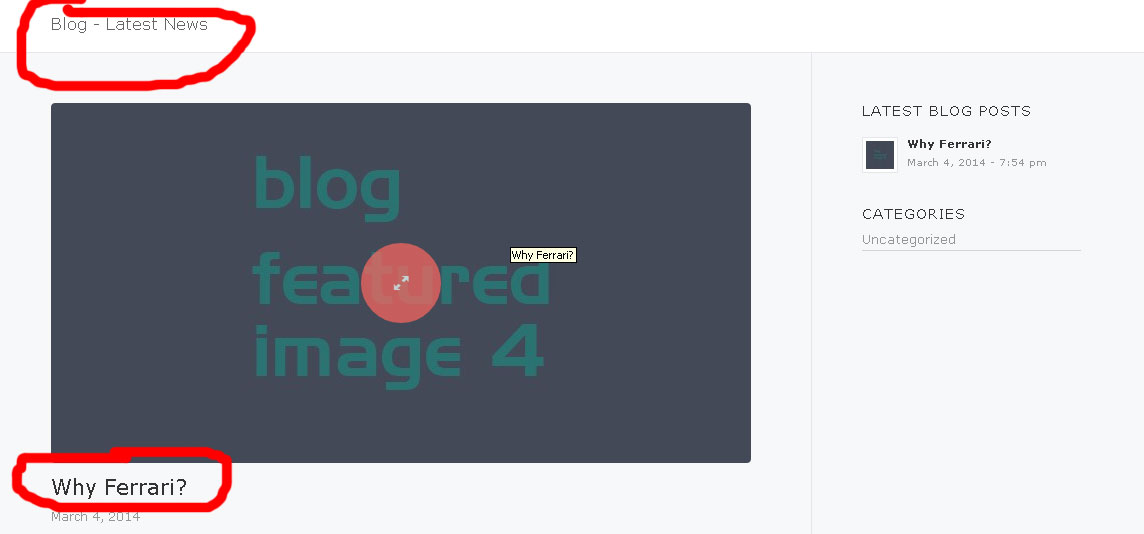
2.) Please use this to remove the borders:
#header_main_alternate {
border-bottom: none;
}

#header_main {
border-bottom: none;
}
3.) Use this to hide the top bar:
#header {
margin-top: -30px;
}
4.) Use this to remove table borders and make the background white:
tr:first-child th, tr:first-child td {
border: none;
}

.main_color tr:nth-child(odd), .main_color .pricing-table>li:nth-child(odd), .main_color .pricing-extra {
background: white;
}
Regards,
Ismael
This reply has been marked as private.
Hi, i would like to know how to move the flags i have under my webpage logo to the place where the facebook sign is right now, in the header top left side.
Hi!
Thank you for using the theme!
You can add this on Quick CSS or custom.css:
.html_header_top.html_bottom_nav_header .main_menu ul:first-child>li a {
font-size: 16px;
}
Regarding the slider, You can add a layer then switch to HTML / Video / Audio. Add the text then position them to the right of the slider container.
Regards,
Ismael
Hi akhilz!
Answered your question here – https://kriesi.at/support/topic/cant-set-post-format-category-tags-layout-after-wp-3-9/#post-255499
Please do not create duplicated posts as it is making it harder for us and other users to follow
Best regards,
Yigit
Hi!
Thank you for using the theme!
@fixedopsinsight: Please post the login details here and set it as a private reply. We would like to check it. Make sure that you’re running the latest version of the theme and if possible deactivate all plugins. That will greatly help in order for us to find the issue.
@paic: The text blocks should not automatically generate <p> and <br> tags because of the function avia_remove_autop which disables the nesting of <p> and <br> tags. If you don’t mind, we would like to see the actual website. Please post a sample code that you’re using, we’ll test it on our end. Thanks!
Best regards,
Ismael
Hey Bedros!
1- Please add following code to Quick CSS
.post-meta-infos { display: none; }
2- Please see – https://kriesi.at/support/topic/excerpt-lenght/#post-184178
Regards,
Yigit
Hey paic!
Thank you for using the theme!
The text blocks should not automatically generate <p> and <br> tags because of the function avia_remove_autop which disables the nesting of <p> and <br> tags. If you don’t mind, we would like to see the actual website. Please post a sample code that you’re using, we’ll test it on our end. Thanks!
Best regards,
Ismael
Thanks Yigit,
Unfortunately that puts the actual header element on top of my custom element, with a result like:
this where you can see the top css border over the .header_top_left.
Would I be better off using by own div’s for the logo?
Thanks!
Hi boag!
Thank you for using the theme!
You can add this on functions.php:
add_action('ava_after_main_menu','ava_phone_after_main_menu');

function ava_phone_after_main_menu() {
	echo "<div class='header-phone-number'>PHONE NUMBER HERE</div>";
}
Then use this code on Quick CSS:
div.header-phone-number {
position: absolute;
right: 20px;
top: 8px;
color: blue;
}
Best regards,
Ismael
Hi boag!
Please add following code to Quick CSS in Enfold theme options under Styling tab
#header_main .container { height: 170px; }
.html_header_top.html_logo_center .logo {
left: 0;
-webkit-transform: translate(0, 0);
-moz-transform: translate(0, 0);
-ms-transform: translate(0, 0);
transform: translate(0, 0);
}
Best regards,
Yigit
That breaks my website. I moved all my custom rules to my child theme so it should still work, but since the update it doens’t anymore. Do you know what I need to change?
Hi sundialstudios!
Please add following code to Quick CSS in Enfold theme options under Styling tab
.header_top_left { z-index: 2; }
Cheers!
Yigit
Hi folks,
I would like to edit my search result page in this way: dont show sidebars (last comments etc). and dont show the small “header” (“5 results..”).
I found this one already, which is hopefully the answer for me, but the code isnt available anymore: https://kriesi.at/support/topic/enfolds-results-page-customization/
Thank you in advance!
Hi Linden Mobile!
Based on Josue’s answer here: https://kriesi.at/support/topic/vertically-align-icon-box-next-to-easy-slider/#post-215568 I guess you must modify the avia.js file to vertical align the icon box. You can load a custom, modified version of avia.js with your child theme or you can modify the file of the parent theme. If you want to modify the file of the parent theme open up enfold/js/avia.js, modify the file and save it. Otherwise copy the file into your child theme folder (place it into the enfold-child/js/ directory) and modify the file there. Then insert this code:
if(!is_admin()) add_action('wp_enqueue_scripts', 'avia_register_child_frontend_scripts', 100);
function avia_register_child_frontend_scripts()
{
	$child_theme_url = get_stylesheet_directory_uri();
	wp_dequeue_script('avia-default');

	//register js
	wp_register_script( 'avia-default-child', $child_theme_url.'/js/avia.js', array('jquery'), 1, true);
	wp_enqueue_script( 'avia-default-child' );
}
into the child theme functions.php file to load your custom avia.js file instead of the default parent theme avia.js file.
Cheers!
Peter
Hey solljul!
We did not test the plugin with Enfold and we can’t support it. However someone: https://kriesi.at/support/topic/fullwidth-in-showbiz-pro/ asked a question regarding this plugin and I guess it worked for the user. We have no incompatibility reports for Enfold so far.
Cheers!
Peter
Hi Peter,
http://terenure5mile.com/terenure-5-mile-race-2014/ was the correct Url two weeks ago but when I wasn’t getting a reply or solution I deleted it and created a new homepage http://terenure5mile.com instead
I changed the homepage design to remove the image issue overlapping the sidebar.
I changed the header layout in the backend to stop the social icons overlapping the logo on mobile by moving them above the header.
The video’s now open in a Lightbox now that I am using an image instead of an iframe.
Everything is resolved since except for the background not darkening on the lightbox opening in Chrome especially for the photo’s page
http://terenure5mile.com/photos/
In Firefox, Safari and IE it always darkens the background but in Chrome it only darkens the background on opening the video maybe 60% of the attempts and for photos maybe only 10% of the time. I am on Chrome Version 33.0.1750.152. Anything I can do to fix?
Thanks
Hi!
Bei den benutzerdefinierten Bildern werden die Pfade in der Datenbank gespeichert. Wenn man die Umstellung mit dem db plugin vornimmt: https://kriesi.at/support/topic/umstellung-https-und-wp-3-9-muss-ich-da-was-beachten/#post-253128 sollten alle http:// Verweise auf https:// geändert werden.
Best regards,
Peter
Hi team.
Since updating to 2.7 the layer slider has stopped working. All I can do is delete. I can create a new slide or layer but when it comes to saving it, it just defaults back to my existing 2 slides. Almost as if the save button has become a refresh button.
I know there are a few other in the same boat but none seem to have found a fix.
Cheers,
Brad
This reply has been marked as private.
Hi,
Can you post the link to your website please?
You can post it as a private reply, only you and mods will see it.
Regards,
Josue
Hey!
Try adding this code to the Quick CSS:
#avia-menu > li > a:after{
    content: "";
    border-right: 2px solid #33cc00;
    position: relative;
    left: 15px;
}
#avia-menu > li:last-child > a:after{
    content: "";
    border: 0;
}
Make sure the > are written correctly.
Cheers!
Josue
This reply has been marked as private.
Thanks Ismael.
For #2, removing borders, the top and bottom border still remain. And also, now that the phone number is moved down (thanks for that code), the top bar is redundant – is there a way to safely remove that?
See screenshot at: http://gyazo.com/572e28df7ac3fb895d6448452a5b3c44 for reference.
As for the tables, they are on the home page, below the layerslider. Wanting to remove the border and shading, so they are just white background. Would love to have an easy solution that I can implement on any site when I need to drop in an invisible table.
Link: http://gator3148.hostgator.com/~yc4c/ — see the three tables below.
Many thanks (and yes, happy to do separate topics next time, as per your request.) :)
Drew
This reply has been marked as private.
Just what the topic says. I’m having trouble finding options for this.