Hi!
Please take a look at this post: https://kriesi.at/support/topic/ajax-portfolio-preview-open-by-default/
Your code opens first “product”. I would like to have all “products” opened by default using 1 column layout. Is this possible?
The code for first “product” is:
add_action(‘wp_footer’, ‘ava_auto_click’);
function ava_auto_click(){
?>
<script>
(function($){
$(window).load(function() {
$(‘.grid-links-ajax a:first’).trigger(‘click’);
});
})(jQuery);
</script>
<?php
}
Regards
Did you see my other question btw. Is that something you could help me with or should I start another topic?
Best regards
Joel
Hi,
refer to my post: https://kriesi.at/support/topic/auszug-masonry-wird-nicht-dargestellt/
There is another issue. Unfortunately i can’t display special-posts. Normally i just choose a category (ore more then one) and i get only those shown on the page. But in this case it doesn’t matter if i choose one, two or nothing – i always get every posting. :/
what am i doing wrong?
Thank you in advance
cheers
Jens
Hi Rikard,
I found the problem to be with an iframe I have to load on the page. Due to this iframe the scroll to top and the icon list animation both stop working.
When I remove the iframe everything works, any chance you could give me a hand why that is and what I can do to solve this?
Cheers
Hi
On a particular page on the website I’m building, I’m using a grid row with two columns, out of which one column has text and the other column only has a background image. It works okay on a desktop, but when I view the page on the mobile, the background images don’t show at all. I checked the mobile setting in ALB, but that is set to “always display”. Please help me with this. Sharing the link in the private section.
Hi,
I found my results at page speed insight very terrible, but meanwhile this could help me a lot:
Thanks
Dear support,
on top of the page i have a “full screen slider” element. But after the last update the images do not show up anymore?
Do you have a hint for me what could cause this behaviour?
Thanks
Hello,
I have tried to use the tablet version in wordpress to preview the site http://zorbas.synology.me/zorbas.dk/booking, and it is ok as it removes the testimonials from that page and is using the “mobile version menu”.
But when tried to check the website from a small lenovo computer/tablet the nav menu goes on top o f the logo and under on a second line and the testimonials goes as i remember on top of the booking menu at it diesn´t look good.
It looks like the theme is not optimized for some computers/tablets.
Is this something you can correct?
(I have reproduced the issue from a browser as I dont have the small computer/lenovo tablet with keyboard with me)
See below:
View post on imgur.com
It worked. thanks! :)
Can you please help me with this: https://kriesi.at/support/topic/flaticon-2/
-
This reply was modified 9 years ago by
 lech07.
Hi all,
Just thought I’d post this solution in case it helps others….all of a sudden all the Enfold sites we developed had the Google Maps stop working on Chrome and Firefox but still worked on Safari.
In the console Chrome would display
"you have included the Google maps API multiple times on this page. This may cause unexpected errors. js?v=3.27&callback=aviaOnGoogleMapsLoaded&key=mygooglemapikeylaksdjflkjc9879e:104
We tracked it back to Cloudflare…solution we found was turn off Rocket Loader in Cloudflare under Speed
Hi guys,
Can you provide code to disable the way Masonry Gallery compresses images? I really don’t want it to do this on my site…
http://www.ccyran.com/work
I tried looking at this link another user posted but it didn’t seem to work.
Thank you,
Chris
Hi!
1.) We added the following css code in the Quick CSS field.
#top .av-submenu-container {
    position: relative;
}
.) We enabled the Header Secondary Menu in the Enfold > Header panel. Please create a new menu in the Appearance > Menus panel then set it as Enfold Secondary Menu.
Regards,
Ismael
Hi Daniel,
I apologize for missing your thread, I have added the css code in Quick CSS in Enfold Child > General Styling, then I cleared the cache from autoptimize plugin and it worked well.
Best regards,
Nikko
Hi,
Thanks for the feedback, glad you figured it out :-)
Please let us know if you should need any further help on the topic or if we can close it.
Best regards,
Rikard
Hi,
Glad we could help. Please let us know if you should need any further help on the topic or if we can close it.
Best regards,
Rikard
Just wondering what caching plugin works with Enfold, I have Autoptimise activated but doesn’t really help with my google page insights score. W3 Super Cache breaks the Avia text box and W3 Total Cache breaks my site completely. Thank you. Bianca
Hi,
Try this code in the General Styling > Quick CSS field:
.content {
    padding-top: 10px !important;
}

Best regards,
Mike
Hello,
My website doesn’t display correctly on iphone, whereas, on android or Laptop, there is no issue.
instead of this : https://test.onlinexav.fr/wp-content/uploads/2017/03/ScreenShot969.jpg
I get this on iphone :
https://test.onlinexav.fr/wp-content/uploads/2017/03/ScreenShot970.jpg
you could test with the following url : https://test.onlinexav.fr/team
any idea of the root cause? is the slider wrongly setup?
Rgds
xavier
Hey solusio,
Here is a nice bright yellow for you, Try this code in the General Styling > Quick CSS field:
#top .av_header_transparency #header_meta {
    background: #FFEB3B!important;
    box-shadow: none;
    border-bottom: 1px solid rgba(255,255,255,0.25);
}
Best regards,
Mike
Hey massimobr,
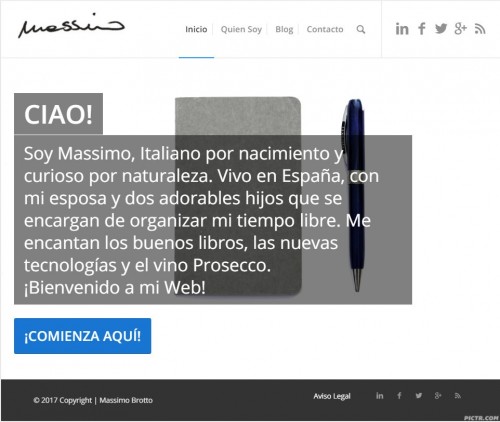
I took a look at your site and believe that a smaller socket would not solve your issue, so I expanded on the mobile view of your site to tablet and laptop. I hope you like it.
Try this code in the General Styling > Quick CSS field:
.slideshow_caption {
    z-index: 200;
    width: 85%!important;
    position: absolute;
    bottom: 0;
    top: auto;
    height: 85%!important;
    display: block;
    text-decoration: none;
    padding: 20px!important;
}
Best regards,
Mike
Hi,
To create 2 variants you can choose to hide the desktop section on mobile. See this link for that option.
To hide the mobile section on the desktop you can add a custom id to that section and then add the following to quick css:
#yourID { display: none; }
@media only screen and (max-width: 767px) {
#yourID { display: block !important; }
}
As for how to build the mobile version, I would suggest maybe adding a text block under the image and adding the title and excerpt into that section.
Best regards,
Jordan Shannon
Jordan,
I would like 2 things:
1. For the current fullwidth submenu to be nonsticky under the top color section.
2. For a second fullwidth submenu to be placed above the main header a the top of the page.
Thanks!
*see login info below
OK, I think I’ve found it…
I deselected “Let logo and menu position adapt to browser window” under Header/Behaviour, and now everything is aligned perfectly. This topic can be closed. Cheers
Hello,
Perhaps this is a beginner issue, but I could not find anything in the forum, thus my new topic:
I am running WP 4.7.3 with Enfold 4.0.2, PHP7.0.6. RAM 256MB, Firefox 51.0.1 on Win7
I am using a strectched layout with a Maximum Container width of 1310px.
The header section contains a top bar (address/phone no.) and the header section with the logo on the left and the menu right-aligned.
My questions are:
1) How can the left-hand logo be aligned to be at the same position as the content section?
2) How can the right-hand menu be aligned to finish at the same position as the content section on the right?
3) How can the right-hand address/phone-no in the top-bar be aligned to finish at the same position as the content section on the right?
The problem is that the logo appears too much on the left, while the menu/topbar appears too much on the right. It should align with the content section.
Thanks, Thomas
Hey Krzysztof,
Can you please provide a link to the site? Keep in mind that on mobile there is no “hover” state, so this feature may not transfer. As you mentioned, creating one that hovers for desktop, and one that is always visible for mobile sounds like a viable solution.
Best regards,
Jordan Shannon
Hi,
Add this to quick css as well:
@media only screen and (max-width: 360px){
.responsive.html_header_transparency #top .avia-builder-el-0 .slideshow_inner_caption {
margin-top: -40px !important;
width: 350px;
margin-left: -39px;
}
}
Best regards,
Jordan Shannon
Mike,
Yes this ticket can be marked as closed as the resolution issues have been fixed.
I found a solution to the blurry images here off Andy’s guidance https://kriesi.at/support/topic/the-events-calendar-photo-view-event-images-blurry/#post-756766
With the photos stacking weird in Photo View it was actually an issue with a update to the plugin.
What it was doing was pre-loading the masonry containers as a fixed 150px height prior to the images loading.
This has been fixed with their patch on version 4.44 and it now works correctly.
Ismael also helped me work through some other issues that would be helpful for other Enfold users integrating the Events Calendar here https://kriesi.at/support/topic/events-calendar-pro-adding-a-sidebar
Thanks a ton,
Jon
Hi!
Actually, as I was on the same topic I took the code from Vinay,
So
@media only screen and (max-width:767px) {
	#socket .sub_menu_socket li {
	        float: none!important;
	}
	#socket .menu {
	    text-align: center;
	}
}
I fixed his type also, can u try again?
Regards,
Basilis
Hey!
Please try changing the code to following one
.woocommerce-page nav.main_menu {
display: none!important;
}
Cheers!
Yigit
Hello Yigit
Sorry to rehash this old topic, but I figured it would have been better than opening a new thread.
Is there a way to hide the menu on all WooCommerce pages BUT the product pages?
Thank you,
Alessandro
-
This reply was modified 9 years ago by
 wurgi.
Hey!
On your media query, add also
#archit.greythink { padding-top: 20px !important; }
and let us know if thta solves the issue for you.
Best regards,
Basilis



