Hi Mike,
Not at all. It should be on top of the page. Please find the details below.
Thanks for helping out.
Regards,
Poirot
Hey JennyGr,
The section should be removable, Can you please include a admin login in the private content area so we can take a closer look.
For now try this code in the General Styling > Quick CSS field:
.avia-builder-el-6 {
display:none !important;
}
.container .content {
padding-top: 20px !important;
    padding-bottom: 20px !important;
}
Best regards,
Mike
Hi, as you can see here – https://screencast.com/t/vVu06CpjG – the box element is blocking the title. How can I make sure the title is shown and the box element begins below it on mobile only since it looks and works great on desktop.
Thanks.
Hi,
My original code worked. I added it to the top of quick css. You just have to adjust the font-size.
Best regards,
Jordan Shannon
Hey jo-engageinnovate,
Here are the styles to adjust special heading whitespace just for this page. You can put them to Enfold > Quick Css or themes/enfold/css/custom.css
#top.page.page-id-2205 .av-special-heading { margin-top: 0; }

#top.page.page-id-2205 .hr.hr-invisible  {
	height: 0 !important;
}
Best regards,
Victoria
Hey hloft,
As I don’t know your URL, I built this on my localhost, if you need more assistance please add your url :)
Try this code in the General Styling > Quick CSS field:
#top #header .main_menu ul:nth-child(2) >li > ul > li .avia-menu-text, .avia-bullet {
    visibility: hidden !important;
}

#top #header .main_menu ul:first-child >li > ul li:hover .avia-menu-text {
    visibility: visible !important;
}

Best regards,
Mike
Hey jtuselton,
Please refer to this thread.
If you need further assistance please let us know.
Best regards,
Victoria
Hey nsalts,
You can add these styles to you themes/enfold/css/custom.css:
#top .avia-slider-testimonials.avia-testimonial-wrapper {
    height: auto!important;
    min-height: 250px !important;
    max-height: 1000px !important;
}
Let us know if this was helpful.
Best regards,
Victoria
Hi,
You have to modify avia.js, find hide_menu function and replace it with this:
hide_menu = function(e)
{
    e.preventDefault();
    container.removeClass('show_mobile_menu');
    setTimeout(function(){
       container.css({'height':"auto", 'overflow':'hidden', 'minHeight':0});
       mobile_advanced.css({display:'none'});
	},600);
    return false;
},
and show_menu function replace with
show_menu = function(e) {
    if(container.is('.show_mobile_menu'))
        {
	    hide_menu(e);
	}
	else
       {
	    win.scrollTop(0);
	    mobile_advanced.css({display:'block'});
            setTimeout(function(){container.addClass('show_mobile_menu'); },10);
	    set_height()
            e.preventDefault();
	}
	return false;
};
Let us know if this was helpful.
Best regards,
Victoria
-
This reply was modified 8 years, 12 months ago by
 Victoria.
Basilis, While I appreciate the prompt response, I think you misread the post. “user friendly?” I’m not talking about hindering the user from stopping or playing the video by hiding the control bars….
See dropbox pic below
Maybe the better way to phrase the support question is how to I get AUTOPLAY without the BLACK BARS? Tried it in chrome, explorer, and firefox…same issue.,
:-)
-
This reply was modified 8 years, 12 months ago by
 jungleboy.
I’ll give it a shot John, but I’ve already tried that and I get black bars on top and bottom as I previously showed you.
Thanks
I agree with DEVGEN. I have the exact same issue.
Nikko’s hack allows the homepage to scroll but then it doesn’t stop scrolling when the end of the end of the menu is reached and that problem is then extended to all of the pages site-wide.
DEVGEN, Do you have a slider on your homepage? I’m using “LayerSlider WP”.
Dear Kriesi Team,
I want to place two social icons side by side in one 1/3 column.
Both Icons should have a fixed distance to each other and should be always centered – also in the narrowed mobile view.
It’s actually easy to put two icons in one column, but it’s hard to control their positioning.
In my current version, the tumblr icon was set to left align and the twitter icon to right align, to ensure that both will be shown side by side (and not one below the other).
The distance to each other is far to big for my liking (see attached image 01).
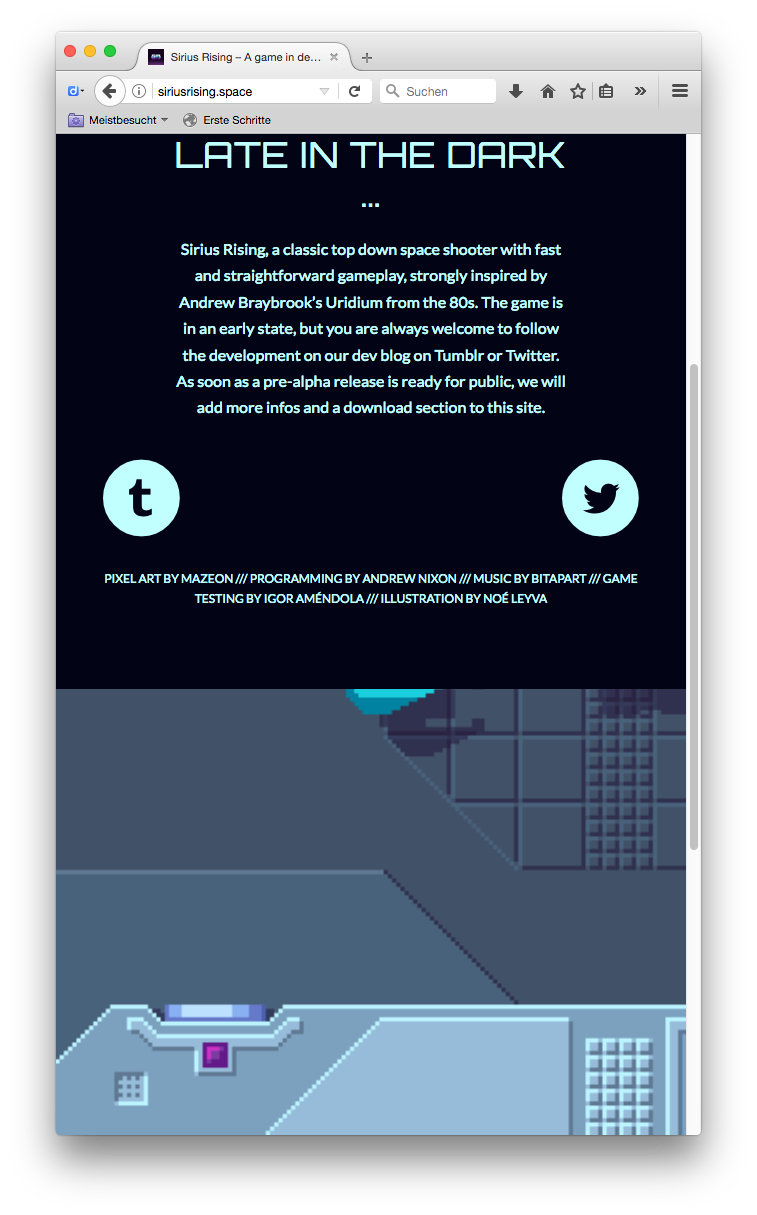
In addition, as soon as the browser window will be narrowed, both icons jump to the outer borders and aren’t centered anymore (see attached image 02)
How do I place these two icons side by side in one column in a centered, fixed position?
Thanks in advance.
Image One:
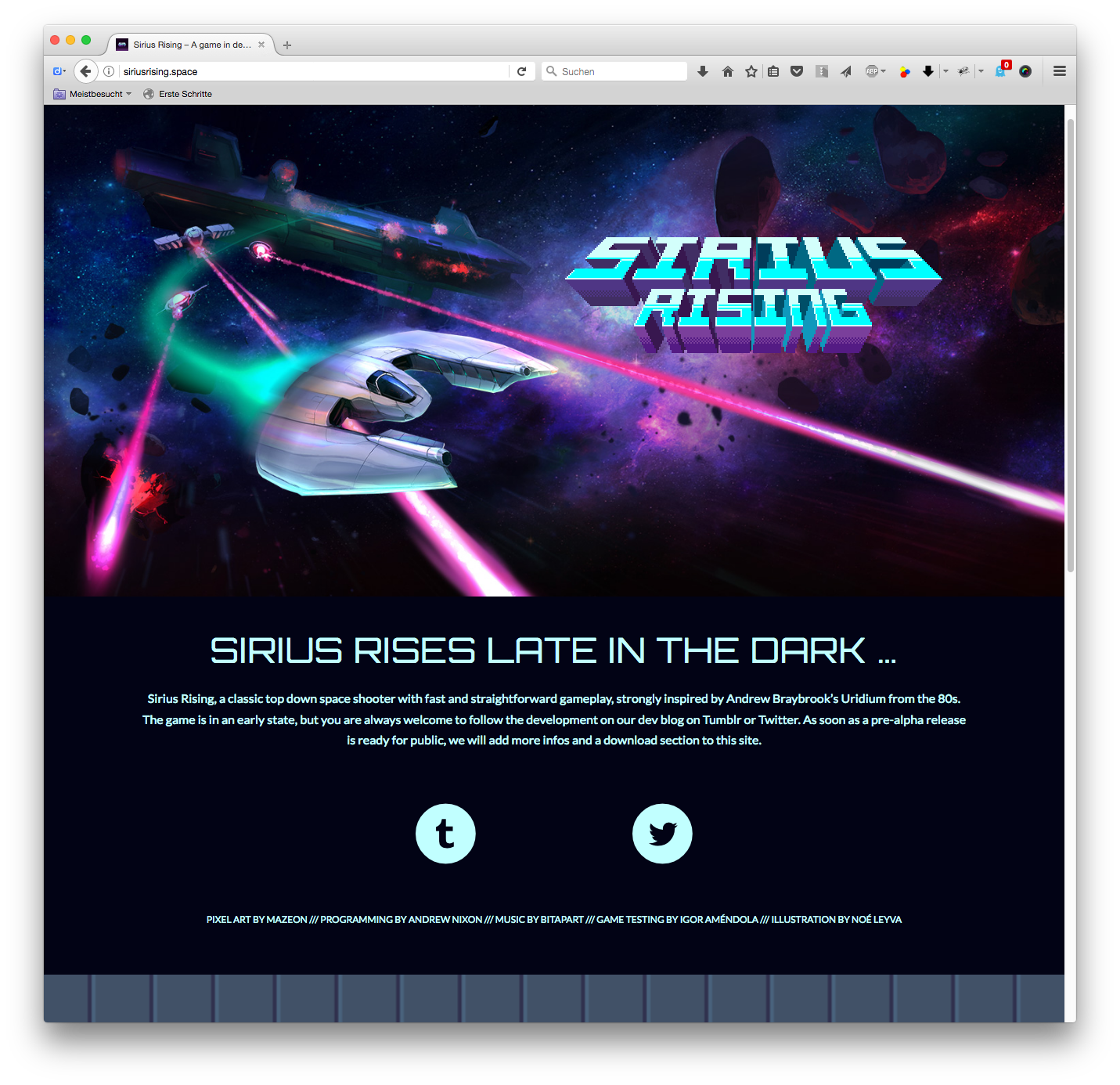
Image Two:
-
This topic was modified 8 years, 12 months ago by
 4farben.
Hi there,
thanks for this great theme. Great Layout Builder, Best Support I ever found, very good performance. Quite a perfect theme. Because of that reasons I use it and recommend it to a lot of people. But at shops we’re facing a BIG ISSUE with using it with woocommerce shops
I’m searching since hours for a solution to get a sibar on all product single pages at the right or left side.
With the theme settings the sidebar is showing in a ugly way under the product image on the left side. This is really worse and I find a lot of tickets regarding this topic with no real solution. The CSS and functions.php updates I found don’t work (any more).
Only possibility is to do it with the custom product layout and avia template builder, but this ends in a lot of ohter problems and compatibility issues with other plugins. So also this doesn’t really work!
Just 2014 there where posted plans to get this controlled by the theme options. Any idea when this will be implemented?
This feature is a KO for a lot of shops to use this theme so it should be a high priority to realize an option to controll woocommerce single product page.
Please let mw know when there will be a solution or if I have only not found it. (also in changelog I don’t find enything about).
Thanks for your help.
Greetings
Michael
Hi Victoria,
Also, this seems to happen on pages were a slider is used.
I removed Nikko’s hack. Try the mobile menu on my pages with an iPhone.
Homepage: Unable to scroll mobile menu.
Remote Sites: Able to scroll the mobile menu and scrolling stops when the end of the menu is reached.
Hi Victoria,
I don’t understand your answer.
Mobile menu scrolling does not work on the home page (it does not scroll at all) but works as expected on other pages (scrolling stops when the end of the menu is reached).
With the hack supplied by the Nikko scrolling works BUT not as before. The scrolling does not stop when the end of the menu is reached..
The mobile menu scrolling feature is broken. Nikko’s solution is a temporary and problematic solution at best.
Hi,
I was able to add and save a new download link, I’m not sure why you are having an issue, but I created a video of the steps I took. Perhaps you’ll see something I did different. Please note that the last step was to click “update” top right corner, it was off screen. Also I used the Chrome browser. Hope this helps :)

Best regards,
Mike
Hi,
@Photoviews7 thank you :)
@Stevo please refer to this thread
If you need further assistance please let us know.
Best regards,
Victoria
Hi AerobTec,
Here are the styles you can put into your file themes/enfold/css/custom.css:
#top.page.page-id-3329 span.more-link-arrow  {
	display:none;
}

#top.page.page-id-3329  .slide-content {
	text-align: center;
}

#top.page.page-id-3329 .slide-content .entry-content-header  h3{
    color: #0491d2;
    font-size: 1.7em;
    margin: 4%;
}

#top.page.page-id-3329  .slide-content .more-link {
    background-color: #0491d2;
    padding: 2px 30px 0;
    border-radius: 3px;
    text-decoration: none;
    border-bottom-style: solid;
    border-bottom-width: 1px;
    margin: 5% 0;
    font-weight: normal;
    color: #fff;
    text-transform: uppercase;
}
Let us know if you have any more questions.
Best regards,
Victoria
please also make header, with logo and main menu button, static,
so when i go down the page, it cannot be seen as it is only seen right at the top of the page when you start on that page
thanks a lot
great support!
j
Hi
My site works fine on desktop but will not display the full page on ipad in either landscape or portrait format
It only loads about half the page
Next one and also see: Link
if i use these code-snippets to replace Original Files in Enfold Parent Themes there is something different to 4.0.2 and former Versions.
Both worked very well before (same thing with php Shortcodes – see link above)
both code-snippets i usually used :
add_action('after_setup_theme', 'avia_lang_setup');
function avia_lang_setup()
{
$lang = get_stylesheet_directory()  . '/lang';
load_child_theme_textdomain('avia_framework', $lang);
}
or
add_action('after_setup_theme', 'avia_lang_setup');
function avia_lang_setup() {
    remove_action('after_setup_theme', 'avia_lang_setup');
    $lang = get_stylesheet_directory() . '/lang';
    load_theme_textdomain('avia_framework', $lang);
}
After that i have no german translations on my enfold backend.
i tried a lot switched between formal “Du” and informal “Sie” –
-
This topic was modified 8 years, 11 months ago by
 John Torvik.
I’ve looked at this….
I’ve even tried to follow this…..
https://kriesi.at/support/topic/add-snapchat-icon-to-top-social-bar/
But I can’t figure out how to put Snapchat in the social icons in the top and bottom of the website.
I’m putting the login information below.
i allways use poedit and it works great – do not forget to mark that setting (sorry on my german Wp i only see:) “MO Datei beim Speichern automatisch erstellen” should be something like that: “Allways create a MO file automatically when saving” And do upload both files
On Enfold if you use a Child-Theme you can use this in functions.php of child theme :
and than put in your lang files in the folder Enfold-Child/lang (Same structure as in parent theme ) (i found this from Ismael9
add_action('after_setup_theme', 'avia_child_lang_setup');
function avia_child_lang_setup() {
	remove_action('after_setup_theme', 'avia_lang_setup');
	$lang = get_stylesheet_directory() . '/lang';
	load_theme_textdomain('avia_framework', $lang);
}
i used this code:
add_action('after_setup_theme', 'avia_lang_setup');
function avia_lang_setup()
{
$lang = get_stylesheet_directory()  . '/lang';
load_child_theme_textdomain('avia_framework', $lang);
}
But : i now have to proove it if it will work – because sinse Update to Enfold 4.0.3 i have a lot of troubles with those codes replacing Original Files in Enfold Parent Theme. (php shortcodes and javascript files) see here: Link
-
This reply was modified 8 years, 12 months ago by
 Guenni007.
Meanwhile the 4.7.3 WP solved that Problem. This is a bit older thread of mine – but yigit please have a look at : https://kriesi.at/support/topic/bug-on-enfold-4-0-3/
Hi Rob,
Glad we could help. Please let us know if you should need any further help on the topic or if we can close it.
Best regards,
Rikard



