
-
Search Results
-
Check out the link below, images with a color and text overlay + a zoom in effect–that look fine in Chrome and Explorer–just run like an endless strobe light show on fire fox.
Been working with Enfold for year–first time I’ve seen anything like this happen. The shortcode on the site is also below, perhaps that’s the source of the incompatibility.
Thanks,
.main_menu a {
font-weight: bold;
}.avia-content-slider .slide-entry-title {
font-size: 18px !important;
}.toggler.activeTitle {
background: #59b74e !important;
color: white;
}.main_color .toggler {
background: #1794ce;
color: white;
}.main_color .toggler:hover {
background: #49baeb !important;
color: white !important;
}img.avia_image {
z-index:2!important;
}a.avia_image {
z-index:1!important;
}.avia-button.avia-size-large { font-size: 17px; } /* for large buttons */
.avia-button.avia-size-medium { font-size: 17px; } /* for medium buttons */
.avia-button.avia-size-small { font-size: 17px; } /* for small buttons */.special_amp { color: inherit!important; font-family: inherit; font-size: inherit; font-style: inherit;}
.avia-layerslider.avia-shadow {
box-shadow: none !important;
}div#after_layer_slider_1 {
border-top: none!important;
}.main_color.iconbox_top .iconbox_icon:hover {
background-color: #59b74e!important;
color: #ffffff !important;
}h3.iconbox_content_title a:hover {
color: #59b74e!important;
}.avia-button:hover {
background-color: #59b74e !important;
}h2.woocommerce-loop-product__title:hover {
text-decoration: underline;
}.av-iconlist-small li {
margin-bottom: 15px;
}.avia-icon-list .iconlist_icon {
margin-right: 15px;
}td {
font-size: 15px;
}Topic: Disable styled Ampersand
Hey there,
trying to figure out a way to remove the ugly ampersand symbol
i went through older forum pages and found this css but it didn’t work:.special_amp { font-family: inherit!important; font-style: normal!important; font-size: inherit; line-height: inherit; font-weight: bold; color: inherit!important; }Hallo Support,
meine Seite wird als nicht sicher unter https:// angezeigt. Wenn ich das dann analysiere, bekomme ich die Info, dass dieser Teil im Quellcode auch über https:// erreichbar sein sollte:
Mixed Content: The page at 'https://stahlbau-hallenbau-konstruktionen.com/' was loaded over HTTPS, but requested an insecure image 'http://test.kriesi.at/construction/wp-content/uploads/sites/7/2015/10/house-wire-model-fade-white-1500x1085.png'. This content should also be served over HTTPS.Auch werden im Quelltext immer wieder diese Aufrufe mit http:// angezeigt, auch hier ist die Frage, wie bekomme ich das angepasst bzw. korrigiert?
<div id=’av_section_1′ class=’avia-section main_color avia-section-default avia-no-border-styling avia-full-stretch av-parallax-section avia-bg-style-parallax avia-builder-el-1 el_after_av_slideshow_full el_before_av_section container_wrap fullsize’ style = ‘background-color: #d62c2c; ‘ data-section-bg-repeat=’stretch’ ><div class=’av-parallax’ data-avia-parallax-ratio=’0.3′ ><div class=’av-parallax-inner main_color avia-full-stretch’ style = ‘background-color: #d62c2c; background-repeat: no-repeat; background-image: url(http://test.kriesi.at/construction/wp-content/uploads/sites/7/2015/10/house-wire-model-fade-white-1500×1085.png); background-attachment: scroll; background-position: center right; ‘ ></div></div><div class=’container’ ><div class=’template-page content av-content-full alpha units’><div class=’post-entry post-entry-type-page post-entry-19′><div class=’entry-content-wrapper clearfix’>
<div class=”flex_column av_one_full flex_column_div av-zero-column-padding first avia-builder-el-2 avia-builder-el-no-sibling ” style=’border-radius:0px; ‘><div style=’padding-bottom:0px;color:#ffffff;font-size:30px;’ class=’av-special-heading av-special-heading-h3 custom-color-heading blockquote modern-quote modern-centered avia-builder-el-3 avia-builder-el-no-sibling av-inherit-size’><h3 class=’av-special-heading-tag’ itemprop=”headline” >Stahlhallenkonstruktionen <span class=’special_amp’>&</span> Sonderkonstruktionen</h3><div class =’av-subheading av-subheading_below av_custom_color’ style=’font-size:25px;’><p>Individuell nach Kundenwunsch gefertigt</p>
</div><div class=’special-heading-border’><div class=’special-heading-inner-border’ style=’border-color:#ffffff’></div></div></div></div>Wie kann ich das ändern?
Vielen Dank und Grüße
AndreasBased on other threads I’ve tried adding the code below to make the ampersand in the heading on this page show up as white: https://brightgreenlearning.com/academy/pricing-packages
.special_amp { color: inherit!important; font-family: inherit; font-size: inherit; }
Can anyone tell me what I’m doing wrong? Is it the fact that the Special Heading in question is in a Color Section that uses the Alternate Content color scheme?
Thanks,
Eoghan
(thatcommsguy)Topic: AMP sign
Hi there,
I have tried several quick CSS fixes from the forum to “nomalize” the & sign, but without luck.
This dosent work:
.home div#av_section_1 .special_amp {
font-family: inherit;
font-style: inherit;
font-size: inherit;
line-height: inherit;
font-weight: inherit;
color: inherit!important;
}Do you have a solution?
Hello guys,
I have a question regarding changing the header colour. This is the screenshot of my portfolio:

and this is the same page if I scroll the page down (this is the colour that I want btw):
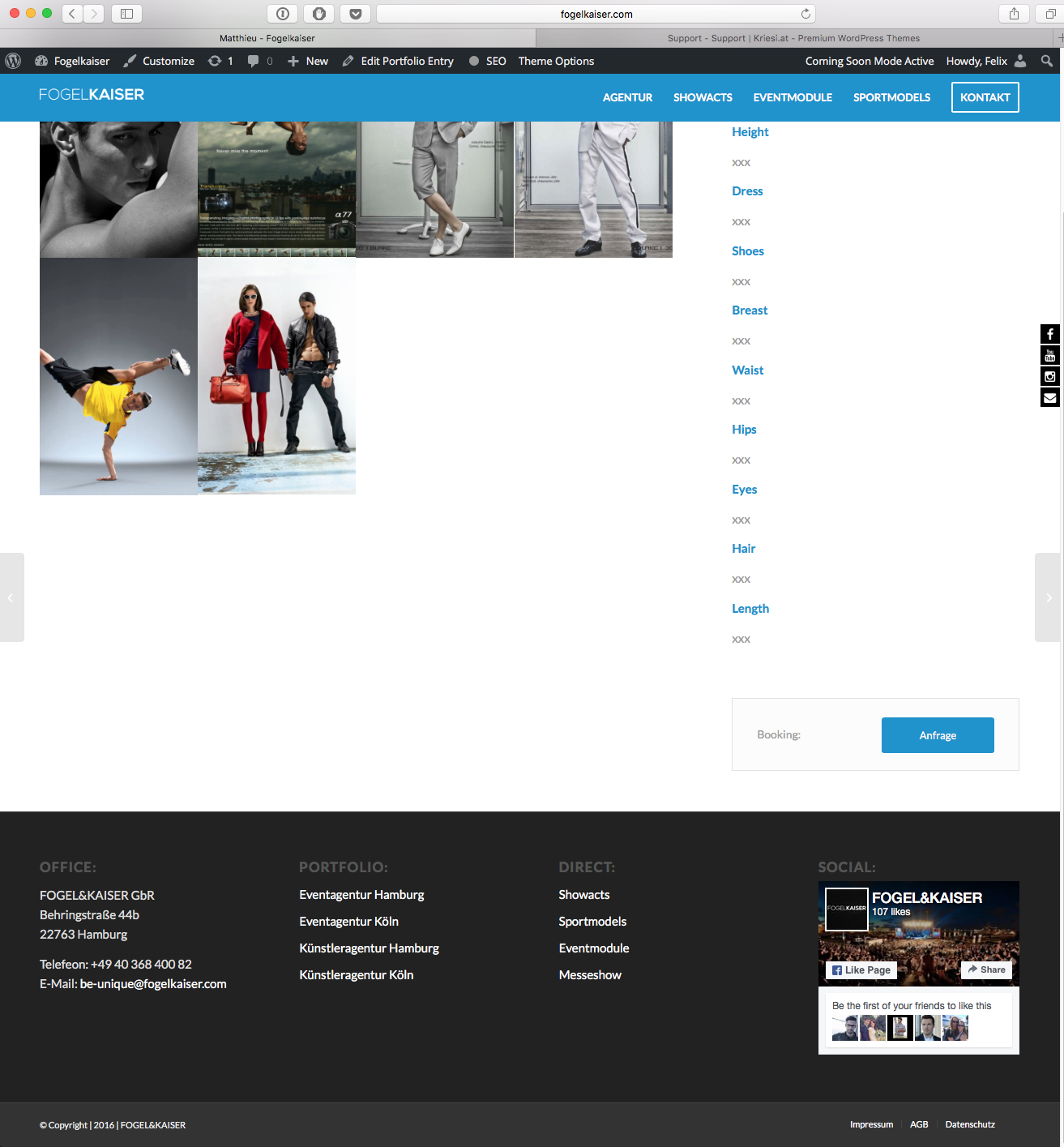
I’ve inserted the codeblock in order to make the header colour blue. But there’s no change, unless I change the colour in the General Styling. This is the code:
<style>header#header.header-scrolled * {background-color: #0091ce;}
#top .av-siteloader {
    border-color: #e1e1e1;
    border-left-color: #0091ce;
}
.main_color a, .main_color .widget_first, .main_color strong, .main_color b, .main_color b a, .main_color strong a, .main_color #js_sort_items a:hover, .main_color #js_sort_items a.active_sort, .main_color .av-sort-by-term a.active_sort, .main_color .special_amp, .main_color .taglist a.activeFilter, .main_color #commentform .required, #top .main_color .av-no-color.av-icon-style-border a.av-icon-char, .html_elegant-blog #top .main_color .blog-categories a, .html_elegant-blog #top .main_color .blog-categories a:hover {
    color: #0091ce;
}
.main_color a:hover, .main_color h1 a:hover, .main_color h2 a:hover, .main_color h3 a:hover, .main_color h4 a:hover, .main_color h5 a:hover, .main_color h6 a:hover, .main_color .template-search a.news-content:hover, .main_color .wp-playlist-item .wp-playlist-caption:hover {
    color: #0091ce;
}
.av-hotspot-container .av-image-hotspot_inner {
    background-color: #0091ce !important;
}
.main_color .primary-background, .main_color .primary-background a, div .main_color .button, .main_color #submit, .main_color input[type='submit'], .main_color .small-preview:hover, .main_color .avia-menu-fx, .main_color .avia-menu-fx .avia-arrow, .main_color.iconbox_top .iconbox_icon, .main_color .iconbox_top a.iconbox_icon:hover, .main_color .avia-data-table th.avia-highlight-col, .main_color .avia-color-theme-color, .main_color .avia-color-theme-color:hover, .main_color .image-overlay .image-overlay-inside:before, .main_color .comment-count, .main_color .av_dropcap2, #top #wrap_all .main_color .av-menu-button-colored > a .avia-menu-text, .main_color .av-colored-style .av-countdown-cell-inner, .responsive #top .main_color .av-open-submenu.av-subnav-menu > li > a:hover, #top .main_color .av-open-submenu.av-subnav-menu li > ul a:hover {
    background-color: #0091ce;
    color: #ffffff;
    border-color: #0091ce !important;
}
.main_color .button:hover, .main_color .ajax_controlls a:hover, .main_color #submit:hover, .main_color .big_button:hover, .main_color .contentSlideControlls a:hover, .main_color #submit:hover, .main_color input[type='submit']:hover {
    background-color: #0091ce;
    color: #ffffff;
    border-color: #0091ce;
}

#scroll-top-link:hover {
    color: #0091ce;
}
.main_color .required {
    color: #0091ce;
}
*::selection {
    background-color: #0091ce;
}
#athleten,#network{
     min-height: 1px;
}
</style>
So my question is how to change the header colour, in particular for the portfolio page, without changing the setting in general styling. Thanks in advance for your awesome support!
Kind regards,
Felix


