Viewing 30 results - 181 through 210 (of 16,897 total)
  • Author
    Search Results
  • #1489330

    `<a href=”http://[18-Sep-2025 01:04:06 UTC] EXCEPTION: Unclosed ‘{‘ on line 1367 in /home/calvarybaptistdu/public_html/wp-content/themes/enfold-child/functions.php on line 1393″>Toggle a section when a button is clicked</a>

    #1489329
    CharlieTh
    Participant

    I am very evidently not good with javascript, but was hoping to follow “recipe” on

    to Show/Hide a section.

    I was trying to create what’s entitled

      Toggle a Section when a button is clicked.

    At end of functioning functions.php, I inserted the following code and got the error indicated in the subject line above.

    The debug indicates an [18-Sep-2025 01:04:06 UTC] EXCEPTION: Unclosed ‘{‘ on line 1367 in functions.php on line 1393 — that appears to be right on the line prior to the add_action. If I put in } (to close it?), I still get the error.

    Please, could somebody steer me right on this thing? I’m befuddled!

    Thanks for any help from an expert!
    ======================================================================================

    //——————————-
    // Toggle section
    //——————————-

    function toggle_on_click(){
    ?>
    <script>
    jQuery(window).on(‘load’, function(){

    // Button onClick event

    jQuery(“.toggle-button a”).on(“click”, function(e) {

    // Add your button events here

    console.log(” toggle section”);

    jQuery(“#toggle-section”).toggleClass(“hide-me”);

    console.log(” Prevent default “);

    e.preventDefault();

    });

    });
    </script>
    <!–?php<br /–> }

    add_action(‘wp_footer’, ‘toggle_on_click’);

    #1489327
    Jason
    Participant

    I am using Enfold 7.1.2 with PHP 8.4 with WooCommerce as a shop.

    When a customer order the “processing email” it leaves a blank space between address 1 and the city, ST ZIP, such as the following:

    Joe Bloe
    1 Street Address

    Los Angeles, CA 90029

    It should be:
    Joe Bloe
    1 Street Address
    Los Angeles, CA 90029

    How do I update the PHP code to remove the blank space on the email if there is no copy in Address 2 field?

    I see this in WooCommerce:

    To override and edit this email template copy woocommerce/templates/emails/customer-processing-order.php to your theme folder: enfold-child/woocommerce/emails/customer-processing-order.php.

    I could use some help how and waht to change from the following:

    <?php
    /**
    * Customer processing order email
    *
    * This template can be overridden by copying it to yourtheme/woocommerce/emails/customer-processing-order.php.
    *
    * HOWEVER, on occasion WooCommerce will need to update template files and you
    * (the theme developer) will need to copy the new files to your theme to
    * maintain compatibility. We try to do this as little as possible, but it does
    * happen. When this occurs the version of the template file will be bumped and
    * the readme will list any important changes.
    *
    * @see https://woocommerce.com/document/template-structure/
    * @package WooCommerce\Templates\Emails
    * @version 9.9.0
    */

    use Automattic\WooCommerce\Utilities\FeaturesUtil;

    if ( ! defined( ‘ABSPATH’ ) ) {
    exit;
    }

    $email_improvements_enabled = FeaturesUtil::feature_is_enabled( ’email_improvements’ );

    /*
    * @hooked WC_Emails::email_header() Output the email header
    */
    do_action( ‘woocommerce_email_header’, $email_heading, $email ); ?>

    <?php echo $email_improvements_enabled ? ‘<div class=”email-introduction”>’ : ”; ?>
    <p>
    <?php
    if ( ! empty( $order->get_billing_first_name() ) ) {
    /* translators: %s: Customer first name */
    printf( esc_html__( ‘Hi %s,’, ‘woocommerce’ ), esc_html( $order->get_billing_first_name() ) );
    } else {
    printf( esc_html__( ‘Hi,’, ‘woocommerce’ ) );
    }
    ?>
    </p>
    <?php if ( $email_improvements_enabled ) : ?>
    <p><?php esc_html_e( ‘Just to let you know — we’ve received your order, and it is now being processed.’, ‘woocommerce’ ); ?></p>
    <p><?php esc_html_e( ‘Here’s a reminder of what you’ve ordered:’, ‘woocommerce’ ); ?></p>
    <?php else : ?>
    <?php /* translators: %s: Order number */ ?>
    <p><?php printf( esc_html__( ‘Just to let you know — we\’ve received your order #%s, and it is now being processed:’, ‘woocommerce’ ), esc_html( $order->get_order_number() ) ); ?></p>
    <?php endif; ?>
    <?php echo $email_improvements_enabled ? ‘</div>’ : ”; ?>

    <?php

    /*
    * @hooked WC_Emails::order_details() Shows the order details table.
    * @hooked WC_Structured_Data::generate_order_data() Generates structured data.
    * @hooked WC_Structured_Data::output_structured_data() Outputs structured data.
    * @since 2.5.0
    */
    do_action( ‘woocommerce_email_order_details’, $order, $sent_to_admin, $plain_text, $email );

    /*
    * @hooked WC_Emails::order_meta() Shows order meta data.
    */
    do_action( ‘woocommerce_email_order_meta’, $order, $sent_to_admin, $plain_text, $email );

    /*
    * @hooked WC_Emails::customer_details() Shows customer details
    * @hooked WC_Emails::email_address() Shows email address
    */
    do_action( ‘woocommerce_email_customer_details’, $order, $sent_to_admin, $plain_text, $email );

    /**
    * Show user-defined additional content – this is set in each email’s settings.
    */
    if ( $additional_content ) {
    echo $email_improvements_enabled ? ‘<table border=”0″ cellpadding=”0″ cellspacing=”0″ width=”100%”><tr><td class=”email-additional-content”>’ : ”;
    echo wp_kses_post( wpautop( wptexturize( $additional_content ) ) );
    echo $email_improvements_enabled ? ‘</td></tr></table>’ : ”;
    }

    /*
    * @hooked WC_Emails::email_footer() Output the email footer
    */
    do_action( ‘woocommerce_email_footer’, $email );

    • This topic was modified 7 months, 1 week ago by Jason.
    #1489324

    In reply to: external Widget

    This reply has been marked as private.
    #1489323

    In reply to: Widget page inactive

    Enfold 7.1.2
    php 8.3.25
    WP : 6.8.2
    I tested the site with all extensions disabled, without results.

    #1489316

    Topic: Widget page inactive

    in forum Enfold
    oxyde31
    Participant

    Hello,
    The widget page is completely inactive; none of the buttons are working. In debug mode, I get the following error message:
    Une erreur de type E_ERROR a été causée dans la ligne 153 du fichier /homepages/21/d858425693/htdocs/wp-content/themes/enfold/framework/php/widgets/widget-classes/class-avia-mailchimp.php. Message d’erreur : Uncaught TypeError: strip_tags(): Argument #1 ($string) must be of type string, array given in /homepages/21/d858425693/htdocs/wp-content/themes/enfold/framework/php/widgets/widget-classes/class-avia-mailchimp.php:153
    Stack trace:
    #0 /homepages/21/d858425693/htdocs/wp-content/themes/enfold/framework/php/widgets/widget-classes/class-avia-mailchimp.php(153): strip_tags()
    #1 /homepages/21/d858425693/htdocs/wp-includes/class-wp-widget.php(535): aviaFramework\widgets\avia_mailchimp_widget->form()
    #2 /homepages/21/d858425693/htdocs/wp-admin/includes/widgets.php(276): WP_Widget->form_callback()
    #3 /homepages/21/d858425693/htdocs/wp-includes/widgets.php(845): wp_widget_control()
    #4 /homepages/21/d858425693/htdocs/wp-admin/includes/widgets.php(119): dynamic_sidebar()
    #5 /homepages/21/d858425693/htdocs/wp-admin/widgets-form.php(552): wp_list_widget_controls()
    #6 /homepages/21/d858425693/htdocs/wp-admin/widgets.php(34): require(‘/homepages/21/d…’)
    #7 {main}
    thrown
    Thank you for your help

    #1489286
    Darren Harlow
    Guest

    I have one of your wordpress themes called “5 Arrows” that is at version 4.2. It says you are the author. I believe that it was purchased when I had a renovation done on my website. Currently I don’t have a way to get it updated, and now I am running into an issue with updating PHP beyond 7.4 due to compatability issues. Can someone help me out on this?

    #1489277

    In reply to: external Widget

    This reply has been marked as private.
    #1489268

    Hi,

    Thank you for the update.

    Try to add this code to the functions.php file to sort items on the blog page by modified date and on the songs page by published date:

    function ava_pre_get_posts_mod($query) {
        if (!is_admin() && $query->is_main_query()) {
            if (is_page(1230)) {
                $query->set('orderby', 'date');
                $query->set('order', 'DESC');
            }
    
            if (is_page(574)) {
                $query->set('orderby', 'modified'); 
                $query->set('order', 'ASC');
            }
        }
    }
    add_action('pre_get_posts', 'ava_pre_get_posts_mod');


    Best regards,
    Ismael

    #1489225

    Hi,
    Typically updating from v4.x to v7.x should cause no major issues as the theme is backward compatible, but if your child theme has any customized elements, or a header.php or footer.php, these will cause issues, and should be removed first.
    Updating via FTP by overwriting the theme files will also cause issues as older files will be left behind, updating by uploading the theme as “new” in the WP backend is safer as WordPress removes the old directory and then adds the new directory.
    I have not seen an issue where an update lead to the shortcodes showing (e.g. [av_textblock]), do you see the shortcodes on the frontend or in the backend in the Block Editor? Pages & Posts created with the ALB (Advanced Layout Builder) should not be opened, edited, or saved with the Block Editor, always edit ALB pages with the ALB editor. Also don’t use any other builders like elementor, beaver builder, visual composer, etc.
    Incremental updates is not needed as I have seen v3.x updated without issues. I recommend exporting your child theme settings for backup, and exporting the layerslider sildes. Then create a staging site to test the update on, this way your live site is unchanged while your issue can be examined. Ensure that your stagging site is not using a cache plugin or object-oriented cache from your server, or a CDN, as these may not show the updated site correctly.
    The only issues that I find for Ninja Forms are old:
    2015: https://kriesi.at/support/topic/customize-ninja-form-styling/
    2016: https://kriesi.at/support/topic/enfold-ninja-forms-conditional-logic-problems/
    2019: https://kriesi.at/support/topic/ninja-forms-not-working-after-latest-wordpress-update/
    2021: https://kriesi.at/support/topic/ninja-forms-breaking-with-enfold/
    Note that the layerslider has had many changes and you may need to edit your slides and resave the transforms and minor settings, there is nothing we can do about that, the layerslider doesn’t seem to be fully backward compatible.

    Best regards,
    Mike

    #1489214

    Hey Swarez,
    I see that you have a modified slideshow.php in your child theme, when I activate the parent Enfold v7.1.1 the test page loads correctly with the slider and all other elements. Try removing your custom slideshow.php from your child theme.

    Best regards,
    Mike

    #1489148

    Hi,

    Thank you for the update.

    We modified the avf_social_icons_options filter a bit and moved it around line 64 of the functions.php file. We also added the social icon in the Enfold > Social Profiles panel. Please make sure to purge the cache before checking the page.

    Screenshot-2025-09-11-at-10-31-50-AM
    image host
    Best regards,
    Ismael

    #1489137

    I tried adding it to the page but it doesnt show the icon, just the name.
    I have added the snippet to the bottom of my functions.php file
    Here is what’s showing:
    https://machinegunsvegas.com/wp-content/uploads/2025/09/Screenshot-2025-09-10-at-17.45.03.png

    #1489070

    Hey Alejo Rotemberg,
    We expect no issues with updating, but recommend creating a full backup using your webhost backup tool, not a plugin unless you have specific knowledge with it and it has worked for you in the past. Often backup plugins fail when restoring.
    Also note that if you are not using a child theme and the core files such as functions.php were modified those customizations will be lost, so backup any customizations.
    Also note that if you are using a child theme and you have a copy of the header.php or footer.php in the child theme, please remove these as these files have changed and will cause an error.
    To update your version of Enfold you will need to download the latest installable WP version from your Theme Forest account and upload it to your WordPress ▸ Appearance ▸ Themes ▸ Add Themes ▸ Add New
    WordPress_Appearance_Themes_Add-Themes_Add-New.jpg
    after you choose the zip file and click install, you will see a This theme is already installed message because you are updating, you can continue
    Installing_theme_from_uploaded_file_This_theme_is_already_installed.jpg
    then you will see the Theme updated successfully message.
    Theme_updated_successfully.jpg

    Best regards,
    Mike

    #1489057

    Topic: Sidebar settings

    in forum Enfold
    welswebmaster
    Participant

    Hi Enfold team,
    I’ve adjusted \ the Content | Sidebar Ratio settings to 80/20 in the Enfold > General Layout > Dimensions tab to decrease the sidebar’s width. I’ve emptied server cache and browser cache and no change. It was set to 70/30 but appears as 50/50. I’ve looked at General Styling quick CSS (nothing there), functions.php (nothing there), and styles.css (nothing there). Two examples of how it appears is in private. Where else could this setting cause the 50/50 view?
    Thanks,
    j

    #1489020

    In reply to: Major Theme Update

    Hey mshane,
    Envato (Theme Forest) stopped using the API a few years ago, now they use a Token, but you can not use the Token with your version so you will need to manually update, then set up the Token and next time you can update in the theme panel. We expect no issues with updating, but recommend creating a full backup using your webhost backup tool, not a plugin unless you have specific knowledge with it and it has worked for you in the past. Often backup plugins fail when restoring.
    Also note that if you are not using a child theme and the core files such as functions.php were modified those customizations will be lost, so backup any customizations.
    Also note that if you are using a child theme and you have a copy of the header.php or footer.php in the child theme, please remove these as these files have changed and will cause an error.
    To update your version of Enfold you will need to download the latest installable WP version from your Theme Forest account and upload it to your WordPress ▸ Appearance ▸ Themes ▸ Add Themes ▸ Add New
    WordPress_Appearance_Themes_Add-Themes_Add-New.jpg
    after you choose the zip file and click install, you will see a This theme is already installed message because you are updating, you can continue
    Installing_theme_from_uploaded_file_This_theme_is_already_installed.jpg
    then you will see the Theme updated successfully message.
    Theme_updated_successfully.jpg

    Best regards,
    Mike

    #1489009
    JudyCurtis
    Participant

    My apologies, but I am an infrequent user, so just trying to figure this out.
    When I add a new portfolio item to the Enfold theme, I dont see the advanced layout editor, like normal.
    I have tried to update the theme, but Theme Update says:
    No Updates available. You are running the latest version! (5.2.1)
    Check Manually
    Your PHP version: 8.0.30.7

    thank you!

    #1488992
    doste
    Guest

    Bonjour j’ai reçu la réponse suite à mon message pour le nouveau thème mais je n’arrive pas à me connecter à votre site pour répondre. Donc je reviens ici. En fait mon WordPress me recommande la version 8.3
    Mon site fonctionne sur une version obsolète de PHP (7.4.33), qui ne reçoit pas les mises à jour de sécurité.
    Vous n’avez pas regardé mon compte WordPress apparemment avec mes liens envoyés pourtant.

    #1488991
    doste
    Guest

    Bonjour j’ai reçu la réponse suite à mon message pour le nouveau thème mais je n’arrive pas à me connecter à votre site pour répondre. Donc je reviens ici. En fait mon WordPress me recommande la version 8.3
    Mon site fonctionne sur une version obsolète de PHP (7.4.33), qui ne reçoit pas les mises à jour de sécurité.
    Vous n’avez pas regardé mon compte WordPress apparemment avec mes liens envoyés pourtant.

    #1488893
    Mapod
    Participant

    Hello, I have a massive performance issue in the backend since switching to a newer PHP version.
    Saving drafts takes up to 10 seconds, and loading the pages overview is also extremely slow. Even just calling up a textbox to edit text takes up to 10 seconds.
    – I am working with WordPress 6.8.2 and the Enfold theme version 7.1.2.
    – I’ve observed the issue on MySQL database version 8.0.36. I tested with PHP 8.2.29 and PHP 8.3.24 without any improvement.
    – I only have 4 plugins, which I have all deactivated for testing purposes. The problem persisted.
    – My server settings are more than sufficient. The PHP memory limit is set to -1 (unlimited), and the max_input_vars is at 5000.
    – I have optimized the database, but this did not solve the issue.
    – The error disappears as soon as I activate a default theme.

    What can i do?

    #1488888

    allthough i set the right font and ID it does not show the right name and does not show the social icon

    So how to have new social icons via media library?

    function avia_add_custom_icons($icons){
      $icons['bluesky'] =  array( 'font' =>'svg_wp-media-library', 'icon' => '1787', 'display_name' => 'Bluesky SVG');
        return $icons;
      }
    add_filter('avf_default_icons','avia_add_custom_icons', 10, 1);

    Edit: now i see your comment with the name that $icons[‘bluesky’] inside the bracket has to be the file name of the icon!
    And: and my mistaken – the display_name is only for the hover style – and not for that drop-down list in Soziales Symbol list.

    ________

    Next: On the ALB Element Share Buttons – if we do not want the standard ( set on Options: Blog Layout ) but to set it manually in the ALB (Use a custom set). The new icon is not in there.

    function avia_add_social_share_link_arguments($args){
        $bluesky = array('bluesky' => array("encode" => true, "encode_urls" => false, "pattern" => "https://www.bluesky.com/", 'label' => __("Share on bluesky", 'avia_framework')));
        $args = array_merge($bluesky, $args);  
        return $args;
    }
    add_filter('avia_social_share_link_arguments', 'avia_add_social_share_link_arguments', 10, 1);

    so maybe a similar (or the same ) filter inside social_share.php would be nice to have. And inserting the above will do the job twice

    • This reply was modified 7 months, 3 weeks ago by Guenni007.
    viannay
    Guest

    Hello,

    I am currently experiencing several issues with my WordPress site using the Enfold theme with the Avia builder:

    Some modules do not display correctly, or they completely disappear.

    I noticed that some modules seem broken or compromised.

    I can no longer remove, move, or edit certain modules in Avia.

    I have already tried basic troubleshooting steps (clearing cache, deactivating plugins, increasing PHP limits, etc.), but the issue still persists.

    Here is my license number for verification: b19dc117-0f06-4276-92fe-08fbb91f1511

    Could you please help me identify the cause of this problem and provide a solution?
    If needed, I can provide admin or FTP access privately.

    Thank you in advance for your support.

    Best regards,

    #1488736

    Hi,
    Thanks for your patience, I believe that it is sorted out now, clear your browser cache and check.
    This is the code that I added:

    function custom_offset_script_with_width() { ?>
        <script>
    (function($) {
      $('a[href*="#next-section"]').click(function() {
      	var width = $(window).width()
          	if ($(window).width() < 768) {
            $('html,body').animate({
              scrollTop: $(this).offset().top - 100 //offsets for mobile fixed header
            }, 1000);
            return false;
           } else if (width >= 768 && width <= 1366) {
            $('html,body').animate({
              scrollTop: $(this).offset().top - 75 //offsets for tablet fixed header
            }, 1000); 
            return false; 
          } else {
          	$('html,body').animate({
              scrollTop: $(this).offset().top - 50 //offsets for desktop fixed header
            }, 1000);
            return false;
          }
      });
    }(jQuery));
    </script>
    <?php
    }
    add_action('wp_footer', 'custom_offset_script_with_width');

    Best regards,
    Mike

    On inserting this snippet to your child-theme functions.php:

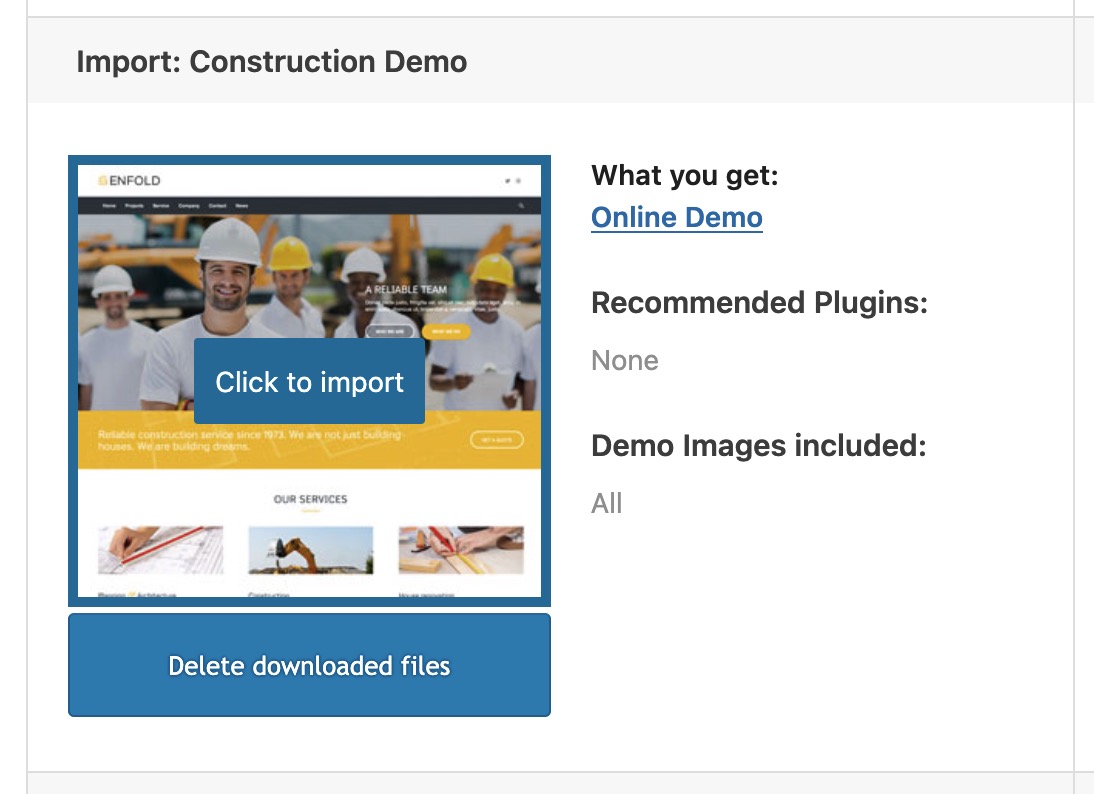
    add_theme_support( 'avia_demo_store_downloaded_files' ); 
    

    the Enfold Import Page will not show an install Button – but a download button.
    After the Download – there will be a caption under the downloaded demos and on hovering again they got now a “click to import” button.

    #1488685

    Ismael, I had a chat with Chatgpt and we came up with this code.

    // Voegt een custom calender icoon aan een data veld
     function ava_custom_calendar_icon_script() {
        ?>
        <style>
            .custom-date-wrapper {
                position: relative;
                display: inline-block;
                width: 100%;
            }
    
            .custom-date-wrapper input[type="date"] {
                width: 100%;
                padding-right: 40px; /* ruimte voor het icoon */
                position: relative;
                z-index: 2;
                background-color: #fff;
            }
    
            .custom-date-wrapper::after {
                content: "📅";
                position: absolute;
                right: 12px;
                top: 50%;
                transform: translateY(-50%);
                pointer-events: none;
                font-size: 20px;
                color: #888;
                z-index: 3;
            }
        </style>
    
        <script>
            function addCalendarIconToDateInputs(context = document) {
                context.querySelectorAll('input[type="date"]:not(.calendar-styled)').forEach(function (input) {
                    if (input.closest('.custom-date-wrapper')) return;
    
                    var wrapper = document.createElement('span');
                    wrapper.className = 'custom-date-wrapper';
    
                    input.classList.add('calendar-styled');
    
                    input.parentNode.insertBefore(wrapper, input);
                    wrapper.appendChild(input);
                });
            }
    
            document.addEventListener('DOMContentLoaded', function () {
                addCalendarIconToDateInputs();
    
                // Contact Form 7 AJAX support
                document.addEventListener('wpcf7invalid', function (event) {
                    addCalendarIconToDateInputs(event.target);
                });
                document.addEventListener('wpcf7submit', function (event) {
                    addCalendarIconToDateInputs(event.target);
                });
    
                // Extra: hoogte instellen voor mobile
                if (window.matchMedia("(max-width: 768px)").matches) {
                    document.querySelectorAll('input[type="date"]').forEach(function(input) {
                        input.style.height = '40px';
                        input.style.lineHeight = '40px'; // mooi gecentreerd
                    });
                }
            });
        </script>
        <?php
    }
    add_action('wp_footer', 'ava_custom_calendar_icon_script', 9999); 

    For now the height is the same as my other fields, and I have a calendar icon on my iphone.
    The width of the field doens’t seem adapable.

    • This reply was modified 8 months ago by Chris mssn.
    #1488624
    Munford
    Participant

    Hi
    On the site below I have a background video in a color section at the bottom of the page.
    I added an unmute button to the video, and it seems to be working.
    I added the codes I found here: https://kriesi.at/support/topic/html-for-turning-on-audio/#post-1432783
    and on this page: https://webers-testseite.de/mute-unmute/

    I didn’t understand where to place the first code where it says :
    Activate Child-theme shortcodes replacement by:

    add_filter('avia_load_shortcodes', 'avia_include_shortcode_template', 15, 1);
    function avia_include_shortcode_template($paths){
      $template_url = get_stylesheet_directory();
          array_unshift($paths, $template_url.'/shortcodes/');
      return $paths;
    }

    Do I add that to my functions.php or is it OK as it is?

    I am also still seeing the mute icon on mobile, even though my css is:

    @media only screen and (min-width: 768px) {
    .custom-mute {
        display: block;
        background-image: url('/wp-content/uploads/2025/08/icon-mute.png');
        background-size: cover;
        width: 50px;
        height: 50px;
        position: absolute;
        bottom: 8%;
        right: 4%;
        z-index: 50;
    }
    .custom-mute:hover {
    	opacity: 0.7;
    }
    .icon-sound-on {
    	background-image: url('/wp-content/uploads/2025/08/icon-sound.png');
    }}

    can you help me with this?

    thanks
    Nancy

    • This topic was modified 8 months ago by Munford.
    • This topic was modified 8 months ago by Munford.
    • This topic was modified 8 months ago by Munford.
    • This topic was modified 8 months ago by Munford.
    #1488622

    Hi Ismael, thanks for your support.

    Where did you add the code?

    In the child’s functions.php file, as you indicated.

    The Appearance > Theme File Editor is not accessible.

    This hosting provider doesn’t enable it automatically, but I made a change and it is now active, as shown in the image where the inserted code is also highlighted.
    20

    Regards.

    #1488600

    f.e. – on my test page i do only have set it for front-page and impressum:

    add_action('ava_after_body_opening_tag', function() {
        if (is_page(array(330,1128))){ 
            echo '<div id="fullscreen-overlay"></div>';
        }
    });
    
    function timed_overlay_fullscreen_image(){
    if (is_page(array(330,1128))){ 
    ?>
    <script>
      document.addEventListener('DOMContentLoaded', function() {
        setTimeout(function() {
            var overlay = document.getElementById('fullscreen-overlay');
            if (overlay) {
                overlay.classList.add('hidden');
            }
        }, 5000); // 5000 milliseconds = 5 seconds
      });
    </script>
    <?php
    }
    }
    add_action('wp_footer', 'timed_overlay_fullscreen_image');

    btw: if you like you can have page-title or different text included to that hook
    replace f.e. to :
    echo '<div id="fullscreen-overlay"><h1>'.get_the_title().'</h1></div>';

    see example page from above with get_the_title (and only 3 seconds)

    #fullscreen-overlay {
        position: fixed;
        display: flex;
        justify-content: center; 
        align-items: center; 
        top: 0;
        left: 0;
        width: 100%;
        height: 100%;
        background-color: #000; /* Example: black background */
        background-image: url(/wp-content/uploads/2016/07/corporate-buildings-m.jpg);
        background-repeat: no-repeat;
        background-size: cover;
        z-index: 9999;
        opacity: 1;
       transition: opacity 1s ease-in-out, visibility 0s linear 1s;
    }
    
    #fullscreen-overlay.hidden {
        opacity: 0;
        visibility: hidden;
        pointer-events: none; 
    }
    
    #fullscreen-overlay h1 {
      font-size: 4em;
      color: #FFF;
      margin: 0;
      padding: 20px;
      text-shadow: 2px 3px 5px #000;
    }
    #1488599

    try inside your child-theme functions.php:

    // Inject the HTML overlay into the body
    add_action('ava_after_body_opening_tag', function() {
        echo '<div id="fullscreen-overlay"></div>';
    });
    
    function timed_overlay_fullscreen_image(){
    ?>
    <script>
      document.addEventListener('DOMContentLoaded', function() {
        setTimeout(function() {
            var overlay = document.getElementById('fullscreen-overlay');
            if (overlay) {
                overlay.classList.add('hidden');
            }
        }, 5000); // 5000 milliseconds = 5 seconds
      });
    </script>
    <?php
    }
    add_action('wp_footer', 'timed_overlay_fullscreen_image');

    and in quick css:

    #fullscreen-overlay {
        position: fixed;
        top: 0;
        left: 0;
        width: 100%;
        height: 100%;
        background-color: #000; 
        background-image: url(/wp-content/uploads/2016/07/corporate-buildings-m.jpg);
        background-repeat: no-repeat;
        background-size: cover;
        z-index: 9999;
        opacity: 1;
       transition: opacity 1s ease-in-out, visibility 0s linear 1s;
    }
    
    #fullscreen-overlay.hidden {
        opacity: 0;
        visibility: hidden;
        pointer-events: none; /* Disable interaction when hidden */
    }

    see: https://basis.webers-testseite.de/

    if you just want to have that on your front page – than we had to adjust those snippets.

    #1488568

    In reply to: fontawesome

    Hey Christian,
    Where are you trying to upload fontawesome?
    Typically you do not upload fontawesome, it is not compatible with the theme font manager and will not show in the ALB icons.
    So you need to sign up here to get your “Kit”
    Then you will get a code like this to put in your header: <script src="https://kit.fontawesome.com/244e4f20aaa.js" crossorigin="anonymous"></script>
    add it to the end of your child theme functions.php file in Appearance ▸ Editor in this function:

    function Font_Awesome_7(){
    ?>
    <script src="https://kit.fontawesome.com/244e4f20aaa.js" crossorigin="anonymous"></script>
    <?php
    }
    add_action('wp_head', 'Font_Awesome_7');

    be sure to change the link to yours.
    Then choose your icon and make sure that you add a size to the icon code, for example <i class="fas fa-mug-hot fa-10x"></i>
    and add it to your page.
    Screen Shot 2025 08 26 at 4.24.34 PM
    See this documentation:
    https://docs.fontawesome.com/

    Note they also have a plugin, I have not tried it, see: https://docs.fontawesome.com/web/use-with/wordpress

    Best regards,
    Mike

Viewing 30 results - 181 through 210 (of 16,897 total)