Hi Ismael,
Thanks for your quick note back.
.post-entry .blog-meta {
display: none;
}
For some reason the code above only affected the Single Post Entries and the Featured Images appeared in the Category Blog Post Multiple listing of small Preview images.
Now on the Single Post Entires a Large Icon appears on the Single post of a Pencil on a large gray square….how do I hide those?
Is there Css to make this icon disappear?
Thanks
Hi Ismael,
thanks this works. But it is just a dirty hack.
Loading images in DOM to then not show it ist not a clean solution, isn’t?
Can you please give me a clean php-solution?
Where is the error in my php-snippet above?
Thanks
Tim
Hey actichemph,
Thank you for the inquiry.
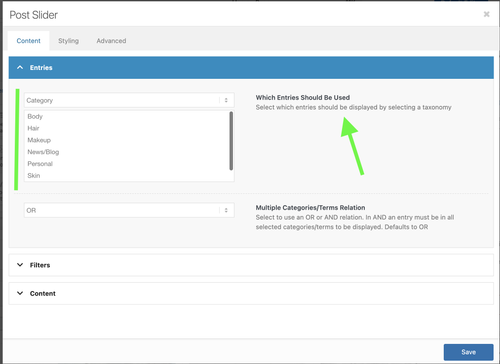
We have added a Post Slider element below the slider, and the posts seem to be displaying as expected. You may need to select a category in the Content > Entries > Which Entries Should Be Used settings, as shown in the screenshot below.
To help you get started with the theme, please check out the documentation and feel free to reach out here in the forum if you need any assistance.
— https://kriesi.at/documentation/enfold/
Best regards,
Ismael
Hey slikslok,
Thank you for the inquiry.
Are you trying to hide the featured image on the single post page or view? You can try this css code instead of using the filter above.
.single .big-preview.single-big {
    display: none;
}
Let us know the result.
Best regards,
Ismael
Hi,
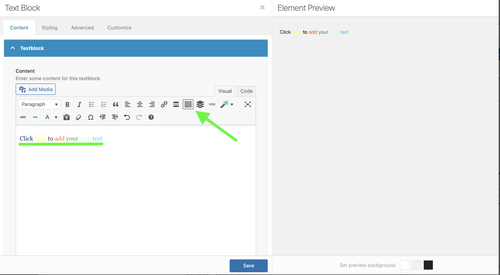
Sorry for the confusion. Looks like the color picker is actually available for the Text Block editor, but you have to click the Toolbar Toggle icon. Please refer to the screenshot below.
Best regards,
Ismael
Hey dcarlsondesign,
Thank you for the inquiry.
The featured images are not displaying due to the following css rule in the style.css file:
.post-entry .blog-meta {
    display: none;
}
Removing this css rule should restore the featured images.
Best regards,
Ismael
Hi,
The text on the hero image on mobile gets cut off both vertically and horizontally. I want all of the text to fit on the hero image on mobile. Here’s the link so you can see: https://www.dropbox.com/scl/fi/fhtmqe8pjqt10njcnemyy/cathy-feemster.jpg?rlkey=gyjn5jnqnabhj1b2bwc9m9r0q&st=xzn7a9e6&dl=0
It’s fine on an computer.
Thanks!
Justine
The Featured Image does not display when —
Single Author, small preview Pic (no author picture is displayed, feature image is small)
The featured image does display in other Blog style settings such as Feature image is big or in the Grid Layout…alas these are not styles I want.
I just updated to Enfold 7.1.3 and also WordPress 6.9 — and the small featured imaged displayed before the update.
Do you know how to fix this?
Issue can be seen here: (no small featured images display to left of text 180 x 180 pixel selected
Hey MOHAMED ELAMINE MEFTAH,
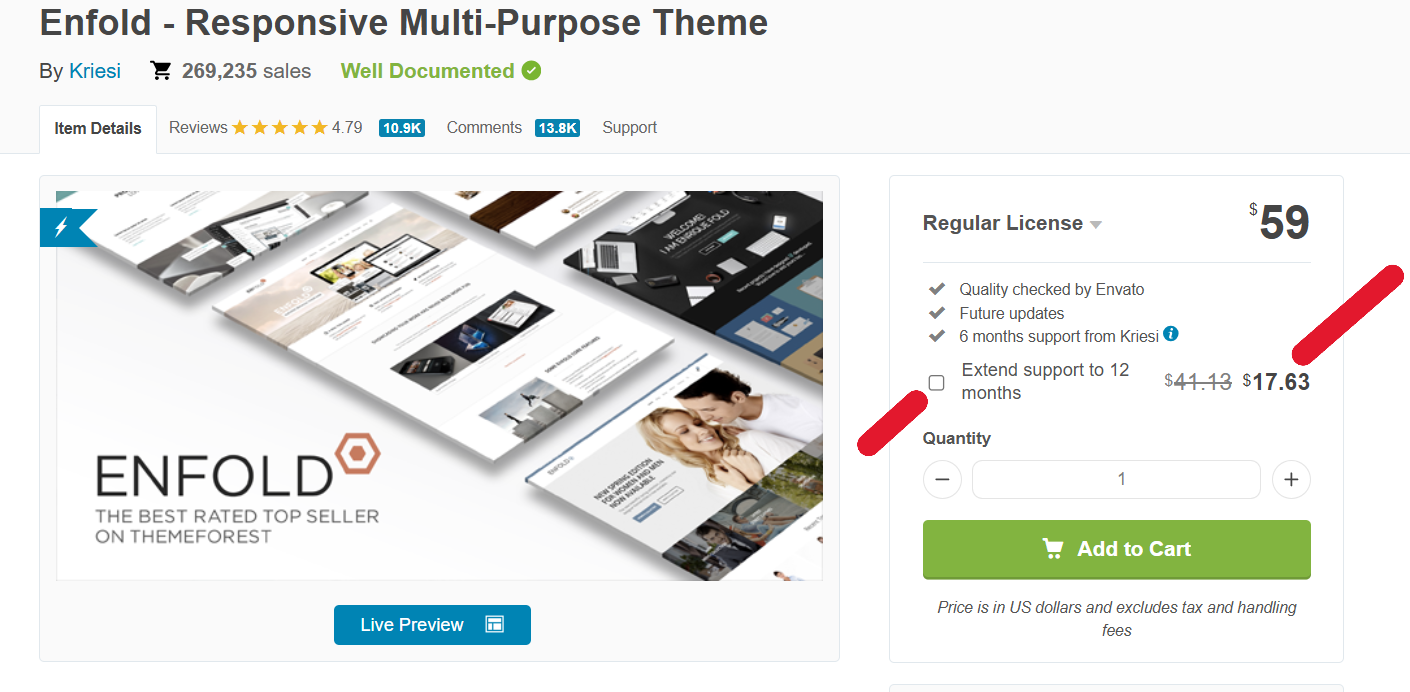
The only place that the theme can legally purchased is here: https://themeforest.net/item/enfold-responsive-multipurpose-theme/4519990
Most pirate sites add backdoors and other malicious code, I would not trust them.
When you purchase a legal license you will have lifetime updates and 6 months of forum support, I recommend upgrading to a full year for just a little more.
Best regards,
Mike
Hi,
Try adding this css:
#top h1 a, #top h2 a, #top h3 a, #top h4 a, #top h5 a, #top h6 a {
	color: #006fff;
}

If you want to limit the css to the h3 link on this page then use this css instead:
#top h3 a {
	color: #006fff;
}
Best regards,
Mike
Hi,
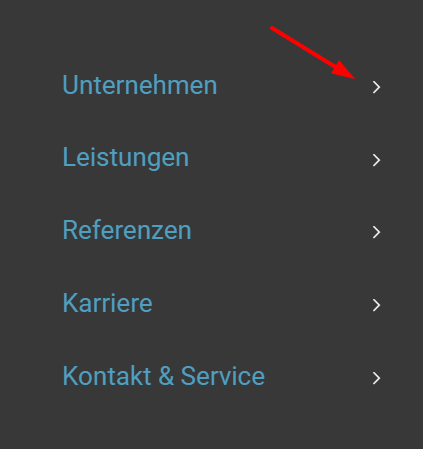
Try this css:
#top #wrap_all .av-burger-overlay .av-burger-overlay-scroll #av-burger-menu-ul li a .av-submenu-indicator {
    color: #fff;
    opacity: 1;
}
Best regards,
Mike
Hi, I have a problem with the lightbox. If I click on an image, the lightbox appears, and as soon as the image appears, the lightbox with the navigation and icons disappears.
Hi,
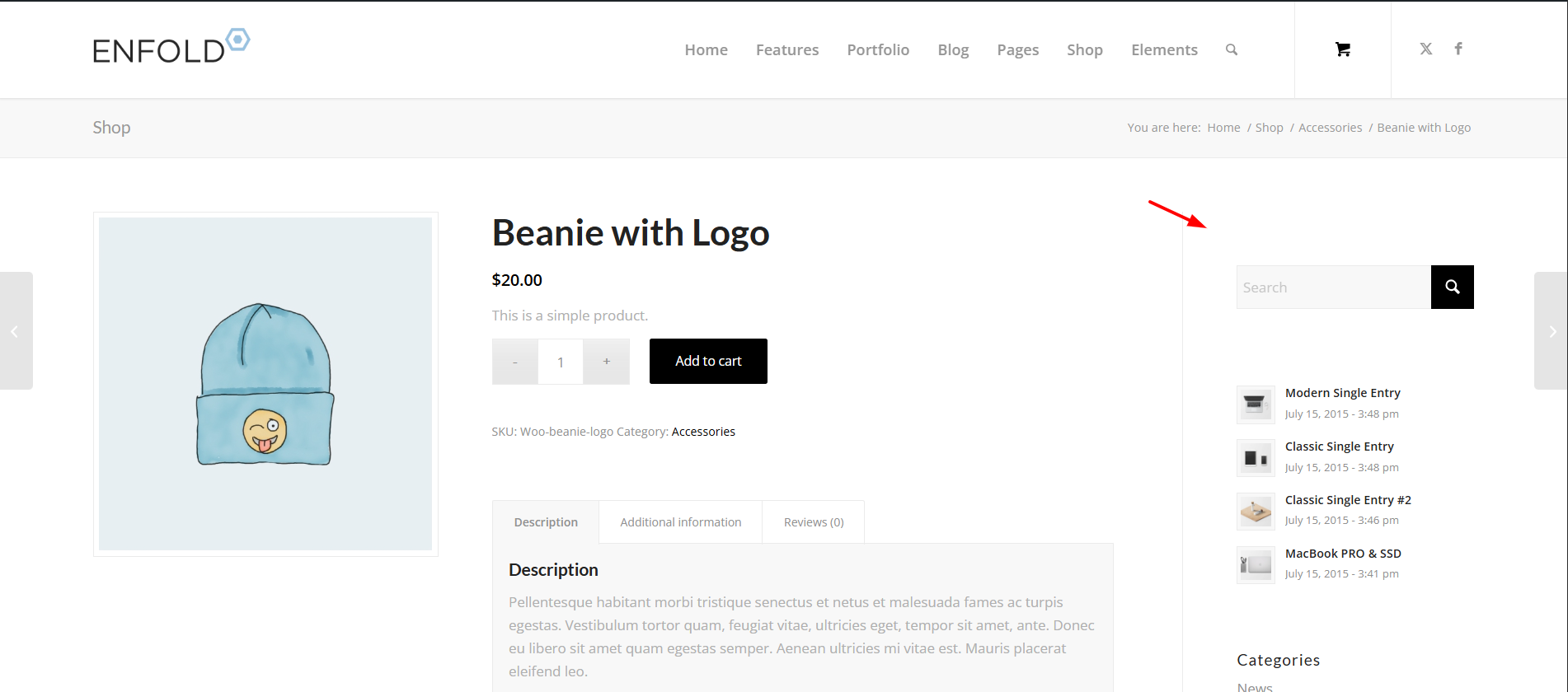
I had to do some testing on my site because the Theme File Editor is disabled on your site, I also note that the Plugin option is also disabled on your site. Nonetheless the code snippet will work without error if you add it to the child theme functions.php, you are currently adding it you your WPcode plugin that loads it after the theme, thus the error.
Best regards,
Mike
Looking for a snippet to show a deafult image in blog views – but NOT Single view (there only images should be shwon, which are uplaoded with the post).
I tried it like this:
function enfold_fallback_thumb_url( $size = ‘enfold-blog-thumb’ ) {
// Deine Fallback-ID (anpassen!)
$fallback_id = 4283;
return wp_get_attachment_image_url( $fallback_id, $size );
}
// Enfold-kompatibler Filter: Nur Übersicht, kein Single
function enfold_fallback_thumbnail_html( $html, $post_id, $post_thumbnail_id ) {
global $post;
// Admin/Single/hat Bild: überspringen
if ( is_admin() || is_singular() || $post_thumbnail_id ) {
return $html;
}
// Nur Posts in Übersichten
if ( ! is_home() && ! is_archive() || $post->post_type !== ‘post’ ) {
return $html;
}
// Fallback-Bild rendern (Enfold-Size)
$fallback_html = ‘<img src=”‘ . enfold_fallback_thumb_url( ‘enfold-blog-thumb’ ) . ‘”
alt=”‘ . esc_attr( get_the_title( $post_id ) ) . ‘”
class=”attachment-enfold-blog-thumb wp-post-image fallback-thumb” />’;
return $fallback_html;
}
// Filter aktivieren
add_filter( ‘post_thumbnail_html’, ‘enfold_fallback_thumbnail_html’, 10, 3 );
But it doesn’t work. Any advices? Thakns
Tim
Hi,
Thank you for the update.
We adjusted the filter in the functions.php file. The lightbox should now be displaying the original image.
function avf_avia_builder_helper_lightbox_size_mod($size, $context, $id, $responsive) {
  return "full";
}
add_filter('avf_avia_builder_helper_lightbox_size', 'avf_avia_builder_helper_lightbox_size_mod', 10, 4);
Please make sure to purge the cache before checking.
Best regards,
Ismael
Hi,
Thank you for the update.
What do you mean by the text not being fixed on the image on mobile? Would you mind providing a screenshot of the issue? You can use platforms like FreeImage, ImgBB, PostImages or Dropbox to upload and share the screenshot. Here are the steps to follow:
1.) Visit the website of your chosen platform, such as Savvyify, ImgBB, PostImages or Dropbox.
2.) Locate the option to upload a file or an image.
3.) Select the screenshot file from your computer or device and upload it to the platform.
4.) After the upload is complete, you will be provided with a shareable link or an embed code.
5.) Copy the link or code and include it in your message or response to provide us with the screenshot.
Thank you for taking the time to share the screenshot. It will help us better understand the issue you’re facing and provide appropriate assistance.
Best regards,
Ismael
Hi,
Thank you so much, but that didn’t make the text fit on the image on mobile. Any other thoughts? I am including a login below if you need to look. Thanks!
justine
Hi,
I’m seeing this error: Sorry, you only have read-only access to this page. Ask your administrator for assistance editing.
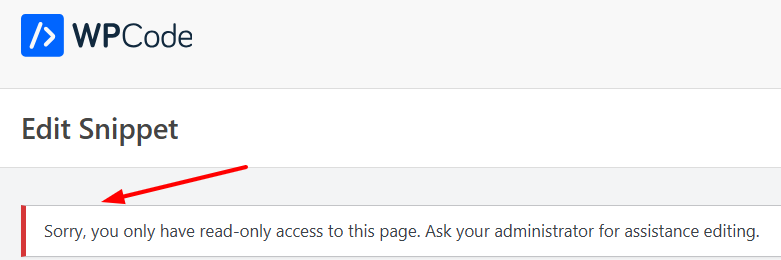
I have not seen this before?
Best regards,
Mike
Hi Ismael
Many thanks for your response. Unfortunately this doesn’t seem to work. Unless I’m doing something daft!
I’ve tried adding the filter you suggested to the functions.php file in the child theme. That didn’t work. Although the previous filter for gallery images I used seems to be fine.
I also changed the size of Large images in Settings>Media as suggested and regenerated thumbnails.
No luck.
Any other ideas? I’m really stuck.
If it’s of help, I’ve attached FTP info in Private Content.
Thanks
Steve
Hey koomo,
I’m not sure how this is theme related, but the location of the image is in the code that you posted:
/wp-content/plugins/yith-woocommerce-booking-premium/assets/css/images/ui-icons_444444_256x240.png
Go to the root of your WordPress installation using FTP, then follow the folder structure in the code.
Best regards,
Rikard
Hey Antonio,
Thank you for the inquiry.
The screenshots are not loading on our end for some reason. Please try to use this image hosting and make sure to provide the site URL and login details in the private field.
— https://freeimage.host/
Best regards,
Ismael
Hey Munford,
Thank you for the inquiry.
It’s due to this custom css code.
.entry-content-wrapper  li {
    margin-left: 2em;
    padding: 0;
}
You can override it by adding this code right below it:
.entry-content-wrapper .avia-slideshow-inner li {
    margin-left: 0;
    padding: 0;
}

Best regards,
Ismael
Hey steve159159,
Thank you for the inquiry.
You can use this filter in the functions.php file to adjust the default size of the lightbox image.
function avf_alb_lightbox_image_size_mod($size) {
  return "full";
}
add_filter('avf_alb_lightbox_image_size', 'avf_alb_lightbox_image_size_mod', 10, 1);
This defaults to large and we set it to full (the original size of the image). You can also remove this filter and adjust the size of the Large thumbnail in Settings > Media panel. You’ll need to regenerate the thumbnails afterward.
— https://wordpress.org/plugins/regenerate-thumbnails/
Best regards,
Ismael
Hey jnightingale,
Thank you for the inquiry.
Try to add this css code to adjust the font size of the title on mobile view:
@media only screen and (max-width: 767px) {
  /* Add your Mobile Styles here */
  #top #wrap_all .avia-slideshow .av-slideshow-caption.av-iakm6m-705446e7ab1d9a74581bf52b6294a15c__0 .avia-caption-title {
    font-size: 42px;
  }
}

Best regards,
Ismael
Hey jnightingale,
Thank you for the inquiry.
We tried logging in but got blocked by cloudflare. Would you mind providing a direct link to the page with the forms and a screenshot of the issue? You can use platforms like FreeImage, ImgBB, PostImages or Dropbox to upload and share the screenshot. Here are the steps to follow:
1.) Visit the website of your chosen platform, such as Savvyify, ImgBB, PostImages or Dropbox.
2.) Locate the option to upload a file or an image.
3.) Select the screenshot file from your computer or device and upload it to the platform.
4.) After the upload is complete, you will be provided with a shareable link or an embed code.
5.) Copy the link or code and include it in your message or response to provide us with the screenshot.
Thank you for taking the time to share the screenshot. It will help us better understand the issue you’re facing and provide appropriate assistance.
Best regards,
Ismael
Hi,
Thank you for the information.
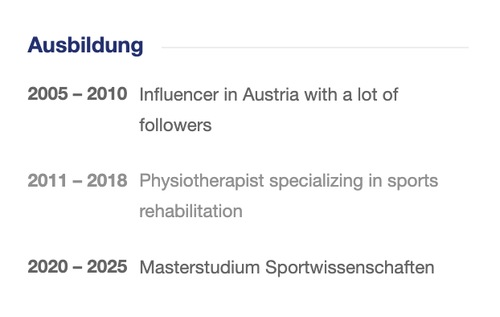
To remove the background and border of the cells and place them side by side on mobile view, please add this css code:
.main_color .av-custom-table tr:nth-child(odd),
.main_color .av-custom-table tr:nth-child(even) {
    background: transparent;
    border: 0;
}

.av-custom-table, .av-custom-table td, .av-custom-table th {
    background: transparent;
    border: 0;
    font-size: 15px;
}

.av-custom-table tr {
    display: flex;
    gap: 10px;
}
Best regards,
Ismael
Hello,
Using Yith booking, suddenly after last enfold update calendar arrows disappeared.
https://myjapanguide.com/booking/sumo-morning-training
ui-icons_444444_256x240.png is an icon image used in jQuery UI themes. So I placed it the plugin directory and use CSS
#top ui-datepicker-header ui-widget-header ui-helper-clearfix ui-corner-all .ui-icon,
.ui-widget-content .ui-icon {
background-image: url(“/wp-content/plugins/yith-woocommerce-booking-premium/assets/css/images/ui-icons_444444_256x240.png”);
}
But it doesn’t work. But when logged as admin, the arrows show.
Is there a way to pull this png from Enfold or where is it in enfold? I couldn’t find it in Jquery
Thank you
Hi,
On this page (https://cathyfeemster.com/), the words “Welcome Fellow Readers” isn’t all visible over the fullwidth image slider on mobile. Is there some CSS to fix this?
Thank you!
Justine
Hi
We are updating a site for our client and he wants enlarged images to display at full size (1500px) wide in lightbox when a smaller image element is clicked upon.
We were advised to add the following into the functions.php file. However, I think this only works in an image gallery?
function avia_change_gallery_thumbnail_link($link, $attachment, $atts, $meta){
$link = wp_get_attachment_image_src($attachment->ID, “full”);
return $link;
}
add_filter(‘avf_avia_builder_gallery_image_link’, ‘avia_change_gallery_thumbnail_link’, 10, 4);
Is there a way of forcing enlarged images to display full size when clicking smaller or thumbnail elements?
Thanks in advance
Steve
hi
I have an easy slider on this page that I am testing, since I am seeing an offset or padding on the left side. https://imgur.com/1X3ERKz
I have the slides set at original size, with the easy slider in a color section.
It looks like it’s wrapped in a “ul” which may be indenting the images? https://imgur.com/FvfqBuE
Can you help me with this?
thanks
Nancy



