Hi Richard!
Please add following code to Quick CSS in Enfold theme options under General Styling tab
.grid-content .avia-arrow {
display: none !important;
}
Best regards,
Yigit
This reply has been marked as private.
Hey tylrsmllr!
Thank you for using our theme.
In custom.css or Enfold->Stylings->Quick-CSS field try to put the following and adjust the values:
.avia-testimonial .avia-testimonial_inner{
font:
}
If it does not work give us a link to the page please.
Cheers!
Günter
Hey cindy531!
Thank you for using our theme.
You have to modify a theme file. If you are using a child theme, copy enfold/includes/loop-index.php to the corresponding child theme fiolder enfold-child/includes/, otherwide modify the original file:
// goto line 165:
                echo '<span class="blog-categories minor-meta">'.__('in','avia_framework')." ";
                echo $cats;
                echo '</span><span class="text-sep text-sep-cat">/</span>';

// and replace with:
                echo '<span class="blog-categories minor-meta">';
                echo $cats;
                echo '</span>';
Best regards,
Günter
Thanks Yigit,
Worked a dream. Quick question, does entering the changes here rather than via FTP mean that they will not be overwritten when I update the theme / wordpress?
P.S. Enfold is by far the best template I have worked with – love it.
Hiya :)
I am contemplating picking up Sensei for a new site I’m building.
I am very happy with Enfold on my own pages, so I was thinking of picking up an extra license – but reading the support threads about Sensei, I am getting mixed messages – Does it work on Enfold now? Is support on the development roadmap?
Thanks :)
~s
Hi there!
As I entered my site recently I realized that the general appearance has changed. Especially the color scheme is completely different than originally defined. It used to look like your live preview on themeforest but now additional colors are being added – and I have no clue how this could happen. And in the responsive version it seems to be a real mess.
I am running on the latest version of Enfold, deactivated all the plugins, nothing changed. I also restored my whole site including database from a backup earlier – same appearance still.
Thanks for your advice, Cheers Chris
This reply has been marked as private.
Hey MarwiUSA!
Thank you for using the theme.
Yes, you’re correct. Once you set the font size of the H1 element to 12px on the advanced styling panel, all h1 heading will use the preset styling which is 12px. If you want to use another styling for H1 element on different parts of the theme, use the Quick CSS field or custom.css to override the preset options.
Although we don’t have an article about the advance styling panel in particular but in case you have any questions, please take some time to review all of the resources in the Theme Documentation as a lot of basic stuff like theme installation, css snippets etc are already available in there with better explanation and awesomeness. Watch some of our Video Tutorials to learn more about the different aspect of the theme. You can also search the forums for queries that has been answered before that might be related to your problem.
If you find that you still have questions after taking the time on our documentations, don’t hesitate to let us know and we will be happy to assist you. If you have any requests or you feel like giving us a warm hug? You can definitely post it on our Feature Requests page. :)
Regards,
Ismael
Hello,
Regarding the fullwidth masonry layout, I would like to create a layout of ‘perfect’ sized portrait, landscape, or square images that align perfectly – and without any clipping.
Is there a particular setting I need to use, or do I have to preset the images to a certain size prior to uploading?
I know this website does not use enfold, but the look I am after is on this site: http://www.frontiertouring.com
(ie- it is as though each image is made up of one or more of the ‘small square’ sizes – e.g.: portrait images are two squares vertically, landscape images are two squares horizontally, and a ‘large square’ is four smaller squares.
Can enfold’s fullwidth masonry support this look?
At what ratio / size would I need to resize or upload my images to if I wanted to create a similar layout?
Thanks!
Hey!
Thank you for the info.
Unfortunately, the POST does not support the advance layout builder. You need to create the template on the post itself using the shortcode wand. You can actually use the advance layout builder for post but it is not advisable. Edit wp-content > themes > enfold > config-templatebuilder > avia-template-builder > config > meta.php, find this code on line 5:
array( 'title' =>__('Avia Layout Builder','avia_framework' ), 'id'=>'avia_builder', 'page'=>array('portfolio','page'), 'context'=>'normal', 'priority'=>'high', 'expandable'=>true ),
Replace it with:
array( 'title' =>__('Avia Layout Builder','avia_framework' ), 'id'=>'avia_builder', 'page'=>array('portfolio','page', 'post'), 'context'=>'normal', 'priority'=>'high', 'expandable'=>true ),
If you don’t want to do this, just use the shortcode wand.
Regards,
Ismael
Hey Ship-ST!
Thank you for visiting the support forum.
Please check the Appearance > Widgets panel. Try to remove the widgets on the “Displayed Everywhere” widget area. Also, disable the Page Sidebar navigation on Enfold > Sidebar Layout panel.
Best regards,
Ismael
Hi edenclark!
Thank you for using the theme.
Did you set the home page on Enfold > Frontpage settings? Reset the settings on Settings > Reading to default.
Best regards,
Ismael
Hey stu_art!
Thank you for using the theme.
Please download the latest version 2.9.1 from your themeforest account then update the theme via FTP. Please refer to this link for more info: http://kriesi.at/documentation/enfold/updating-your-theme-files/
I checked the site on IE8 and 9 and the icons are there. Please refer to this link for a possible fix: http://www.fontsquirrel.com/blog/2010/11/troubleshooting-font-face-problems
Best regards,
Ismael
Hey lidiamrius!
Thank you for using the theme.
Please create a test page with the same fullscreen slider options. We need to see the actual issue. Also, you don’t have the latest version of the theme. Please download the latest version from your themeforest account then update the theme via FTP. Please refer to this link for more info: http://kriesi.at/documentation/enfold/updating-your-theme-files/
Regards,
Ismael
Hey edenclark!
See if this helps: http://kriesi.at/documentation/enfold/setting-your-home-and-blog-pages/
Make sure that in your WordPress Settings>Reading you also have it set to “Front page displays: Your Latest posts”.
Cheers!
Devin
Hi nicolasweh!
Thank you for the screenshot.
You’re using an old version of the theme, 2.4.2, which is not compatible with WP 3.9.1. Please download the latest version from your themeforest account then update the theme via FTP. Please refer to this link for more info: http://kriesi.at/documentation/enfold/updating-your-theme-files/
Note that upgrading to 2.9.1 from 2.4.2 might break some of the elements on the theme so you might need to reconfigure the options or create them from scratch.
Cheers!
Ismael
The Partner/logo element…in your demo site looks a bit different from mine. I like to know if you have a special css definition for it. I download(sorry for try) logos from your demo site, and upload to my wp to see if I can copy a same demo, but it just different in the margin top and bottom.
in Your page:
http://kriesi.at/themes/enfold/
And in my page:
http://www.asknowhow.org/
My settings
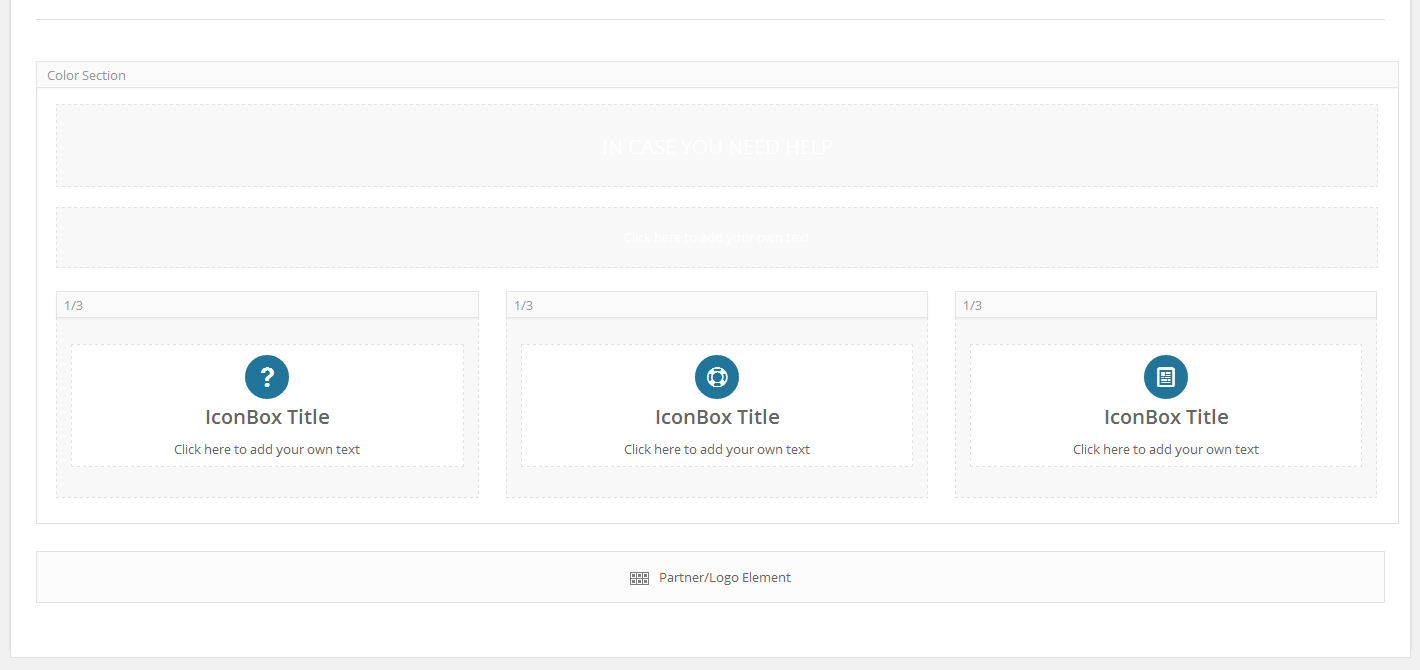
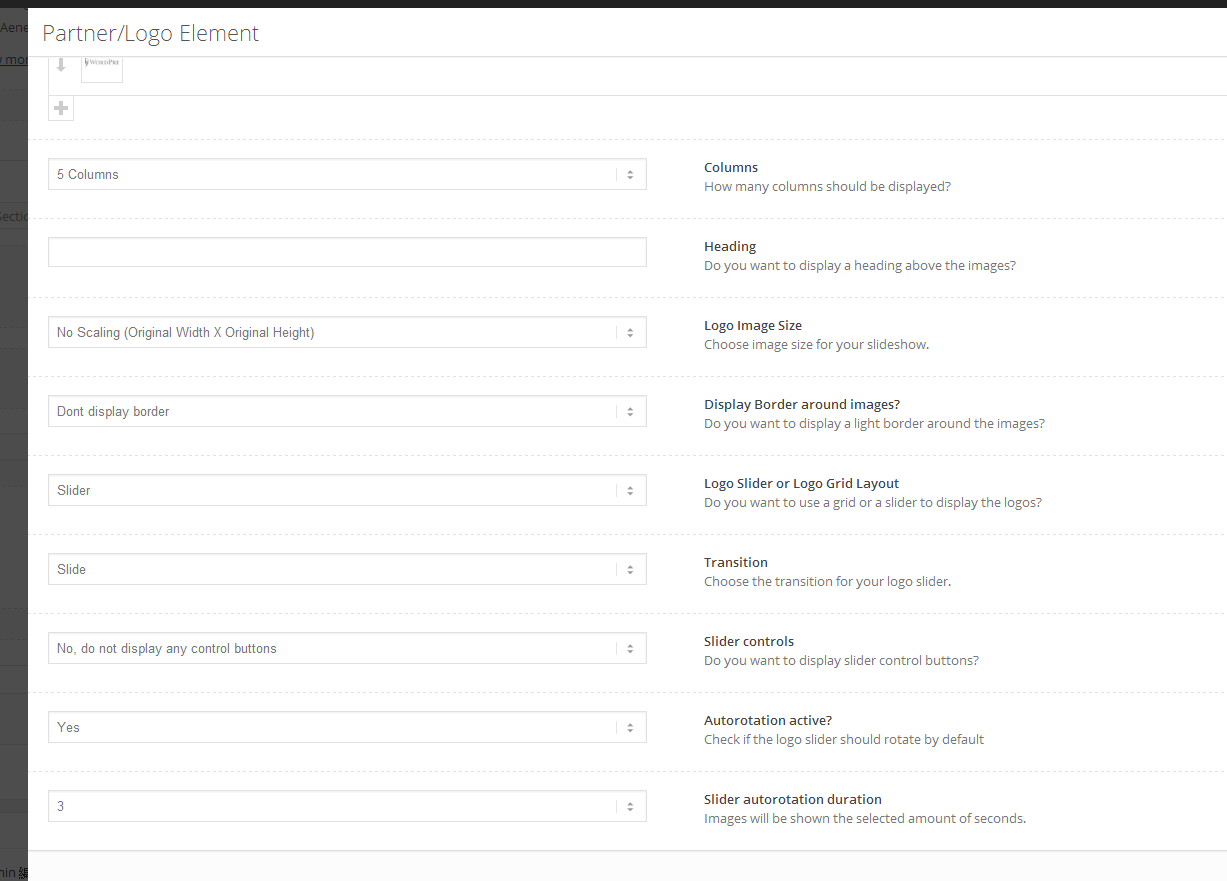
There is a class doing this:
.content, .sidebar {
padding-top: 50px;
padding-bottom: 50px;
...
-
This topic was modified 11 years, 8 months ago by
 fendyhuang.
hi there, i need to run a youtube clip (autoplay, preferably) full screen width, using enfold.
i think i got a solution by using a color section, and it’s autoplaying, which is great – but there is NO sound. is that how it was designed – background videos in color sections are silent?
if that’s the case, what are my other options for a full-screen / width presentation? i tried with the regular avia video tool, and it doesn’t work.
thanks for your advice, i appreciate it!
This reply has been marked as private.
Hi!
The functions.php file should be located in the theme folder root (/wp-content/themes/enfold). Regarding the custom function try using this plugin to add it.
Regards,
Josue
I, too, am having trouble with the GA snippet being placed before the </head> tag. I added the tracking code in the Enfold theme option as you indicate above, but it being placed almost at the bottom of my <body>.
My URL is http://www.atticfilmfest.org – am I missing something?
Thanks!
Bill
PS – I just saw another post, so I added the following – is this correct?
<script type=”text/javascript”>
var _gaq = _gaq || [];
_gaq.push([‘_setAccount’, ‘UA-33354906-1’]);
_gaq.push([‘_trackPageview’]);
(function() {
var ga = document.createElement(‘script’); ga.type = ‘text/javascript’; ga.async = true;
ga.src = (‘https:’ == document.location.protocol ? ‘https://ssl’ : ‘http://www’) + ‘.google-analytics.com/ga.js’;
var s = document.getElementsByTagName(‘script’)[0]; s.parentNode.insertBefore(ga, s);
})();
</script>
-
This reply was modified 11 years, 8 months ago by
 bjconcan.
This reply has been marked as private.
Hi!
Code i posted above will make product image, product summary and sidebar div’s equal in width. Please also add following code to Quick CSS in Enfold theme options under General Styling tab
#top #review_form #respond .comment-form-rating, #commentform label { position: initial; }
Best regards,
Yigit
Hey!
Please add following code to Quick CSS in Enfold theme options under General Styling tab
#top #wrap_all .avia-gallery-1 .avia-gallery-thumb a { height: 86px; }
Cheers!
Yigit
Hi Justin!
Please add following code to Quick CSS in Enfold theme options under General Styling tab
#socket .copyright { width: 100%; text-align: center; position: relative; top: 15px; }
#socket .sub_menu_socket { margin-top: -20px; }
Best regards,
Yigit
Hi Ismael,
Thanks for the response – the portfolio tabs I was referring to are the 2 grey tabs that feature at the side of a portfolio page.
http://kriesi.at/themes/enfold/portfolio-item/portfolio-big/
Looking at the source its listed as – avia-post-nav avia-post-next with-image
Thanks
Hi,
I found a problem in the theme, in some folders there not are a index.html archive. So, you can navigate for some folders (for example inside /wp-content/themes/enfold/framework/
For future version, please insert a white index.html in these folders, to avoid this.
Hi Paul!
Please add following code to Quick CSS in Enfold theme options under General Styling tab
.container .twelve.units { width: 100%; }
.boxed .container { margin: 0; width: 100%; }
Cheers!
Yigit



