Viewing 30 results - 216,481 through 216,510 (of 244,450 total)
  • Author
    Search Results
  • #299586
    medienvirus
    Participant

    Hallo,

    wisst Ihr zufällig ob es inkompatiblitäten zwischen enfold und dem Plugin Real3D Flipbook gibt? Bzw. wie ich diese bereinigen kann?
    http://www.soelker-infrarotheizung.com/infobroschuere/

    Das Plugin stellt 3D PDFs dar.

    Danke vorab für jeden Hint.

    #299567

    In reply to: Custom sidebar menu

    Hi Ismael,
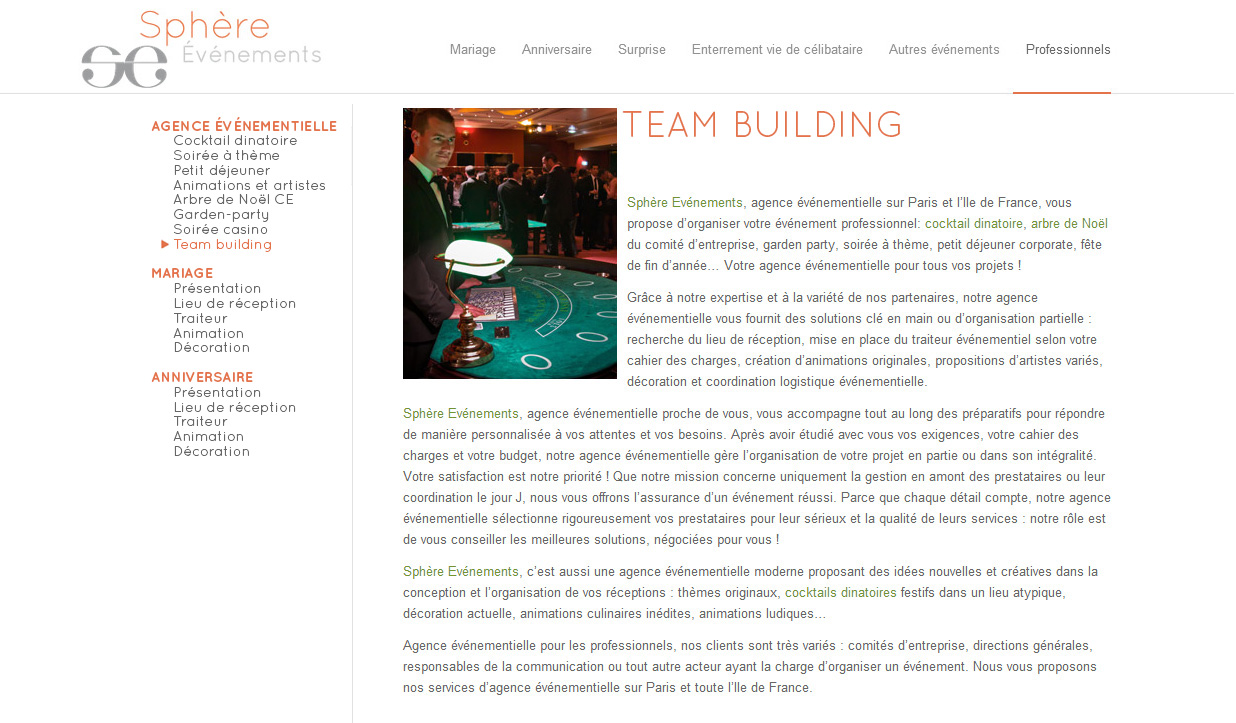
    Thank you for your help. As you see : http://www.sphere-evenements.com/menu-enfold-sidebar-arrow.jpg, I have problems with differents things :
    – My categories are not aligned like this : http://www.sphere-evenements.com/menu-gauche-enfold-static.jpg.
    – The first category have a grey background and is not in orange like this : http://www.sphere-evenements.com/menu-gauche-enfold-static.jpg
    – The arrow is on the right of the text and not on the left
    Thank you,
    Franck

    #299543

    Hi!

    Are they svg files uploaded to fontello or icon fonts available on the site? Just for reference, this is the same steps you tried except at the upload step it fails http://kriesi.at/documentation/enfold/adding-your-own-icon-fonts/ ?

    Cheers!
    Devin

    #299541

    Hi!

    I also did a walk through video here which might help you http://kriesi.at/documentation/enfold/adding-your-own-icon-fonts/

    Regards,
    Devin

    Thanks Josue,

    Don’t see the social media icons though. Do I need to change that in custom.css? And what about upgrading Enfold next time. Will these settings be overwritten again?

    Regards,
    David

    #299523

    Hey!

    Sorry you’ve been having so much trouble but the child theme is available here: http://kriesi.at/documentation/enfold/using-a-child-theme/ and of course child themes are always something any user can create for themselves (I even did a video for it).

    In the bulk download of the theme from themeforest there is a link to the documentation which so far has been a good way to point users to the online docs.

    The regular editor should not be disabled because of the theme and if that is happening its not something we have at set up to make happen. If you can provide a link to your site and admin credentials as a private reply we’ll be able to log in and take a look.

    Regards,
    Devin

    #299514

    Topic: Multiple Headers

    in forum Enfold
    Jason E
    Participant

    Is there an easy way to accomplish having multiple headers in Enfold?

    I need to have a main header for the home page, but would love to be able to have sections with their own headers (variant of logo) and different navbar. This would help facilitate a deep website while keeping intuitiveness in a more visual way.

    #299506

    Topic: custom sidebars

    in forum Enfold
    Richard
    Participant

    Hi, I would like to put in custom sidebars ie. a different sidebar on particular pages. Is it best to use a plugin or is there a way to do in Enfold

    regards
    Richard

    #299503
    USEYOURHEAD
    Participant

    Help. Need to disable Avia Layout Builder.

    Just purchased and installed Enfold.

    My first experience with a visual builder. Ah … Historically I’ve made many customizations to the Home Page.

    I get to the normal text editor in Posts … but can’t go to the default editor in pages.

    When I click on the “default editor” button. I get the two tabs at the top of the page that say “Visual Editor” and “Text” but there is nothing in the frames. Just white space.

    Spend an hour at least on this. Searched through posts here and on the main support site. Watched the video, read the documentation. No Luck. Wasting hours.

    Can anyone help me?

    #299501
    This reply has been marked as private.
    #299499

    Hi courtney_martin!

    Thank you for using Enfold.

    I’m sorry but which icons and what section of the page? A screenshot will help.

    Best regards,
    Ismael

    #299496

    In reply to: WooCommerce

    Hey JulieDesigns2!

    Thank you for using Enfold.

    Unfortunately, woocommerce doesn’t recognize portfolio items as products so you need to create Products for each paintings or art work. This will then be displayed on the shop page.

    Best regards,
    Ismael

    #299494

    Hey altei!

    Thank you for using Enfold.

    Unfortunately, you can’t change the position of the tooltip. You need to modify the theme files in order to do that but the task falls beyond the scope of support. You can only try to add a left or top margin to change the position. Add something like this on Quick CSS or custom.css:

    .avia-tooltip.avia-tt {
    margin-top: 150px;
    }

    Best regards,
    Ismael

    Hey akelly7!

    Thank you for visiting Kriesi’s support forum.

    Please edit the masonry element then change the Size Settings to Flexible Masonry. Enable the mobile menu for iPad or tablets on Enfold > Header Layout > Mobile Menu > Header Mobile Menu activation setting. Choose the second option.

    Cheers!
    Ismael

    #299488

    Topic: Enfold Theme

    in forum Enfold
    Shear_Marketing
    Participant

    Details in Private Content

    #299486

    Hi mstewar22!

    Thank you for using Enfold.

    I’m sorry but you can’t add additional custom graphics. You can only use fonts available on fontello.com.

    Regards,
    Ismael

    Ksms
    Participant

    Hi there! I have recently built a website with the ENFOLD Theme (www.orthodoxchristianreligion.com) but I noticed that both, the drop down menu and the mega menu do not show all the pages-categories I have in them. They both stop at the point the footer of the website starts which is different in every page. When you move the cursor on any page I have in the main menu at the top of the site, you see that the drop down menu and the mega menu show less or more sub pages in them. More specifically, the mega menu of the page Dangers have 21 pages in it. Not all of them show up. What can I do?
    Thanks!

    As of right now the content would revert to shortcodes which is the output of the builder.

    You can turn on the debug field for the ALB so that you can see the shortcodes as you use the drag and drop editor with a small php snippet: http://kriesi.at/documentation/enfold/enable-advanced-layout-builder-debug/

    Eventually I think Kriesi plans to separate the builder into its own plugin since that is how its programmed and set up within the theme (its a single separate folder actually) but for right now its not available.

    #299470

    Hi uriggs!

    See: http://kriesi.at/documentation/enfold/create-new-portfolio-item/

    The big difference would be that Kriesi’s own site uses a custom element which isn’t available in the Enfold theme itself. So using the theme you would get something more like this http://kriesi.at/themes/enfold/portfolio/portfolio-ajax/

    Best regards,
    Devin

    #299469

    Topic: Codeblock problems

    in forum Enfold
    slimmer1
    Participant

    Hello,
    First: is there away to create an infobox without showing the icon? – I like the design of the infobox with the top icon, (the white box) I just want to remove the icon and circle. Another question: I have created my own infobox in css. I want to display it in a codeblock, but when I’m adding the code it won’t show correctly in the Enfold theme.
    I want to add this code to the codeblock:
    <!DOCTYPE html PUBLIC “-//W3C//DTD XHTML 1.0 Strict//EN”
    http://www.w3.org/TR/xhtml1/DTD/xhtml1-strict.dtd”&gt;
    <html xmlns=”http://www.w3.org/1999/xhtml”&gt;
    <head>
    <meta http-equiv=”Content-Type” content=”text/html; charset=utf-8″ />
    <title></title>
    <style media=”screen” type=”text/css”>

    /* Reset */
    html, body, div, span, h1, h2, h3, h4, h5, h6, p, blockquote, pre,
    a, font, img, ul, li {
    margin: 0;
    padding: 0;
    border: 0;
    outline: 0;
    font-size: 100%;
    vertical-align: baseline;
    background: transparent;
    }
    body {
    line-height: 1;
    }
    ol, ul {
    list-style: none;
    }

    :focus {
    outline: 0;
    }
    /* // Reset */

    body {
    background: url(bck.jpg); /* image for body made with Photoshop using noise filter (gaussian monochromatic) on #ccc */
    font-family: Georgia, Verdana, “Lucida Sans Unicode”, sans-serif;
    font-size: 12px;
    color: #999;
    }

    h2 {
    font-style: italic;
    font-weight: normal;
    line-height: 1.2em;
    }

    div#container {
    margin: 50px auto 0px auto; /* centered */
    width: 400px;
    }

    .menu {
    position: relative;
    top:3px;
    left: 50px;
    z-index: 80; /* the stack order: displayed under bubble (90) */
    }

    .menu ul li {
    -webkit-transform: rotate(-45deg); /* rotate the list item */
    -moz-transform: rotate(-45deg); /* rotate the list item */
    width: 50px;
    overflow: hidden;
    margin: 10px 0px;
    padding: 5px 5px 5px 18px;
    float: left;
    background: #7f9db9;
    text-align: right;
    }

    .menu ul li a {
    color: #fff;
    text-decoration: none;
    display:block;
    }

    .menu ul li.l1 {
    background: rgba(131,178,51,0.65);
    }

    .menu ul li.l1:hover {
    background: rgb(131,178,51);
    }

    .menu ul li.l2 {
    background: rgba(196,89,30,0.65);
    }

    .menu ul li.l2:hover {
    background: rgb(196,89,30);
    }

    .menu ul li.l3 {
    background: rgba(65,117,160,0.65);
    }

    .menu ul li.l3:hover {
    background: rgb(65,117,160);
    }

    .menu span {
    margin: 15px 80px 0px 0px;
    float:right;
    }

    .bubble {
    clear: both;
    margin: 0px auto;
    width: 350px;
    background: #fff;
    -moz-border-radius: 10px;
    -khtml-border-radius: 10px;
    -webkit-border-radius: 10px;
    -moz-box-shadow: 0px 0px 8px rgba(0,0,0,0.3);
    -khtml-box-shadow: 0px 0px 8px rgba(0,0,0,0.3);
    -webkit-box-shadow: 0px 0px 8px rgba(0,0,0,0.3);
    position: relative;
    z-index: 90; /* the stack order: displayed under ribbon rectangle (100) */
    }

    .rectangle {
    background: #7f9db9;
    height: 50px;
    width: 380px;
    position: relative;
    left:-15px;
    top: 30px;
    float: left;
    -moz-box-shadow: 0px 0px 4px rgba(0,0,0,0.55);
    -khtml-box-shadow: 0px 0px 4px rgba(0,0,0,0.55);
    -webkit-box-shadow: 0px 0px 4px rgba(0,0,0,0.55);
    z-index: 100; /* the stack order: foreground */
    }

    .rectangle h2 {
    font-size: 30px;
    color: #fff;
    padding-top: 6px;
    text-shadow: 1px 1px 2px rgba(0,0,0,0.2);
    text-align: center;
    }

    .triangle-l {
    border-color: transparent #7d90a3 transparent transparent;
    border-style:solid;
    border-width:15px;
    height:0px;
    width:0px;
    position: relative;
    left: -30px;
    top: 65px;
    z-index: -1; /* displayed under bubble */
    }

    .triangle-r {
    border-color: transparent transparent transparent #7d90a3;
    border-style:solid;
    border-width:15px;
    height:0px;
    width:0px;
    position: relative;
    left: 350px;
    top: 35px;
    z-index: -1; /* displayed under bubble */
    }

    .info {
    padding: 60px 25px 35px 25px;
    }

    .info h2 {
    font-size: 18px;
    font-style: normal;
    }

    .info p {
    padding-top: 10px;
    font-size: 14px;
    line-height: 22px;
    }

    .info p a {
    color: #c4591e;
    text-decoration: none;
    }

    .info p a:hover {
    text-decoration: underline;
    }

    </style>
    </head>
    <body>
    <div id=”container”>
    <div class=”bubble”>
    <div class=”rectangle”><h2>Worried?</h2></div>
    <div class=”triangle-l”></div>
    <div class=”triangle-r”></div>
    <div class=”info”>
    <h2>If you’re convicted of a crime, there can be devastating consequences.</h2>
    <p>
    [Read more]
    </p>
    </div>
    </div>

    </div>

    </body>
    </html>

    #299463

    Hi!

    Yes it should work fine. Please make sure that path is the same enfold-child/config-templatebuilder/avia-shortcodes/tabs.php

    Regards,
    Yigit

    #299462

    I set-up an enfold child theme folder and added the style.css and functions.php files per the enfold child theme tutorial. But I got a similar error message to the one msbllc was seeing:

    Warning: session_start() [function.session-start]: Cannot send session cookie – headers already sent by (output started at …/public_html/message/wp-content/themes/enfold/config-templatebuilder/avia-shortcodes/masonry_entries.php:33) in …/public_html/message/wp-content/themes/enfold/config-templatebuilder/avia-shortcodes/masonry_entries.php on line 33

    When I deleted the functions.php file in my child-theme folder, then everything was fine. (I have no need to customise php at this point, but I didn’t want the problem emerging later if I did!)

    I subsequently found that I had prepared the functions.php file in the ‘design’ window of Dreamweaver and when I switched to the code window, Dw had added a lot of code in front. I deleted that and reloaded the functions.php file in my child theme folder and hey presto! the error message was gone….

    #299461
    uriggs
    Participant

    Hi, I am trying to make a simple portfolio in Enfold. How can I create a portfolio like the one you have on your site here: http://kriesi.at/theme-overview

    I just want 4 simple images across like you have and each image have a popup window with image and description.

    Riggs

    #299415

    In reply to: Restore after hack

    look in your uploads folder of wp. there is a subfolder called dynamic_avia.

    the first line of enfold.css is the settings of the options i guess
    from line 2 there are your custom css settings

    if you got a child theme than same thing on enfold_child.css

    sethbutler
    Participant

    Hello,

    First off, kudos on the new features in the latest releases of Enfold—this theme is a real beauty to work with over time since it just keeps getting better!

    Is there any way to modify the functions.php in enfold to allow for the previous/next buttons in the Avia Post Nav to sort through a single parent category (or taxonomy) and allow for a continuous click-through order like so (for instance, if you only had three posts in the category):

      first post
      second post
      third post
      first post
      second post
      third post
      first post
      second post
      third post
      etc.

    Looking forward to your input!

    Cheers
    Seth

    • This topic was modified 11 years, 7 months ago by sethbutler.
    #299404
    Micheal0424
    Participant

    How do I add additional Google Fonts to the font selection on Enfold for the Defines the Font for your body text area?

    Thanks.

    I tried this in functions.php but it didn’t work:

    add_filter( ‘avf_google_content_font’, ‘avia_add_content_font’);
    function avia_add_content_font($fonts)
    {
    $fonts[‘Muli’] = ‘Muli’;
    return $fonts;
    }

    • This topic was modified 11 years, 7 months ago by Micheal0424.
    #299389

    Hi stefanspeaking!

    Please go to Enfold theme options > Footer Layout and choose to display only footer widgets ( no socket ). Alternatively, you can add following code to Quick CSS in Enfold theme options under General Styling tab

    #socket { display: none !important; }

    Regards,
    Yigit

    What happens if I decide to change theme and no longer use Enfold. What happens to my content? Will it appear in the default editor of WordPress? If it does not, it would be nice to know ahead of time. People do change themes from year to year and this would be horrible if your theme doesn’t place it back in to the main text area. One feature I love about visual composer, is that you can switch between the two and you see the actual short code when in the default edit mode. I have had a client that wants to update their website to a new look and feel and if we have to redo this content, I will most likely never use Enfold again. Don’t get me wrong, I love this theme, but one great feature about using wp themes, is the ability to switch without reentering content.

    #299380
    mkchan
    Participant

    Hi there, i was using woo commerce in enfold theme.

    Here my following scenario:-
    I have add a product slider by enfold theme shortcode -> plugin additions -> product slider.
    At the main page i can see the slider, however i hope can customize a little bit on it.
    Current is showing the product, from browser development tools, i can see that there is two div in the slider.
    First Div – anchor tag with inside it’s two div which is the image , and also product header ( The Description of the product)
    Second Div – showing two anchor tag link which is “Add to Cart” and “Show Details”…

    My questions:-
    Could it be possible i modify the slider, on clicking the First Div are also triggering the same effect with “Add To Cart” button on second div?
    At final outcome i hope can only shown the image, hide the second div (“Add to cart” and “Show Details” ) completely…. Therefore by clicking the image will equally to add to carts.

    • This topic was modified 11 years, 7 months ago by mkchan.
    #299367

    In reply to: UGLY HEADINGS

    Hi,
    Here’s a sample page of the website : http://mcdom.partenaireinfo.com/?page_id=2449
    Have a look at the headings, specially the O in ” Notre philosophie ” …
    I’ve tried all the fonts of the font list in the Enfold admin pannel and that’s the same.
    On some screens and / or browsers it’s even worst than that.

    thank you for your help.

Viewing 30 results - 216,481 through 216,510 (of 244,450 total)