
-
AuthorSearch Results
-
October 20, 2014 at 7:54 am #338159
In reply to: Enfold 3.0 – Photography submenu text
Hey artspbseo!
Thank you for using Enfold.
You can change that on Appearance > Menus panel. Look for the Description field of the menu items.
Best regards,
IsmaelOctober 20, 2014 at 7:50 am #338156In reply to: How to remove margin and padding from slider
Hi envapk2!
Thank you for using Enfold.
You can use the Grid Row element then remove the flex cell padding with this:
.flex_cell {
padding: 0;
}
Cheers!
IsmaelOctober 20, 2014 at 7:48 am #338154In reply to: Title Bar Custom Text
Hey Jack!
Thank you for using Enfold.
There is no option for changing the page title but you can add this on functions.php to replace the current page title with something else:
add_filter('avf_title_args', 'change_page_title', 10, 2);
function change_page_title($args,$id)
{
if ( is_page('Page Title') )
{
$args['title'] = 'New Page Title';
}

return $args;
}
Cheers!
IsmaelOctober 20, 2014 at 7:45 am #338153In reply to: Mega Menu Bug
Hi Yigit,
I have updated WordPress 4.0 and Enfold to the latest version 3.0.1. I’m still having the exact same issue as described above. I have only added 3 extra pages to the menu and the it totally collapses. Refer to http://animationink.com.au/major/ to the live site. http://www.major.com.au

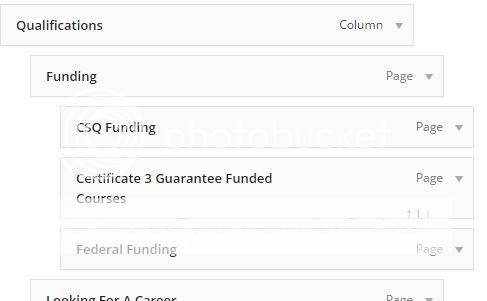
As you can see there is something wrong with the menu. Are you able to have a look at it for me?
Cheers
Carl
October 20, 2014 at 5:54 am #338133Topic: right align last menu item
in forum Enfoldsarahed
Participanthi, you helped me with this last month (original query below) – but since I’ve updated my version of the enfold theme this colour styling has been lost – any advice on how to get it working again – many thanks…
……………………
hi, I’d like to give the last menu item on my main navbar a different colour to the other links… and make it right align so it stands out on its own…can you advise how to do this please.
the website is at http://premiumproseindia.com/testsite/wp/
…………………………All help gratefully recieved – thanks,
sarahOctober 20, 2014 at 4:52 am #338129In reply to: quick css not working
Hey!
Thank you for using Enfold.
We recommend using WP Super Cache and BWP Minify. I’m sorry but we don’t provide support for third party plugins. Please contact the plugin author. If you end up using BWP Minify plugin, please add this on functions.php:
add_filter('bwp_minify_style_ignore', 'exclude_my_css');

function exclude_my_css($excluded)
{
    $excluded = array('avia-custom', 'avia-layout');
    return $excluded;
}
Regards,
IsmaelOctober 20, 2014 at 4:49 am #338127In reply to: Precheck Checkbox and Language question
Hi Ismael!
Thanks for your help, I highly appreciate it. Is there any way to edit the theme or custom settings to have all checkbox’s prechecked, i’d prefer not having to use a separate plugin for it.Thanks to let me know, I’m very happy with Enfold!
October 20, 2014 at 4:33 am #338125In reply to: Thumbnails in Enfold
Hi p_lo84!
Thank you for using Enfold.
Unfortunately, no, that will require a bit of customization which is beyond the scope of support. Please visit Envato Studio or Werkpress for further customization. You can also vote or request the feature on our Feature Requests page.
Best regards,
IsmaelOctober 20, 2014 at 4:27 am #338123In reply to: Template for custom taxonomy not working
Hey!
Thank you for using Enfold.
Can you please give us a link to a category page with the template? How did you name the template file? Please refer to this link on how to properly name a category archive template: http://codex.wordpress.org/Category_Templates
Best regards,
IsmaelOctober 20, 2014 at 4:24 am #338120Hey SteveRousseauDesigns!
Thank you for using Enfold.
Please deactivate all plugins then upload an image again. Increase the wordpress memory limit to at least 128M. Please refer to this link: http://www.dailyblogging.org/wordpress/increase-wordpress-memory-limit/
Cheers!
IsmaelOctober 20, 2014 at 4:19 am #338118In reply to: fb likebox in photography layout
Hey artspbseo!
Thank you for using Enfold.
You can add this on functions.php:
add_action('ava_after_main_menu', 'ava_facebook_add', 10);

function ava_facebook_add() {
	if($settings['sidebarmenu_social'] != "disabled")
	{
		echo do_shortcode('FACEBOOK SHORTCODE HERE');
	}
}
Use the plugin’s shortcode.
Cheers!
IsmaelOctober 20, 2014 at 4:16 am #338116Hey speedraleigh!
Thank you for using Enfold.
It depends on the image size. What is the size of the image background that you want to use? You can add the background image on Enfold > General Styling > Footer panel. Look for the Background Image option.
Regards,
IsmaelOctober 20, 2014 at 4:13 am #338114In reply to: Menu broken after update
Hey!
Thank you for using Enfold.
Did you add any modifications on the theme? Please override the whole theme files. Download the latest version from your themeforest account then update the theme via FTP. Please refer to this link for more info: http://kriesi.at/documentation/enfold/updating-your-theme-files/
Regards,
IsmaelOctober 20, 2014 at 4:10 am #338113In reply to: Inner Masonry Content
Hey tastedesign!
Thank you for using Enfold.
Please replace the code with this:
.page-id-3452 figcaption.av-inner-masonry-content.site-background:hover {
background-color: #00b1b0;
}
Regards,
IsmaelOctober 20, 2014 at 4:08 am #338110In reply to: How can I change the font color on buttons?
Hi barrygur!
Thank you for using Enfold.
Which button are you referring to? A link and a screenshot will help.
Regards,
IsmaelOctober 20, 2014 at 4:02 am #338108In reply to: White layer on top of menu on portfolio pages
Hey akselo!
Thank you for using Enfold.
I’m sorry but we don’t provide support for third party plugins as stated on our support policy. Please contact the plugin author.
Cheers!
IsmaelOctober 20, 2014 at 3:59 am #338105In reply to: Reduce left and right margin of fullwidth area
Hi Gee Are!
Thank you for using Enfold.
Please use this on Quick CSS or custom.css:
.container {
padding: 0px 20px;
}
Cheers!
IsmaelOctober 20, 2014 at 3:58 am #338104In reply to: Facebook like plugin does not show on pages
Hi eyeweb!
Thank you for using Enfold.
Please try these plugins:
https://wordpress.org/plugins/wp-socializer/installation/
https://wordpress.org/plugins/socialize/installation/You can use the plugin’s shortcode.
Regards,
IsmaelOctober 20, 2014 at 3:56 am #338103Hi goforyourdreams!
Thank you for using Enfold.
Please use this:
.current-menu-ancestor > a span.avia-menu-text {
color: red;
}
Best regards,
IsmaelOctober 20, 2014 at 3:55 am #338102In reply to: Anchor Text Mobile Menu – How To Add
Hi jono713!
Thank you for using Enfold.
Please edit includes > helper-main-menu.php, find this code on line 18:
echo '<a id="advanced_menu_toggle" href="#" '.av_icon_string('mobile_menu').'></a>';
	echo '<a id="advanced_menu_hide" href="#" 	'.av_icon_string('close').'></a>';
Replace it with:
echo '<a id="advanced_menu_toggle" href="#" '.av_icon_string('mobile_menu').'><span class="mobile-menu-text">Mobile Menu</span></a>';
	echo '<a id="advanced_menu_hide" href="#" 	'.av_icon_string('close').'><span class="mobile-menu-text">Mobile Menu Hide</span></a>';
Add this on Quick CSS or custom.css to hide the text:
span.mobile-menu-text {
display: none;
}
Regards,
IsmaelOctober 20, 2014 at 3:41 am #338098In reply to: Custom Blog Post Widget abilities
Hi addwebtoday!
Thank you for using Enfold.
Please try this plugin: https://wordpress.org/plugins/widget-logic/
Cheers!
IsmaelOctober 20, 2014 at 3:38 am #338096In reply to: Full width masonry portfolio not full width
Hey michaelhiga!
Thank you for using Enfold.
You can adjust the width of the masonry entries on larger screens with this:
@media only screen and (min-width: 1800px) {
.responsive.html_stretched .av-masonry-entry {
width: 25.0%;
}
}
Best regards,
IsmaelOctober 20, 2014 at 3:37 am #338095In reply to: Stop cart icon from sliding
Hey fortuneRice!
Thank you for using Enfold.
We would like to see the actual website. Please post the url here.
Best regards,
IsmaelOctober 20, 2014 at 3:36 am #338094In reply to: Color Section element
Hi tremblayly!
Thank you for using Enfold.
Color section will always be fullwidth and will push the sidebar below it.
Best regards,
IsmaelOctober 20, 2014 at 3:35 am #338093Hey!
@horwitzpro: I’m sorry but you’re not using the latest version of the theme which is not compatible with WordPress 4.0. Please download the latest version from your themeforest account then update the theme via FTP. Please refer to this link for more info: http://kriesi.at/documentation/enfold/updating-your-theme-files/Cheers!
IsmaelOctober 20, 2014 at 3:34 am #338092In reply to: PRoblema con el CSS de la nueva actualización
Hey JuanRamonMarin!
Thank you for using Enfold.
I checked the website but I’m not sure what’s wrong with the sidebar. I’ll ask Josue to check your inquiry.
Cheers!
IsmaelOctober 20, 2014 at 3:09 am #338086Hey brian7454!
Thank you for using Enfold.
Did you add any modifications regarding the sidebar? Version 3.0.1 is using a different grid system so any modifications on that area might break the layout of the theme. Please update to 3.0.1 then toggle any option on Enfold > General Styling > Dimensions panel. Save changes.
Cheers!
IsmaelOctober 20, 2014 at 3:06 am #338084In reply to: Remove menu border and menu at the top edits
Hi cchuryk!
Thank you for using Enfold.
The site is on maintenance mode. Please post the login details here. We would like to check it. Try this code for the menu border:
#header_meta {
border: none;
}
Best regards,
IsmaelOctober 20, 2014 at 3:03 am #338082In reply to: Fullscreen Slider Scroll Down Arrow.
Hi D5WDesignGroup!
Thank you for using Enfold.
Please refer to this link: https://kriesi.at/support/topic/buttonicon-to-anchor/#post-325401
Regards,
IsmaelOctober 20, 2014 at 3:02 am #338081In reply to: Adding site title and having it resize with header
-
AuthorSearch Results
Viewing 30 results - 209,611 through 209,640 (of 244,617 total)
-
Search Results
-
Topic: right align last menu item
hi, you helped me with this last month (original query below) – but since I’ve updated my version of the enfold theme this colour styling has been lost – any advice on how to get it working again – many thanks…
……………………
hi, I’d like to give the last menu item on my main navbar a different colour to the other links… and make it right align so it stands out on its own…can you advise how to do this please.
the website is at http://premiumproseindia.com/testsite/wp/
…………………………All help gratefully recieved – thanks,
sarah


