
-
AuthorSearch Results
-
March 3, 2024 at 4:15 pm #1436134
In reply to: image caption font on mobile
Hi,
** Correction the hotspot animation settings are for the whole element not for the hotspot circles themselves.
So I added this css for you:.avia_transform.js_active #top .avia_animated_image .av-display-hotspot { animation: avia-fadein 1.5s 1 ease-out; opacity: 1; } .avia_transform.js_active #top .avia_animated_image .av-image-hotspot .av-permanent-tooltip-single { animation: avia-fadein 1.5s 1 ease-out; opacity: 1; transition: none; }clear your browser cache and check.
Best regards,
MikeFebruary 18, 2024 at 2:22 pm #1434648In reply to: Hide Alt Tags
Hey annameis,
Typically it is the title tags that show on hover, try this solution.Best regards,
MikeJanuary 28, 2024 at 9:24 pm #1432304In reply to: how to size box hotspots imagine
Hey fabio,
Thanks for the link to your page, it looks like you are using the default tooltip size, you can also choose “large” & “extra-large”

Best regards,
MikeJanuary 23, 2024 at 10:54 am #1431773In reply to: Image to flip
first of all – your link does not work.
next on those alb elements ( grid-row and the cell that has the flip-box) set all paddings to zero. If you do not set – there will be default ones set by enfold.
Do not set min-height for those! – i used for grid-item that option : Inverse Layout – Ignored For Tooltipgive a custom class to the grid-row – i tested it with my setting : one-flipper
synchonize the break-point at media-query to the grid-row breakpoint.
i have set 767px but if you like you can do it with 989px@media only screen and (min-width:768px) { .av-layout-grid-container.one-flipper { min-height: 28.12vw; } .av-layout-grid-container.one-flipper .avia-icon-grid-container, .av-layout-grid-container.one-flipper .article-icon-entry { min-height: 28.12vw; } } @media only screen and (max-width:767px) { .av-layout-grid-container.one-flipper .avia-icon-grid-container, .av-layout-grid-container.one-flipper .article-icon-entry { min-height: 56.25vw; } }now for understanding: your image has a 16/9 ratio because the image is set to cover the background hat to be of that aspect ratio.
the screenwidth is 100vw – and the height than must be in a 32/9 ratio ( because only the half container should be 16/9)
9/32 = 28.125
the whole grid-row now has to be 28.125vw in height !Sample Page: https://webers-testseite.de/isp/
and css for normal flipJanuary 16, 2024 at 11:24 am #1430232In reply to: Bullets not showing in tooltips
Hey whdsolutions,
Thank you for the inquiry.
Adding this css code should adjust the style of the ul and ol list inside the tooltip.
.avia-tooltip ul, .avia-tooltip ol {
    list-style: disc outside !important;
}
Best regards,
IsmaelJanuary 16, 2024 at 10:28 am #1430218Topic: Bullets not showing in tooltips
in forum Enfoldwhdsolutions
Participant
As you can see here, Bullets not showing in tooltips – how can I fix this issue?
-
This topic was modified 2 years, 2 months ago by
whdsolutions.
January 5, 2024 at 11:35 am #1429340Hi,
Try this CSS in your Enfold Theme Options ▸ General Styling ▸ Quick CSS field:#footer-page .av-social-sharing-box .avia-related-tooltip.avia-tt { display: none !important; }After applying the css, please clear your browser cache and check.
Best regards,
MikeJanuary 5, 2024 at 5:47 am #1429325Hi,
Thank you very much, it worked!
Is it possible to remove the info box that appears on hoover (“link to facebook / instagram / linkedin”) or at least to change its style (make it smaller, like a tooltip)?And also to change the colors that appear on hoover to #e53e31?
Thank you!
January 4, 2024 at 1:46 am #1429223In reply to: Main Menu Search Form Placeholder Text Color
Hey Jody,
Thank you for the inquiry.
You can use the following css code to adjust the style of the placeholder text.
::-webkit-input-placeholder { /* WebKit, Blink, Edge */
    color:    #909;
}
:-moz-placeholder { /* Mozilla Firefox 4 to 18 */
   color:    #909;
   opacity:  1;
}
::-moz-placeholder { /* Mozilla Firefox 19+ */
   color:    #909;
   opacity:  1;
}
:-ms-input-placeholder { /* Internet Explorer 10-11 */
   color:    #909;
}
::-ms-input-placeholder { /* Microsoft Edge */
   color:    #909;
}

::placeholder { /* Most modern browsers support this now. */
   color:    #909;
}
And to change the placeholder text itself, add this code in the functions.php file.
/* AJAX SEARCH */
if ( ! function_exists( 'avia_append_search_nav_mod' ) ) {
    //first append search item to main menu
    remove_filter( 'wp_nav_menu_items', 'avia_append_search_nav', 9997, 2 );
    remove_filter( 'avf_fallback_menu_items', 'avia_append_search_nav', 9997, 2 );
    add_filter( 'wp_nav_menu_items', 'avia_append_search_nav_mod', 9997, 2 );
    add_filter( 'avf_fallback_menu_items', 'avia_append_search_nav_mod', 9997, 2 );

    /**
     *
     *
     * @param string $items
     * @param array $args
     * @return string
     */
    function avia_append_search_nav_mod ( $items, $args )
    {
        if ( avia_get_option( 'header_searchicon', 'header_searchicon' ) != 'header_searchicon' ) {
            return $items;
        }

        if ( avia_get_option( 'header_position', 'header_top' ) != 'header_top' ) {
            return $items;
        }

        if ( ( is_object( $args ) && $args->theme_location == 'avia') || ( is_string( $args ) && $args = 'fallback_menu' ) ) {
            ob_start();
            get_search_form();
            $form = ob_get_clean();

            $form = str_replace( '<form ', '<form role="search" ', $form );
            $form = htmlspecialchars( $form );

            /**
             * Avoid duplicate indexing or empty search page
             *
             * @since 4.5.3
             * @param string $items
             * @param array $args
             * @return string
             */
            $nofollow = apply_filters( 'avf_nav_search_icon_nofollow', 'rel="nofollow"', $items, $args );

            $aria_label = __( 'Search', 'avia_framework' );
            $aria_label = apply_filters( 'avf_nav_search_aria_label', $aria_label, $items, $args );

            $items .=	'
 	<li id="menu-item-search" class="noMobile menu-item menu-item-search-dropdown menu-item-avia-special" role="menuitem">';
            $items .=		'<a aria-label="' . $aria_label . '" href="?s=" '. $nofollow . ' data-avia-search-tooltip="' . $form . '" ' . av_icon_string( 'search', false ) . '>';
            $items .=			'<span class="avia_hidden_link_text">' . __( 'ADJUST THIS TEXT', 'avia_framework' ) . '</span>';
            $items .=		'</a>';
            $items .=	'</li>
';
        }

        return $items;
    }
}
Replace “ADJUST THIS TEXT” with your own text.
Best regards,
IsmaelDecember 12, 2023 at 8:54 am #1427833this is GDPR info (DSGVO) – you can click the third green button “Ablehnen” : Reject/Decline. This means that you do not agree to the use of cookies. Only those that are essential.
_________
PS: maybe this would be a nice to have feature. Like in Image Galleries to have here an optional Tooltip over the images.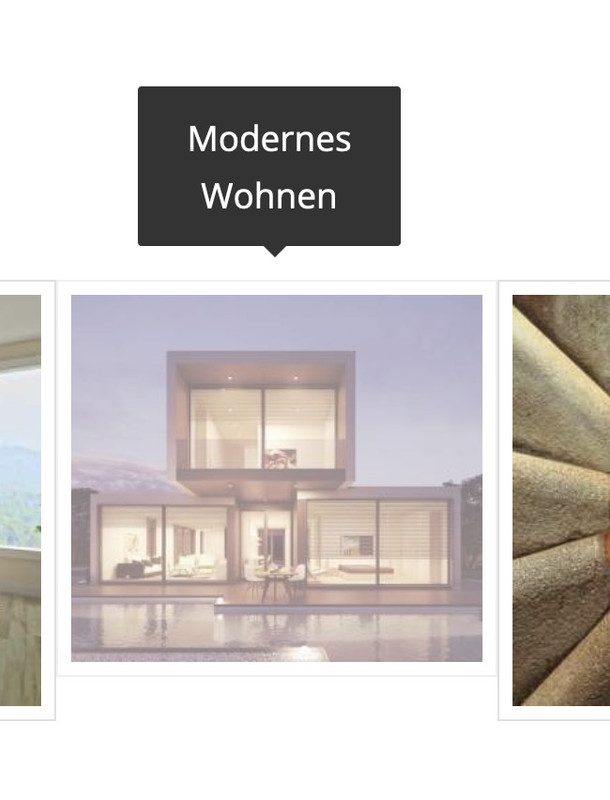 December 12, 2023 at 1:37 am #1427821
that title you see on the image from: https://kriesi.at/support/topic/how-to-get-rid-of-curved-arrow-on-linked-images-and-allow-image-title-to-show/#post-1427817 – is a “tooltip” and – you can not influence that. It is part of the standard behavior of all browsers – and position is dependent on where your mouse rests over the image. ( The title tag from DOM i used for inserting it to overlay – is part of enfold source code ).
did you follow the link of my test-page? there you have the title tag on that position you like
see: https://webers-testseite.de/image-title-to-hover/December 11, 2023 at 6:16 am #1427742Hey gatehealing,
Thank you for the inquiry.
You can add this css code to remove the image overlay and allow the title tooltip to display on hover.
.avia-image-overlay-wrap a.avia_image .image-overlay {
    display: none !important;
}
Best regards,
IsmaelDecember 3, 2023 at 7:46 am #1427022In reply to: Burger Menu JS click action is deferred by WP-Rocket
Yes, I do and thank you. Unfortunately the touch event seems to get caught behind delayed actions no matter what I exclude.
#top .dropdown_widget .buttons .button.checkout
#top .dropdown_widget .buttons .button
.woocommerce-mini-cart__buttons
a.button.wc-forward
a.button.wc-forward:hover
.woocommerce-page .button
#sv-rbadge-box
#searchform
#searchsubmit
.avia-search-tooltip
.inner-toolip
.minus
.plus
.rating_container
.woocommerce-product-gallery
.header_color .avia-tt
#top #searchform(.*)
.avia-search-tooltip #searchform(.*)
#top .avia-font-entypo-fontello
.header_color .av_ajax_search_image
.header_color .av_ajax_search_title
.header_color .ajax_search_excerpt
(.*).av_ajax_search_entry(.*)
.ajax_search_response (.*)
(.*).av_ajax_search_title
(.*).ajax_search_excerpt
(.*).av_ajax_search_image
.header_color h4
(.*).av_ajax_search_content
.main_menu
.menu-item-avia-special
.av-hamburger
.av-hamburger-box
.av-hamburger-inner
.av-burger-overlay
.av-burger-overlay-scroll
.av-burger-overlay-inner
.av-active-burger-items
.av-burger-overlay-active
.av-burger-overlay-active-delayed
.av-hamburger--spin
.av-js-hamburger
.avia_hidden_link_text
.av-burger-menu-main
#av-burger-menu-ul
#avia-menu
.av-width-submenu
.current_page_item
.current-menu-item
.avia-menu
.av-main-nav-wrap
.menu
.av-main-nav
.sub-menu
.av-burger-overlay-bg
.inner-container
#header_main
\/jquery(-migrate)?-?([0-9.]+)?(.min|.slim|.slim.min)?.js(\?(.*))?( |'|"|>) /dynamic_avia/avia-footer-scripts-(.*).js /enfold/js/avia-snippet-hamburger-menu.min.js /enfold/js/avia.js /enfold/js/shortcodes.js /enfold/js/avia-compat.js /enfold/js/(.*).js /enfold/js/aviapopup/(.*).js /enfold/config-templatebuilder/avia-shortcodes/ /wp-content/plugins/woocommerce-germanized/(.*) var avia_is_mobileIt is a very common problem and I don´t know what the issue is but it seems that the burger-menu calls to some other function that still does get delayed.
November 9, 2023 at 7:57 pm #1425162Topic: Are Icon ToolTips SEO Friendly?
in forum Enfoldwildturkeyway
Participant//Edit
My SEO app support said ToolTips = not so much.
But It would be a great benefit if it was possible to add alt text to the icons.I’m considering purchasing a second license to keep the design elements similar on a related site of mine.
Two questions come to mind.
Is there a way to add alt text to the icon?
And are ToolTips SEO-friendly since they are really hidden text? The icon will link to a new page.
Thanks for any feedback.
–
L.-
This topic was modified 2 years, 4 months ago by
wildturkeyway.
November 1, 2023 at 4:39 am #1424289In reply to: Enfold Image Hotpot Mobile Functionality
Hi,
Thank you for the update.
This is a limitation of the tooltip feature, which is why it is disabled on smaller screens and replaced by a different element. If you wish to display the tooltips on mobile view and extend their functionality, you may want to consider hiring a freelance developer.
Best regards,
IsmaelOctober 31, 2023 at 5:57 pm #1424265In reply to: Enfold Image Hotpot Mobile Functionality
Hello Ismael,
Thank you for your response. Unfortunately, the client wanted the tooltips on mobile as well. Is there a way to add a “close” button to them like an “x” to close out the tooltips?
October 31, 2023 at 3:39 pm #1424250In reply to: OSM Leaflet Map: only one marker pop-up displaying
Dear Mike,
thanks for your quick reply and your efforts! You gave me the tip to solve the problem! :-)It had to do with some extra CSS to disable the tooltip when hovering over images (like photos). Did not realise this would also hamper the popup on click from functioning. :-( I now removed this CSS and all three options, Leaflet (external), OSM – Leaflet Map (Enfold) and MapIT, work like a charm.
I would like to continue with using your OSM – Leaflet Map, to be independent from an external hoster for the library. (This is a great idea, thanks!) However, I noticed that the options for editing the popup seem rather limited compared to Leaflet. For example, I would like to use bold text for the company name and clickable links to e-mail and telephone. Is that somehow also possible in OSM – Leaflet Map?
Best regards,
CJGVDOctober 31, 2023 at 3:46 am #1424206In reply to: Enfold Image Hotpot Mobile Functionality
Hey HHMGCreative,
Thank you for the inquiry.
In mobile view, the hotspot tooltips should automatically switch to an accordion element, eliminating the need to tap the hotspots to close the tooltips. Is this not happening on your end?
Best regards,
IsmaelOctober 30, 2023 at 5:43 pm #1424165Topic: Enfold Image Hotpot Mobile Functionality
in forum EnfoldHHMGCreative
ParticipantWhen using the image with hotspots, we want the functionality where you open and close the tooltips with clicking.
On mobile, many of the tooltips do not close on tap, even when we make them a smaller size.
October 9, 2023 at 6:17 pm #1421937In reply to: Image Hotspot Links
Hi,
Thanks for the link to your page, I think the solution will need to have the hotspots only show on click, not on hover like it is now. Will that be ok?
I’m thinking that this script could be modified to also allow the right side links to also open the tooltips, please include and admin login so we can try.
What is your plan for mobile devices? Currently below 767px the tooltips are displayed below the image and do not popup, are you going to keep it like this?Best regards,
MikeOctober 1, 2023 at 7:06 pm #1421032In reply to: hide image title on mouse hover – masonry gallery
Hi,
Thank you for the link to your site, I found that you are not using a child theme and I didn’t see any other code snippet plugins, so I added the WPcode plugin this plugin supports PHP code snippets, JavaScript code snippets, & CSS code snippets.
I then added the function temporary_removal_title_tags and cleared my browser cache and now the titles are not shown on mouse-over:

please clear your browser cache and check. Please note Safari can be hard to clear the cache, often you need to also clear the history to fully purge the cache, following these steps for Safari and note Step 4 where you will Clear the History.Best regards,
MikeOctober 1, 2023 at 4:41 pm #1421019In reply to: hide image title on mouse hover – masonry gallery
Hey Karin_Tara,
Try this solution I tested it on your page and it removes the title on mouse-over but still allows the lightbox to show the title under the image in lightbox.Best regards,
MikeSeptember 27, 2023 at 7:15 am #1420662In reply to: Where to add chat widget javascript?
Hey Antonio,
Thank you for the inquiry.
You can add the script using action hooks in the functions.php file.
Example:
// custom script: hide the tooltip on the tab click
function ava_custom_script_hide_tooltip()
{
    ?>
    <script type="text/javascript">
        // script goes here
    </script>
    <?php
}
add_action( 'wp_footer', 'ava_custom_script_hide_tooltip', 9999 );
You can also use the following functions.
// https://developer.wordpress.org/reference/functions/wp_add_inline_script/
// https://developer.wordpress.org/reference/functions/wp_head/Another option is to add the script directly in a template file such as header.php or footer.php.
Best regards,
IsmaelSeptember 22, 2023 at 4:06 pm #1420061In reply to: Main menu and footer
This reply has been marked as private.September 21, 2023 at 12:13 pm #1419888In reply to: Image with hotspots; close onclick
Hi,
Thank you for the info.
Instead of editing the avia.js file, we just added this script in the functions.php file.
function av_hide_show_tooltips (){ ?>
    <script>
	(function( $ ) {
		$('body').on( "click", function(e) {
			$(this).children('.avia-tooltip').hide();
		});
	})(jQuery);
    </script>
<?php }
add_action('wp_footer', 'av_hide_show_tooltips');
This should hide all active tooltip when you click anywhere in the document.
Best regards,
IsmaelSeptember 20, 2023 at 9:40 am #1419678In reply to: Image with hotspots; close onclick
Hi Ismael,
Thank you very much for your answer. I started over again with a fresh avia.js-file in the Enfold -folder and put “this.body.on(‘click’, $.proxy(this.hide_all_tooltips, this));” on rule no 1473.
Btw: In my code, I see ‘.bind’, in your code I don’t. Does that make a difference?
Btw2: Enfold > Performance > File Compression was already disabled, indeed (see screenshot).
Could you please take another look why the code is not working on this website?
Thanks,
ItaSeptember 20, 2023 at 5:23 am #1419638In reply to: Image with hotspots; close onclick
Hi,
Thank you for the update.
Have I placed the additional code correctly? (see screenshot)
You have to add the code below the first block.
if (this.options.event != 'click')
                {
                    this.scope.on('mouseleave', default_tooltips, $.proxy(this.hide_tooltip, this));
                    this.scope.on('click', default_tooltips, $.proxy(this.hide_on_click_tooltip, this));
                } else
                {
                    this.body.on('mousedown', $.proxy(this.hide_tooltip, this));
                }

                this.body.on('click', $.proxy(this.hide_all_tooltips, this));
You have to temporarily disable the Enfold > Performance > File Compression settings after doing the modification.
Best regards,
IsmaelSeptember 19, 2023 at 2:50 pm #1419583In reply to: Image with hotspots; close onclick
Hi Ismael,
I’m sorry it took so long, but I had to wait for the customer…I’ve tried both options, but unfortunately, I’m not getting the desired result.
// https://kriesi.at/support/topic/close-a-hot-spot-by-clicking-anywhere-away-from-it/#post-1277247
Have I placed the additional code correctly? (see screenshot)// https://kriesi.at/support/topic/image-hotspot-tooltips-with-click-again-again-2018/#post-1025216
I have also applied this, but unfortunately, no result.As you can see in the link mentioned in the private content, the popup window only closes when you click on a hotspot. Is there another solution?
September 12, 2023 at 12:41 pm #1418881Hi,
For future readers please see the final solution at this thread
With the hotspot tooltips set to always show add this code to the end of your child theme functions.php file in Appearance ▸ Editor:function one_hotspot_only_script() { ?> <script> (function($) { $(window).ready(function() { $('.avia-tooltip').hide(); $('.av-image-hotspot_inner').on( "click", function(e) { var $this = $(this).parent().find('.avia-tooltip'); $(this).parent().css({'z-index':'9'}); $(this).siblings('.avia-tooltip').toggle('show'); $('.avia-tooltip').not($this).hide(); $('.avia-tooltip').not($this).parent().css({'z-index':'1'}); }); }); })(jQuery); </script> <?php } add_action('wp_footer', 'one_hotspot_only_script', 99);and on tooltips should show on page load and clicking a hotspot will show a tooltip then clicking any other hotspot will close any other open tooltip and open the one clicked.
Best regards,
MikeSeptember 12, 2023 at 12:59 am #1418812In reply to: Clickable hotspots rather than rollover in 2023
Hi,
I believe that I sorted out the z-index, and I noticed that in the code that .toggle(‘slow’); was used, I changed it to .toggle(‘show’); and it seems quicker and the animation of the text wrap less, otherwise I didn’t find another way around that.function one_hotspot_only_script() { ?> <script> (function($) { $(window).ready(function() { $('.avia-tooltip').hide(); $('.av-image-hotspot_inner').on( "click", function(e) { var $this = $(this).parent().find('.avia-tooltip'); $(this).parent().css({'z-index':'9'}); $(this).siblings('.avia-tooltip').toggle('show'); $('.avia-tooltip').not($this).hide(); $('.avia-tooltip').not($this).parent().css({'z-index':'1'}); }); }); })(jQuery); </script> <?php } add_action('wp_footer', 'one_hotspot_only_script', 99);Best regards,
Mike -
This topic was modified 2 years, 2 months ago by
-
AuthorSearch Results
-
Search Results
-
//Edit
My SEO app support said ToolTips = not so much.
But It would be a great benefit if it was possible to add alt text to the icons.I’m considering purchasing a second license to keep the design elements similar on a related site of mine.
Two questions come to mind.
Is there a way to add alt text to the icon?
And are ToolTips SEO-friendly since they are really hidden text? The icon will link to a new page.
Thanks for any feedback.
–
L.When using the image with hotspots, we want the functionality where you open and close the tooltips with clicking.
On mobile, many of the tooltips do not close on tap, even when we make them a smaller size.


