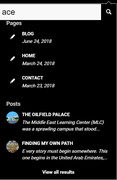
-
Search Results
-
I’m aiming to have a minimalist navigation on this site:
But considering some of our stakeholders’ needs, they will appreciate some guidance to know that clicking the icon will take them to the home page.
Is there a simple way to add a tooltip to the main logo image?
Thanks.
Hi,
I moved my website to another hosting company and since then, i got this error in the Chrome Console. The FAQ accordions on my website doesn’t work anymore and css animations (fade in etc.) also doesn’t work anymore. Do you have any idea how to solve this?
Uncaught TypeError: $.AviaTooltip is not a constructor
at HTMLDocument.<anonymous> (shortcodes.js?ver=3:36)
at i (jquery.js?ver=1.12.4:2)
at Object.fireWith [as resolveWith] (jquery.js?ver=1.12.4:2)
at Function.ready (jquery.js?ver=1.12.4:2)
at HTMLDocument.K (jquery.js?ver=1.12.4:2)Hello,
I tried out BookingCalendar (https://multiuser.wpbookingcalendar.com/) with Enfold theme and in BookingCalendar important tooltips are not displayed because of a bootstrap conflict.
BookingCalendar uses bootstrap library 3.3.5.
Is there any fix possible? I’d really apreciate because there is no alternative for BookingCalendar multiuser.
Best regards
RolfHi,
I would like to hide image titles and descriptions of thumbnails that show up in little grey boxes when you hover on images or thumbnails of galleries.
I tried to hide this feature by following the instructions in this two posts:
http://kriesi.at/documentation/enfold/remove-image-titles-that-show-up-when-you-hover-on-images/
https://kriesi.at/support/topic/remove-tooltip-display-of-image-captions/
The problem is that the codes in this two posts remove not only the image titles and descriptions of thumbnails when you hover on images or thumbnails of galleries, but also the description below the image in the lightbox. I would like the description to still display there. How can I achieve this?
Best regards,
zizibe1Topic: Blog – no pagination
Hi Kriesi – Team
Have a blog here: http://grafikzumglueck.ch/category/mein-blog/
I would like to renounce the pagination and show all entries immediately.
How can I do that?
Blog Styling: Elegant
Blog Layout: Raster-Layout
Single Post Style: Single post with small preview image
Related Entries: Show thumbnails and display post title by tooltipMany Thanks!
Hi There,
I’m building a site and I have found that the site is loading super slow and sometimes the pages even get stuck loading. Here’s what I’ve found and unfortunately at the moment I don’t have this on a staging server. I am however willing to move this to one if it would help solve this issue.The issues seem to be happening while using “Advanced Layer Sliders”
Through Google Chrome Developer Tools > Console I have found that:
The following file is not found… http://www.WEBSITE.com/wp-content/home/WEBSITE/outline/skin.css
For this issue I even tried to create the directory and file but it didn’t work. I have no idea why this would be looking in a /wp-content/HOME directory. That doesn’t exist either…I’m also seeing a few “Uncaught TypeErrors”
1) Uncaught TypeError: $.avia_utilities.supports is not a function
at avia_hover_effect (avia.js?ver=4.4:513)
at Object.$.avia_utilities.avia_ajax_call (avia.js?ver=4.4:83)
at HTMLDocument.<anonymous> (avia.js?ver=4.4:42)
at i (jquery.js?ver=1.12.4:2)
at Object.fireWith [as resolveWith] (jquery.js?ver=1.12.4:2)
at Function.ready (jquery.js?ver=1.12.4:2)
at HTMLDocument.K (jquery.js?ver=1.12.4:2)2) shortcodes.js?ver=4.4:36 Uncaught TypeError: $.AviaTooltip is not a constructor
at HTMLDocument.<anonymous> (shortcodes.js?ver=4.4:36)
at c (jquery.min.js:4)
at Object.fireWith [as resolveWith] (jquery.min.js:4)
at Function.ready (jquery.min.js:4)
at HTMLDocument.q (jquery.min.js:4)These issues are holding me up from launching. I could really use a hand here.
Thank You.On fullwidth slider customer wants to keep same caption on all images in same location. We are using three images that we have to give credit to photographer. I have tried several plugins to get a tooltip with the message “Photo Courtesy of Jimmy Gates and Bill Edwards.” to show when image moused over but none seem to work. Do you know of any way I can do this?
We will be adding more images from different photographers so need to get it to work if possible.
thanks,
BuddyTopic: disable tooltip description
Hi, can i somhow disable, that the description of an image shows up on mouse hover, but still remains when it opens in a lightbox?
I already tried this code in my child theme functions php:function remove_title_attr(){
?>
<script>
jQuery(window).load(function(){
jQuery(‘#wrap_all a’).removeAttr(‘title’);
jQuery(‘#wrap_all img’).removeAttr(‘title’);
});
</script>
<?php
}
add_action(‘wp_footer’, ‘remove_title_attr’);but the the whole description is removed and not shown anymore in the lightbox.
So what i want is:
mouse hover: no description in the tooltip
Image opend in the lightbox: description underneathist this possible?
thank you in advance
KatharinaHey guys, I can’t for the life of me figure out what the CSS would be for this page to fix the tooltip so it’s not so transparent. If you scroll over any 1 of the 3 white boxes, you’ll subtly see the tooltip rollover. I think the theme may be conflicting with it’s display, but can you confirm for me? I want to be abel to adjust the rollover to be more visible. Please see the link below. Thanks!
Hello
I followed the discussion on https://kriesi.at/support/topic/enfold-support-for-cm-tooltip-glossary/
about the CM Tooltip Glossary plugin compatibility with Enfold.
I just updated Enfold to version 4.4.1 but I still have the same problem.
I noticed that the file template-builder.php has been modified with the codes
ava_before_content_templatebuilder_page
ava_after_content_templatebuilder_page
but it does not seem to work and the layout is broken. The sidebar goes to the bottom of the page.
Can you help me.
thank you in advance
StefanosHi all,
I’ve succesfully built a website with Enfold about 3 years ago, and still love the result. For this site, they needed a tooltip glossary explaining terms in-text, so I added CM Tooltip for that. This has been working like a charm, but with one of the recent updates, it stopped working with Avia builder.
I did a test and added one of the glossary terms to the classic editor. There, the term gets underlined and a pop up text. Repeating this with the advanced builder, it’s not working anymore
Please see this video for clarification: https://cl.ly/s3YFIt’s a pretty complex site and all pages are built with the Advanced builder, so I would love to make this work again.
Topic: hotspot rollover not working
On my site, I use the “image with hotspots” in several locations with the rollover enabled. However, the hotspot tooltip on rollover is now only showing for a split second – the text isn’t readable because the box immediately disappears. This used to work fine.
Here’s one example of the problem. https://athlosacademies.org/newsletter-winter-2017/ (scroll down to the bottom of page and look for the US map)
Hi
i try to use my own shortcode by this example here.
Now i try to add a list-feature, but this not work.
My Code:<?php /** * Featurebox * * Shortcode which creates a text element wrapped in a div */ if ( ! defined( 'ABSPATH' ) ) { exit; } // Exit if accessed directly if ( !class_exists( 'avia_sc_olicci_featurebox' ) ) { class avia_sc_olicci_featurebox extends aviaShortcodeTemplate { /** * Create the config array for the shortcode button */ function shortcode_insert_button() { $this->config['self_closing'] = 'no'; $this->config['name'] = __('Feature Box', 'avia_framework' ); $this->config['tab'] = __('Content Elements', 'avia_framework' ); $this->config['icon'] = AviaBuilder::$path['imagesURL']."sc-contentslider.png"; $this->config['order'] = 1; $this->config['target'] = 'avia-target-insert'; $this->config['shortcode'] = 'av_olicci_featurebox'; $this->config['shortcode_nested'] = array('av_olicci_featureitem'); $this->config['tooltip'] = __('Create an olicci Feature Box Element', 'avia_framework' ); $this->config['preview'] = true; $this->config['modal_data'] = array('modal_class' => 'mediumscreen'); } /** * Popup Elements * * If this function is defined in a child class the element automatically gets an edit button, that, when pressed * opens a modal window that allows to edit the element properties * * @return void */ function popup_elements() { $this->elements = array( array( "type" => "tab_container", 'nodescription' => true ), array( "type" => "tab", "name" => __("Content" , 'avia_framework'), 'nodescription' => true ), array( "name" => __("Heading", 'avia_framework'), 'desc' => __('Trage hier die Headline ein','olicci'), 'id' => 'heading', 'type' => 'input', 'std' => 'Adserver' ), array( "name" => __("Subheading","avia_framework"), "desc" => __("Add an extra descriptive subheading below the actual heading","avia_framework"), "id" => "subheading", "type" => "input", "std" => "" ), array( "name" => __("Content",'avia_framework' ), "desc" => __("Enter some content for this textblock",'avia_framework' ), "id" => "content", "type" => "textarea", "std" => __("Click here to add your own text", "avia_framework" ) ), array( "name" => __("Adserver Auswahl", 'olicci' ), "desc" => __("Trage hier die Adserver ein, in denen das Feature enthalten ist", 'olicci' ), "id" => "adserver", "type" => "modal_group", "modal_title" => __("Edit List Item", "avia_framework"), "std" => array( array('title' => 'Display AdServer','color' => "#400954", "link" => "") ), "subelements" => array( array( "name" => "AdServer Titel", "desc" => "Der Titel des AdServers", "id" => "title", "std" => "Adnetwork", "type" => "input" ), array( "name" => "Link", "desc" => "Link zur Adserver Beschreibung", "id" => "link", "type" => "linkpicker", "fetchTMPL" => true, "std" => "", "subtype" => array( __('No Link', 'avia_framework' ) =>'', __('Set Manually', 'avia_framework' ) =>'manually', __('Single Entry', 'avia_framework' ) =>'single', __('Taxonomy Overview Page', 'avia_framework' )=>'taxonomy', ) ), array( "name" => "Kreis-Farbe", "desc" => "Farbe des Kreises des Elements", "id" => "link_color", "type" => "colorpicker", "std" => "", ) ) ), array( "type" => "close_div", 'nodescription' => true ), array( "type" => "tab", "name" => __("Screen Options",'avia_framework' ), 'nodescription' => true ), array( "name" => __("Element Visibility",'avia_framework' ), "desc" => __("Set the visibility for this element, based on the device screensize.", 'avia_framework' ), "type" => "heading", "description_class" => "av-builder-note av-neutral", ), array( "desc" => __("Hide on large screens (wider than 990px - eg: Desktop)", 'avia_framework'), "id" => "av-desktop-hide", "std" => "", "container_class" => 'av-multi-checkbox', "type" => "checkbox"), array( "desc" => __("Hide on medium sized screens (between 768px and 989px - eg: Tablet Landscape)", 'avia_framework'), "id" => "av-medium-hide", "std" => "", "container_class" => 'av-multi-checkbox', "type" => "checkbox"), array( "desc" => __("Hide on small screens (between 480px and 767px - eg: Tablet Portrait)", 'avia_framework'), "id" => "av-small-hide", "std" => "", "container_class" => 'av-multi-checkbox', "type" => "checkbox"), array( "desc" => __("Hide on very small screens (smaller than 479px - eg: Smartphone Portrait)", 'avia_framework'), "id" => "av-mini-hide", "std" => "", "container_class" => 'av-multi-checkbox', "type" => "checkbox"), array( "name" => __("Font Size",'avia_framework' ), "desc" => __("Set the font size for the element content, based on the device screensize.", 'avia_framework' ), "type" => "heading", "description_class" => "av-builder-note av-neutral", ), array( "name" => __("Font Size for medium sized screens (between 768px and 989px - eg: Tablet Landscape)", 'avia_framework' ), "id" => "av-medium-font-size", "type" => "select", "subtype" => AviaHtmlHelper::number_array(10,60,1, array( __("Default", 'avia_framework' )=>''), "px"), "std" => ""), array( "name" => __("Font Size for small screens (between 480px and 767px - eg: Tablet Portrait)", 'avia_framework' ), "id" => "av-small-font-size", "type" => "select", "subtype" => AviaHtmlHelper::number_array(10,60,1, array( __("Default", 'avia_framework' )=>''), "px"), "std" => ""), array( "name" => __("Font Size for very small screens (smaller than 479px - eg: Smartphone Portrait)", 'avia_framework' ), "id" => "av-mini-font-size", "type" => "select", "subtype" => AviaHtmlHelper::number_array(10,60,1, array( __("Default", 'avia_framework' )=>''), "px"), "std" => ""), array( "type" => "close_div", 'nodescription' => true ), array( "type" => "close_div", 'nodescription' => true ), ); } /** * Editor Sub Element - this function defines the visual appearance of an element that is displayed within a modal window and on click opens its own modal window * Works in the same way as Editor Element * @param array $params this array holds the default values for $content and $args. * @return $params the return array usually holds an innerHtml key that holds item specific markup. */ function editor_sub_element($params) { $template = $this->update_template("title", __("Element", 'avia_framework' ). ": {{title}}"); //extract(av_backend_icon($params)); // creates $font and $display_char if the icon was passed as param "icon" and the font as "font" $params['innerHtml'] = ""; $params['innerHtml'] .= "<div class='avia_title_container'>"; $params['innerHtml'] .= "<span>";//"<span ".$this->class_by_arguments('font' ,$font).">"; //$params['innerHtml'] .= "<span data-update_with='icon_fakeArg' class='avia_tab_icon'>".$display_char."</span>"; $params['innerHtml'] .= "</span>"; $params['innerHtml'] .= "<span {$template} >".__("Element", 'avia_framework' ).": ".$params['args']['title']."</span></div>"; return $params; } /** * Editor Element - this function defines the visual appearance of an element on the AviaBuilder Canvas * Most common usage is to define some markup in the $params['innerHtml'] which is then inserted into the drag and drop container * Less often used: $params['data'] to add data attributes, $params['class'] to modify the className * * * @param array $params this array holds the default values for $content and $args. * @return $params the return array usually holds an innerHtml key that holds item specific markup. */ function editor_element($params) { $params['class'] = ""; $params['innerHtml'] = "<div class='avia_featurebox avia_textblock_style' data-update_with='content'>".stripslashes(wpautop(trim(html_entity_decode( $params['content']) )))."</div>"; return $params; } /** * Frontend Shortcode Handler * * @param array $atts array of attributes * @param string $content text within enclosing form of shortcode element * @param string $shortcodename the shortcode found, when == callback name * @return string $output returns the modified html string */ function shortcode_handler($atts, $content = "", $shortcodename = "", $meta = "") { extract(AviaHelper::av_mobile_sizes($atts)); //return $av_font_classes, $av_title_font_classes and $av_display_classes extract(shortcode_atts(array( 'font_color' => "", 'color' => '', 'size' => '', ), $atts, $this->config['shortcode'])); $custom_class = !empty($meta['custom_class']) ? $meta['custom_class'] : ""; $output = ''; $markup = avia_markup_helper(array('context' => 'entry','echo'=>false, 'custom_markup'=>$meta['custom_markup'])); $markup_text = avia_markup_helper(array('context' => 'entry_content','echo'=>false, 'custom_markup'=>$meta['custom_markup'])); $output .= "<!-- "; $output .= var_export([$atts,$content],true); $output .= "-->\n"; $output .= '<section class="av_featurebox_section">';// '.$markup.'>'; $output .= '<div class="olicci-sign">'; $output .= '<img src="'.trailingslashit(get_stylesheet_directory_uri()).'img/olicci-sign-30x30.png" alt="" />'; $output .= '</div>'; $output .= '<div class="title">'; $output .= "<h4>".$atts['heading']."</h4>"; $output .= "<h6>".$atts['subheading']."</h6>"; $output .= "</div>"; //$output .= "<div class='avia_textblock {$custom_class}' {$markup_text}>".ShortcodeHelper::avia_apply_autop(ShortcodeHelper::avia_remove_autop($content) )."</div>"; $output .= "<div class='avia_textblock {$custom_class}'>".ShortcodeHelper::avia_apply_autop(ShortcodeHelper::avia_remove_autop($content) )."</div>"; $output .= "<div class='avia_footer'>"; $output .= "</div>"; $output .= '</section>'; return $output; } function av_olicci_featureitem($atts, $content = "", $shortcodename = "") { //extract($this->screen_options); //return $av_font_classes, $av_title_font_classes and $av_display_classes $atts = shortcode_atts(array('title' => '', 'link' => '', 'link_color' => ''), $atts, 'av_olicci_featureitem'); $output = ""; $output = "<a href='".esc_url($atts['link'])."' class='tooltip' data-tooltip='".esc_attr($atts['title'])."'>"; $output .= "<div class='circle' style='background-color: ".esc_attr($atts['link_color'])."'></div>"; $output .= "</a>"; /* $output = ""; $output .= "<li>"; $output .= "<{$display_char_wrapper['start']} {$this->icon_html_styling} class='iconlist_icon avia-font-".$atts['font']."'><span class='iconlist-char '></span></{$display_char_wrapper['end']}>"; $output .= '<article class="article-icon-entry '.$contentClass.'" '.avia_markup_helper(array('context' => 'entry','echo'=>false, 'custom_markup'=>$atts['custom_markup'])).'>'; $output .= "<div class='iconlist_content_wrap'>"; $output .= '<header class="entry-content-header">'; $markup = avia_markup_helper(array('context' => 'entry_title','echo'=>false, 'custom_markup'=>$atts['custom_markup'])); if(!empty($atts['title'])) $output .="<{$title_el} class='av_iconlist_title iconlist_title{$iconlist_title} {$this->title_class} {$av_title_font_classes}' {$markup} {$this->title_styling}>".$atts['title']."</{$title_el}>"; $output .= '</header>'; $markup = avia_markup_helper(array('context' => 'entry_content','echo'=>false, 'custom_markup'=>$atts['custom_markup'])); $output .= "<div class='iconlist_content {$this->content_class} {$av_font_classes}' {$markup} {$this->content_styling}>".ShortcodeHelper::avia_apply_autop(ShortcodeHelper::avia_remove_autop( $content ) )."</div>"; $output .= "</div>"; $output .= '<footer class="entry-footer"></footer>'; $output .= '</article>'; $output .= "<div class='iconlist-timeline'></div>"; $output .= "</li>"; */ return $output; } } }That outputted:
<p>‚ av-medium-font-size=“ av-small-font-size=“ av-mini-font-size=“ av_uid=’av-3590‘ admin_preview_bg=“]<br>
Affiliate AdServer ist mit einem innovativen Feature ausgestattet, durch das der Betreiber Aufgaben auf verschiedene Manager verteilen kann. Jeder Manager erhält einen eigenen Account, mit dem er verschiedene Inventare verwalten oder Aufgaben wie die Prüfung von Werbemitteln ausführen kann.</p>
How i can add the list-feature to my element (every list-item needs a title, link and a color, not more)?
Thanks,
Stefan