
-
AuthorSearch Results
-
August 19, 2018 at 12:43 pm #998897
Hi,
Please try installing the thumbnail re-generator plugin and regenerate all thumbnails. If you still have any issue we need working login credentials to check your site and vire the frontend as it only shows a coming soon page at the moment. Please keep the credentials active till the issue is resolved.
Best regards,
VinayAugust 18, 2018 at 11:14 pm #998808friendlier
ParticipantHi,
Thumbnails in the Latest News widget are strangely absent on the blog sidebar but not the pages one – please help!
August 18, 2018 at 3:31 am #998612In reply to: Border around add to cart button
Hi,
Thank you for the images, please try this css:#top .single-product-main-image .thumbnails a { border: none !important; padding: 0px !important; }Best regards,
MikeAugust 17, 2018 at 7:28 pm #998560In reply to: Issue with Estatik property listings plugin
Hi!
Please try changing the code to following one
.es-listing .es-property-inner .es-property-thumbnail .es-thumbnail a {
    display: block !important;
}
Regards,
YigitAugust 17, 2018 at 4:49 pm #998506In reply to: Issue with Estatik property listings plugin
Hi,
Please try adding this code to the Quick CSS section under Enfold > General Styling or to your child theme’s style.css file:
CSS Snippet:
.es-listing .es-property-inner .es-property-thumbnail .es-thumbnail a {
    display: block;
}
Best regards,
YigitAugust 17, 2018 at 4:28 pm #998496Topic: Time.ly Calendar thumbnails not displaying
in forum Enfoldakelly7
ParticipantHello,
After searching for an answer and checking for plugin conflicts I have determined that it only happens with Enfold. …
so here is the issue… I am using the stream view on the All in One Events Calendar the thumbnails no longer display… it use to work it no longer does.
sometimes the images show for a second then they disappear.I have a staging site that you can see it…I am sending login..
All plugins are disabled except for the calendar
August 17, 2018 at 1:06 pm #998408Hi,
You can change the woocommerce thumbnail sizes under Appearance > Customize. Then click on “WooCommerce” and insert your custom thumbnail size below the “Main image width” headline. You maybe need to regenerate your existing thumbnails with https://de.wordpress.org/plugins/regenerate-thumbnails/
Best regards,
DudeAugust 17, 2018 at 7:15 am #998293In reply to: Pixelated images on masonry?
Hey realisedesign,
Thank you for using Enfold.
The maximum dimension of the masonry thumbnail is set to 705x705px. You can adjust that in the Settings > Media panel after installing the Simple Image Sizes plugin.
// https://wordpress.org/plugins/simple-image-sizes/
Best regards,
IsmaelAugust 16, 2018 at 10:23 pm #998183In reply to: Border around add to cart button
Hi,
#top .single-product-main-image .thumbnails a {
border: none !important;
}Let us know now
Best regards,
BasilisAugust 16, 2018 at 11:15 am #997893In reply to: Respect More Tag for Blog Elements in ALB
I noticed the code seems to work if I use the layout “single Author” with big thumbnail picture. It does not work for “Raster-Layout (in German)”. What to do?
August 16, 2018 at 7:53 am #997825In reply to: Portfolio detail – image cropping issue
Hey RSNO,
Thank you for using Enfold.
Install the Simple Image Sizes plugin and then go to the Settings > Media panel. Adjust the size of the “entry_with_sidebar” and “entry_without_sidebar” thumnails, update, save and then regenerate the thumbnails. Those thumbnails are used when you’re on the single portfolio page.
Best regards,
IsmaelAugust 16, 2018 at 5:59 am #997774In reply to: Advanced Layout Editor for Blog Post Page?
Hi,
I added the slider markup in the functions.php hook. (see private field)
<div id="full_slider_1" class="avia-fullwidth-slider main_color avia-shadow   avia-builder-el-0  el_before_av_submenu  avia-builder-el-first  container_wrap fullsize">
<div data-size="featured" data-lightbox_size="large" data-animation="slide" data-conditional_play="" data-ids="14746" data-video_counter="0" data-autoplay="false" data-bg_slider="false" data-slide_height="" data-handle="av_slideshow_full" data-interval="5" data-class=" " data-css_id="" data-scroll_down="" data-control_layout="av-control-default" data-custom_markup="" data-perma_caption="" data-autoplay_stopper="" data-image_attachment="" data-min_height="0px" data-src="" data-position="top left" data-repeat="no-repeat" data-attach="scroll" data-stretch="" data-default-height="28.666666666667" class="avia-slideshow avia-slideshow-1  av-control-default avia-slideshow-featured av_slideshow_full   avia-slide-slider" itemprop="ImageObject" itemscope="itemscope" itemtype="https://schema.org/ImageObject">
<ul class="avia-slideshow-inner " style="padding: 0px;">
 	<li class="av-single-slide slide-1  active-slide" style="visibility: visible; opacity: 1; transition: none; transform: translateZ(0px);">
<div data-rel="slideshow-1" class="avia-slide-wrap "><img src="https://www.new.barrelracingtips.com/wp-content/uploads/2018/08/blog-1500x380.png" width="1500" height="380" title="blog" alt="" itemprop="thumbnailUrl" style="left: 0px;"></div></li>
</ul>
</div>
</div>
Best regards,
IsmaelAugust 16, 2018 at 5:52 am #997770Hi,
Thank for the update.
Looks like the “WP Image Zoom PRO” causes the issue. The gallery displays the actual thumbnails when the plugin is deactivated. Unfortunately, I have no idea why the plugin would affect the gallery. Please contact the plugin author for more info.
Best regards,
IsmaelAugust 15, 2018 at 6:39 pm #997637Topic: Portfolio detail – image cropping issue
in forum EnfoldRSNO
ParticipantI’m having an issue with the portfolio images.
The images I’m using are square, which is exactly what I want in my grid area: http://www.rsno.org.uk/musicians/
and when you click to view the AJAX Portfolio Preview, they’re still fine.However, when you click through again and view the individual portfolio, the image is cropped to 800 x 321. And this often ends up chopping our musicians heads off, which is not good…
Is there a way to change the portfolio layout so that this doesn’t happen?
I have already tried altering the image size in entry_with_sidebar in functions.php to being 800 x 800 and regenerating thumbnails but the page layout and image remain unchanged, even when emptying cache and reloading the page.
Any ideas? Thanks, Cat
August 15, 2018 at 5:14 am #997416Topic: Cant load medialibrary or create new page
in forum Enfoldjanicenisha
ParticipantHi there,
I updated my site to https by reimporting the database but i got this error below – The site works but am unable to create a new page or view the thumbnails in media library. hop i could get some help thanks
Error
SQL query:—
— Indexes for tablewp_options
—
ALTER TABLEwp_options
ADD PRIMARY KEY (option_id),
ADD UNIQUE KEYoption_name(option_name)
MySQL said: Documentation#1062 – Duplicate entry ‘0’ for key ‘PRIMARY’
August 14, 2018 at 8:33 pm #997270In reply to: Border around add to cart button
Hi,
Adjust Mike’s code to the following:
#top .single-product-main-image .thumbnails a {
   border:0px!important;
}
Best regards,
Jordan ShannonAugust 14, 2018 at 7:58 pm #997262In reply to: EWWW Image Optimiser Issue
Hey ballindigital,
You can use a plugin like https://wordpress.org/plugins/simple-image-sizes/ to add or remove defined thumbnail sizes. If you i.e. remove 3 sizes wordpress will only generate 11 images and not 14.
You could also use an offline tool like https://saerasoft.com/caesium/ or https://imageoptim.com/mac to compress the images. Download the wp-conent/uploads folder via ftp, search the folder for jpegs on your PC/Mac and drag’n’drop the files into the software window to compress them. Then upload the folder via ftp and overwrite the uncompressed files.
Best regards,
DudeAugust 14, 2018 at 7:23 pm #997247Topic: EWWW Image Optimiser Issue
in forum Enfoldballindigital
ParticipantHi,
I’m using the plugin EWWW Image Optimiser and have about 500 images on my website.
I purchased about 3000 credits which have all been used somehow?
It looks as though each image has been optimised 14 times?
I’ve spoken to the company and they claim that it’s an issue with the theme that I’m using.
Can you help me understand this?
It doesn’t make sense as to why the theme would make the plugin optimise it 14 times?
It looks like it’s doing it for each image type – thumbnail, square, gallery etc..
I need to get this sorted otherwise I’ll end up paying a fortune on image resizing..
Thanks,
Harvinder
August 14, 2018 at 5:47 pm #997172Thank you
I have replaced the file with the fixed one but in the footer are still loaded 450×450 images
I have tested in the development site where there is not caching plugin, varnish on different browsers with clean cacheI added then at raw 16
$avia_config[‘imgSize’][‘woocommerce_thumbnail’] = array(‘width’=>70, ‘height’=>70);and now it works, but I don’t know if it would give problem in some other area of the site
Thank you
-
This reply was modified 7 years, 7 months ago by
profumopuntoit.
August 14, 2018 at 4:21 pm #997149Hi,
The blog widget has an image size of 70 * 70. The 2 WooCommerce widgets render standard WC size ‘woocommerce_thumbnail’.
I added a fix for that. Will become part of a future update.
Meanwhile replace file
enfold\config-woocommerce\config.php
with
https://github.com/KriesiMedia/enfold-library/blob/master/temp_fixes/Enfold_4_4_1/config-woocommerce-1/config.php
Do not forget to make a backup of the original file for fallback. If you want us to do the update please provide FTP access credentials in private content.
Best regards,
GünterAugust 14, 2018 at 4:11 pm #997146In reply to: Change Output/Layout of ALB's Blog-Posts Element
Hey Victoria,
thanks for your reply! I’ve found the right spot in postslider.php and could mod it successfully :)
Now I just have one further question: Can I put the modded postslider.php into the child-theme folder?
Best Regards,
BirgerIf someone else is interested in the modded postslider.php, here’s the code (whole file):
<?php /** * Post Slider * * Display a Slideshow of Post Entries * Element is in Beta and by default disabled. Todo: test with layerslider elements. currently throws error bc layerslider is only included if layerslider element is detected which is not the case with the post/page element */ if ( ! defined( 'ABSPATH' ) ) { exit; } // Exit if accessed directly if ( !class_exists( 'avia_sc_postslider' )) { class avia_sc_postslider extends aviaShortcodeTemplate { /** * Create the config array for the shortcode button */ function shortcode_insert_button() { $this->config['self_closing'] = 'yes'; $this->config['name'] = __('Post Slider', 'avia_framework' ); $this->config['tab'] = __('Content Elements', 'avia_framework' ); $this->config['icon'] = AviaBuilder::$path['imagesURL']."sc-postslider.png"; $this->config['order'] = 30; $this->config['target'] = 'avia-target-insert'; $this->config['shortcode'] = 'av_postslider'; $this->config['tooltip'] = __('Display a Slideshow of Post Entries', 'avia_framework' ); $this->config['drag-level'] = 3; $this->config['disabling_allowed'] = true; } function extra_assets() { //load css wp_enqueue_style( 'avia-module-slideshow' , AviaBuilder::$path['pluginUrlRoot'].'avia-shortcodes/slideshow/slideshow.css' , array('avia-layout'), false ); wp_enqueue_style( 'avia-module-postslider' , AviaBuilder::$path['pluginUrlRoot'].'avia-shortcodes/postslider/postslider.css' , array('avia-module-slideshow'), false ); //load js wp_enqueue_script( 'avia-module-slideshow' , AviaBuilder::$path['pluginUrlRoot'].'avia-shortcodes/slideshow/slideshow.js' , array('avia-shortcodes'), false, TRUE ); } /** * Popup Elements * * If this function is defined in a child class the element automatically gets an edit button, that, when pressed * opens a modal window that allows to edit the element properties * * @return void */ function popup_elements() { $this->elements = array( array( "type" => "tab_container", 'nodescription' => true ), array( "type" => "tab", "name" => __("Content" , 'avia_framework'), 'nodescription' => true ), array( "name" => __("Which Entries?", 'avia_framework' ), "desc" => __("Select which entries should be displayed by selecting a taxonomy", 'avia_framework' ), "id" => "link", "fetchTMPL" => true, "type" => "linkpicker", "subtype" => array( __('Display Entries from:', 'avia_framework' )=>'taxonomy'), "multiple" => 6, "std" => "category" ), array( "name" => __("WooCommerce Product visibility?", 'avia_framework' ), "desc" => __("Select the visibility of WooCommerce products. Default setting can be set at Woocommerce -> Settings -> Products -> Inventory -> Out of stock visibility", 'avia_framework' ), "id" => "wc_prod_visible", "type" => "select", "std" => "", "required" => array( 'link', 'parent_in_array', implode( ' ', get_object_taxonomies( 'product', 'names' ) ) ), "subtype" => array( __('Use default WooCommerce Setting (Settings -> Products -> Out of stock visibility)', 'avia_framework' ) => '', __('Hide products out of stock', 'avia_framework' ) => 'hide', __('Show products out of stock', 'avia_framework' ) => 'show') ), array( "name" => __( "Sorting Options", 'avia_framework' ), "desc" => __( "Here you can choose how to sort the products. Default setting can be set at Woocommerce -> Settings -> Products -> Display -> Default product sorting", 'avia_framework' ), "id" => "prod_order_by", "type" => "select", "std" => "", "required" => array( 'link', 'parent_in_array', implode( ' ', get_object_taxonomies( 'product', 'names' ) ) ), "subtype" => array( __('Use defaut (defined at Woocommerce -> Settings -> Default product sorting) ', 'avia_framework' ) => '', __('Sort alphabetically', 'avia_framework' ) => 'title', __('Sort by most recent', 'avia_framework' ) => 'date', __('Sort by price', 'avia_framework' ) => 'price', __('Sort by popularity', 'avia_framework' ) => 'popularity', __('Sort randomly', 'avia_framework' ) => 'rand' ) ), array( "name" => __( "Sorting Order", 'avia_framework' ), "desc" => __( "Here you can choose the order of the result products. Default setting can be set at Woocommerce -> Settings -> Products -> Display -> Default product sorting", 'avia_framework' ), "id" => "prod_order", "type" => "select", "std" => "", "required" => array( 'link', 'parent_in_array', implode( ' ', get_object_taxonomies( 'product', 'names' ) ) ), "subtype" => array( __('Use defaut (defined at Woocommerce -> Settings -> Default product sorting)', 'avia_framework' ) => '', __('Ascending', 'avia_framework' ) => 'ASC', __('Descending', 'avia_framework' ) => 'DESC' ) ), array( "name" => __("Columns", 'avia_framework' ), "desc" => __("How many columns should be displayed?", 'avia_framework' ), "id" => "columns", "type" => "select", "std" => "3", "subtype" => array( __('1 Columns', 'avia_framework' )=>'1', __('2 Columns', 'avia_framework' )=>'2', __('3 Columns', 'avia_framework' )=>'3', __('4 Columns', 'avia_framework' )=>'4', __('5 Columns', 'avia_framework' )=>'5', )), array( "name" => __("Entry Number", 'avia_framework' ), "desc" => __("How many items should be displayed?", 'avia_framework' ), "id" => "items", "type" => "select", "std" => "9", "subtype" => AviaHtmlHelper::number_array(1,100,1, array('All'=>'-1'))), array( "name" => __("Offset Number", 'avia_framework' ), "desc" => __("The offset determines where the query begins pulling posts. Useful if you want to remove a certain number of posts because you already query them with another post slider element.", 'avia_framework' ), "id" => "offset", "type" => "select", "std" => "0", "subtype" => AviaHtmlHelper::number_array(1,100,1, array(__('Deactivate offset','avia_framework')=>'0', __('Do not allow duplicate posts on the entire page (set offset automatically)', 'avia_framework' ) =>'no_duplicates'))), array( "name" => __("Title and Excerpt",'avia_framework' ), "desc" => __("Choose if you want to only display the post title or title and excerpt",'avia_framework' ), "id" => "contents", "type" => "select", "std" => "excerpt", "subtype" => array( __('Title and Excerpt', 'avia_framework' ) =>'excerpt', __('Title and Excerpt + Read More Link', 'avia_framework' ) =>'excerpt_read_more', __('Only Title', 'avia_framework' ) =>'title', __('Only Title + Read More Link', 'avia_framework' ) =>'title_read_more', __('Only excerpt', 'avia_framework' ) =>'only_excerpt', __('Only excerpt + Read More Link', 'avia_framework' ) =>'only_excerpt_read_more', __('No Title and no excerpt', 'avia_framework' ) =>'no')), array( "name" => __("Preview Image Size", 'avia_framework' ), "desc" => __("Set the image size of the preview images", 'avia_framework' ), "id" => "preview_mode", "type" => "select", "std" => "auto", "subtype" => array(__('Set the preview image size automatically based on column width','avia_framework' ) =>'auto',__('Choose the preview image size manually (select thumbnail size)','avia_framework' ) =>'custom')), array( "name" => __("Select custom preview image size", 'avia_framework' ), "desc" => __("Choose image size for Preview Image", 'avia_framework' ), "id" => "image_size", "type" => "select", "required" => array('preview_mode','equals','custom'), "std" => "portfolio", "subtype" => AviaHelper::get_registered_image_sizes(array('logo')) ), /* array( "name" => __("Post Slider Transition", 'avia_framework' ), "desc" => __("Choose the transition for your Post Slider.", 'avia_framework' ), "id" => "animation", "type" => "select", "std" => "fade", "subtype" => array(__('Slide','avia_framework' ) =>'slide',__('Fade','avia_framework' ) =>'fade'), ), */ array( "name" => __("Autorotation active?",'avia_framework' ), "desc" => __("Check if the slideshow should rotate by default",'avia_framework' ), "id" => "autoplay", "type" => "select", "std" => "no", "subtype" => array(__('Yes','avia_framework' ) =>'yes',__('No','avia_framework' ) =>'no')), array( "name" => __("Slideshow autorotation duration",'avia_framework' ), "desc" => __("Slideshow will rotate every X seconds",'avia_framework' ), "id" => "interval", "type" => "select", "std" => "5", "required" => array('autoplay','equals','yes'), "subtype" => array('3'=>'3','4'=>'4','5'=>'5','6'=>'6','7'=>'7','8'=>'8','9'=>'9','10'=>'10','15'=>'15','20'=>'20','30'=>'30','40'=>'40','60'=>'60','100'=>'100')), array( "type" => "close_div", 'nodescription' => true ), array( "type" => "tab", "name" => __("Screen Options",'avia_framework' ), 'nodescription' => true ), array( "name" => __("Element Visibility",'avia_framework' ), "desc" => __("Set the visibility for this element, based on the device screensize.", 'avia_framework' ), "type" => "heading", "description_class" => "av-builder-note av-neutral", ), array( "desc" => __("Hide on large screens (wider than 990px - eg: Desktop)", 'avia_framework'), "id" => "av-desktop-hide", "std" => "", "container_class" => 'av-multi-checkbox', "type" => "checkbox"), array( "desc" => __("Hide on medium sized screens (between 768px and 989px - eg: Tablet Landscape)", 'avia_framework'), "id" => "av-medium-hide", "std" => "", "container_class" => 'av-multi-checkbox', "type" => "checkbox"), array( "desc" => __("Hide on small screens (between 480px and 767px - eg: Tablet Portrait)", 'avia_framework'), "id" => "av-small-hide", "std" => "", "container_class" => 'av-multi-checkbox', "type" => "checkbox"), array( "desc" => __("Hide on very small screens (smaller than 479px - eg: Smartphone Portrait)", 'avia_framework'), "id" => "av-mini-hide", "std" => "", "container_class" => 'av-multi-checkbox', "type" => "checkbox"), array( "type" => "close_div", 'nodescription' => true ), array( "type" => "close_div", 'nodescription' => true ), ); if(current_theme_supports('add_avia_builder_post_type_option')) { $element = array( "name" => __("Select Post Type", 'avia_framework' ), "desc" => __("Select which post types should be used. Note that your taxonomy will be ignored if you do not select an assign post type. If yo don't select post type all registered post types will be used", 'avia_framework' ), "id" => "post_type", "type" => "select", "multiple" => 6, "std" => "", "subtype" => AviaHtmlHelper::get_registered_post_type_array() ); array_splice($this->elements, 2, 0, array($element)); } } /** * Editor Element - this function defines the visual appearance of an element on the AviaBuilder Canvas * Most common usage is to define some markup in the $params['innerHtml'] which is then inserted into the drag and drop container * Less often used: $params['data'] to add data attributes, $params['class'] to modify the className * * * @param array $params this array holds the default values for $content and $args. * @return $params the return array usually holds an innerHtml key that holds item specific markup. */ function editor_element($params) { $params['innerHtml'] = "<img src='".$this->config['icon']."' title='".$this->config['name']."' />"; $params['innerHtml'].= "<div class='avia-element-label'>".$this->config['name']."</div>"; $params['content'] = NULL; //remove to allow content elements return $params; } /** * Frontend Shortcode Handler * * @param array $atts array of attributes * @param string $content text within enclosing form of shortcode element * @param string $shortcodename the shortcode found, when == callback name * @return string $output returns the modified html string */ function shortcode_handler($atts, $content = "", $shortcodename = "", $meta = "") { $screen_sizes = AviaHelper::av_mobile_sizes($atts); if(isset($atts['link'])) { $atts['link'] = explode(',', $atts['link'], 2 ); $atts['taxonomy'] = $atts['link'][0]; if(isset($atts['link'][1])) { $atts['categories'] = $atts['link'][1]; } } $atts['class'] = $meta['el_class']; $atts = array_merge($atts, $screen_sizes); $slider = new avia_post_slider($atts); $slider->query_entries(); return $slider->html(); } } } if ( !class_exists( 'avia_post_slider' ) ) { class avia_post_slider { static $slide = 0; protected $atts; protected $entries; function __construct($atts = array()) { $this->atts = shortcode_atts(array( 'type' => 'slider', // can also be used as grid 'style' => '', //no_margin 'columns' => '4', 'items' => '16', 'taxonomy' => 'category', 'wc_prod_visible' => '', 'prod_order_by' => '', 'prod_order' => '', 'post_type'=> get_post_types(), 'contents' => 'excerpt', 'preview_mode' => 'auto', 'image_size' => 'portfolio', 'autoplay' => 'no', 'animation' => 'fade', 'paginate' => 'no', 'use_main_query_pagination' => 'no', 'interval' => 5, 'class' => '', 'categories'=> array(), 'custom_query'=> array(), 'offset' => 0, 'custom_markup' => '', 'av_display_classes' => '' ), $atts, 'av_postslider'); } public function html() { global $avia_config; $output = ""; if(empty($this->entries) || empty($this->entries->posts)) return $output; avia_post_slider::$slide ++; extract($this->atts); if($preview_mode == 'auto') $image_size = 'portfolio'; $extraClass = 'first'; $grid = 'one_third'; $post_loop_count = 1; $loop_counter = 1; $autoplay = $autoplay == "no" ? false : true; $total = $columns % 2 ? "odd" : "even"; $blogstyle = function_exists('avia_get_option') ? avia_get_option('blog_global_style','') : ""; $excerpt_length = 60; if($blogstyle !== "") { $excerpt_length = 240; } switch($columns) { case "1": $grid = 'av_fullwidth'; if($preview_mode == 'auto') $image_size = 'large'; break; case "2": $grid = 'av_one_half'; break; case "3": $grid = 'av_one_third'; break; case "4": $grid = 'av_one_fourth'; if($preview_mode == 'auto') $image_size = 'portfolio_small'; break; case "5": $grid = 'av_one_fifth'; if($preview_mode == 'auto') $image_size = 'portfolio_small'; break; } $data = AviaHelper::create_data_string(array('autoplay'=>$autoplay, 'interval'=>$interval, 'animation' => $animation, 'show_slide_delay'=>90)); $thumb_fallback = ""; $markup = avia_markup_helper(array('context' => 'blog','echo'=>false, 'custom_markup'=>$custom_markup)); $output .= "<div {$data} class='avia-content-slider avia-content-{$type}-active avia-content-slider".avia_post_slider::$slide." avia-content-slider-{$total} {$class} {$av_display_classes}' $markup>"; $output .= "<div class='avia-content-slider-inner'>"; foreach ($this->entries->posts as $entry) { $the_id = $entry->ID; $parity = $loop_counter % 2 ? 'odd' : 'even'; $last = $this->entries->post_count == $post_loop_count ? " post-entry-last " : ""; $post_class = "post-entry post-entry-{$the_id} slide-entry-overview slide-loop-{$post_loop_count} slide-parity-{$parity} {$last}"; $link = get_post_meta( $the_id ,'_portfolio_custom_link', true ) != "" ? get_post_meta( $the_id ,'_portfolio_custom_link_url', true ) : get_permalink( $the_id ); $excerpt = ""; $title = ''; $show_meta = !is_post_type_hierarchical($entry->post_type); $commentCount = get_comments_number($the_id); $thumbnail = get_the_post_thumbnail( $the_id, $image_size ); $format = get_post_format( $the_id ); if(empty($format)) $format = "standard"; if($thumbnail) { $thumb_fallback = $thumbnail; $thumb_class = "real-thumbnail"; } else { $thumbnail = "<span class=' fallback-post-type-icon' ".av_icon_string($format)."></span><span class='slider-fallback-image'>{{thumbnail}}</span>"; $thumb_class = "fake-thumbnail"; } $permalink = '<div class="read-more-link"><a href="'.get_permalink($the_id).'" class="more-link">'.__('Read more','avia_framework').'<span class="more-link-arrow"></span></a></div>'; $prepare_excerpt = !empty($entry->post_excerpt) ? $entry->post_excerpt : avia_backend_truncate($entry->post_content, apply_filters( 'avf_postgrid_excerpt_length' , $excerpt_length) , apply_filters( 'avf_postgrid_excerpt_delimiter' , " "), "…", true, ''); if($format == 'link') { $current_post = array(); $current_post['content'] = $entry->post_content; $current_post['title'] = $entry->post_title; if(function_exists('avia_link_content_filter')) { $current_post = avia_link_content_filter($current_post); } $link = $current_post['url']; } switch($contents) { case "excerpt": $excerpt = $prepare_excerpt; $title = $entry->post_title; break; case "excerpt_read_more": $excerpt = $prepare_excerpt; $excerpt .= $permalink; $title = $entry->post_title; break; case "title": $excerpt = ''; $title = $entry->post_title; break; case "title_read_more": $excerpt = $permalink; $title = $entry->post_title; break; case "only_excerpt": $excerpt = $prepare_excerpt; $title = ''; break; case "only_excerpt_read_more": $excerpt = $prepare_excerpt; $excerpt .= $permalink; $title = ''; break; case "no": $excerpt = ''; $title = ''; break; } $title = apply_filters( 'avf_postslider_title', $title, $entry ); if($loop_counter == 1) $output .= "<div class='slide-entry-wrap'>"; $post_format = get_post_format($the_id) ? get_post_format($the_id) : 'standard'; $markup = avia_markup_helper(array('context' => 'entry','echo'=>false, 'id'=>$the_id, 'custom_markup'=>$custom_markup)); $output .= "<article class='slide-entry flex_column {$style} {$post_class} {$grid} {$extraClass} {$thumb_class}' $markup>"; $output .= "<div class='slide-content'>"; $markup = avia_markup_helper(array('context' => 'entry_title','echo'=>false, 'id'=>$the_id, 'custom_markup'=>$custom_markup)); $output .= '<header class="entry-content-header">'; $meta_out = ""; if (!empty($title)) { if($show_meta) { $taxonomies = get_object_taxonomies(get_post_type($the_id)); $cats = ''; $excluded_taxonomies = array_merge( get_taxonomies( array( 'public' => false ) ), array('post_tag','post_format') ); $excluded_taxonomies = apply_filters('avf_exclude_taxonomies', $excluded_taxonomies, get_post_type($the_id), $the_id); if(!empty($taxonomies)) { foreach($taxonomies as $taxonomy) { if(!in_array($taxonomy, $excluded_taxonomies)) { $cats .= get_the_term_list($the_id, $taxonomy, '', ', ','').' '; } } } if(!empty($cats)) { $meta_out .= '<span class="blog-categories minor-meta">'; $meta_out .= $cats; $meta_out .= '</span>'; } } /** * Allow to change default output of categories - by default supressed for setting Default(Business) blog style * * @since 4.0.6 * @param string $blogstyle '' | 'elegant-blog' | 'elegant-blog modern-blog' * @param avia_post_slider $this * @return string 'show_elegant' | 'show_business' | 'use_theme_default' | 'no_show_cats' */ $show_cats = apply_filters( 'avf_postslider_show_catergories', 'use_theme_default', $blogstyle, $this ); switch( $show_cats ) { case 'no_show_cats': $new_blogstyle = ''; break; case 'show_elegant': $new_blogstyle = 'elegant-blog'; break; case 'show_business': $new_blogstyle = 'elegant-blog modern-blog'; break; case 'use_theme_default': default: $new_blogstyle = $blogstyle; break; } // elegant style if( ( strpos( $new_blogstyle, 'modern-blog' ) === false ) && ( $new_blogstyle != "" ) ) { $output .= $meta_out; } $output .= "<h3 class='slide-entry-title entry-title' $markup><a href='{$link}' title='".esc_attr(strip_tags($title))."'>".$title."</a></h3>"; // modern business style if( ( strpos( $new_blogstyle, 'modern-blog' ) !== false ) && ( $new_blogstyle != "" ) ) { $output .= $meta_out; } } $output .= '</header>'; $output .= "</div>"; $output .= $thumbnail ? "<a href='{$link}' data-rel='slide-".avia_post_slider::$slide."' class='slide-image' title=''>{$thumbnail}</a>" : ""; if($post_format == "audio") { $current_post = array(); $current_post['content'] = $entry->post_content; $current_post['title'] = $entry->post_title; $current_post = apply_filters( 'post-format-'.$post_format, $current_post ); if(!empty( $current_post['before_content'] )) $output .= '<div class="big-preview single-big audio-preview">'.$current_post['before_content'].'</div>'; } $output .= "<div class='slide-content'>"; $output .= '</header><br/>'; if($show_meta && !empty($excerpt)) { $meta = "<div class='slide-meta'>"; if ( $commentCount != "0" || comments_open($the_id) && $entry->post_type != 'portfolio') { $link_add = $commentCount === "0" ? "#respond" : "#comments"; $text_add = $commentCount === "1" ? __('Comment', 'avia_framework' ) : __('Comments', 'avia_framework' ); $meta .= "<div class='slide-meta-comments'><a href='{$link}{$link_add}'>{$commentCount} {$text_add}</a></div><div class='slide-meta-del'>/</div>"; } $markup = avia_markup_helper(array('context' => 'entry_time','echo'=>false, 'id'=>$the_id, 'custom_markup'=>$custom_markup)); $meta .= "<time class='slide-meta-time updated' $markup>" .get_the_time(get_option('date_format'), $the_id)."</time>"; $meta .= "</div>"; if( strpos($blogstyle, 'elegant-blog') === false ) { $output .= $meta; $meta = ""; } } $markup = avia_markup_helper(array('context' => 'entry_content','echo'=>false, 'id'=>$the_id, 'custom_markup'=>$custom_markup)); $excerpt = apply_filters( 'avf_post_slider_entry_excerpt', $excerpt, $prepare_excerpt, $permalink, $entry ); $output .= !empty($excerpt) ? "<div class='slide-entry-excerpt entry-content' $markup>".$excerpt."</div>" : ""; $output .= "</div>"; $output .= '<br/><span class="av-vertical-delimiter"></span>'; $output .= '<footer class="entry-footer">'; if( !empty($meta) ) $output .= $meta; $output .= '</footer>'; $output .= av_blog_entry_markup_helper( $the_id ); $output .= "</article>"; $loop_counter ++; $post_loop_count ++; $extraClass = ""; if($loop_counter > $columns) { $loop_counter = 1; $extraClass = 'first'; } if($loop_counter == 1 || !empty($last)) { $output .="</div>"; } } $output .= "</div>"; if($post_loop_count -1 > $columns && $type == 'slider') { $output .= $this->slide_navigation_arrows(); } global $wp_query; if($use_main_query_pagination == 'yes' && $paginate == "yes") { $avia_pagination = avia_pagination($wp_query->max_num_pages, 'nav'); } else if($paginate == "yes") { $avia_pagination = avia_pagination($this->entries, 'nav'); } if(!empty($avia_pagination)) $output .= "<div class='pagination-wrap pagination-slider'>{$avia_pagination}</div>"; $output .= "</div>"; $output = str_replace('{{thumbnail}}', $thumb_fallback, $output); wp_reset_query(); return $output; } protected function slide_navigation_arrows() { $html = ""; $html .= "<div class='avia-slideshow-arrows avia-slideshow-controls'>"; $html .= "<a href='#prev' class='prev-slide' ".av_icon_string('prev_big').">".__('Previous','avia_framework' )."</a>"; $html .= "<a href='#next' class='next-slide' ".av_icon_string('next_big').">".__('Next','avia_framework' )."</a>"; $html .= "</div>"; return $html; } //fetch new entries public function query_entries($params = array()) { global $avia_config; if(empty($params)) $params = $this->atts; if(empty($params['custom_query'])) { $query = array(); if(!empty($params['categories'])) { //get the portfolio categories $terms = explode(',', $params['categories']); } $page = get_query_var( 'paged' ) ? get_query_var( 'paged' ) : get_query_var( 'page' ); if(!$page || $params['paginate'] == 'no') $page = 1; //if we find no terms for the taxonomy fetch all taxonomy terms if(empty($terms[0]) || is_null($terms[0]) || $terms[0] === "null") { $terms = array(); $allTax = get_terms( $params['taxonomy']); foreach($allTax as $tax) { $terms[] = $tax->term_id; } } if($params['offset'] == 'no_duplicates') { $params['offset'] = false; $no_duplicates = true; } //wordpress 4.4 offset fix if( $params['offset'] == 0 ) { $params['offset'] = false; } else { //if the offset is set the paged param is ignored. therefore we need to factor in the page number $params['offset'] = $params['offset'] + ( ($page -1 ) * $params['items']); } if(empty($params['post_type'])) $params['post_type'] = get_post_types(); if(is_string($params['post_type'])) $params['post_type'] = explode(',', $params['post_type']); $orderby = 'date'; $order = 'DESC'; // Meta query - replaced by Tax query in WC 3.0.0 $meta_query = array(); $tax_query = array(); // check if taxonomy are set to product or product attributes $tax = get_taxonomy( $params['taxonomy'] ); if( class_exists( 'WooCommerce' ) && is_object( $tax ) && isset( $tax->object_type ) && in_array( 'product', (array) $tax->object_type ) ) { $avia_config['woocommerce']['disable_sorting_options'] = true; avia_wc_set_out_of_stock_query_params( $meta_query, $tax_query, $params['wc_prod_visible'] ); // sets filter hooks !! $ordering_args = avia_wc_get_product_query_order_args( $params['prod_order_by'], $params['prod_order'] ); $orderby = $ordering_args['orderby']; $order = $ordering_args['order']; } if( ! empty( $terms ) ) { $tax_query[] = array( 'taxonomy' => $params['taxonomy'], 'field' => 'id', 'terms' => $terms, 'operator' => 'IN' ); } $query = array( 'orderby' => $orderby, 'order' => $order, 'paged' => $page, 'post_type' => $params['post_type'], // 'post_status' => 'publish', 'offset' => $params['offset'], 'posts_per_page' => $params['items'], 'post__not_in' => ( ! empty( $no_duplicates ) ) ? $avia_config['posts_on_current_page'] : array(), 'meta_query' => $meta_query, 'tax_query' => $tax_query ); } else { $query = $params['custom_query']; } $query = apply_filters('avia_post_slide_query', $query, $params); @$this->entries = new WP_Query( $query ); //@ is used to prevent errors caused by wpml // store the queried post ids in if( $this->entries->have_posts() ) { while( $this->entries->have_posts() ) { $this->entries->the_post(); $avia_config['posts_on_current_page'][] = get_the_ID(); } } if( function_exists( 'WC' ) ) { avia_wc_clear_catalog_ordering_args_filters(); $avia_config['woocommerce']['disable_sorting_options'] = false; } } } }August 14, 2018 at 12:49 pm #997055In reply to: Border around add to cart button
Hi,
For the frames around the product thumbnails, Please try this code in the General Styling > Quick CSS field:#top .single-product-main-image .thumbnails a { padding: 0px !important; }Best regards,
MikeAugust 13, 2018 at 8:37 am #996565Hey genussmahl,
Hast Du schon ein Plugin wie: https://de.wordpress.org/plugins/responsify-wp/ probiert, welches zu den Bildern das srcset-Attribut hinzufügt? Dabei werden je nach Bildschirmgröße unterschiedliche Bilddateien geladen. Mehr dazu: https://www.mediaevent.de/xhtml/srcset.html
Möglicherweise musst Du noch neue Thumbnailgrößen mit https://de.wordpress.org/plugins/simple-image-sizes/ hinzufügen, damit die Thumbnails deinen Bedürfnissen entsprechen.
Best regards,
DudeAugust 13, 2018 at 7:04 am #996544Topic: Images become square (hard cropped) when in mobile view
in forum EnfoldhybridE4t
ParticipantIf I view a post in desktop view my images appear normally. However, if I switch to mobile view, the featured image loses its original aspect ratio and is replaced with a square image. This image isn’t resized, it’s just hard cropped. As my images are all books, I need to retain the portrait rectangular aspect ratio to stop the bottom of the image from getting chopped off.
Where can I change the handling for images on mobile to retain their normal aspect ratio?
PS: The underlying thumbnails should all be fine as my WP media settings ensure they are sized proportionally, rather than to exact dimensions.
August 13, 2018 at 7:00 am #996543In reply to: Showing image title in lightbox
Hi,
Thanks for the update.
https://www.kistefosmobler.no/kistefos-produkter/product/heldekkende-maling/
The first thumbnail’s (Kveldshimmel_S5010-R90B) data-ulbtitle attribute is set, but the same attribute is empty on the rest of the thumbnails. The following code is the actual markup of the second thumbnail (Timian-S-6005-G80Y). As you can see, the “data-ulbtitle” attribute is empty and the image inside the link tag doesn’t have an ALT attribute. The script above requires the alt or the data-ulbtitle attribute in order for the lightbox script to render the title.
<a class="upcp-thumb-anchor lightbox-added" href="https://www.kistefosmobler.no/wp-content/uploads/2018/08/Timian-S-6005-G80Y.jpg" data-ulbsource="https://www.kistefosmobler.no/wp-content/uploads/2018/08/Timian-S-6005-G80Y.jpg" data-ulbtitle="" data-ulbdescription="" title="" style="position: relative; overflow: hidden;"><img src="https://www.kistefosmobler.no/wp-content/uploads/2018/08/Timian-S-6005-G80Y.jpg" id="prod-cat-addt-details-thumb-654" class="upcp-tabbed-addt-details-thumb " onclick="ZoomImage("86", "654"); return false;"><span class="image-overlay overlay-type-image" style="display: none;"><span class="image-overlay-inside"></span></span></a>For the masonry element, please edit the config-templatebuilder > avia-shortcodes > av-helper-masonry.php file and then look for this code around line 370:
$linktitle = 'title="'.esc_attr($the_title).'"';Replace it with:
$linktitle = 'title="'.esc_attr($title).'"';Best regards,
IsmaelAugust 12, 2018 at 7:07 pm #996480In reply to: Show featured image on Single blog post in full size
Hey fabienneBESD,
Please install the Simple Image Sizes plugin, and go to WordPress > Dashboard > Settings > Media > Media Settings
and adjust the “entry_without_sidebar size” height size to suit, such as 600px.
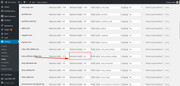
After you do that, regenerate the thumbnails with the option below the settingsBest regards,
MikeAugust 10, 2018 at 4:47 pm #996065In reply to: One image to open lightbox gallery
Is it possible to use the Gallery element and display the thumbnail title on hover?
August 10, 2018 at 6:40 am #995822In reply to: Issue with Estatik property listings plugin
Hi,
Thanks for the clarification. Please try this in Quick CSS:
.es-listing .es-property-inner .es-property-thumbnail .es-property-label-wrap {
    z-index: 10000 !important;
}
Best regards,
RikardAugust 9, 2018 at 6:48 pm #995655Hi,
I looked into it and the “PB SEO Friendly Images” plugin causes this issue. If I deactivate it everything works as expected.
I’d recommend to copy the function avia_post_nav (can be found in enfold\functions-enfold.php line 507+) to your child theme. Then contact the plugin author and ask him how you need to edit this line:
$image = isset($entry->av_custom_image) ? $entry->av_custom_image : get_the_post_thumbnail($entry->ID, 'thumbnail');so it doesn’t conflict with the plugin.
Best regards,
DudeAugust 9, 2018 at 11:57 am #995405Hey 805ITS,
Thank you for using Enfold.
The images (see private field) are actually the same but they’re being resized with css. You can add this in the Quick CSS field to adjust the width of the lightbox image.
img.mfp-img {
    width: 85vw;
}
If the image becomes a little blurry, you need to adjust the size of the “Large” thumbnail in the Settings > Media panel and then regenerate the images.
Best regards,
Ismael -
This reply was modified 7 years, 7 months ago by
-
AuthorSearch Results
-
Search Results
-
Hi,
Thumbnails in the Latest News widget are strangely absent on the blog sidebar but not the pages one – please help!
Hello,
After searching for an answer and checking for plugin conflicts I have determined that it only happens with Enfold. …
so here is the issue… I am using the stream view on the All in One Events Calendar the thumbnails no longer display… it use to work it no longer does.
sometimes the images show for a second then they disappear.I have a staging site that you can see it…I am sending login..
All plugins are disabled except for the calendar
I’m having an issue with the portfolio images.
The images I’m using are square, which is exactly what I want in my grid area: http://www.rsno.org.uk/musicians/
and when you click to view the AJAX Portfolio Preview, they’re still fine.However, when you click through again and view the individual portfolio, the image is cropped to 800 x 321. And this often ends up chopping our musicians heads off, which is not good…
Is there a way to change the portfolio layout so that this doesn’t happen?
I have already tried altering the image size in entry_with_sidebar in functions.php to being 800 x 800 and regenerating thumbnails but the page layout and image remain unchanged, even when emptying cache and reloading the page.
Any ideas? Thanks, Cat
Hi there,
I updated my site to https by reimporting the database but i got this error below – The site works but am unable to create a new page or view the thumbnails in media library. hop i could get some help thanks
Error
SQL query:—
— Indexes for tablewp_options
—
ALTER TABLEwp_options
ADD PRIMARY KEY (option_id),
ADD UNIQUE KEYoption_name(option_name)
MySQL said: Documentation#1062 – Duplicate entry ‘0’ for key ‘PRIMARY’
Topic: EWWW Image Optimiser Issue
Hi,
I’m using the plugin EWWW Image Optimiser and have about 500 images on my website.
I purchased about 3000 credits which have all been used somehow?
It looks as though each image has been optimised 14 times?
I’ve spoken to the company and they claim that it’s an issue with the theme that I’m using.
Can you help me understand this?
It doesn’t make sense as to why the theme would make the plugin optimise it 14 times?
It looks like it’s doing it for each image type – thumbnail, square, gallery etc..
I need to get this sorted otherwise I’ll end up paying a fortune on image resizing..
Thanks,
Harvinder
If I view a post in desktop view my images appear normally. However, if I switch to mobile view, the featured image loses its original aspect ratio and is replaced with a square image. This image isn’t resized, it’s just hard cropped. As my images are all books, I need to retain the portrait rectangular aspect ratio to stop the bottom of the image from getting chopped off.
Where can I change the handling for images on mobile to retain their normal aspect ratio?
PS: The underlying thumbnails should all be fine as my WP media settings ensure they are sized proportionally, rather than to exact dimensions.


