Hey!
Try adding this code to the Quick CSS:
div.av-magazine-thumbnail {
    display: none;
}
Cheers!
Josue
I changed the : to = …..is that all
// big images for blog and page entries
function avia_change_image_size_array() {
global $avia_config;
$avia_config[‘imgSize’][‘entry_with_sidebar’] = array(‘width’=>710, ‘height’=>420);
avia_backend_add_thumbnail_size($avia_config);
$avia_config[‘blog_content’] = “excerpt_read_more”;
}
add_action( ‘init’, ‘avia_change_image_size_array’, 1);
WICKED!!! ps, 2 things, i was going to ask another related questions:
1. same reason, but what is the code to change the border colour of the thumbnail images on the gallery as this is too #ffffff and
2. i have ticked the “Notify me of follow-up replies via email”, but never got the email when you replied, i have checked my email on my account and it is correct, just letting you know incase you need to fix something.
Thanks in advance in you can supply the css to change the gallery thumbnail border colour… :-)
Hey!
Yes, Dude modified the functions.php to add the filter function.
$avia_config['imgSize'] = apply_filters('ava_registered_thumbnail_sizes', $avia_config['imgSize']);
Best regards,
Ismael
Hey!
We’ll add a filter for the image sizes with the next update. You can use it like:
function my_image_size($sizes)
{
$sizes['entry_with_sidebar'] = array('width'=>710, 'height'=>360); // big images for blog and page entries
return $sizes;
}
add_filter('ava_registered_thumbnail_sizes', 'my_image_size', 10, 1);
I added it to your functions.php file manually but the next update will come with this filter out of the box.
Regards,
Peter
Hi!
Gunter’s code should work. Did you upload the image again or regenerate the thumbnails? Use can use the suggested plugin above to regenerate the thumbnails or use this one: http://wordpress.org/plugins/regenerate-thumbnails/
Best regards,
Ismael
Hello there,
I have 30 photos and set the number of columns to 10. I should have 3 lines right?
This is what I get: 10, 7 and 3 at the bottom.
How can I solve this?
Thank you!
Hi!
The lightbox will only use the “large” thumbnail size by default. I’ll ask Kriesi to add a filter with the next update which enables the user to change the thumbnail size. For now you’ve two options:
1) Open up wp-content/themes/enfold/config-templatebuilder/avia-template-builder/php/generic-helper.class.php and replace:
$link = wp_get_attachment_image_src($post_id, 'large');
with
$link = wp_get_attachment_image_src($post_id, 'full');
or
2) Use the “Manually” link option and paste the image url into the url field.
[av_image src='http://www.wp-master.org/wp-content/uploads/2014/07/visuels_flous_8.jpg' attachment='3255' attachment_size='full' align='center' animation='no-animation' link='manually,http://www.wp-master.org/wp-content/uploads/2014/07/visuels_flous_8.jpg' target='' styling='' caption='' font_size='' appearance=''][/av_image]
Best regards,
Peter
Hi!
Did you regenerate the thumbnails after you change the thumbnail size? The theme will resize the catalog images to 450x450px by default so you have to upload larger image than the default size. The best way is to resize them to 450x450px using image editor before uploading them as product image.
Best regards,
Ismael
Hi!
You can use this plugin: https://wordpress.org/plugins/simple-image-sizes/
Look for the shop_catalog size thumbnail. Adjust the image size to your liking then regenerate the thumbnails. Note that the images will take the size of its container so the product image size will actually depend on the size of the columns. It is much better to increase the dimension of the shop_catalog_size thumbnail.
Cheers!
Ismael
Hey!
Thank you for the update.
You can increase the magazine thumbnail size using this plugin: https://wordpress.org/plugins/simple-image-sizes/
Cheers!
Ismael
How can I remove the fade animation of icons loading?
I have a feeling it is an all or nothing thing. I have a page with a large table and icons and it looks silly to have the fade animation for the icons in the table as the table content appears and then slowly the icons appear.
Is there a way to remove that animation at the post/page level with some JS in the post/page or is it an all or nothing thing to disable in the functions.php?
Or maybe I could set the animation to instant with a 0 delay…where is that set?
I guess this affects the galleries as well…right? I rather have all loaded and no fading animation than slowly loading 200 thumbnails at 10 per second
Hi,
Open /config-templatebuilder/avia-shortcodes/portfolio.php and look for line (460-461):
$output .= apply_filters('avf_portfolio_extra', "", $entry);
$output .= "<".$link_markup[0]." data-rel='grid-".avia_post_grid::$grid."' class='grid-image avia-hover-fx'>".$custom_overlay.get_the_post_thumbnail( $the_id, $image_size )."</".$link_markup[1].">";
Replace it by this:
$output .= "<".$link_markup[0]." data-rel='grid-".avia_post_grid::$grid."' class='grid-image avia-hover-fx'>".$custom_overlay.get_the_post_thumbnail( $the_id, $image_size )."</".$link_markup[1].">";
$output .= apply_filters('avf_portfolio_extra', "", $entry);
And add this to the Quick CSS:
.grid-entry a[rel='tag'] {
    text-transform: uppercase;
    float: left;
}
Regards,
Josue
Hey!
It works now. I had to install this plugin: http://wordpress.org/plugins/regenerate-thumbnails/ to generate thumbnails of the translated images/attachments. Imo this is a bug of the WPML plugin because the user must regenerate the thumbnails manually and the WPML simply ignores the existing thumbnail settings. The correct behavior would be that WPML creates the thumbnails automatically as soon as it adds a translation of a media file.
Cheers!
Peter
Hey eddygame!
Seems like the second site isn’t able to do the thumbnail generation. Check with the hosting provider and see if they can assist in getting the regular WordPress thumbnail generation to occur on the server. Eg – Make sure you are on PHP 5.3+, the GD library is installed and that they don’t prohibit the thumbnail generation for some reason.
Regards,
Devin
Hey databuzz!
Thank you for visiting the support forum!
You need to add a featured image on the post. If you want to disable this thumbnail, add this on Quick CSS or custom.css:
span.news-thumb.no-news-thumb {
display: none;
}
Cheers!
Ismael
Ok no worries thanks for all the great support !.
I might go back to the standard one row of 4 not using the stretched function just for these related project portfolios, as it looks weird having that one thumbnail on its own.
But Ill keep it for the home page which looks great, thanks again
This gets rid of the animation, which is great, but the thumbnails still don’t load until you scroll over that section. It would be great to have them preloaded.
no – this will have the effect:
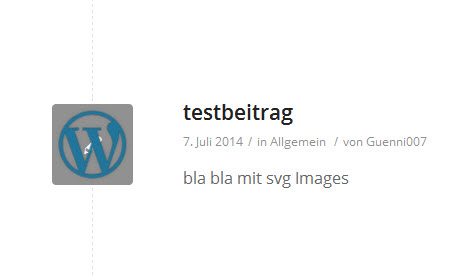
http://abload.de/img/017wjad.jpg
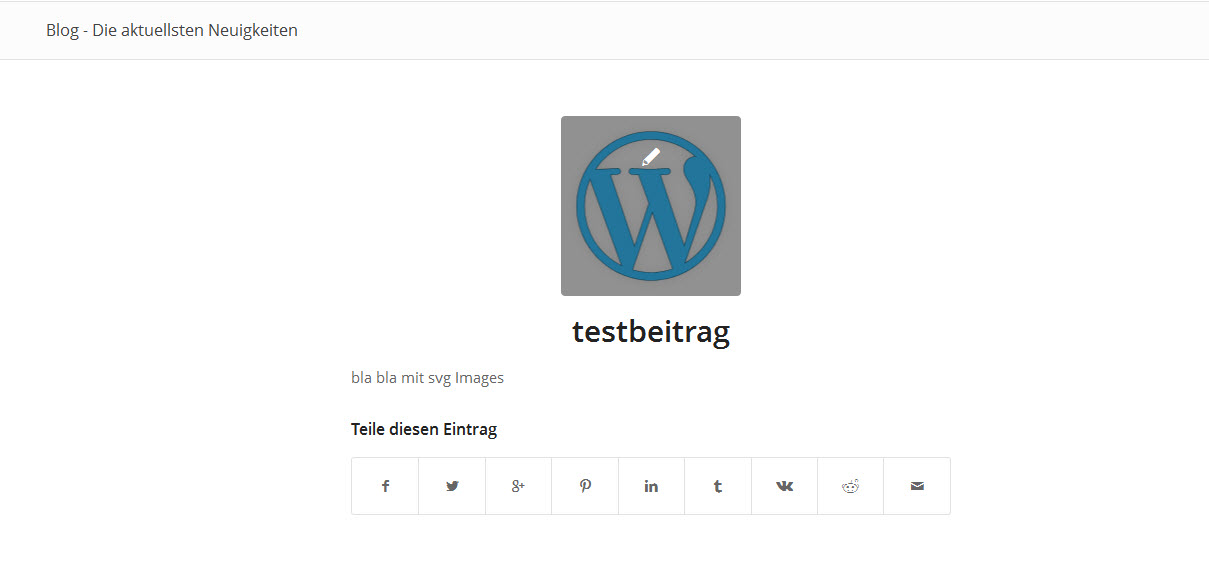
http://abload.de/img/02xnkc0.jpg
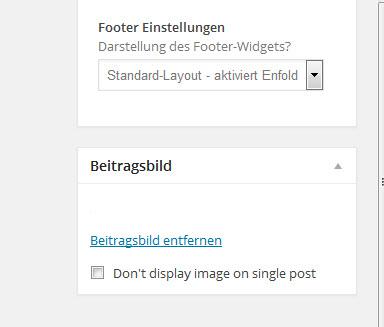
http://abload.de/img/03cikgg.jpg
it seems not to be a trivial problem.
i achieved it that on post edit the thumbnail is shown on picture 3 – but it won’t show the featured image in category view
For this site http://support.curlyhost.com/ I want the thumbnail rollovers on the portfolio items to appear on a smartphone when you click the first time and then head over to that page when you click it the second time. Is that possible?
Hello,
I am trying to create a gallery with big picture and thumbnails below. I select the images to add to the gallery but then I go to see the gallery and all I see is the first images I uploaded to my media library, not the ones I selected.
I tried a couple of times even uploading the images again from the gallery and got the same result.
Could you please help me?
Hey Monsoon!
Please go to Appearance > Editor and open Functions.php file and adjust height in following line
$avia_config['imgSize']['featured'] = array('width'=>1500, 'height'=>430 );
then regenerate thumbnails using this plugin – https://wordpress.org/plugins/regenerate-thumbnails/
Regards,
Yigit
i have no conflicts with uploading them – and even the usage as logo works – but
a) i have no thumbnails in Medialibrary List (this is good solved by the link above http://css-tricks.com/snippets/wordpress/allow-svg-through-wordpress-media-uploader/ ) in functions.php
function custom_admin_head() {
  $css = '';
  $css = 'td.media-icon img[src$=".svg"] { width: 100% !important; height: auto !important; }';
  echo '<style type="text/css">'.$css.'</style>';
}
add_action('admin_head', 'custom_admin_head');
b) i cant use it as featured image
i didn’t find anything in the web to solve this – i think i had to make it through a png fallback
Thanks Devin,
So, when I disable the featured image by clicking that checkbox, the image doesn’t show up, but a grey box the size of a thumbnail shows up. It has a pencil in it. And it’s where the featured image would normally be.
How do I get that box to disappear?
For now I’ve put the featured image back up as we launch tomorrow and I don’t want the pencil box there.
Thanks again!
Sarah
to upload and to use SVG-Images in WordPress is done by this code in the functions.php e.g.:
function custom_mtypes( $m ){
    $m['svg'] = 'image/svg+xml';
    $m['svgz'] = 'image/svg+xml';
    return $m;
}
add_filter( 'upload_mimes', 'custom_mtypes' );
but the thing is that in Media-Library the tumnails are not shown!
And the most ugly problem is that you can’t use them as featured image.
i found a hint on : http://css-tricks.com/snippets/wordpress/allow-svg-through-wordpress-media-uploader/
but it does’t work for the featured image (even if i change the dimensions to 180×180 (i guess this is the dimension of enfold thumbnails))
Can you help?
How to use svgs as featured Image
thanks in advance
Hi
2 questions:
1. I set my “only footer socker display no widget display” to get my Copyright text in there but nothing happens. The footer socket text does not show.
2. I changed the thumbnail pic that displays when writing a post. You can see it under the link “Nyheter”. And thats fine. But when you click on a post to read it that pic is not showing. Just that gray boring pen. Can’t I replace that with the same pic that displays when you get to the page “Nyheter”?
Can’t figure this out.
Thanx
/Therese
Hi,
Gunter’s last answer told me how to get the Featured Image to appear as a thumbnail on the Homepage for each blog excerpt. Thanks for that!
However, now a Preview Image appears above each blog post when I click on the blog post and am sent to the individual blog post page. I need to know how to prevent these preview images from appearing.
Additionally, the Featured Image only appears in 2 sizes on the Homepage, regardless of which sizing option I choose. It either appears very small (80×80 pixels) or quite large.
Please advise.
Thanks!
-Sarah
Amazing thanks that works now !
One issue I’m not sure is possible to do, is I have a one row portfolio on all portfolio item project pages showing related projects just in one single row underneath. So now when it changes to 4 columns on smaller screens it puts the 5th thumbnail underneath forming two rows.
Is there any way to force it to only ever have one row for these related project portfolio grids?. so on larger screens the single row and 5 columns , and smaller screens switches to 4 columns and puts the 5th on a next page instead of underneath, many thanks again
http://donnaporterfineart.com/galleries/sea-and-landscapes/
Click on the last thumbnail, then using the next/previous arrows, it loops not to the first item in the category, but an item 3 back.
We are using a plugin Post Types Order by nsp-code.com to re-order the portfolio posts. And the portfolio items that are in the sea-and-landscapes category are last in the list, in case that helps.
Regards,
Greg
Hi!
It depends on the blog layout – if you’re using a sidebar search for this line in enfold/functions.php:
$avia_config['imgSize']['entry_with_sidebar'] = array('width'=>710, 'height'=>270); // big images for blog and page entries
and replace 270 with 220. If you’re using a fullwidth layout search for this line:
$avia_config['imgSize']['entry_without_sidebar']= array('width'=>1030, 'height'=>360 );
and replace 360 with 220. Afterwards regenerate the thumbnails with: http://wordpress.org/plugins/regenerate-thumbnails/
If you don’t want to edit the theme files you can install a plugin like: http://wordpress.org/plugins/simple-image-sizes/ to change the thumbnail sizes.
Best regards,
Peter