I try to get a gallery on my website. But when I insert a gallery with the Enfold editor the website shows all the pictures in full size on the website (http://www.desieghorst.nl) instead of small thumbnails. Does anybody know how to fix this bug?
Thanks for looking into that Victoria,
I installed and ran the “Regenerate Thumbnail” plugin that was mentioned in Yigit’s post, but this didn’t do anything. Based on the Regeneration log, the thumbnails in question were regenerated, but they didn’t change on any of the pages. Even cleaning the cache in Chrome didn’t make a difference.
As you can see, the thumbs or featured images I uploaded to the portfolio items measure 1030 x 585px, but they are still seemingly resized and displayed in this square like 505 x 400px.
What’s more, on the designated blog page, thumbs are displayed in the same 505 x 400px dimmension, while others – using the same blog post content element – are seemingly displayed in a more rectangular format. It’s weird.
Would you mind taking a look. Access credentials are included in my previous request.
Many thanks for your time and help with this.
Hey Rgrant74,
Try this code in the General Styling > Quick CSS field:
h2.woocommerce-loop-product__title {
font-size: 20px !important;
}
.inner_product .thumbnail_container img {
    margin: auto !important;
    width: 50% !important;
}
Please clear any cache plugin and your browser cache and check.
Best regards,
Mike
I want to do two things and hope someone can provide a code
1) Increase the font size for the product title on my SHOP main page and in the Woocommerce product slider
2) Decrease the image size of the thumbnails on the SHOP mail page and in the widget
So, on the SHOP main page and in the Woocommerce product slider, I want to
1) increase the product time font and …
2) decrease the image size
What I’ve tried so far with no luck for the font size in Quick CSS is:
/* Product list */
.product h3 {
font-size:20px!important;
}
THEN…
#top .post-title.big_title {
font-size: 20px;
}
Hey there,
I’m looking to update my site; hence, I’m exploring a few alternative designs.
I’ve imported the Elegant Portfolio Demo, because I like the clean minimalist b/w design.
Now, I’m trying to update a few elements, including how the portfolio and blog thumbnails are displayed. It seems that they are rather square (img[Attributes Style] {width: 505px; height: 400px;}and I would like to change them more of rectangular, landscape format. How would I need to go about that?
FYI: I’m displaying both elements using the Blog Posts content element (grid layout).
As always, many thanks for any pointers and hands-on assistance.
Best,
Hello – Trying to figure this video embed issue. I’m using a self-hosted mp4 video https://premieresportspicks.com/wp-content/uploads/2018/06/edit4_1.mp4
What I need:
Video to autoplay with sound, minimal no/controls on mobile and desktop
Show my thumbnail (play button)
Be responsive on mobile and desktop
Setup the tests on this page:
“”https://premieresportspicks.com/video3/””
avia video embed on mobile screenshot No
https://www.dropbox.com/s/3k52v9jq5dffdtg/photo_2018-06-22_00-27-47.jpg?dl=0
Avia method from enfold forum, problem is it doesn’t show thumbnail on mobile, see screen shot.
<div class=”avia-video avia-video-16-9 “>
<div class=”avia-iframe-wrap”><iframe src=”https://premieresportspicks.com/wp-content/uploads/2018/06/edit4_1.mp4?feature=oembed&wmode=opaque&autoplay=1″ width=”1500″ height=”844″ frameborder=”0″ allowfullscreen=”allowfullscreen” poster=”https://premieresportspicks.com/wp-content/uploads/2018/06/thumbnail_button.jpg” ></iframe></div>
</div>
//rev slider no audio on mobile, autoplays fine, looks good, no audio. totally fine on desktop
[rev_slider alias=”vsl”]
//standard wp embed is fine on mobile/desktop, but doesn’t take responsive instructions from css so it overlaps
[video src="https://premieresportspicks.com/wp-content/uploads/2018/06/edit4_1.mp4" poster="https://premieresportspicks.com/wp-content/uploads/2018/06/thumbnail_button.jpg" preload="auto" width="480" autoplay="on"]
-
This topic was modified 7 years, 9 months ago by
 enoteware.
Hi,
enlarging this image will not remove the “cut off” it’s apart of the thumbnail
can you link to the full size image, such as dropbox, so we can advise, perhaps include a admin login in the private content area so we can take a closer look at your thumbnail media settings
Best regards,
Mike
Hi,
Because the layout (including the sidebar width) is fluid, the fixed thumbnail sizes can exceed the sidebar width and then the images move around. Please try to add this code to the quick css field:
#top .widget .gallery .gallery-item {
    margin: 1px 1px 0 0;
    width: 24%;
    height: 24%;
}
The browser should then adjust the image sizes dynamically if the sidebar width changes.
Best regards,
Dude
Hi,
on some website i use gallery module.
I set the auto start but it never start, only working on rool over.
I’m facing this problem during few months on severals website.
Is there something i miss ?
Hi,
Thanks for the update.
The masonry element defaults to the “masonry” thumbnail or image size. That particular thumbnail has a maximum width and height of 705 pixels. You can set the Size Settings to “Perfect Automatic Masonry” but the images should have an aspect ratio of 16:9 or higher to qualify as “very high” or “portrait” image.
Best regards,
Ismael
Hi,
When I look at your blog & news pages the border around the posts is there, try clearing your browser cache and see if that helps.
I also see the sub-menu on your posts.
I do see that your news page doesn’t have the sub-menu, that is because the code above adds it to posts and not pages, try using the sub-menu element like you did on the blog page. Did you mean to have two blog pages? The blog & news look the same to me.
As for creating a sub-menu like your example link, you can add images to the menu items by add your image code to the title box like this:
<img width="80" height="80" src="https://127.0.0.1/2017demo1/wp-content/uploads/2015/07/portfolio-large-1-80x80.jpg" class="attachment-thumbnail size-thumbnail wp-post-image">
and then align the text to middle of the image with this css:
.av-subnav-menu .sub-menu span.avia-menu-text img {
    vertical-align: middle!important;
}
#top .av-subnav-menu > li ul {
    width: 300px !important;
}
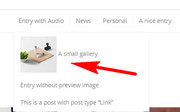
But it’s not exactly like you wanted, perhaps a plugin would give you the options you are looking for.
For your last question, you can edit the theme files, but the news page is not it’s own template, it uses the page template. But using code like we gave you to add to the functions.php can be targeted to one or more pages, it’s really a better approach.
Best regards,
Mike
Hey celum78770,
Can you give us temporary admin access to your website in the private content box below, so that we can have a closer look?
2nd request: the text must be centered around the thumbnail
What do you mean ny this?
Could you please attach a mockup of what you’re trying to achieve?
Best regards,
Victoria
Hi,
Could you please help me to modify my footer.
– 1st request: my logo is cut even if I’ve changed the size of the thumbnail
– 2nd request: the text must be centered around the thumbnail
– 3rd request: I would like to remove the Word “Pages” used in the heading….. I only want to get my Page Titles appear in the column.
– 4th request: The size of the text of this column…. it too large, I would like to apply something like 12 px.
Thanks for your help
Hi ZacharyKnight,
Here is a thread for you to consider
https://kriesi.at/support/topic/full-list-of-image-dimensions-for-enfold/#post-373563
You need to change the sizes that you need and regenerate thumbnails.
If you need further assistance please let us know.
Best regards,
Victoria
Hi KRWKnitwear,
I added this plugin called Simple Image Sizes and change shop_thumbnail size from 100px x 100px to a larger size and regenerating the images but it doesn’t change.
Then I added the php code recommended by Woocommerce:
https://wordpress.org/support/topic/product-thumbnail-size-not-editable-after-last-update/
add_filter( 'woocommerce_gallery_thumbnail_size', 'custom_woocommerce_gallery_thumbnail_size' );

function custom_woocommerce_gallery_thumbnail_size() {
	return 'thumbnail';
}
in functions.php (Appearance > Editor) which would fetch the thumbnail size instead however after adding that code, the frontend of you site went down.
I checked functions.php again and it was empty and trying to add content on it simply is refused.
Can you add this code in functions.php via ftp or cpanel: https://pastebin.com/PmQTCs3t
I apologize that the site went down.
Best regards,
Nikko
Hey Kornelia,
If you have a child theme, please add this at the bottom of functions.php:
function avia_post_nav($same_category = false, $taxonomy = 'category')
{
  global $wp_version;
    $settings = array();
    $settings['same_category'] = $same_category;
    $settings['excluded_terms'] = '';
    $settings['wpversion'] = $wp_version;

  //dont display if a fullscreen slider is available since they overlap
  if((class_exists('avia_sc_layerslider') && !empty(avia_sc_layerslider::$slide_count)) ||
      class_exists('avia_sc_slider_full') && !empty(avia_sc_slider_full::$slide_count) ) $settings['is_fullwidth'] = true;

  $settings['type'] = get_post_type();
  $settings['taxonomy'] = ($settings['type'] == 'portfolio') ? 'portfolio_entries' : $taxonomy;

  if(!is_singular() || is_post_type_hierarchical($settings['type'])) $settings['is_hierarchical'] = true;
  if($settings['type'] === 'topic' || $settings['type'] === 'reply') $settings['is_bbpress'] = true;

    $settings = apply_filters('avia_post_nav_settings', $settings);
    if(!empty($settings['is_bbpress']) || !empty($settings['is_hierarchical']) || !empty($settings['is_fullwidth'])) return;

    if(version_compare($settings['wpversion'], '3.8', '>=' ))
    {
        $entries['prev'] = get_previous_post($settings['same_category'], $settings['excluded_terms'], $settings['taxonomy']);
        $entries['next'] = get_next_post($settings['same_category'], $settings['excluded_terms'], $settings['taxonomy']);
    }
    else
    {
        $entries['prev'] = get_previous_post($settings['same_category']);
        $entries['next'] = get_next_post($settings['same_category']);
    }

  $entries = apply_filters('avia_post_nav_entries', $entries, $settings);
  $output = "";


  foreach ($entries as $key => $entry)
  {
    if(empty($entry)) continue;
    $the_title 	= isset($entry->av_custom_title) ? $entry->av_custom_title : avia_backend_truncate(get_the_title($entry->ID),75," ");
    $link 		= isset($entry->av_custom_link)  ? $entry->av_custom_link  : get_permalink($entry->ID);
    $image 		= isset($entry->av_custom_image) ? $entry->av_custom_image : get_the_post_thumbnail($entry->ID, 'thumbnail');

    $tc1   = $tc2 = "";
    $class = $image ? "with-image" : "without-image";

    $output .= "<a class='avia-post-nav avia-post-{$key} {$class}' href='{$link}' >";
    $output .= "    <span class='label iconfont' ".av_icon_string($key)."></span>";
    $output .= "</a>";
  }
  return $output;
}
Hope it helps :)
Best regards,
Nikko
Hi,
Thanks for the update.
The default thumbnail is set to “entry_with_sidebar”. If you want to change it, edit the single-portfolio.php file. Look for this code around line 29.
$avia_config['size'] = avia_layout_class( 'main' , false) == 'entry_without_sidebar' ? '' : 'entry_with_sidebar';
Set it to “extra_large” or “full”.
Best regards,
Ismael
I have the same need I believe, to have the featured image always display in its entirety … regardless of the size chosen (other than thumbnail of course), shape, or display area (blog roll, single post page, or masonry grid)
I have 4.4 installed and have found no setting to provide this. I feel it is essential for most visual/graphic artist’s blog.
Any code you can offer for my child theme? Thanx.
I have NO Idea what changed with the last Woocommerce update, (3.4.2) but now my gallery images are blurred, Can anyone help?
Here is an example: https://www.karenwhooley.com/shop/cowls/coastal-cowl/
I have regenerated the thumbnails several times but now that the display options are in the Customizer, I have reset them in there and it doenst make a difference.
Help!
Thank you very much Victoria, regenerating the “entry_with_sidebar” thumbnails using the Simple Image Sizes plugin solved the issue for us. Your help is greatly appreciated!
Hi,
Please go to /enfold/config-templatebuilder/avia-shortcodes/magazine/magazine.php file and find following line
'image_size' => array( 'small'=> 'thumbnail', 'big' => 'magazine')
and change “thumbnail” with image size you would like to use, i.e ‘large’
Best regards,
Yigit
Hi there,
I can’t re-open my previous ticket as it has now been closed. So need to start a new one.
Anyway, my current issue is that I am trying to display 4 Woocommerce category thumbnails in a row on a page.
There were previously 3 (Yigit applied some code to adjust the size of the 3 so they spanned the page – see #743429). However, I now need to go back to displaying a row of 4 Categories.
I am using the Woocommerce code of [product_categories ids=25,1418,24,42] in a text block element and all 4 categories are showing in the Element Preview. But on the front-end of the only 3 are showing a white gap to the far right column space.
There are product items in all 4 categories and each category has a thumbnail image.
Is there something obvious I am missing to edit back since Yigit did his magic to get the 3 column display to work?
Hi nsergey81,
I would suggest cropping your product images with same sizes using image editor but you can also try to add this css code in Quick CSS:
#top .products .thumbnail_container {
    height: 240px;
    display: flex;
    align-items: center;
    justify-content: center;
}

#top .products .thumbnail_container img {
    max-height: 100%;
    width: auto;
}
Hope it helps.
Best regards,
Nikko
Do you know if there is a way for me to specify a new thumbnail image size just for these images?
Thank you!
Great Job Mike!
Well done on identifying the issue and changing the color. A few requests for the text showing under the enlarged images in Lightbox please:
a. Can this be enabled for a single portfolio item only please? http://ilanwittenberg.com/tunnel-beach-dunedin/
Please note that the Masonry Gallery, Element captions tab is showing: ‘Display Title’ for that portfolio item only, all other portfolio items are showing ‘Display Neither’. (Note: this seems to control the grid view only?)
b. The displayed text is currently showing the caption inserted under the thumbnails inside the Edit Gallery screen. Can it show the Title field showing on the right side of the Edit Gallery page, inside ATTACHMENT DETAILS field when an image is selected? (same text as the title which is currently showing under each thumbnail on the grid view)
Grid view: http://ilanwittenberg.com/tunnel-beach-dunedin/
c. Can the numerator currently showing on the right side be removed?
d. Can the title be centred under the image (currently showing left justified)?
Items a. and b. are critical, items c. and d. are preferred.
Much appreciated!
ofekw
Hey bimsenfold,
Thank you for using Enfold.
Yes, the magazine defaults to the thumbnail size which is 80x80px. The current container size is 160x160px as specified in your own css modifications. You can adjust the thumbnail size in the Settings > Media library panel. Or install the plugin.
// https://wordpress.org/plugins/simple-image-sizes/
Adjust the thumbnail size, update, save then regenerate the thumbnails.
Best regards,
Ismael
Hi Thyracont_Vacuum,
Here is an article for you to consider
If you need further assistance please let us know.
Best regards,
Victoria
Hey mm256,
Here is the code you can put in Enfold > General Styling > Quick Css, if it does not work, put into themes/enfold/css/custom.css
.single.single-post .big-preview.single-big a {
  pointer-events: none;
}
As for the images, please consider these articles
If you need further assistance please let us know.
Best regards,
Victoria
Hey people,
I am having 2 problems with the translated version via WPML.
1. I translated all the blog posts via WPML. When I’m browsing the blog in the default language everything appears perfectly. After switching the language to English it doesn’t load any posts anymore.
2. The portfolio entries in the default language appear as they should, but after switching the language it doesn’t show me the thumbnails anymore.
I added the login details in the private section. I would really appreciate if anyone could help me out here :)



