Good Morning!
I am working with your Enfold theme for a legal website and I am doing all the compliance items. I seem to be having a hard time in the editor getting the active, hover, and visited colors to work. Is there a way to do all these in the editor instead of the CSS? This would be the best way for our Child theme so when updates happen all the hard work is not lost.
If we have no choice but to do it via enfold.css how would you recommend that? Here is what I have:
#top #wrap_all .av-main-nav ul > li:hover > a, #top #wrap_all .avia_mega_div, #top #wrap_all .avia_mega_div ul, #top #wrap_all .av-main-nav ul ul {
color: #ffffff;
background-color: #ccb266;
}
#top #wrap_all .av-main-nav ul > li > a, #top #wrap_all .avia_mega_div, #top #wrap_all .avia_mega_div ul, #top #wrap_all .av-main-nav ul ul {
color: #ffffff;
background-color: #273a87;
}
#top #header .av-main-nav > li:hover > a {
color: #273a87;
font-size: 18px;
}
#top #header .av-main-nav > li:hover > a .avia-menu-text, #top #header .av-main-nav > li:hover > a .avia-menu-subtext {
color: #273a87;
}
#top #header .av-main-nav > li > a {
color: #333333;
font-size: 18px;
}
#top #header .av-main-nav > li > a .avia-menu-text, #top #header .av-main-nav > li > a .avia-menu-subtext {
color: #333333;
}
#top #header .av-main-nav > li:visited > a {
color: #6c7187!important;
font-size: 18px;
}
Thanks so much in advance!
~Amanda
Victoria,
The inline css code is adding an extra “style”, which breaks the intended inline css via the div element.
This is the div from this page: https://chamberpouch.com/programs/
<div style=" style=" color:#fc5029;="" font-size:24px;="" 'color:#fc5029;="" '="" class="iconlist_icon avia-font-entypo-fontello"><span class="iconlist-char " aria-hidden="true" data-av_icon="" data-av_iconfont="entypo-fontello"></span></div>
See how the Enfold code is writing “style” twice, which is breaking the inline css?
I’m confident it isn’t a plugin conflict. It happens with any icon list following the first one; the first works properly.
~ Greg
Hi !
Since update tot 4.5.5. the icon list is not setting the right font-site.
The first icon-list is showing the right size / color but the second icon list is not working fine.
What is the solution?
hi! i’m experiencing this issue on multiple sites. the primary settings that are causing problems are fonts and menu items. the sizes, colors, etc are being overridden.
Hey johnosjourney,
Add this quick css:
.woocommerce-Price-amount.amount{
font-size:16px!important;
}
Best regards,
Jordan Shannon
.av-rotator-text-single, .av-rotator-text-single-1 {
font-size: 100px;
font-weight: bold;
text-transform: uppercase;
color: #41cda3;
padding-top: 50px !important;
}
#top .av-rotator-container-inner {
font-size: 26px;
text-transform: uppercase;
letter-spacing: 2px;
}
Hi,
Add this to quick css and adjust the size to what you need:
#footer .textwidget p{
font-size:16px!important;
}
Best regards,
Jordan Shannon
How can I set set a unique font size of 1-px for all footer widgets only?
At present they use the 13PX Default Content Setting
Do I have to add CSS, or am I missing something?
If I must add CSS, please direct me how.
As always, many kind thanks for the great theme,
Richard
Hi!
I put a widget in the footer where I displayed some social icons with links to the pages.
I wanted to center the icons on mobile screen but didn’t succeed. Furthermore, I would like to change the padding between these icons. I tried to use the selector “#footer .social_bookmarks li a” to center the elements and change padding but nothing happens.
Please find my current custom CSS regarding the footer as follows:
#footer .widget {
text-align: center !important;
}
#footer. textwidget {
margin: 0px !important;
}
#footer .textwidget,
#footer p {
font-size: 15px;
}
#footer h3.widgettitle {
padding-top: 0px !important;
margin-top: 0px !important;
}
#footer .social_bookmarks li a {
font-size: 30px;
}
Hi, I have an av-masonry-entry-title block within a color section container. I have given the color section container the class name of masonry-products and I want to now set the price of the shop products shown in this masonry block. I have tried doing this by adding the following code into the Quick CSS section:
.masonry-products .av-masonry-price .price span {
    font-size: 16px!important;
}
I still can’t get my price to change size from 24px down to 16pm. Any advice? You can view the actual content here – https://www.yallarugby.com/shop/
Hi,
Thank you for sharing the details but the credentials are incorrect.
Please try adding this code to the Quick CSS section under Enfold > General Styling or to your child theme’s style.css file:
CSS Snippet:
/* CSS - */


#top #wrap_all #header .av-burger-overlay #av-burger-menu-ul .sub-menu a  {
    font-size: 20px;
    line-height: 1.5em;
 }
You may not see the changes until the cached files are cleared in your browser.
Please perform the below steps to clear the browser cache:
1. Disable “merging and compression” for CSS and JS files from Enfold > Performance.
2. If a caching plugin is installed check the plugin settings and clear the cache and deactivate the plugins for testing purpose.
3. Hard refresh by pressing Ctrl + Shift + F5 on your browser or press the F12 key to open chrome dev tools and right click on the refresh button and select “Empty Cache and Hard Reload”.

You can find most of the customization code on our docs.
Best regards,
Vinay
a temp-fix for that will be good.
all iconlists except the one with left icons are not correct styled. (Custom font size , custom colors etc.)
Hi,
Thanks for the update.
We removed the widgets from the Sidebar Blog widget area. The sidebar is now empty. To change the font size of the socket menu items, use this css code.
#socket li a span {
    font-size: 12px;
}
Best regards,
Ismael
Hi,
After searching for weeks in the forum I decided to send you a message.
1- the custom CSS within the Enfold theme does not change any of my pages
– I started to use the “customize” section of WP but I have no clue how to customize subpages from there
– I tried many the recommendations in the forum for fixing the custom CSS but to no avail
2- recently something strange happened
– the main menu color font changed from white to brown
– when hovered the font size shrink
and after 2 days of searching what happened, I am still without an explanation.
I would be grateful for your help
Hi there,
I’m looking to modify the font size and link style of the icon box and while I had some success on my own, I didn’t manage to achieve the exact styling I’m looking for.
So, here is what I’m looking to do:
Remove uppercase font decoration
Change font-size to 20px
If possible, replace underline in hover state of link with custom color
I included a link to the page I’m working on in private.
Many thanks for your time and help with this. I sincerely appreciate it.
Best,
Hi Ismael,
I am not sure what “avf_logo” is. Here’s what I have for quick css that pertains to logo (I’ll check out that link to see if it gets me what I need . . . in the meantime, in the css below, where I have h2 (I bolded the 2 of them), should I leave them as h2 or change them to something else? The quick css below came from y’all due to some overlap issues, etc.):
/*———————————*/
/* CSS – Subtext on right*/
/*———————————*/
#top .logo,
#top .logo a {
overflow: visible;
}
/*—————-*/
/* Subtext styling */
/*—————-*/
.logo .subtext h2 {
font-size: 20px;
font-weight: 550;
}
.logo .subtext {
position: absolute;
top: 50%;
right: 0;
width: 275px;
transform: translate(102%, -50%);
z-index: 999;
}
/*——————–*/
/* Hide logo in mobile*/
/*——————–*/
@media only screen and (max-width: 767px) {
.responsive #top .logo img {
display: none !important;
}
.responsive #top .logo .subtext {
transform: translate(2%, -50%) !important;
width: 235px !important;
}
.logo .subtext h2 {
font-size: 17px !important;
}
}
@media only screen and (min-width: 768px) and (max-width: 1023px) {
.responsive #top .logo .subtext {
display: none !important;
}
}
@media only screen and (min-device-width: 481px) and (max-device-width: 1024px) and (orientation:landscape) {
/* For landscape layouts only */
}
Hey check-t,
Add the following to quick css:
@media only screen and (max-width: 767px)  {
.av-tab-section-icon{
min-width:30px!important;
}

.av-tab-section-tab-title-container {min-width: 365px!important;}

#top .av-section-tab-title{ padding:2px!important;}

.av-inner-tab-title{
	font-size:10px!important;
}}
Best regards,
Jordan Shannon
Hi,
Ihr könnt mir bestimmt helfen. Ich versuche in einem Widget (Text) Telefonnummer, Fax und E-Mai-Adresse mit einem Icon Vorne an zu erstellen.
Die Icons rutschen aber teilweise alle zusammen oder sind in einer Zeile und dann folgen die Inhalte.
[av_font_icon icon='ue854' font='entypo-fontello' style='' caption='' link='' linktarget='' size='18px' position='left' animation='' color='' ][/av_font_icon] +49 (0)123456
[av_font_icon icon='ue838' font='entypo-fontello' style='' caption='' link='' linktarget='' size='18px' position='left' animation='' color='' ][/av_font_icon] +49 (0)654321
[av_font_icon icon='ue805' font='entypo-fontello' style='' caption='' link='' linktarget='' size='18px' position='left' animation='' color='' ][/av_font_icon] (Email address hidden if logged out)
Danke für Eure Hilfe…
Hi,
Oh I see now, please try:
#top.single.no_sidebar_border .entry-content > strong,#top.single.no_sidebar_border .entry-content  {
font-size: 17px !important;
}
Best regards,
Mike
Hello,
1. I have an additional menu in my socket, and would like it to show the font size 12px.
2. I have a second full width submenu, but none of the items highlight when clicked. I’m clicking on FRAUEN, the page appears but the menu item FRAUEN should be in blue now, underlined – just like in the main menu on top.
2. Also, on MOBILE the socket menu and the very top bar can hardly be read, because there is no line spacing. How can I add line spacing just to the menu in my socket, and the upper bar?
THANKS Nora
next question from you:
clip text only works on firefox with background-attachment : scroll.
but on chrome and safari they will do the trick with : fixed
so we need a fallback for firefox
see same example page above.
take a color-section give it a custom class like: cliptext
put in it a heading alb element ( or text-block Alb)
.cliptext .av-special-heading-tag  {
  background :url('https://link-to-your-image');
  display: block;
  background-size: cover;
  background-repeat: no-repeat;
  background-attachment: fixed;

  color: #000;
  font-size: 200px !important;
  font-weight: 900;
  line-height: 1.5em;
  letter-spacing: .1em;
  text-rendering: optimizeLegibility;

  -webkit-background-clip: text;
  background-clip: text;
  -webkit-text-fill-color: transparent;
  text-fill-color: transparent;

  -webkit-filter: drop-shadow(2px 2px 5px #333);
  filter: drop-shadow(2px 2px 5px #333);
}

@supports(-moz-appearance:none){
  .cliptext .av-special-heading-tag {background-attachment:inherit}
}
Hi Team Kriesi,
there are some strange css problems after the update from 4.5.4 to 4.5.5. I inspected the code and found some wrong syntax I think.
css code in 4.5.4
<div class="av_iconlist_title iconlist_title_small av_inherit_color av-mini-font-size-overwrite av-mini-font-size-20" itemprop="headline" style="color:#ffffff; font-size:27px; ">8-teiliges Sortiment</div>
css code in 4.5.5 that causes some things not to render (double style=)
<div class="av_iconlist_title iconlist_title_small av_inherit_color av-mini-font-size-overwrite av-mini-font-size-20" itemprop="headline" style=" style=" color:#af0000;="" font-size:27px;="" 'color:#ffffff;="" '="">8-teiliges Sortiment</div>
And of course nothing was changed by me.
Here you can see both boxes before and after the update – white font color is correct.
graphics
Thanks for inspecting this!
heavy
-
This topic was modified 7 years ago by
 heavyman.
But “Displayed Everywhere” is empty, and the “Sidebar Blog” doesn’t show this information either!!!! So where does this come from?
AND: I still have the following problems:
1. The submenu items are still showing in a sidebar menu!
2. I have an additional menu in my socket, and would like it to show the font size 12px.
Also, on MOBILE the socket menu and the very top bar can hardly be read, because there is no line spacing. How can I add line spacing just to the menu in my socket, and the upper bar?
THANKS Nora
Everything is in the code – just look:
here is the layout – working with codeblock element ( Deactivate schema.org markup ) means no additional containers.

what is the codeblock element input:
and the surrounding color-section got custom-class: fixed-heading
<div class="mask">
	<div class="mask__content">
		<div class="container is-full">
			<div class="teaser is-centered">
				<div class="teaser__title">
					<h2 class="is-h2">Your Text</h2>
					<h2 class="is-h1">A next line</h2>
				</div>
			</div>
		</div>
	</div>
</div>
your input for quick css:
.mask {
	height:400px;
}

@supports ((-webkit-clip-path:polygon(0 -1px,0 calc(100% + 1px),100% calc(100% + 1px),100% -1px)) or (clip-path:polygon(0 -1px,0 calc(100% + 1px),100% calc(100% + 1px),100% -1px)))
{
	.mask {
		-webkit-clip-path:polygon(0 -1px,0 calc(100% + 1px),100% calc(100% + 1px),100% -1px);
		clip-path:polygon(0 -1px,0 calc(100% + 1px),100% calc(100% + 1px),100% -1px);
		clip:rect(0,auto,auto,0)
	}
	body:not(.is-noscroll) .mask {
		position:relative
	}

	.mask .mask__content {
		position:fixed
	}

	.mask .mask__content {
		top:50vh
	}
}

.mask__content {
	position:absolute;
	width:100%;
	left:0;
	transform:translateY(-50%);
	z-index:20;
	top:50%
}

.fixed-heading .content {
    padding: 0 !important;
}

h2.is-h2 {
    text-align: center !important;
    font-size: 36px;
    font-weight: normal;
    text-transform: none !important;
    line-height: 60px;
}
if you like to style the h2 change the class in the code block element in is-h1 or something else
the color-section can have background as you like. And: “no minimum height” ( is given by mask height )
See example page: https://webers-testseite.de/schrift-und-parallax/
Hi,
I found the text and red box, I see that your font size was set to 40px so I adjusted to 24px, then in the “Anzeigeoptionen” tab to can set the font size based on screen size, I tested and found these sizes to work better:
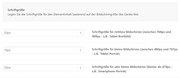
At one point the text was still a little off because of the padding so I used this css to adjust it:
@media only screen and (min-width: 766px) and (max-width: 800px) {
#top.page-id-365 .avia-builder-el-0 {
padding: 15px !important;
}
}
#top.page-id-365 .ubersetzungen p {
text-shadow: 1px 0 0 currentColor !important;
}
Please clear your browser cache and check.
To adjust “KUNDENEMPFEHLUNGEN” for mobile I added this css:
@media only screen and (max-width: 424px) {
#biographie > div > div > div > div > div.flex_column.av_one_half.flex_column_div.av-zero-column-padding.avia-builder-el-55.el_after_av_one_fourth.el_before_av_one_fourth > div > h2 {
font-size: 20px !important;
font-weight: 700 !important;
}
}
For the two book icons I removed the extra padding between them so they both show lined up nice under the heading, and the right one is hidden for mobile when they would be in a single column in the middle with this css:
.red-book-r-column {
padding: 0px !important;
}
@media only screen and (max-width: 767px) {
.red-book-r {
display: none !important;
}
}
Please clear your browser cache and check.
Best regards,
Mike
Good evening. I need to remove the “all” entry from the masonry and increase the font size. Is it possible to do this? Thanks to all
I enclose screenshots for clarity.
Basically I have to remove the selected item and increase the font of everything else
https://snag.gy/0K4UiQ.jpg
HI
I have 2 text links in the page below that wanted to open in a lightbox instead of a separate tab opening in Vimeo or YouTube. I had these links:
<a class="mfp-iframe lightbox-added" href="https://youtu.be/875DFvXB630" target="_blank" rel="noopener">Om De Kreatives Kontor</a>
<a class="mfp-iframe lightbox-added" href="https://vimeo.com/315667049" target="_blank" rel="noopener">Samarbejde mellem CULINN og Turning Tables: Mød Abyan</a>
but could not get the lightbox to open.
Now I tried the links in a button element, and the Vimeo link works fine but the YouTube one doesn’t.
the YouTube button link is:
[av_button label=' SE VIDEO: Om De Kreatives Kontor' link='manually,https://youtu.be/875DFvXB630?iframe=true' class='open-popup-link' link_target='' size='medium' position='left' label_display='' icon_select='yes' icon='ue897' font='entypo-fontello' color='dark' custom_bg='#444444' custom_font='#ffffff' av_uid='av-3x1gt6' admin_preview_bg='']
I looked at this thread https://kriesi.at/support/topic/open-lightbox-with-an-iframe/#post-710141 and tried adding ?iframe=true” class=”open-popup-link” but that didn’t work – the lightbox opens but the video doesn’t play.
Can you help me with this?
thanks
Nancy
-
This topic was modified 7 years ago by
 Munford.
Hey larias_transfiriendo,
Here is the code you can put in Enfold > General Styling > Quick Css, if it does not work, put into themes/enfold/css/custom.css
@media only screen and (max-width:767px){
    p[data-ls="minmobilefontsize:12;"] {
        width: 120px !important;
        height: 25px !important;
        padding: 5px !important;
        border-radius: 100px !important;
    }
}
If you need further assistance please let us know.
Best regards,
Victoria
1. sorry, this doesn’t work. the submenu items are still showing in a sidebar menu!
2. I have an additional menu in my socket, and would like it to show the font size 12px.
THANKS Nora
Hi, I found it out. I added font-size: 22px; and that worked!



