Forum Replies Created
-
AuthorPosts
-
Awesome support guys,
Thank you and all the team at kriesi.
Dear Ismael,
Thanks for your support.
Some text is still not loading the Cairo font. Please check and support.
https://greensvill.com/wp-content/uploads/2025/12/Arabic-Font-scaled.png
Ismael,
I need this language to be installed only for Arabic not for english.
Hi Ismael,
where should I add the second code?
Also, Can I share with you FTP login so you can do it for me ?
Dear Rikard.
Perfect. Its working now.
Thank you
I need the same to happen on disktop
Thanks for your efforts guys.
its perfect now
Rikard,
The menu on mobile view change automatically to be logo on the right and language switcher on the left. But on disk top logo on Arabic language stays on the lift and language switcher on the right. It should automatically to Logo on the right and language switcher on the left.
I didnt find any place in the theme settings to change this.
please support.
Thanks.
Hi Rikard,
Its working on mobile but not on disktop
Rikard,
This will change the position for both languages. my website has 2 languages English & Arabic. Arabic language is RTL so it should change all website elements to be RTL when changing the language to Arabic.
Rikard,
It didnt work
Rikard,
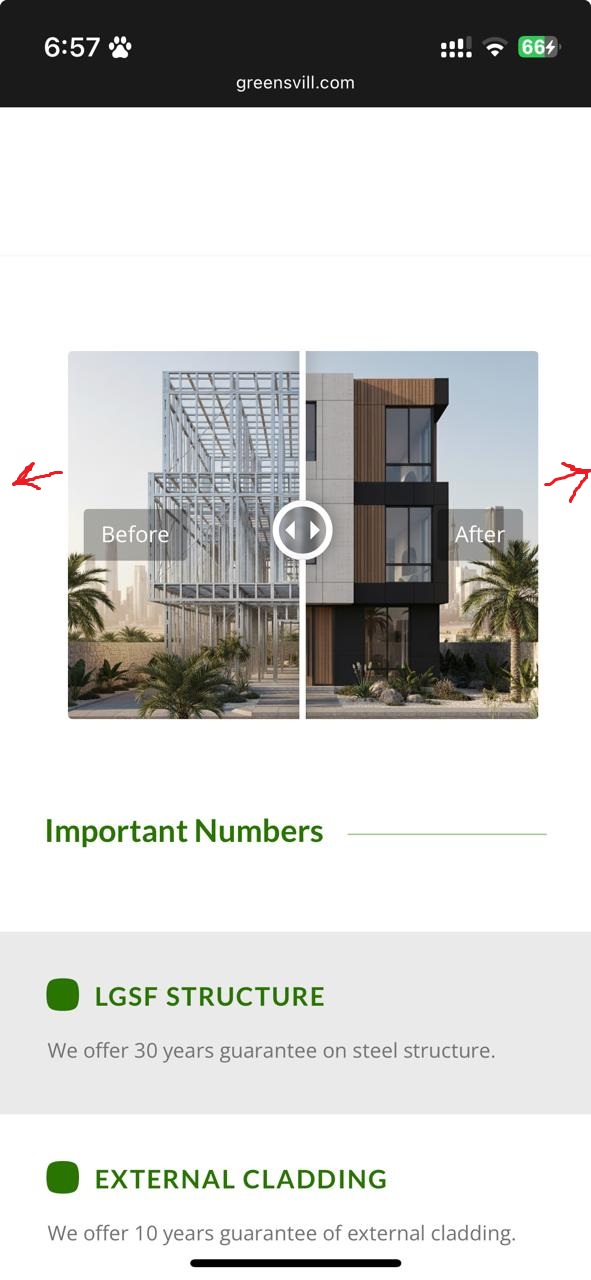
I need only the Before/After section to be full width in all screens.
Thank you Rikard.
Its OK now :)
Rikard,
thank you.
I installed polyland and editing it.
-
This reply was modified 4 months, 1 week ago by
tariqyacoub82.
-
This reply was modified 4 months, 1 week ago by
-
This reply was modified 4 months, 1 week ago by
Ismael, please answer me about Arabic
Thanks Rikard,
It disappeared from desktop but still visible on mobile.
Please support.
thanks,
tariq
Hi Ismael,
I created a test page which is a copy from my home page.
login details are in provate
Dear Rikard,
I did all possible edits but I am still have Home link on the top bar. I need only the logo on the left. I don’t need any menu on desktop or mobile.
Please see this image https://greensvill.com/wp-content/uploads/2025/11/Top-Menu-scaled.png
No I didnt. The demo which I have is Parallax.
Can you tell me or send me any documentation how to install Arabic language and how to get the site work as RTL. The website will have English as base language and Arabic as a second. I also need to have the language switcher on the top..
Hi Rikard,
I want to make the Before/After section with full width.
Please see the image below
https://greensvill.com/wp-content/uploads/2025/11/Before-After.jpeg
Dear Ismael,
Thanks for your reply.
the solution didn’t work.
I tried to paste this code on the style.cc file but also didn’t work.
/* Color section container width */
#section-container-width .container {
width: 100% !important;
min-width: 100%;
padding: 0;
margin: 0;
}Thank you, great and easy setup :) good job and good luck
This reply has been marked as private.Hello Rikard,
There is big blank space in my home page after each element, how can I make it smaller.
Thank you
Sorry Rikard,
I got to know hoe to do it.
thank you
This reply has been marked as private.Thank you Rikard,
I didnt find the enfold child theme in the installation folder downloaded from themeforest. how can I get it ?
-
This reply was modified 4 months, 1 week ago by
-
AuthorPosts