

-
AuthorPosts
-
March 17, 2026 at 4:23 pm #1496101
Hello,
I would like the logo in my homepage header to appear a bit bigger, so that it gets more readable.
How can I achieve that?
Credentials attached
Thank you.Elena
-
This topic was modified 6 hours, 38 minutes ago by
elenagrassi.
March 17, 2026 at 7:26 pm #1496110Even with a vector-based SVG logo, this font (the smaller one in your logo) would no longer be legible.
You could make the header area larger overall, but then let it shrink so it doesn’t take up too much space.
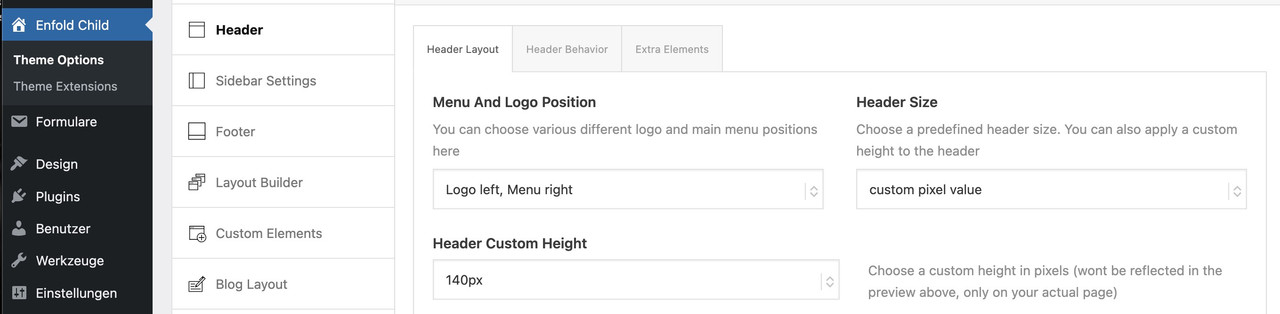
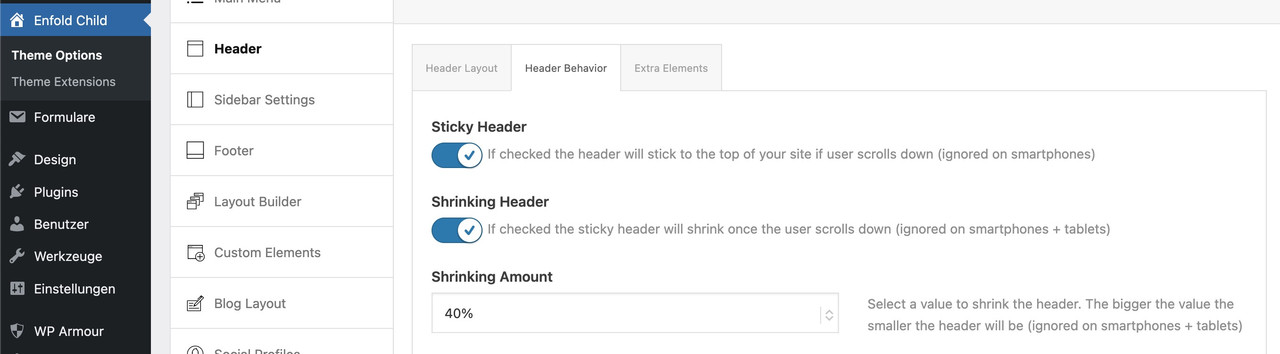
_________________
Another option would be to display the logo larger at first and then have it move to the desired position inside navigation as the page is scrolled.
this for child-theme functions.php:function logo_shrink_navigation(){ ?> <script type="text/javascript"> (function($) { function initLogoScrollAnimation() { // ===== CONFIGURATION ===== var config = { maxScroll: 100, scaleStart: 2.3, scaleEnd: 1, translateYStart: 80, // Starting point shifted in the Y direction (e.g. 80px for down shift) translateYEnd: 0, // End point (must be 0 for the final position) translateXStart: -230, // Starting point shifted in the X direction (e.g. -100px for the left) translateXEnd: 0 // End point (must be 0 for the final position) }; // ========================= var ticking = false; var $menuLogo = $('#menu-item-logo'); var $menuLogoLink = $menuLogo.find('a'); var $menuLogoImg = $menuLogo.find('img'); var logoWidth; function updateLogo(scrollTop) { var progress = Math.min(scrollTop / config.maxScroll, 1); // Skalierung berechnen var scaleDiff = config.scaleStart - config.scaleEnd; var scale = config.scaleStart - (scaleDiff * progress); // Y-Verschiebung berechnen var translateYDiff = config.translateYStart - config.translateYEnd; var translateY = config.translateYStart - (translateYDiff * progress); // X-Verschiebung berechnen (NEU) var translateXDiff = config.translateXStart - config.translateXEnd; var translateX = config.translateXStart - (translateXDiff * progress); var extraSpace = (scale - 1) * logoWidth / 4; // Transform mit translateX ergänzt $menuLogoLink.css('transform', 'translateX(' + translateX + 'px) scale(' + scale + ') translateY(' + translateY + 'px)'); $menuLogo.css({ 'margin-left': -extraSpace + 'px', 'margin-right': -extraSpace + 'px', 'z-index' : '19' }); $menuLogoImg.css({ 'background-color': 'rgba(255,255,255,0.8)', 'backdrop-filter': 'blur(5px)', 'border-radius': '25px', 'border': '1px solid #FFF' }); } $(window).on('scroll', function() { var scrollTop = $(window).scrollTop(); if (!ticking) { window.requestAnimationFrame(function() { updateLogo(scrollTop); ticking = false; }); ticking = true; } }); // Logo-Breite messen und initial setzen logoWidth = $menuLogoLink.outerWidth(); updateLogo($(window).scrollTop()); // Initialen Scrollwert beim Laden berücksichtigen } $(document).ready(function() { setTimeout(function() { initLogoScrollAnimation(); }, 300); }); })(jQuery); </script> <?php } add_action('wp_footer', 'logo_shrink_navigation');the confic section is for the starting look of your logo (scale, shift x and y-axis etc)
look at start this way:
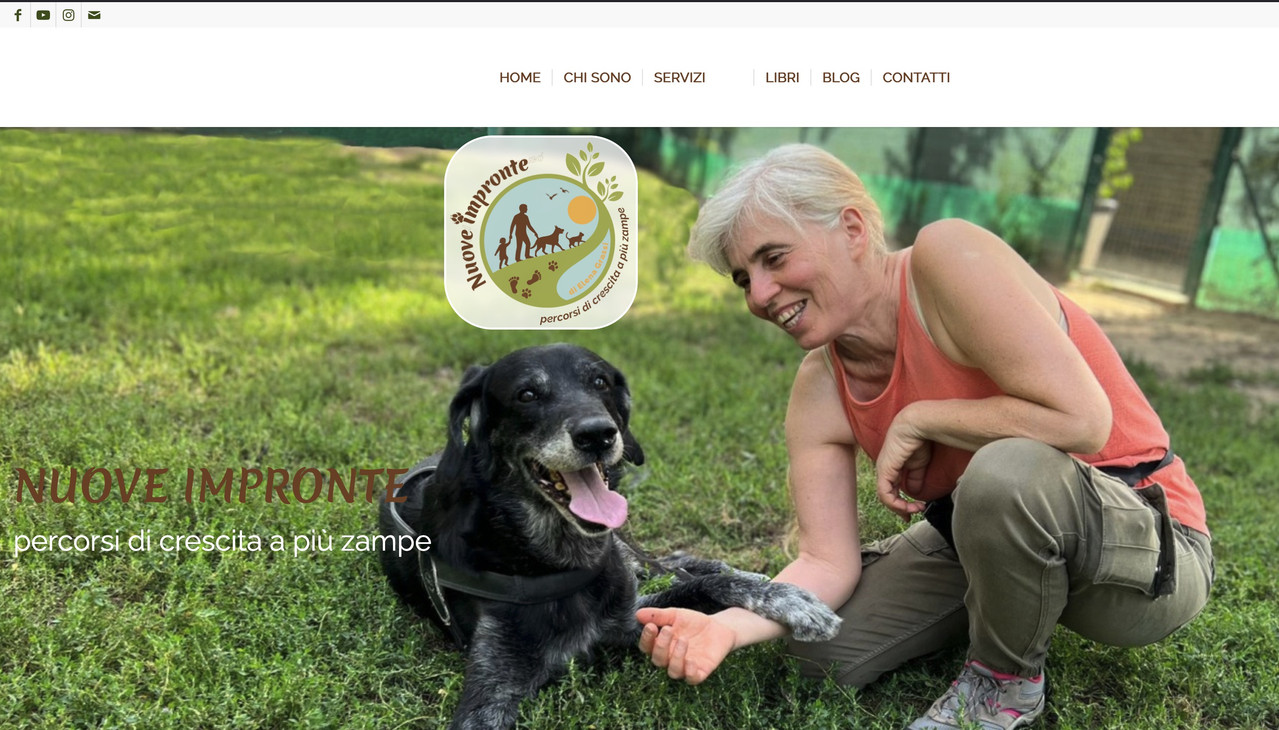
after scroll it is in the center of your nav.
March 17, 2026 at 9:21 pm #1496113Hi,
Perhaps if you want the logo just a little bigger and don’t mind the header to be a little bigger, then this css may help.@media only screen and (min-width: 768px) { #top #menu-item-logo svg, #top #menu-item-logo img { max-height: 150px; } .html_header_top.html_header_sticky.html_large .av_minimal_header #header_main .container,.html_header_top.html_header_sticky.html_large.html_main_nav_header .av_minimal_header .main_menu ul:first-child > li a { height: 150px; line-height: 150px; } }Best regards,
Mike -
This topic was modified 6 hours, 38 minutes ago by
-
AuthorPosts



- You must be logged in to reply to this topic.